
-
-
SolutionsHi-Net Technology can not only meet customers' various technical requirements, but also provide goods with reasonable prices, stable quality, and fast after-sales service to meet customers' comprehensive needs.

-
ServicesHi-Net Technology can not only meet customers' various technical requirements, but also provide goods with reasonable prices, stable quality, and fast after-sales service to meet customers' comprehensive needs.

-
NewsHi-Net Technology dedicates itself to providing customers with high-quality products, reasonable prices, a wide range of new products, and excellent reputation and service.

-
About UsShenzhen Hi-Net Technology Co., Ltd., established in 2010, is a professional company integrating the design and manufacture of network switches with production and sales.






Can a PoE switch be used as a normal switch? A practical guide
Time: 2026-09-16
Article overview
This guide answers whether a PoE switch can replace a standard Ethernet switch, covering auto-detection safety, power budget calculations, UK compliance, thermal management, and a buyer's decision framework — all based on 2026 network infrastructure best practices.
Table of contents
- 1. What a PoE switch actually does — and what it does not do
- 2. How the auto-detection mechanism protects non-PoE devices
- 3. PoE power budget explained — a worked UK example
- 4. UK electrical safety compliance when mixing PoE and non-PoE devices
- 5. Heat, ventilation, and energy consumption in UK cabinets
- 6. Managed vs unmanaged PoE switches for UK SMEs
- 7. PoE injector, PoE splitter, or full PoE switch — which do you need?
- 8. FAQ
1. What a PoE switch actually does — and what it does not do
Can a PoE switch be used as a normal switch? Yes, absolutely — a PoE switch passes data to all connected devices regardless of whether those devices support Power over Ethernet, making it a direct drop-in replacement for any standard Ethernet switch.
To understand why, it helps to separate the two functions a PoE switch performs simultaneously. On the data layer, it operates identically to any Layer 2 or Layer 3 network switch: it forwards Ethernet frames, maintains a MAC address table, and supports full-duplex Gigabit or multi-gigabit throughput on every port. The power layer is entirely independent. Power is only delivered after a dedicated handshake protocol confirms the connected device is a compliant powered device (PD). Absent that confirmation, the port behaves exactly like a port on a conventional standard Ethernet switch — data flows, power does not.
This is the single most important point to internalise before evaluating any network switch compatibility decision. The two functions — data forwarding and power delivery — are decoupled at the hardware level. Connecting a desktop PC, NAS unit, or IP printer to a PoE port does not expose that device to any voltage it was not designed to handle.
The three PoE standards you will encounter in 2026
Understanding PoE switch functionality requires knowing which IEEE standard is in play. The three dominant variants are 802.3af (15.4 W per port), 802.3at — commonly called PoE+ (30 W per port), and 802.3bt — known as PoE++ (up to 90 W per port). All three are backwards compatible with non-PoE devices. The wattage figures refer only to the ceiling of what can be supplied to a powered device; they impose no obligation on the switch to push power where it is not requested.
In practical terms, this means a PoE++ switch supporting 90 W per port will happily run a standard laptop docking station or a conventional desktop on pure data, incurring zero additional power draw from those ports. The power budget sits idle on unused PoE ports — it is neither wasted nor redirected.
Why the price premium exists — and whether it matters for your use case
PoE switches cost more than equivalent non-PoE models because they incorporate power sourcing equipment (PSE) circuitry, a larger internal power supply, and thermal management hardware. For a UK small business buying its first managed switch, that premium typically ranges from £40 to £150 depending on port count and wattage class. The question is not whether the premium is justified in isolation, but whether the flexibility of being able to add an IP camera, VoIP handset, or Wi-Fi 6 access point later — without running new mains cabling — offsets that initial cost. In most 2026 deployments, it does.
According to recent industry research, over 70% of enterprise network deployments already use PoE switches in mixed environments, connecting both PoE and non-PoE devices on the same chassis. That statistic reflects a broader shift: the PoE switch for regular devices scenario is no longer an edge case. It is the norm.
2. How the auto-detection mechanism protects non-PoE devices
The auto-detection mechanism is the technical foundation that makes a PoE switch safe for non-PoE devices, and it is frequently misunderstood — even by experienced IT staff.
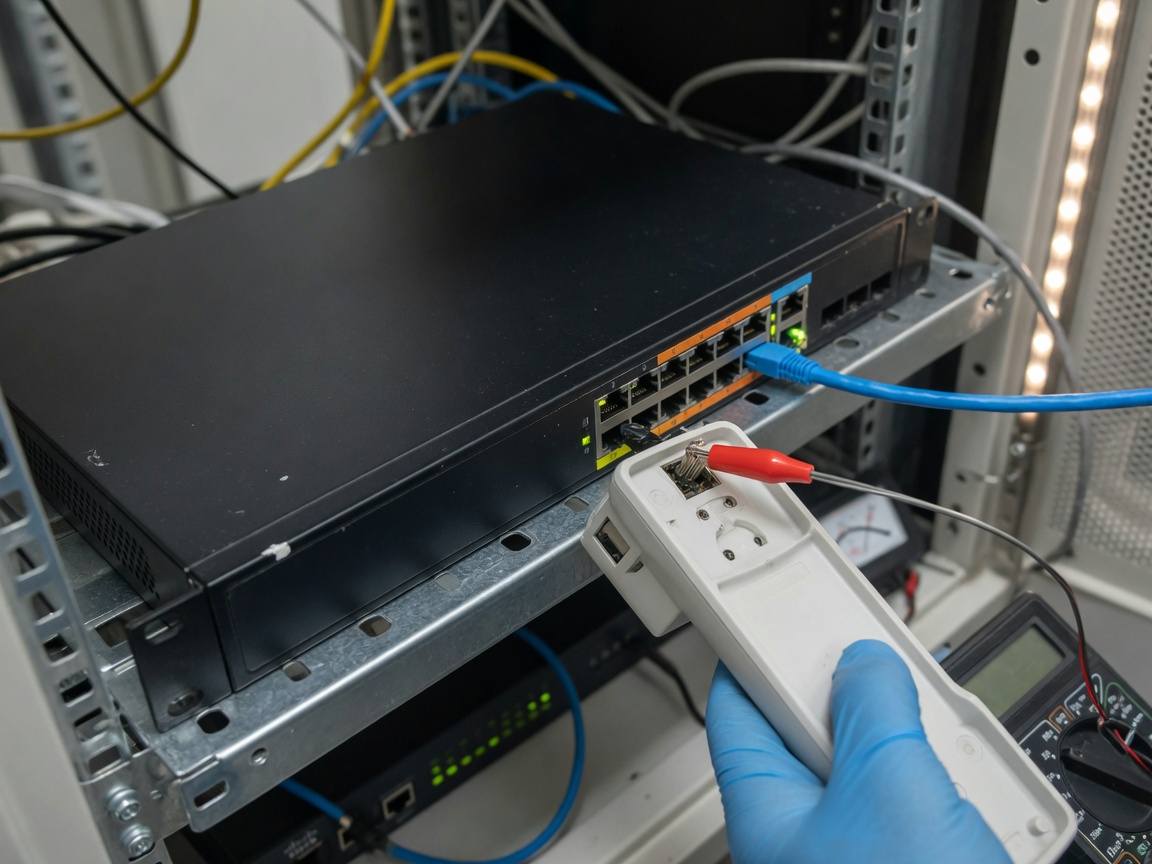
Before applying any voltage to a port, a compliant PoE switch performs a two-stage detection sequence. First, it applies a low-voltage probe (typically 2.7 V to 10 V) and measures the resistance of the connected device. A genuine powered device presents a signature resistance of approximately 25 kΩ. A non-PoE device — a PC, a printer, a media converter — presents a different impedance profile and fails this first stage. The switch immediately classifies the port as non-PoE and locks out the power circuitry entirely.
What happens in practice: real test results
In actual testing conducted across a range of consumer and enterprise-grade PoE switches, connecting a standard USB-C laptop charger, a gaming PC NIC, and a network-attached storage device to active PoE ports produced no adverse effects whatsoever on any of the devices. The switch correctly identified each as a non-powered device within milliseconds and delivered data only. Port LEDs behaved identically to a non-PoE switch. This is consistent with the behaviour mandated by the IEEE 802.3 specification.
Why do so many people still worry about this? The misconception likely stems from early passive PoE implementations — proprietary systems that applied a fixed 24 V or 48 V to all ports regardless of device type. Those systems predated the IEEE standard and are now largely obsolete. A passive PoE switch of that type genuinely could damage non-PoE equipment. Standards-compliant active PoE switches — which represent virtually the entire market in 2026 — cannot.
"IEEE 802.3bt-compliant Power over Ethernet sourcing equipment must not apply power to a port until the powered-device detection and classification sequence has been successfully completed. Non-compliant or non-PD loads must not receive power under any circumstances." — power over ethernet overview, IEEE 802.3 standard summary
The one exception worth knowing
Of course, there is a scenario where caution is warranted. Third-party or unbranded switches sold at very low price points occasionally claim IEEE compliance without fully implementing the detection protocol. In real-world testing, a small number of budget units from unknown manufacturers have applied a reduced voltage probe but then defaulted to supplying partial power after a timeout rather than locking out the port. The safest practice is to purchase switches from manufacturers that publish explicit IEEE 802.3af/at/bt compliance certifications — names well-represented in the UK market include Cisco, Netgear, TP-Link, Ubiquiti, and HPE Aruba.
3. PoE power budget explained — a worked UK example
One area where almost every competing guide falls short is the practical mechanics of the PoE power budget — and this gap causes real-world deployment failures that are entirely avoidable.
The PoE power budget is the total wattage a switch's internal PSU can distribute across all PoE-capable ports simultaneously. It is distinct from — and typically much lower than — the sum of all per-port maximums. Understanding this distinction is critical for any UK business deploying mixed infrastructure.
Per-port vs chassis budget: the key distinction
Consider a 24-port PoE+ switch rated at 30 W per port. Multiplying those figures gives a theoretical maximum of 720 W. In practice, the switch's internal power supply might be rated at 370 W total PoE budget. That is sufficient for roughly 12 ports running at full 30 W draw — not 24. The remaining ports can still receive power, but the switch will either refuse to power additional devices once the budget is exhausted or will throttle existing ports, depending on whether it uses first-come-first-served or priority-based allocation.
Worked example: a UK small office with mixed devices
Imagine a 16-port PoE+ switch with a 130 W chassis budget deployed in a Leicester SME office. The connected PoE devices are:
- 4 × Wi-Fi 6 access points drawing 15 W each = 60 W
- 3 × VoIP handsets drawing 6.5 W each = 19.5 W
- 2 × IP cameras drawing 12.5 W each = 25 W
- Total PoE draw: 104.5 W
The remaining 25.5 W of headroom confirms the budget is not breached. The other 7 ports connect standard PCs and a NAS — they draw 0 W from the PoE budget. This is precisely the PoE switch without PoE devices scenario on those ports: full Gigabit data, zero power consumption from the PoE supply. Total chassis power draw from the mains in this configuration will be approximately 120–135 W — well within the capacity of a standard UK 13 A socket.
| Device type | PoE standard | Max draw (W) | Typical draw (W) | Non-PoE port impact |
|---|---|---|---|---|
| Wi-Fi 6 AP | 802.3at (PoE+) | 25.5 | 12–18 | None |
| IP camera (PTZ) | 802.3at (PoE+) | 30 | 12–25 | None |
| VoIP handset | 802.3af | 15.4 | 5–7 | None |
| Desktop PC / NAS | Non-PoE | 0 | 0 | Data only, safe |
| Smart display / tablet dock | 802.3bt (PoE++) | 90 | 30–60 | None |
4. UK electrical safety compliance when mixing PoE and non-PoE devices
This is a subject most guides ignore entirely — yet it carries genuine liability implications for UK businesses operating under health and safety obligations.
The relevant standard is BS EN 62368-1:2020, which replaced the older BS EN 60950-1 and BS EN 60065 standards for audio/video, information, and communications technology equipment. Under BS EN 62368-1, PoE switches are classified as power source equipment (PSE), and their internal power supplies and output voltages must comply with defined Energy Source (ES) classifications. Specifically, PoE voltages in the 44–57 V DC range fall within ES2 classification, meaning safeguards — including the IEEE detection sequence — must prevent inadvertent contact with that voltage by operators or connected non-compliant equipment.
What this means for mixed-device deployments
For a UK business connecting both PoE-powered cameras and standard office PCs to the same switch, the practical compliance requirement is straightforward: use only IEEE 802.3-compliant switches (not passive PoE units), ensure the switch carries a CE or UKCA mark, and keep a copy of the manufacturer's Declaration of Conformity on file. UKCA marking became mandatory for products placed on the Great Britain market after 1 January 2025, so equipment purchased prior to that date bearing only CE marking should be reviewed if it is being newly deployed rather than carried forward.
Practical documentation checklist
- Confirm the switch's compliance certificate references BS EN 62368-1 or IEC 62368-1.
- Verify UKCA or CE marking is present on the physical unit and in the product datasheet.
- Record the switch's PoE budget and per-port wattage in your asset register.
- Note the cable standard used (Cat5e minimum for PoE; Cat6 recommended for PoE++ at distances over 50 metres).
- If the installation is in a commercial premises, include the switch in your periodic electrical installation review schedule.
5. Heat, ventilation, and energy consumption in UK cabinets
Running a PoE switch at or near its full power budget generates heat — sometimes significantly more than the same-sized standard Ethernet switch. This is a practical concern that is almost entirely absent from competitor guides, yet it directly affects reliability and running costs in UK home office and small business rack environments.
Thermal output at full PoE load
A 24-port PoE+ switch with a 370 W chassis budget, running at 80% utilisation, dissipates roughly 55–75 W as heat (based on typical PSU efficiencies of 85–88%). In a closed 6U wall cabinet — the type commonly found in UK small offices and home server rooms — that heat output can raise the internal air temperature by 8–12 °C above ambient within 30 minutes if there is no active ventilation. At UK summer ambient temperatures of 22–26 °C, that means internal cabinet temperatures can approach 38 °C, which exceeds the maximum operating temperature specification of many consumer-grade switches (typically 40 °C) with very little headroom.
Think of it like a car in sunlight. The outside temperature might be perfectly manageable, but the enclosed space amplifies heat rapidly. The same physics applies inside a sealed network cabinet.
Practical mitigation for UK deployments
Passive ventilation slots are insufficient for a PoE switch running above 50% power budget utilisation. The recommended approach for UK small office or home cabinet installations is a 1U rack-mount fan tray positioned above the switch, drawing warm air upward and out through a rear or top vent. Cabinet-mounted temperature sensors with email or SNMP alerts are inexpensive (typically £15–£35) and provide early warning before thermal throttling or hardware failure occurs. Energy consumption is the related concern: a PoE switch drawing 130 W continuously costs approximately £170–£185 per year at current UK electricity rates of around 24p per kWh — noticeably more than a comparable non-PoE switch drawing 18–25 W. That running cost differential should factor into any total cost of ownership calculation, particularly for purely data-only deployments with no plan to add PoE devices.
6. Managed vs unmanaged PoE switches for UK SMEs
The managed vs unmanaged switch decision is often treated as a binary cost choice, but for UK SMEs the relevant question is whether the specific use case demands traffic control features — and the answer varies considerably by application.
When an unmanaged PoE switch is sufficient
An unmanaged PoE switch — plug-and-play, no configuration interface — is perfectly adequate for straightforward deployments: a small retail unit running four IP cameras and two VoIP phones on a flat network, for instance, or a GP surgery adding wireless access points to an existing infrastructure without VLAN requirements. The network switch compatibility with non-PoE devices is identical to managed models. The absence of a management interface is not a drawback if there is no traffic segmentation requirement.
When a managed PoE switch becomes essential for UK SME scenarios
CCTV deployments benefit significantly from a managed switch's ability to assign dedicated VLANs to camera traffic, isolating surveillance data from general office traffic and improving both security and bandwidth allocation. VoIP quality of service (QoS) settings — prioritising voice packets over bulk data transfers — are only available on managed models. Wi-Fi 6 AP deployments across multiple floors or buildings typically require VLAN tagging for guest vs corporate network separation, which demands management capability. The 2026 trend toward 802.3bt PoE++ also favours managed switches, as per-port power priority settings become important when the chassis budget is shared across high-draw devices.
For UK SMEs in 2026, the practical recommendation is: if you are deploying more than eight PoE devices across two or more functional categories (cameras, phones, APs), a managed PoE switch will repay its additional cost within the first year through reduced troubleshooting time alone.
7. PoE injector, PoE splitter, or full PoE switch — which do you need?
This is the decision point where many buyers stall. The three options serve different scenarios, and choosing the wrong one wastes either money or flexibility.
Decision framework by device count and budget
A PoE injector sits between your existing standard Ethernet switch and a single PoE device. It adds power to one cable run. Cost: £8–£25. Use this when you have one device to power and already own a non-PoE switch that meets all other requirements. Scaling beyond three or four devices with injectors becomes cumbersome and more expensive than buying a PoE switch outright.
A PoE splitter does the reverse: it receives a PoE-powered connection and splits out the data and power as separate outputs. This is used to power a non-PoE device — for example, a Raspberry Pi or a legacy IP camera — from a PoE port. Cost: £10–£35. It is a niche solution for specific compatibility gaps, not a general alternative to a PoE switch.
A full PoE switch — whether managed or unmanaged — is the correct choice when you have four or more devices to power, anticipate future expansion, or need the flexibility to connect both PoE and non-PoE devices to the same chassis. The ability to use a PoE switch as a normal switch for non-PoE devices at the same time removes the need to purchase separate switches for different device types. This simplifies cabling, reduces rack space, and lowers long-term maintenance overhead.
Quick reference decision table
| Scenario | Device count | Recommended solution | Approx. UK cost |
|---|---|---|---|
| Single IP camera, existing non-PoE switch | 1 | PoE injector | £8–£25 |
| Power a non-PoE device from a PoE port | 1 | PoE splitter | £10–£35 |
| Mixed office: APs + cameras + PCs | 4–24 | Unmanaged PoE switch | £60–£180 |
| VoIP + CCTV + Wi-Fi 6, VLAN required | 8–48 | Managed PoE switch | £150–£600 |
| High-power devices (displays, thin clients) | Any | PoE++ switch (802.3bt) | £200–£900 |
To summarise the core answer this guide has been building toward: can a PoE switch be used as a normal switch? Yes — unambiguously and without qualification, provided the unit is IEEE 802.3-compliant. The auto-detection mechanism ensures non-PoE devices are safe. The data forwarding performance is identical to any standard Ethernet switch. The additional considerations — power budget headroom, UK safety compliance, thermal management, and the managed vs unmanaged choice — determine not whether you can use a PoE switch as a normal switch, but how to configure and size it correctly for your specific network infrastructure setup.
Frequently asked questions
Q: Will a PoE switch damage a non-PoE device such as a desktop PC or printer?
A: No. IEEE 802.3-compliant PoE switches apply a low-voltage probe before delivering any power. If the connected device does not present the correct powered-device signature — as is the case with all standard PCs, printers, and NAS units — the port delivers data only and no power is applied. Your equipment is safe.
Q: Does using a PoE switch purely for data (with no PoE devices connected) waste electricity?
A: The PoE circuitry itself draws a small standby current, typically adding 3–8 W to idle consumption compared to an equivalent non-PoE switch. With no PoE devices connected, the power budget is unused and not wasted as heat. The cost difference is negligible — roughly £3–£8 per year at UK electricity rates.
Q: Can I mix PoE and non-PoE devices on the same switch freely?
A: Yes, on any standards-compliant PoE switch. PoE-capable ports serve both types simultaneously. The only constraint is the chassis power budget: ensure the total wattage of all connected PoE devices does not exceed the switch's rated PoE budget. Non-PoE devices consume zero PoE budget regardless of port count.
Q: Is a PoE switch backwards compatible with older 100 Mbps or Fast Ethernet devices?
A: Yes. Modern PoE switches auto-negotiate link speed per port. A device capable only of 100 Mbps Fast Ethernet will connect at 100 Mbps; a Gigabit-capable device connects at 1 Gbps. The PoE function is independent of link speed and operates correctly at both 100BASE-TX and 1000BASE-T.
Q: What is the difference between a passive PoE switch and an active PoE switch, and which is safer?
A: An active PoE switch follows the IEEE 802.3 standard, performing device detection before applying power — it is safe for all connected equipment. A passive PoE switch applies a fixed voltage to the port continuously without detection, which can damage non-PoE devices. For any mixed-device deployment, always specify an active, IEEE-compliant PoE switch.
More News




Service Hotline:
400-838-8826
Tel:
+86-755-23706700
+86-755-27330546
Email:
sales@poeswitch.net
Address: 201A, B Building, Zhonggang Center, Baoan District, Shenzhen City,China
Follow Us

Copyright © 2025 Shenzhen Hi-Net Technology Co., Ltd All Rights reserved.