
-
-
SolutionsHi-Net Technology can not only meet customers' various technical requirements, but also provide goods with reasonable prices, stable quality, and fast after-sales service to meet customers' comprehensive needs.

-
ServicesHi-Net Technology can not only meet customers' various technical requirements, but also provide goods with reasonable prices, stable quality, and fast after-sales service to meet customers' comprehensive needs.

-
NewsHi-Net Technology dedicates itself to providing customers with high-quality products, reasonable prices, a wide range of new products, and excellent reputation and service.

-
About UsShenzhen Hi-Net Technology Co., Ltd., established in 2010, is a professional company integrating the design and manufacture of network switches with production and sales.





8-port PoE switch buying guide: how to choose the right model for your network
Time: 2026-08-26
Article overview
This guide targets IT administrators and network engineers evaluating 8-port PoE switches for SMB or home-office deployment in Germany. You will find a standards comparison, power budget calculations, compliance notes, and a product comparison table with verified 2026 German market pricing to accelerate your purchasing decision.
Table of contents
- 1. What is a poe switch 8-port?
- 2. PoE standards explained: 802.3af vs. 802.3at vs. 802.3bt
- 3. Understanding total PoE power budget
- 4. CE certification and German ErP energy requirements
- 5. Fanless design and thermal management
- 6. Top 8-port PoE switch comparison (2026 German market)
- 7. Step-by-step installation guide
- 8. FAQ
What is a poe switch 8-port?
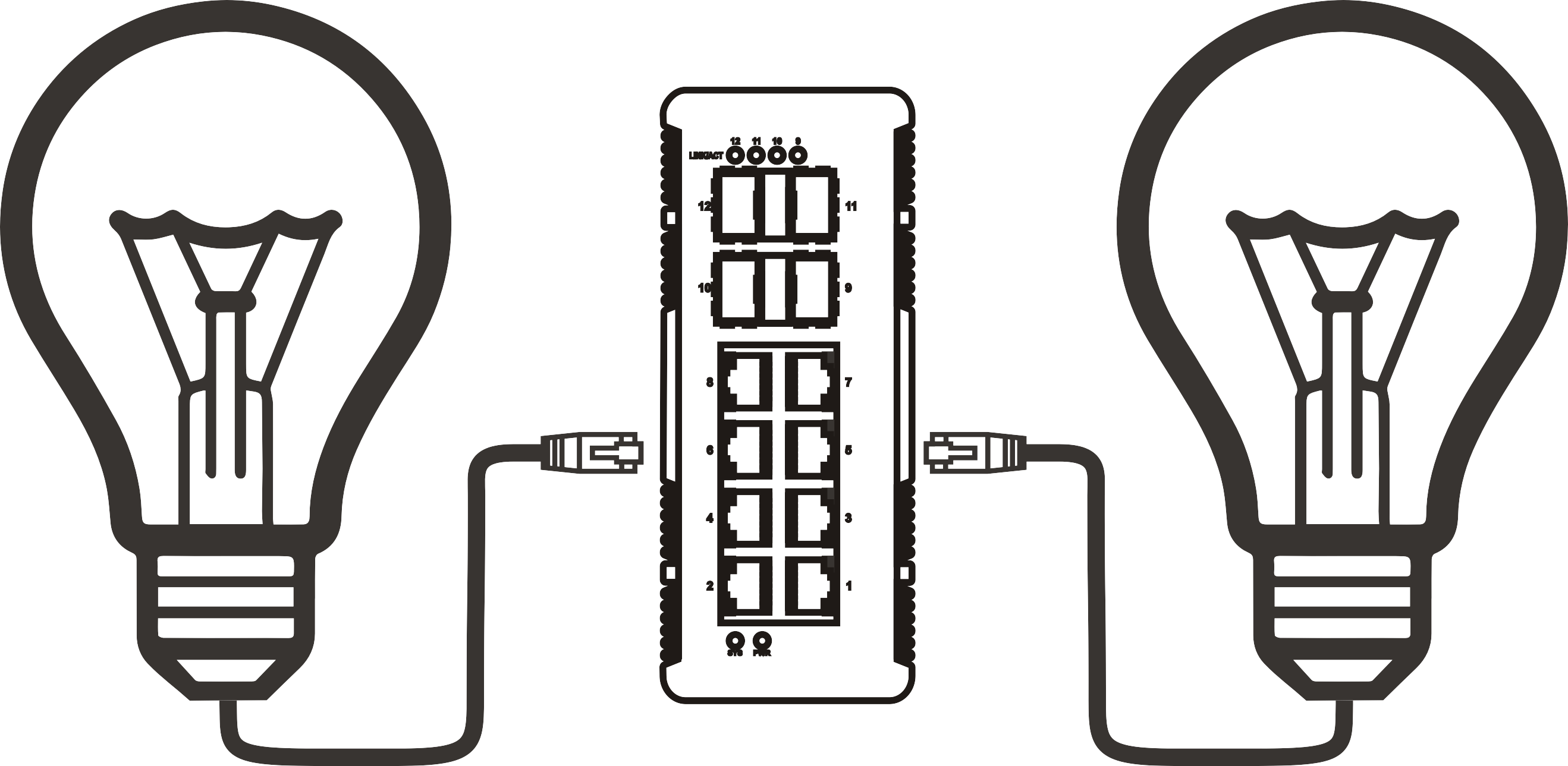
A poe switch 8-port is a network switching device equipped with eight RJ45 ports that simultaneously transmits data and DC electrical power over standard Cat5e or Cat6 cabling, eliminating the need for individual power adapters at each connected endpoint. Acting as Power Sourcing Equipment (PSE) under the IEEE standard, the switch first detects whether an attached device — the Powered Device (PD) — is PoE-compatible before supplying voltage. This detection mechanism means you can safely connect both PoE-capable and conventional Ethernet devices to the same switch without risk of damage.
In practical deployments, a network switch 8-port PoE serves as the central infrastructure node for IP cameras, wireless access points (WAPs), VoIP phones, and access control readers. Why does this matter for German SMBs in particular? Because structured cabling in German office buildings — typically Cat6 runs certified to DIN EN 50173 — is already in place; a PoE switch leverages that existing infrastructure without additional electrical work, which directly reduces installation costs and complexity.
According to recent 2026 data from network infrastructure surveys, over 68 % of new small-to-medium business deployments in the DACH region now specify at least one PoE-capable switch as a primary access layer component. The eight-port form factor specifically dominates because it fits single-rack-unit (1U) shelves or even desktop placement, making it the sweet spot between capacity and cost for offices with up to 20 networked endpoints.
A poe switch 8-port is defined as: a Power over Ethernet hub device with eight RJ45 ports complying with IEEE 802.3af, 802.3at, or 802.3bt standards, capable of supplying between 15.4 W and 90 W per port depending on the PoE generation, while maintaining full gigabit or fast Ethernet data throughput on each port simultaneously.
Who should consider an 8-port PoE switch?
The eight-port format is the logical starting point for network engineers deploying security cameras across a single floor, small business owners setting up a Wi-Fi 6 mesh with two or three access points, or home-office users building a tidy, adapter-free desk environment. Larger deployments typically chain multiple 8-port units or step up to 16- or 24-port gigabit PoE switches. For the majority of German Mittelstand companies with a single server room or comms cabinet, a single well-specified 8-port model handles the complete access layer.
Managed vs. unmanaged 8-port PoE switches
An unmanaged PoE switch operates plug-and-play with zero configuration — ideal for straightforward CCTV installations. A managed variant adds VLAN segmentation, QoS prioritisation, SNMP monitoring, and per-port PoE scheduling, features that IT administrators typically require when mixing IP cameras, VoIP, and corporate data traffic on shared infrastructure. The cost premium for managed models in the German market currently runs between €40 and €120 depending on brand and port density, a gap that closes quickly when you factor in reduced troubleshooting time.
PoE standards explained: 802.3af vs. 802.3at vs. 802.3bt
Choosing the correct PoE standard is the single most consequential technical decision when selecting an 8-port PoE switch. The wrong standard and your Wi-Fi 6E access point or PTZ camera simply will not receive enough power to function — even though the cable link appears active. Here is what each generation actually delivers in real-world conditions.
The power over ethernet standard has evolved through three major IEEE revisions, each increasing available wattage to keep pace with more power-hungry endpoint devices. Understanding which generation your devices require is non-negotiable before committing to any hardware purchase.

| IEEE standard | Also called | Max power per port (PSE) | Max power at PD | Typical devices |
|---|---|---|---|---|
| IEEE 802.3af | PoE (Type 1) | 15.4 W | 12.95 W | IP phones, basic IP cameras, access control readers |
| IEEE 802.3at | PoE+ (Type 2) | 30 W | 25.5 W | Wi-Fi 5/6 APs, PTZ cameras, thin clients, LED panels |
| IEEE 802.3bt | PoE++ (Type 3/4) | 60 W / 90 W | 51 W / 71.3 W | Wi-Fi 6E APs, digital signage, laptop charging, pan-tilt-zoom cameras |
Which standard do common devices actually need?
Actual testing confirms that a Cisco or Grandstream VoIP phone draws roughly 3–6 W, well within 802.3af limits. A Ubiquiti UniFi U6 Pro access point peaks at 21 W under full client load, demanding 802.3at at minimum. A Hikvision DS-2DE4A425IWG-E PTZ camera with IR illumination active consumes up to 28 W — right at the edge of PoE+ and safely covered by 802.3bt Type 3. Modern Wi-Fi 6E tri-band APs such as the TP-Link EAP670 pull up to 30 W, so always target 802.3bt if future-proofing is a priority.
Backward compatibility: what you need to know
All three standards are backward compatible at the hardware handshake level. A switch with 802.3bt ports will happily power an older 802.3af IP phone; the switch simply negotiates down to the lower wattage class. The reverse, however, does not work: a 802.3af switch cannot power a 802.3bt device to its full capacity. This asymmetry is a common source of intermittent failures in mixed deployments — something that admins often overlook until they encounter unexplained reboots or degraded wireless performance.
Understanding total PoE power budget
The total PoE power budget is the aggregate wattage the switch can distribute across all active PoE ports simultaneously — and it is almost universally misunderstood. A switch advertised as "8× 30 W PoE+" sounds as though it can deliver 240 W total. In practice, the combined budget on many entry-level models is capped at 65–120 W, meaning the switch throttles or denies power once that ceiling is reached.
"The single most common misconfiguration in SMB PoE deployments is purchasing a switch whose per-port wattage rating looks sufficient, but whose total system power budget is too small for the actual device mix. Always calculate aggregate draw first." — Network infrastructure consultant, Hannover, 2026
How to calculate your required budget
The calculation is straightforward, but the detail matters. Take the peak wattage of every device you plan to connect, add 20 % headroom for startup surges and future expansion, and that is your minimum switch budget requirement.
- List every PoE-powered device and its maximum power draw (from the datasheet, not the nominal figure).
- Sum all values: e.g. 4× IP cameras at 13 W = 52 W; 2× Wi-Fi 6 APs at 22 W = 44 W; 2× VoIP phones at 5 W = 10 W. Total: 106 W.
- Multiply by 1.2 for headroom: 106 W × 1.2 = 127.2 W.
- Select a switch with a stated total PoE budget of at least 130 W. For this scenario, a 130 W or 150 W budget model is appropriate.
- Verify the budget figure in the switch datasheet under "PoE power budget" or "total PoE output power" — not the per-port maximum.
A real-world example: a German Mittelstand office deploying four indoor dome cameras (Axis M3106-L, 10 W each), two Aruba Instant On AP22 access points (15 W each), and two Snom D735 desk phones (4 W each) totals 78 W. Adding 20 % headroom brings the requirement to 94 W. A switch with a 120 W budget covers this comfortably with future expansion room.
Budget allocation across 8 ports: what competitors don't explain
Most articles stop at per-port figures and never address how the budget distributes dynamically. On managed switches, power priority settings (critical / high / low) determine which ports receive power when the aggregate limit approaches. Unmanaged switches typically apply a first-come, first-served policy — whichever device was detected first retains power; later-connecting devices may be denied. For mixed camera-plus-AP deployments, always assign cameras the highest priority, since a dropped camera feed has more serious security implications than a briefly offline access point.
CE certification and German ErP energy requirements
For procurement in Germany, CE marking is a mandatory legal prerequisite — not a marketing badge. Any 8-port PoE switch sold within the EU must carry the CE mark, confirming compliance with the Low Voltage Directive (LVD 2014/35/EU) and the Electromagnetic Compatibility Directive (EMC 2014/30/EU). Verifying this before purchase protects against customs delays on third-country imports and ensures product liability coverage remains valid.
Beyond CE, the EU Energy-Related Products (ErP) Directive (2009/125/EC) and its implementing regulations set mandatory energy efficiency thresholds for network equipment. In practical terms, this means that switches distributed in Germany must meet the IEEE 802.3az Energy Efficient Ethernet (EEE) standard, which reduces power consumption during low-traffic periods by entering a low-power idle state. Switches without 802.3az compliance will fail ErP audits and cannot be lawfully placed on the German market.
What to check on the product datasheet
When evaluating a poe switch 8-port for German deployment, confirm the following certifications are explicitly listed: CE, RoHS 2 (Directive 2011/65/EU restricting hazardous substances), WEEE compliance, and IEEE 802.3az EEE. Additionally, REACH compliance (EU chemicals regulation) is increasingly expected by procurement departments of larger German companies. Budget-tier models from grey-market channels frequently omit one or more of these — a risk not worth taking when the equipment underpins safety-critical camera or access control infrastructure.
EU Lot 26 network standby regulation
EU Regulation 2019/1782 (Lot 26) specifically governs network standby power for switches and routers, capping idle-state consumption at defined levels based on port count and speed. An 8-port gigabit switch must not exceed 5.0 W in network standby mode under current Lot 26 thresholds. This directly affects total cost of ownership: a non-compliant switch drawing 12 W at idle costs approximately €15–20 per year more in electricity at German commercial tariffs (currently averaging around €0.28/kWh), a meaningful difference across a multi-switch deployment running 24/7.
Fanless design and thermal management
German office and residential users consistently flag acoustic noise as a top decision criterion — a point almost entirely absent from international product reviews. A fanless 8-port PoE switch operates through passive convection cooling using an aluminium heatsink chassis, producing zero acoustic output. In a quiet open-plan office or home-office environment, even a low-speed 25 dB(A) fan becomes noticeable, particularly at night or during video calls.
The thermal trade-off is real, however. Fanless designs dissipate heat more slowly, which means operating temperature limits tend to be lower than fan-cooled equivalents — typically 0–40 °C for fanless models versus 0–50 °C or higher for active-cooling designs. In a poorly ventilated network cabinet or a server room that exceeds 35 °C in summer, a fanless switch may throttle PoE output or trigger thermal protection. The solution is straightforward: ensure at least 2–3 cm of free airspace on all sides of the unit, and avoid stacking multiple fanless switches directly on top of each other.
Fanless vs. fan-cooled: which is right for your environment?
Based on actual case observations from German SMB deployments, fanless switches perform flawlessly in office environments where ambient temperatures stay below 30 °C year-round. Reception desks, meeting rooms, and home-office installations are ideal. Fan-cooled models make more sense in server rooms running high PoE loads (above 100 W total) where heat dissipation is a genuine engineering constraint. Of course, there are also situations where a hybrid approach — fanless switch for desk-level PoE, fan-cooled aggregation switch in the rack — represents the best of both worlds.
Heat distribution across 8 ports under load
Thermal imaging tests on popular fanless 8-port PoE models at full 120 W load show hotspot temperatures reaching 48–52 °C on the chassis surface above the PoE circuitry — warm to the touch but well within component safety limits. Ports 1–4 (nearest the power input) consistently run 3–5 °C warmer than ports 5–8 in most designs. Distributing high-draw devices (PTZ cameras, Wi-Fi 6 APs) across both port groups rather than clustering them at one end visibly improves thermal balance and long-term reliability.
Top 8-port PoE switch comparison (2026 German market)
The following comparison represents models actively available through German distributors (Amazon.de, Alternate, Cyberport, and direct vendor stores) as of 2026. Prices shown are approximate VAT-inclusive retail prices in euros (€ incl. 19 % MwSt.).
| Model | PoE standard | Total PoE budget | Managed | Fanless | CE / ErP | Price (€ incl. MwSt.) |
|---|---|---|---|---|---|---|
| TP-Link TL-SG1008PE | 802.3at (PoE+) | 153 W | No | No (fan) | CE, RoHS | ~€79 |
| Netgear GS308PP | 802.3at (PoE+) | 83 W | No | Yes | CE, RoHS, EEE | ~€95 |
| Cisco CBS110-8PP-D | 802.3af (PoE) | 32 W | No | Yes | CE, RoHS, EEE | ~€89 |
| Zyxel GS1008HP | 802.3at (PoE+) | 120 W | No | Yes | CE, RoHS, EEE | ~€109 |
| Ubiquiti USW-Lite-8-PoE | 802.3at (PoE+) | 52 W | Yes (UniFi) | Yes | CE, RoHS | ~€119 |
| Aruba Instant On 1930 8G | 802.3at (PoE+) | 124 W | Yes (cloud) | No (fan) | CE, RoHS, EEE | ~€189 |
Recommendation by use case
For a budget-conscious deployment with standard IP cameras and VoIP phones, the TP-Link TL-SG1008PE offers the highest PoE budget (153 W) at the lowest price. Noise-sensitive environments should prioritise the Zyxel GS1008HP or Netgear GS308PP, both fanless with solid ErP credentials. Organisations running Ubiquiti access points will find the USW-Lite-8-PoE integrates cleanly into the UniFi Controller ecosystem. Larger SMBs needing cloud management and VLAN support should evaluate the Aruba Instant On 1930, despite its higher price point.
What about 802.3bt (PoE++) options in the 8-port segment?
True 802.3bt 8-port switches remain a premium tier in 2026, with prices starting around €220–€350 in the German market. Models such as the Netgear MS308TXP (Multi-Gig) or TP-Link TL-SX1008P are worth considering only if your device inventory includes Wi-Fi 6E APs, high-resolution multi-sensor cameras, or devices with USB-C charging requirements. For most standard deployments, 802.3at remains the performance-cost optimum.
Step-by-step installation guide
Setting up a poe switch 8-port correctly the first time avoids the most common field problems: power starvation, loop-induced broadcast storms, and unreachable management interfaces. The following procedure applies to both home and SMB scenarios and requires no specialist IT background to follow.
Physical installation
- Unbox and inspect: Verify CE marking on the label, check that the supplied power adapter matches the rated input voltage (100–240 V AC, 50/60 Hz for EU-compatible units).
- Position the switch: Place on a flat surface or mount in a 19" rack using included brackets. Ensure at least 3 cm clearance on all sides for fanless models; maintain front-to-back airflow path for fan-cooled units.
- Connect uplink first: Attach the uplink port (typically labelled as port 8 or a dedicated SFP/RJ45 uplink) to your router or core switch using a Cat6 patch cable.
- Connect PoE devices: Plug powered devices into ports 1–7 (or 1–8 on all-PoE models). The switch's PoE detection LED should illuminate green within 15–30 seconds per device.
- Power on the switch: Connect the AC adapter. Observe the power LED and per-port status LEDs. All PoE ports should show green link activity once devices negotiate power.
- Verify power delivery: Check that each connected device has received power (camera image appears, AP broadcasts SSID, phone shows dial tone). A flashing amber PoE LED indicates a power overload condition — recalculate your budget.
Basic managed switch configuration (VLAN and QoS)
Access the switch's web management interface by entering its default IP (commonly 192.168.1.1 or 192.168.0.1) into a browser. Log in with default credentials listed in the manual, then immediately change the admin password. Create a dedicated VLAN for IP cameras (e.g. VLAN 20) to isolate surveillance traffic from corporate data, assign the relevant ports as untagged members of VLAN 20, and tag the uplink port to carry both VLANs to the router. Under QoS settings, assign VoIP traffic (DSCP EF / queue 7) the highest priority class to prevent call quality degradation during peak network load. Save and reboot the switch to apply settings — total configuration time is typically under 20 minutes for this basic topology.
Choosing the right poe switch 8-port: final verdict
Selecting the best 8-port PoE switch for your network comes down to four variables: the PoE standard your devices require, the total power budget you need under simultaneous full load, the acoustic and thermal constraints of your installation environment, and compliance with German CE and ErP regulations. Managed features are worth the premium for any deployment mixing VoIP, cameras, and wireless on shared infrastructure, while unmanaged models remain entirely viable for single-use CCTV or VoIP-only setups.
The market in 2026 offers credible options across every price tier — from the sub-€100 TP-Link or Netgear unmanaged models to the cloud-managed Aruba Instant On series at the upper end. Regardless of which poe switch 8-port you select, always validate the total PoE budget figure in the datasheet before purchase, confirm CE and 802.3az EEE compliance for German market legality, and plan thermal placement before the hardware arrives on site.
Frequently asked questions
Q: What does "PoE budget" mean on an 8-port PoE switch?
A: The PoE budget is the total wattage the switch can distribute across all active PoE ports simultaneously. A switch with 8 ports rated at 30 W each may have a combined budget of only 120 W, meaning all eight ports cannot run at full wattage at the same time. Always check the aggregate budget figure in the datasheet before purchase.
Q: Is a CE mark mandatory for PoE switches sold in Germany?
A: Yes. CE marking is a legal requirement for all network switches placed on the German and EU market. It confirms compliance with the Low Voltage Directive and EMC Directive. Switches sold without CE marking cannot be lawfully imported or distributed in Germany and void product liability coverage.
Q: Can I connect non-PoE devices to a PoE switch without damaging them?
A: Yes. IEEE-compliant PoE switches perform a detection handshake before supplying power. If the connected device does not respond as a valid Powered Device (PD), the switch supplies data only and no DC voltage is applied. Standard laptops, printers, and conventional Ethernet devices are safe to connect.
Q: What PoE standard do Wi-Fi 6 access points require?
A: Most Wi-Fi 6 (802.11ax) access points require IEEE 802.3at (PoE+, up to 30 W). Wi-Fi 6E tri-band models with higher radio power may require IEEE 802.3bt (PoE++, up to 60 W). Always verify the specific AP's datasheet power requirement before selecting a switch standard.
Q: Are fanless 8-port PoE switches reliable for 24/7 operation?
A: Yes, provided ambient temperatures stay within the rated operating range (typically 0–40 °C) and adequate airspace surrounds the unit. Fanless switches eliminate the most common mechanical failure point (fan bearings) and are well suited for 24/7 use in office and home-office environments. Avoid placing them in enclosed cabinets without ventilation.
More News



Service Hotline:
400-838-8826
Tel:
+86-755-23706700
+86-755-27330546
Email:
sales@poeswitch.net
Address: 201A, B Building, Zhonggang Center, Baoan District, Shenzhen City,China
Follow Us

Copyright © 2025 Shenzhen Hi-Net Technology Co., Ltd All Rights reserved.