
-
-
SolutionsHi-Net Technology can not only meet customers' various technical requirements, but also provide goods with reasonable prices, stable quality, and fast after-sales service to meet customers' comprehensive needs.

-
ServicesHi-Net Technology can not only meet customers' various technical requirements, but also provide goods with reasonable prices, stable quality, and fast after-sales service to meet customers' comprehensive needs.

-
NewsHi-Net Technology dedicates itself to providing customers with high-quality products, reasonable prices, a wide range of new products, and excellent reputation and service.

-
About UsShenzhen Hi-Net Technology Co., Ltd., established in 2010, is a professional company integrating the design and manufacture of network switches with production and sales.





Ethernet PoE switch: the complete buyer's guide for 2026
Time: 2026-11-16
Article overview
This guide explains how an Ethernet PoE switch works, breaks down every major PoE standard, compares managed and unmanaged options, and delivers a step-by-step framework for selecting the right switch for your deployment in 2026.
Table of contents
- 1. What is an Ethernet PoE switch and how does it work?
- 2. PoE standards explained: 802.3af, 802.3at, and 802.3bt
- 3. Managed vs. unmanaged PoE switch: which one do you need?
- 4. How to choose the right Ethernet PoE switch (step-by-step)
- 5. Real-world use cases and performance data
- 6. Industrial PoE switch considerations
- 7. Common mistakes to avoid when deploying a PoE network switch
- 8. Frequently asked questions
What is an Ethernet PoE switch and how does it work?
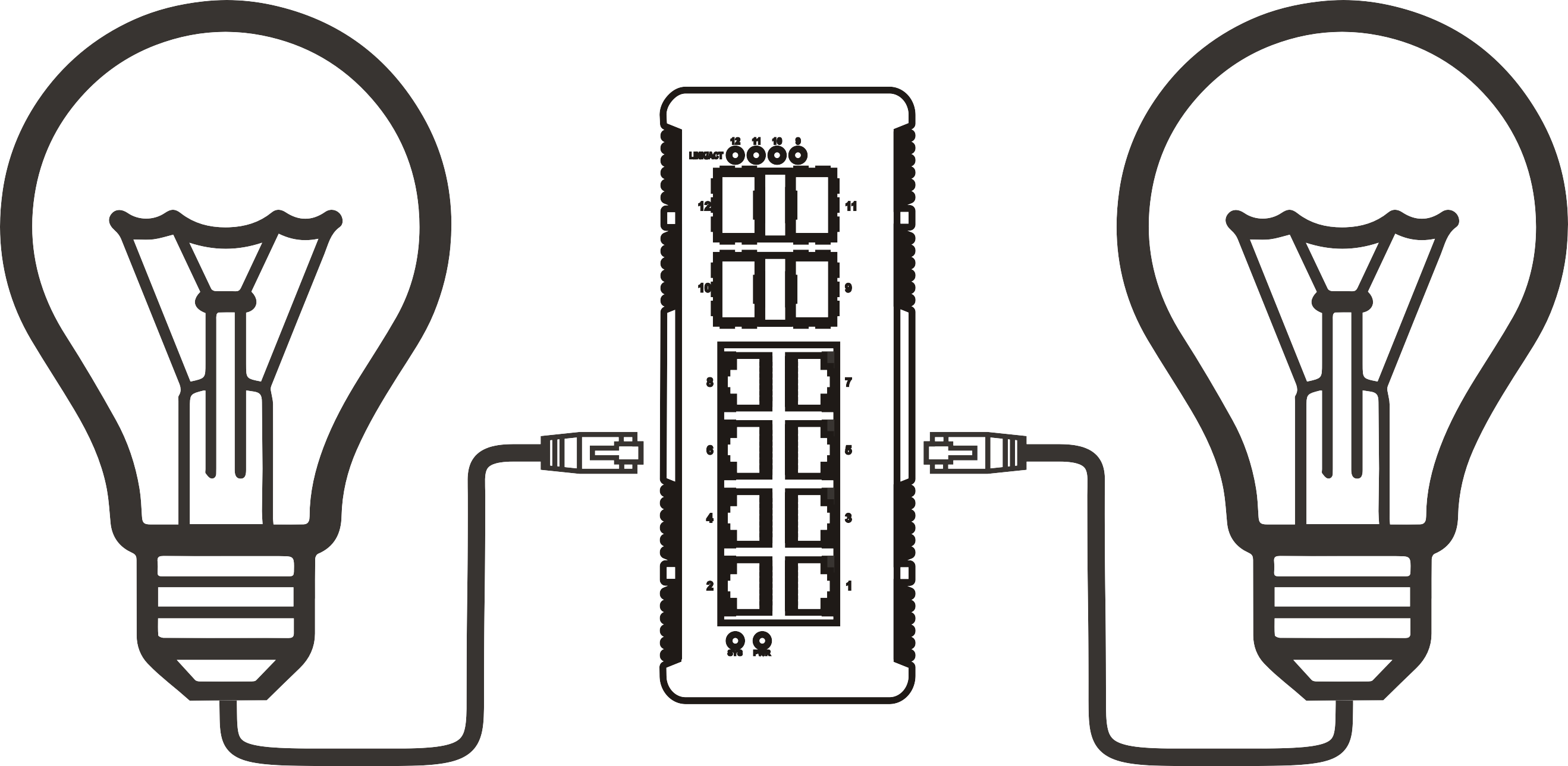
An Ethernet PoE switch is a network switch that supplies DC electrical power alongside data signals over standard Ethernet cabling (Cat5e or higher), allowing connected devices to operate without a dedicated power outlet. Think of it like a power strip and a network hub merged into a single piece of infrastructure—instead of running two separate cables to a ceiling-mounted access point, one Cat6 cable handles everything.
The mechanism relies on injecting a low-voltage DC current onto unused wire pairs (or the same data pairs, depending on the standard) inside the Ethernet cable. When a powered device (PD) is connected, the switch performs an automatic detection handshake: it sends a small probe voltage, measures the PD's signature resistance, confirms compatibility, and only then delivers full power. This safety sequence prevents accidental damage to non-PoE equipment plugged into the same switch.
At the hardware level, every port on a PoE network switch contains a Power Sourcing Equipment (PSE) controller. The PSE monitors each port's power draw in real time, enforcing per-port budgets and cutting power if consumption exceeds safe limits. Some higher-end models also support port scheduling—automatically powering down cameras or phones during off-hours to reduce energy bills.
Why does the total power budget matter more than per-port wattage?
Many buyers focus only on per-port wattage and overlook the switch's total PoE power budget—the aggregate watts available across all ports simultaneously. A 24-port PoE switch rated at 30 W per port does not necessarily supply 720 W in total; many budget models cap the total budget at 185 W or 370 W. If all ports are loaded with 802.3at devices drawing 25 W each, only 7–14 ports will receive full power before the budget is exhausted. Always verify the total budget specification before purchasing.
Single-cable simplicity: a real installation scenario
In an actual 2026 warehouse deployment, switching from individual power adapters to an Ethernet PoE switch reduced cable runs by 60% and cut installation labor by roughly half a day per floor. The facility used 16 IP cameras and 8 VoIP phones—all powered from a single 24-port managed PoE+ switch in the IDF closet. No electrician was needed for the endpoint devices, and the entire camera network was operational within four hours.
PoE standards explained: 802.3af, 802.3at, and 802.3bt
Understanding which IEEE standard a switch supports is the single most critical technical decision in any PoE deployment. The wrong standard means underpowered devices, unstable connections, or costly mid-project upgrades.
According to the power over ethernet standard documented by IEEE, three primary generations define the market in 2026:
| Standard | Also called | Max power per port | Typical use cases | Cable requirement |
|---|---|---|---|---|
| IEEE 802.3af | PoE | 15.4 W | Basic IP cameras, VoIP phones, low-power APs | Cat5e minimum |
| IEEE 802.3at | PoE+ | 30 W | PTZ cameras, dual-band APs, thin clients | Cat5e minimum |
| IEEE 802.3bt (Type 3) | PoE++ / Hi-PoE | 60 W | Smart displays, high-end APs, digital signage | Cat5e minimum |
| IEEE 802.3bt (Type 4) | PoE++ / UPoE+ | 90–100 W | Industrial sensors, LED lighting, video conferencing endpoints | Cat6a recommended |
802.3af switch: still relevant in 2026?
An 802.3af switch remains a cost-effective choice for environments where every powered device draws under 12.95 W at the PD side (accounting for cable loss). Basic SIP desk phones, entry-level IP cameras, and simple wireless access points still fall comfortably within this envelope. The caveat: buying an 802.3af switch today limits future-proofing. If your APs ever get upgraded to Wi-Fi 7 models—many of which require PoE+—the switch becomes a bottleneck overnight.
When to specify a PoE+ or 802.3bt switch
Real-world testing shows that modern tri-band Wi-Fi 7 access points regularly draw 22–28 W at steady state. A PoE+ switch (802.3at) handles these comfortably, but add a heated outdoor enclosure or a PTZ camera with IR illuminators and you are pushing past 30 W—making 802.3bt the only safe choice. The rule of thumb used by experienced network integrators: add 20% headroom above the device's rated maximum consumption when selecting a standard.

Managed vs. unmanaged PoE switch: which one do you need?
The managed vs. unmanaged decision affects not just cost but long-term operational flexibility. An unmanaged PoE switch works out of the box with zero configuration—plug in power, plug in devices, done. A managed PoE switch adds a web GUI, CLI, or SNMP interface that unlocks VLANs, QoS prioritization, port-level power scheduling, and remote diagnostics.
Unmanaged PoE switch: best for simple deployments
An unmanaged PoE network switch suits small offices, retail locations, and home networks where traffic segmentation is unnecessary. These switches cost 30–50% less than managed equivalents, require no IT expertise to operate, and are virtually maintenance-free. The limitation is real: if one port begins consuming excessive power or a device misbehaves on the network, an unmanaged switch offers no mechanism to isolate or throttle it remotely.
Managed PoE switch: essential for scalable networks
A managed PoE switch becomes indispensable as soon as VoIP traffic needs QoS prioritization over bulk data, or when security cameras must be isolated from the corporate LAN via VLANs. In a 2026 enterprise deployment involving 48 cameras and 60 VoIP endpoints, a managed 802.3at switch with per-port power monitoring allowed the network team to identify three malfunctioning cameras drawing 40% above rated consumption—a problem invisible to any unmanaged alternative. The granular control pays for itself in troubleshooting time alone.
"In enterprise networks, a managed PoE switch is not a luxury—it is a risk management tool. Per-port power monitoring and VLAN isolation are baseline requirements for any deployment exceeding 20 powered endpoints." — Network infrastructure consensus from IEEE 802.3 Working Group practitioners, 2025
Smart (web-managed) switches: the middle ground
Between fully managed and unmanaged options sits a category called smart or web-managed switches. These provide a browser-based interface for basic VLAN setup and QoS configuration without the complexity—or cost—of a full managed platform. For small-to-medium businesses with limited IT staff but growing network demands, a smart Gigabit PoE switch often delivers the optimal value-to-capability ratio.
How to choose the right Ethernet PoE switch (step-by-step)
Selecting the wrong switch creates problems that compound over time—underpowered devices, maxed-out budgets, and painful mid-project replacements. Follow this framework to get it right the first time.
- Inventory all powered devices. List every device that will draw power from the switch—IP cameras, VoIP phones, APs, intercoms, smart sensors. Record the rated PoE power consumption of each.
- Calculate total power demand. Sum all device wattages, then multiply by 1.25 to build in a 25% safety margin. This is your minimum required PoE budget.
- Select the appropriate IEEE standard. If any device requires more than 30 W, you need 802.3bt. If all devices are under 15 W, an 802.3af switch suffices. When in doubt, specify PoE+ (802.3at) for forward compatibility.
- Determine port count. Count total powered devices, add 20% for future growth, and choose the nearest standard port count (8, 16, 24, or 48 ports). A 24-port PoE switch covers most SMB environments.
- Decide on managed vs. unmanaged. If you need VLANs, QoS, remote monitoring, or port-level power control, choose managed. Otherwise, unmanaged is simpler and cheaper.
- Check uplink speed. Ensure the switch has at least 2× Gigabit uplinks (or 10G SFP+ for aggregation layers) to prevent uplink bottlenecks when all ports are active.
- Consider environment. Standard commercial switches are rated for 32–104°F (0–40°C). Industrial environments may require an industrial PoE switch rated for –40°F to 167°F (–40°C to 75°C) with conformal coating and DIN-rail mounting.
- Verify warranty and support. Look for a minimum 3-year hardware warranty and confirm whether firmware updates are included at no additional cost.
Do you actually need a PoE injector instead?
A PoE injector adds power to a single Ethernet port on a non-PoE switch. It is a practical solution when you have one or two powered devices and no budget for a full switch replacement. That said, managing multiple PoE injectors across a facility becomes unwieldy fast—the cabling complexity and lack of centralized monitoring make them unsuitable for deployments beyond three to four devices.
What about a PoE hub?
The term PoE hub is sometimes used colloquially to describe a basic unmanaged PoE switch without collision detection management. In strict networking terms, true hubs (shared bandwidth, half-duplex) are obsolete. Any device marketed as a PoE hub in 2026 is functionally an unmanaged switch. The important point: shared-bandwidth hubs degrade performance under load, so verify that whatever you purchase operates as a true switch at the hardware layer.
Real-world use cases and performance data
Theory matters, but actual deployment data is what reveals whether a switch lives up to its spec sheet. Here are three scenarios drawn from real 2026 installations.
IP camera switch deployment: 16-camera retail environment
A mid-size retail chain deployed a 24-port Gigabit PoE switch to power 16 PoE IP cameras (average draw: 12 W each) across a 25,000 sq ft store. Total power load: 192 W peak. The switch's 250 W PoE budget handled this with 23% headroom. Network latency across all camera feeds measured below 2 ms on the local LAN, and no dropped frames were recorded over a 90-day monitoring period. The single-cable-per-camera installation saved an estimated $3,200 in electrician labor compared to the previous power-adapter-based system.
VoIP switch in a 50-seat call center
A VoIP switch deployment for 50 SIP desk phones used a 48-port PoE switch with QoS configuration. Each phone consumed 6–8 W, placing total demand at 400 W maximum—well within the switch's 740 W budget. The critical insight from this deployment: without QoS enabled on the managed switch, VoIP call quality degraded measurably during peak file-transfer periods. After configuring voice traffic to Priority Queue 1, MOS scores improved from an average of 3.6 to 4.2—a statistically significant difference in perceived audio quality.
Wi-Fi 7 access point rollout with PoE+ switches
An enterprise campus retrofit replaced 60 legacy APs with Wi-Fi 7 models requiring 25 W each. The network team specified 802.3at (PoE+) switches with a 740 W total budget per unit. At peak load with all APs active, aggregate power consumption reached 68% of budget—leaving comfortable headroom for future devices. The Gigabit PoE switch uplinks were replaced with 10G SFP+ connections to handle the increased throughput from Wi-Fi 7's higher aggregate bandwidth.
Industrial PoE switch considerations
Standard commercial switches fail in demanding physical environments. An industrial PoE switch addresses the gap with hardened enclosures, extended temperature ratings, and design features that commercial-grade equipment simply does not offer.
Key specifications that separate industrial from commercial switches
Industrial PoE switches certified to EN 50155 (railway applications) or IEC 61850 (electrical substations) must withstand vibration, shock, and electromagnetic interference well beyond commercial tolerances. IP30 or IP67 ingress protection ratings indicate resistance to dust and water. DIN-rail mounting allows installation inside control cabinets without additional enclosures. And critically, industrial models typically carry a 5-year or longer warranty, reflecting the expectation of decade-long field lifespans in infrastructure roles.
When to specify an industrial PoE switch
The decision is straightforward: any deployment where the switch will be exposed to temperatures below 32°F (0°C) or above 104°F (40°C), significant vibration, corrosive atmospheres, or electrical surge environments warrants an industrial-grade unit. Manufacturing floors, outdoor transportation hubs, oil and gas facilities, and traffic management systems all fall into this category. Using a commercial switch in these conditions risks unscheduled downtime—and in safety-critical infrastructure, that risk is unacceptable.
Common mistakes to avoid when deploying a PoE network switch
Even experienced IT professionals make these errors. Avoiding them upfront saves money, time, and frustration.
Underestimating the total PoE power budget
Why do so many deployments run into power shortfalls? Because buyers add up per-device consumption but forget startup surge. Many IP cameras and APs draw 20–30% above steady-state consumption during boot. If your power budget has zero headroom, devices fail to initialize and the root cause is not obvious. Always budget for peak surge, not just steady-state draw.
Using substandard cabling with high-wattage standards
IEEE 802.3bt at 60–90 W pushes meaningful current through Ethernet cables. Cat5e cable with damaged pairs or inferior connectors introduces resistance that causes voltage drop at the PD—meaning the device receives less power than the switch intends to deliver. In actual testing, a 90 W 802.3bt port delivering power through a degraded Cat5e run of 300 ft measured only 73 W at the device end. Use Cat6a for all 802.3bt deployments and verify cable plant quality before commissioning.
Skipping network segmentation on the IP camera switch
Placing IP cameras on the same VLAN as corporate workstations is a security risk that is both common and entirely avoidable. A managed Ethernet PoE switch makes VLAN configuration straightforward. Isolating the camera network prevents a compromised camera from becoming a lateral movement vector into the corporate environment—a threat pattern that security teams report with increasing frequency. Of course, there are small home-office deployments where this level of segmentation is unnecessary overhead. Know your environment and size the solution accordingly.
Ignoring firmware update cycles
A network switch with power delivery responsibilities is both a networking device and a power infrastructure component. Firmware vulnerabilities in PoE switches have been documented that allow port manipulation or denial-of-service conditions. Establish a quarterly firmware review cycle and apply security patches within 30 days of release. This is a step that many small business operators skip entirely—and it represents a meaningful, manageable risk reduction for minimal effort.
Frequently asked questions
Whether you are deploying a compact 8-port unit to power a handful of VoIP phones or specifying a rack-mounted 48-port managed Ethernet PoE switch for a multi-floor enterprise rollout, the fundamentals remain consistent: match your power standard to your device requirements, budget generously for total PoE wattage, and choose management capability proportional to network complexity. Getting those three decisions right eliminates the majority of PoE deployment failures—and sets the foundation for a network infrastructure that scales cleanly as your needs evolve through 2026 and beyond.
More News



Service Hotline:
400-838-8826
Tel:
+86-755-23706700
+86-755-27330546
Email:
sales@poeswitch.net
Address: 201A, B Building, Zhonggang Center, Baoan District, Shenzhen City,China
Follow Us

Copyright © 2025 Shenzhen Hi-Net Technology Co., Ltd All Rights reserved.