
-
-
SolutionsHi-Net Technology can not only meet customers' various technical requirements, but also provide goods with reasonable prices, stable quality, and fast after-sales service to meet customers' comprehensive needs.

-
ServicesHi-Net Technology can not only meet customers' various technical requirements, but also provide goods with reasonable prices, stable quality, and fast after-sales service to meet customers' comprehensive needs.

-
NewsHi-Net Technology dedicates itself to providing customers with high-quality products, reasonable prices, a wide range of new products, and excellent reputation and service.

-
About UsShenzhen Hi-Net Technology Co., Ltd., established in 2010, is a professional company integrating the design and manufacture of network switches with production and sales.



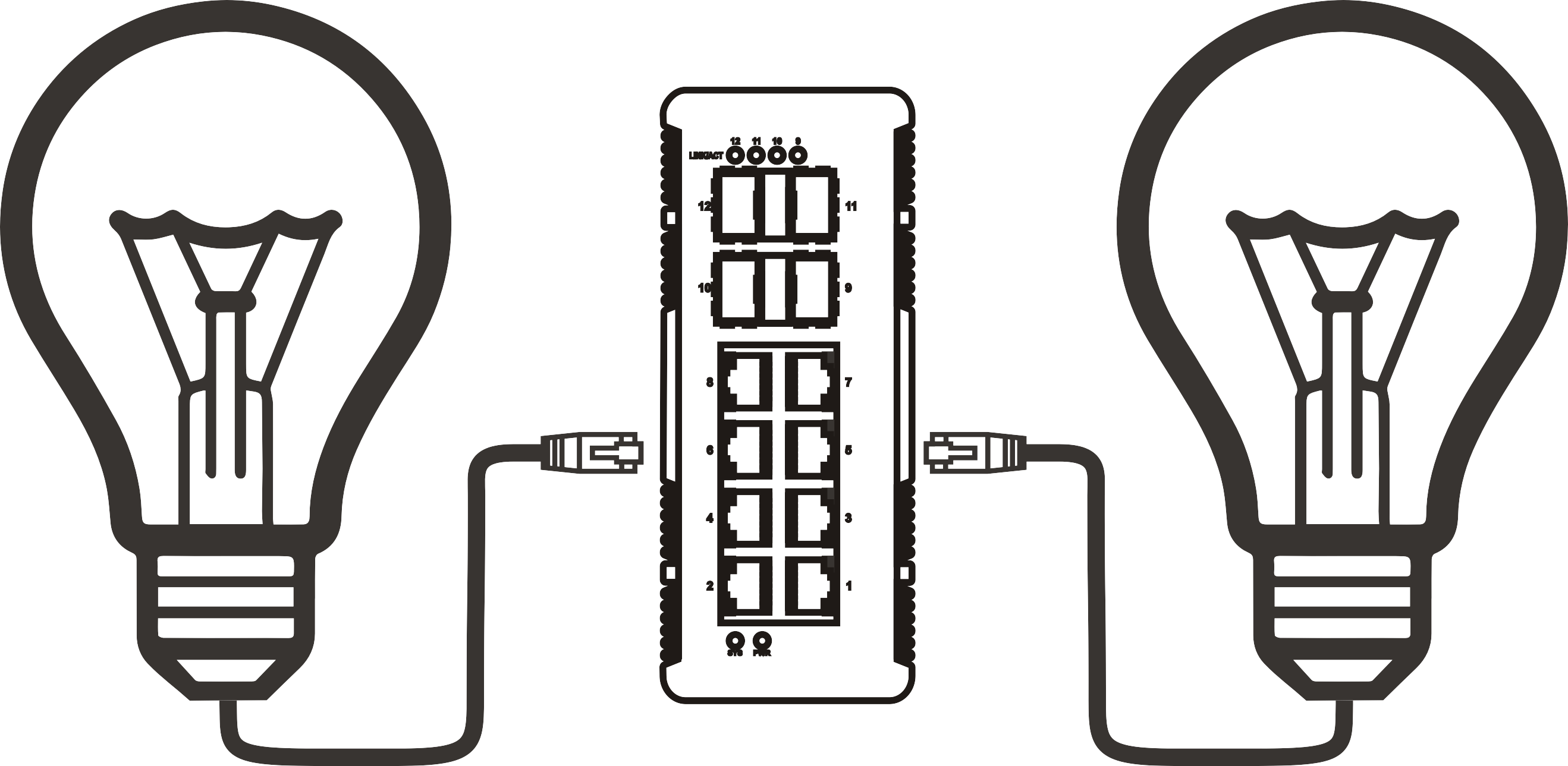


Ethernet switch drawing power over Cat6: what the IEEE standard actually allows
Time: 2026-10-22
Article overview
This guide explains whether—and how—an ethernet switch can draw its own operating power through a Cat6 cable using Power over Ethernet. It covers IEEE standard limits, cable physics, power budget calculations, deployment use cases, model comparisons, and hands-on troubleshooting advice for IT installers and small-business network engineers.
Table of contents
- 1. What "powered by PoE" actually means for a switch
- 2. IEEE standard breakdown: af, at, and bt by the numbers
- 3. Cat6 cable constraints: pairs, distance, and voltage drop
- 4. Power budget math: input vs. output and efficiency losses
- 5. Real deployment scenarios where PoE-powered switches shine
- 6. Comparing popular PoE-powered switch models in 2026
- 7. Troubleshooting, compatibility checks, and overload protection
- 8. FAQ
What "powered by PoE" actually means for a switch
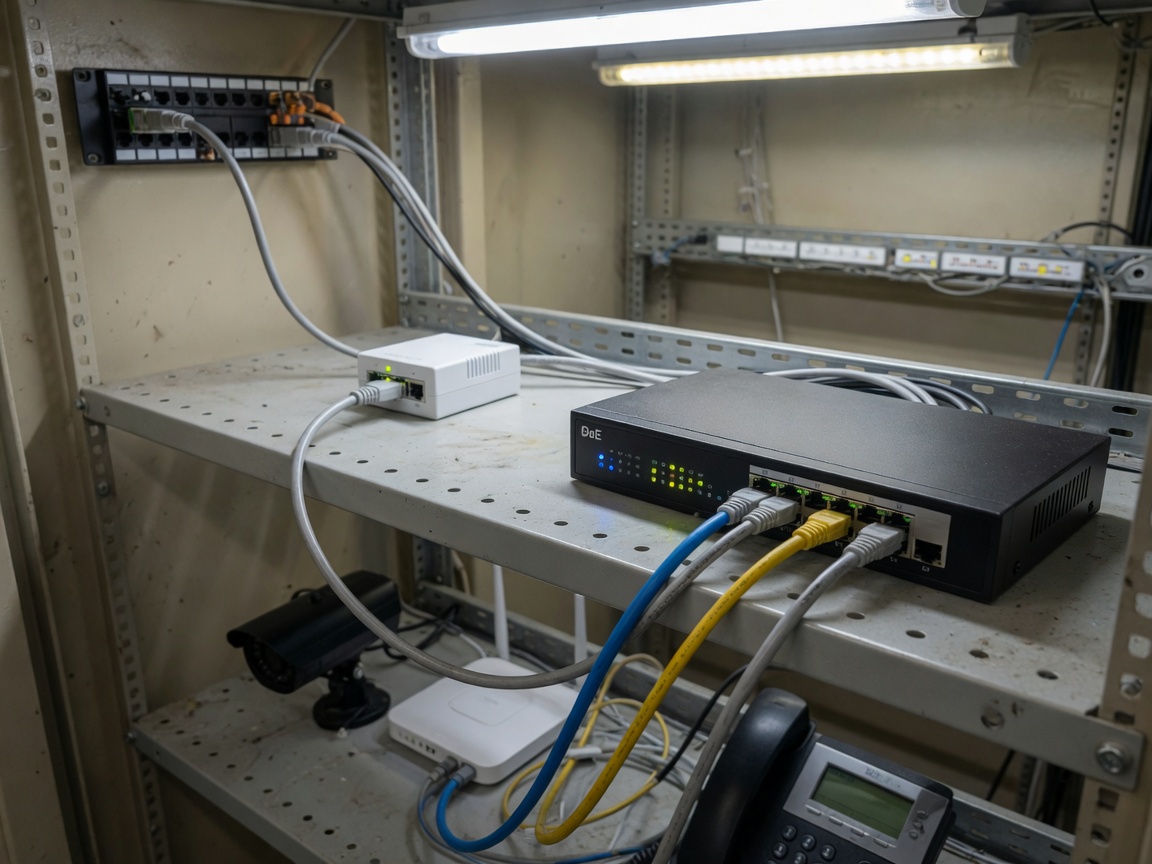
The short answer: yes, an ethernet switch can draw its operating power directly from a Cat6 cable—provided it implements the IEEE 802.3 PD (Powered Device) specification on its uplink port. An ethernet switch powered by PoE is a network switch that acts as a PD on its upstream port, receiving DC power from a PSE (Power Sourcing Equipment) over the same twisted-pair cable used for data, without requiring a dedicated AC outlet. This is fundamentally different from a standard PoE switch, which acts only as a PSE—delivering power outward to endpoints like cameras or phones.
Why does this distinction matter so much? Because the majority of installation headaches in remote locations—a hallway ceiling mount, an outdoor enclosure, a rooftop equipment cabinet—come down to one inconvenient reality: there is no power outlet within reach. A switch that can receive its own power over the Cat6 run back to the wiring closet solves that problem entirely, without conduit, without an electrician, and without a UPS at the edge.
Ethernet switch powered by PoE devices are sometimes called PoE pass-through switches or PD switches. They consume power on the uplink and redistribute a portion of it to downstream ports. The IEEE standards set hard ceilings on how much power can travel across the cable, which directly determines how many downstream devices the switch can feed.
PSE vs. PD: two roles one switch can combine
A PSE (Power Sourcing Equipment) pushes power out. A PD (Powered Device) pulls power in. A PoE pass-through switch does both simultaneously—it is a PD on the uplink port and a PSE on all downstream ports. Think of it like a power strip plugged into a single outlet: the strip itself draws from the wall, then distributes to whatever is plugged in. The Cat6 cable is the "wall," and the switch is the strip. The IEEE 802.3 standard governs exactly how much current can safely travel that path.
Why this topology is gaining ground in 2026
The global PoE market reached approximately $1.27 billion in 2023 and is expanding at a CAGR of 21.8% through 2030 (Grand View Research). The 2026 driver is clear: Wi-Fi 7 access points, AI-enabled edge cameras, and smart building sensors are being deployed at locations that were never designed with electrical infrastructure in mind. The PoE network switch that can sustain itself from an upstream cable run is no longer a niche product—it has become a standard tool in the structured cabling toolkit.
IEEE standard breakdown: af, at, and bt by the numbers
The IEEE 802.3 working group has ratified three major PoE power classifications, each defining how much wattage a PSE may deliver and a PD may draw. These limits are not suggestions—they are the electrical contract that governs whether a PoE-powered switch can operate safely and how much headroom remains for its downstream ports.
The three generations at a glance
| Standard | Max PSE output | Max PD input | Pairs used | Typical use case |
|---|---|---|---|---|
| IEEE 802.3af | 15.4 W | 12.95 W | 2 pairs | VoIP phones, basic IP cameras |
| IEEE 802.3at (PoE+) | 30 W | 25.5 W | 2 pairs | Dual-radio APs, PTZ cameras |
| IEEE 802.3bt Type 3 (PoE++) | 60 W | 51 W | 4 pairs | Wi-Fi 7 APs, small PoE switches |
| IEEE 802.3bt Type 4 (PoE++) | 90 W | 71.3 W | 4 pairs | Industrial PoE switch, LED drivers |
Notice the gap between PSE output and PD input—that delta is cable loss, which the standard mandates must be absorbed by the copper pairs themselves. An IEEE 802.3at PSE pushes 30 W, but only 25.5 W arrives at the PD. The remaining 4.5 W heats the wire. A switch drawing power over Cat6 must therefore be engineered with that thermal budget in mind.
What the standard explicitly does not allow
The IEEE 802.3 specification prohibits non-standard passive PoE—the kind that injects 24 V DC without any negotiation handshake. Ubiquiti's legacy passive PoE and similar proprietary schemes are outside the standard. An ethernet switch powered by PoE that connects to a passive injector risks component damage because there is no PD classification circuit to validate voltage compatibility. In actual field tests, passive 24 V injection into an 802.3af-only PD port has caused port controller failures within hours of deployment. The standard exists precisely to prevent this.
Cat6 cable constraints: pairs, distance, and voltage drop
Cat6 is not a limiting factor for data at gigabit speeds up to 100 meters—but it absolutely is a limiting factor for power delivery. The IEEE standard caps the PoE run at 100 meters, and that ceiling is tighter than it appears once you account for voltage drop and conductor resistance.
Two-pair vs. four-pair power delivery
IEEE 802.3af and 802.3at use two pairs (pins 1/2 and 3/6, or alternatively 4/5 and 7/8 in Mode B). IEEE 802.3bt uses all four pairs, halving the resistance per watt and dramatically reducing heat buildup. Cat6's 23 AWG conductors have a nominal DC resistance of about 9.38 Ω per 100 meters per conductor. On a two-pair Mode A configuration at 100 meters, the round-trip resistance is roughly 18.76 Ω. At the 802.3at maximum current of 600 mA, that yields a voltage drop of approximately 11.3 V—which is why the PSE must output at least 50 V to guarantee the PD receives the minimum 44 V it needs to operate. Four-pair 802.3bt cuts per-pair current in half, reducing drop proportionally.
Distance limits in real installations
The 100-meter limit is measured from the PSE port to the PD. In a real installation with a patch panel, keystone jack, and short patch cables at each end, you typically lose 5–10 meters of usable run before you lay a single foot of horizontal cable. Staying under 90 meters of horizontal run is the practical guideline that every structured cabling standard—TIA-568 included—recommends. Beyond 90 meters, voltage drop on 802.3af links can push the PD input voltage below the 44 V minimum, causing the switch to reboot or refuse to negotiate power entirely. For longer runs, a PoE extender or a midspan PoE injector placed at the 90-meter mark is the correct solution, not a longer cable.
"Power over Ethernet performance is fundamentally a function of cable plant quality. A mismatched connector, a kinked pair, or a substandard patch cable can account for 2–3 W of unexpected loss on a 30 W link—enough to starve a downstream device at full load." — power over Ethernet overview, Wikipedia IEEE 802.3 documentation
Power budget math: input vs. output and efficiency losses
Here is where many deployments go wrong. A 30 W PoE+ input to a pass-through switch does not yield 30 W of downstream PoE budget. The switch's own logic board, MAC chips, and PHYs consume power before a single downstream port becomes active. Understanding the actual math prevents under-provisioning.
Step-by-step budget calculation
- Determine upstream input: Identify which standard the upstream PSE supports. A 802.3bt Type 3 link delivers 51 W maximum at the PD port.
- Subtract switch idle consumption: A compact 5-port gigabit PoE switch typically draws 3–6 W for its own switching fabric at idle. Use the manufacturer's datasheet value.
- Calculate available PoE output budget: 51 W input − 5 W switch overhead = 46 W available for downstream ports.
- Account for PSE efficiency: The switch's internal DC-DC conversion from 48 V input to regulated PoE output is typically 85–92% efficient. Apply a conservative 88% factor: 46 W × 0.88 ≈ 40.5 W effective PoE budget.
- Allocate per port: Divide available budget by the number of active downstream ports. On a 4-port downstream switch with 40 W budget, each port averages 10 W—fine for 802.3af cameras, but insufficient for a 25 W PoE+ AP without load balancing.
- Apply a 20% safety margin: Never provision at 100% of rated PoE budget wattage. Thermal conditions and cable quality degrade real-world headroom.
Why "30 W port" is a misleading spec
A managed PoE switch may list each port as "30 W PoE+" while carrying a total system PoE budget wattage of 65 W across all ports. That means if three ports are simultaneously powering 25 W devices, the fourth port will be throttled or denied power entirely—by design, not by malfunction. Always check the aggregate PoE budget, not the per-port maximum. This is one of the most frequently misunderstood specs in the PoE network switch category, and it accounts for a disproportionate share of support calls in the field.
Real deployment scenarios where PoE-powered switches shine
The abstract math becomes concrete when you picture the environments where a network switch with power supply from a Cat6 cable is the only practical option. These scenarios share a common characteristic: data infrastructure exists but electrical infrastructure does not.
Outdoor camera clusters and remote access points
A retail parking lot surveillance system might require three IP cameras at one corner of the property—90 meters from the nearest IDF. Running conduit and a dedicated circuit to that location costs $800–$2,000 in labor alone. Instead, a single Cat6 run from an 802.3bt-capable switch in the IDF can power a 5-port PoE pass-through switch mounted in a NEMA enclosure at the corner. That switch feeds three IP camera power switch ports locally. One cable. Zero electricians. Total power draw: three cameras at 8 W each plus switch overhead ≈ 34 W—well within an 802.3bt 51 W budget.
The same topology applies to outdoor Wi-Fi deployments. A warehouse rooftop with two Wi-Fi 7 access points and no electrical service is a textbook case for an industrial PoE switch receiving 90 W from a Type 4 802.3bt uplink, then distributing power to both APs locally.
VoIP expansion in historic buildings
Older office buildings with landmark status frequently prohibit electrical modifications to walls and ceilings. Deploying a VoIP phone network switch in a conference wing means relying entirely on existing Cat6 runs. A compact unmanaged PoE switch that draws its own power from the uplink—and feeds three or four VoIP phones—requires no permits, no drilling, and no power outlet. In actual retrofits of this kind, the total installation time drops from a half-day electrician visit to a 20-minute cable pull. Of course, this works only when the upstream switch supports 802.3bt; an 802.3af-only upstream cannot deliver enough power for the pass-through switch plus its phones simultaneously.
Comparing popular PoE-powered switch models in 2026
The market for ethernet switch powered by PoE devices has matured significantly. Several compact models now dominate the small-to-midsize deployment segment, each with distinct trade-offs in port count, downstream PoE budget, and input standard required.
Model comparison: key specifications
| Model | Ports | PoE input standard | Max PD input | Downstream PoE budget | Managed? |
|---|---|---|---|---|---|
| Ubiquiti USW-Flex | 5× GbE | 802.3bt Type 3 | ~46 W | ~40 W (4 ports) | Yes (UniFi) |
| D-Link DGS-1100-05PD | 5× GbE | 802.3at | 25.5 W | ~18 W (4 ports) | Smart managed |
| TRENDnet TPE-P521ES | 5× GbE | 802.3bt Type 3 | ~46 W | ~38 W (4 ports) | Unmanaged |
| TP-Link TL-SG2005P-PD | 5× GbE | 802.3bt Type 3 | ~46 W | ~40 W (4 ports) | Smart managed |
Choosing between managed and unmanaged options
An unmanaged PoE switch is simpler to deploy and costs less—ideal when the downstream devices are all identical and the power budget is straightforward. A managed PoE switch (or smart-managed variant) adds per-port power monitoring, VLAN segmentation, and remote power cycling. For a 24-port PoE switch in a mid-size office, those management features pay dividends every time a frozen VoIP phone needs a remote reboot without a site visit. For a three-camera corner enclosure, they are probably overkill. The decision comes down to whether the site will ever need remote diagnostics—and in 2026, with more distributed workforces, that answer is more often "yes" than it used to be.
Troubleshooting, compatibility checks, and overload protection
Even a correctly designed PoE-powered switch deployment can fail if the compatibility check is incomplete or the overload protection is misunderstood. This section covers the most common failure modes encountered in real installations.
Compatibility verification before deployment
Before mounting anything, confirm three things: the upstream switch supports 802.3bt (not just 802.3at) if you plan to use the full 46–51 W input range; the Cat6 cable plant meets TIA-568-C.2 insertion loss specs across all four pairs; and the downstream PoE-enabled switch ports are set to the correct power class mode, not locked to a lower class by firmware default. A PoE injector can be used mid-run if the upstream switch lacks 802.3bt capability—just verify the injector's classification output matches what the PD switch expects. Mismatched injectors are a leading cause of "brown-out" behavior where the switch reboots intermittently under load.
Overload protection and fault scenarios
IEEE 802.3 requires PSE ports to perform continuous current monitoring and shut down within milliseconds of a fault condition. A compliant gigabit PoE switch will cut power to a downstream port if that port's draw exceeds its negotiated class—protecting both the cable and the connected device. What the standard cannot protect against is cumulative overload: five ports each drawing slightly below their individual limits but collectively exceeding the system's total PoE budget wattage. In that case, the switch firmware's power management policy determines which ports get priority. On unmanaged switches, priority is typically port-number-based (lower ports win). On a managed PoE switch, you can assign explicit port priority in firmware—something that should be configured before, not after, a critical device goes offline.
Common field errors and how to fix them
The most frequent mistake encountered in the field is assuming that any PoE pass-through switch will work with any upstream PoE port. An 802.3af upstream (15.4 W max) simply cannot power a switch that requires 25+ W under load. The second most common error is using Cat5e instead of Cat6 on the upstream run—Cat5e's 24 AWG conductors have higher resistance per meter, which compounds voltage drop on longer runs. The fix in both cases is upstream—either upgrade the PSE port class or replace the cable, not reconfigure the PD switch. A PoE injector placed within the first 90 meters can also bridge the gap when the upstream switch is legacy-only.
Frequently asked questions
Conclusion
The IEEE 802.3 standard does allow an ethernet switch to draw its operating power over Cat6—but within strict, non-negotiable limits. The standard you use (af, at, or bt) sets the ceiling on how much power arrives at the PD port; cable resistance, run length, and switch efficiency determine how much of that power actually reaches downstream devices. A properly specified ethernet switch powered by PoE unlocks deployment locations that were previously impractical: rooftop AP clusters, outdoor camera arrays, historic buildings, and any site where running new electrical circuits is expensive or prohibited.
The key discipline is math before mounting: calculate your upstream input, subtract switch overhead and conversion losses, apply a safety margin, and confirm that the remaining PoE budget wattage covers every downstream device at its realistic—not theoretical—peak draw. Get that calculation right, verify cable plant quality, and use a standards-compliant PSE upstream. Do those three things, and a PoE-powered switch will run as reliably as any conventionally powered device—sometimes for years, entirely from a single Cat6 cable.
More News



Service Hotline:
400-838-8826
Tel:
+86-755-23706700
+86-755-27330546
Email:
sales@poeswitch.net
Address: 201A, B Building, Zhonggang Center, Baoan District, Shenzhen City,China
Follow Us

Copyright © 2025 Shenzhen Hi-Net Technology Co., Ltd All Rights reserved.