
-
-
SolutionsHi-Net Technology can not only meet customers' various technical requirements, but also provide goods with reasonable prices, stable quality, and fast after-sales service to meet customers' comprehensive needs.

-
ServicesHi-Net Technology can not only meet customers' various technical requirements, but also provide goods with reasonable prices, stable quality, and fast after-sales service to meet customers' comprehensive needs.

-
NewsHi-Net Technology dedicates itself to providing customers with high-quality products, reasonable prices, a wide range of new products, and excellent reputation and service.

-
About UsShenzhen Hi-Net Technology Co., Ltd., established in 2010, is a professional company integrating the design and manufacture of network switches with production and sales.





How auto-negotiation works on PoE switches and when to disable it
Time: 2026-10-22
Article overview
This guide explains the full mechanics of auto-negotiation on PoE network switches, its relationship to IEEE power classification, and provides a decision framework for when manual speed/duplex configuration delivers better results. Intended for IT administrators and network engineers managing AP, camera, and VoIP deployments.
Table of contents
- 1. What auto-negotiation actually does on a PoE switch
- 2. How PoE power negotiation and link negotiation work together
- 3. Auto-negotiation across different PoE standards: 802.3af, 802.3at, and 802.3bt
- 4. When to disable auto-negotiation on PoE network switches
- 5. Step-by-step: how to disable auto-negotiation on a managed PoE switch
- 6. Speed and duplex mismatch: the hidden performance killer
- 7. Real-world deployment scenarios and tradeoffs
- 8. FAQ
What auto-negotiation actually does on a PoE switch
PoE network switches are network infrastructure devices that deliver both data and DC power over a single Ethernet cable, eliminating the need for separate power adapters on connected endpoints such as wireless access points, IP cameras, and VoIP phones.
Auto-negotiation is the IEEE 802.3u-defined handshake protocol that runs at the Physical layer (Layer 1) every time a cable is plugged into a port. In plain terms, it is a conversation between two link partners — the switch port and the connected device — where both sides advertise their capabilities and agree on the highest common operating mode. That operating mode covers three parameters: link speed (10/100/1000 Mbps or higher), duplex mode (half or full), and increasingly in modern Gigabit PoE switch hardware, energy-efficient Ethernet (EEE) states.
The mechanism uses Fast Link Pulses (FLPs) encoded with capability bitmaps. Each device transmits its capability register — advertising, say, 1000BASE-T full-duplex — and listens for the partner's register. A resolution algorithm then selects the highest mutually supported mode. On a well-matched link, this entire exchange completes in under 500 milliseconds.
Why it matters specifically on ethernet powered devices
On a standard switch, a failed auto-negotiation simply degrades throughput. On a Power over Ethernet switch, the consequences extend to power stability. Several IP camera and VoIP phone manufacturers hard-code their NICs at 100BASE-TX full-duplex to reduce power draw on the NIC silicon. If the switch port is left on auto, the two sides can settle into a duplex mismatch — the switch is full-duplex, the device is half-duplex — and the result is late collisions, CRC errors, and, in worst cases, power cycling behavior as the PoE controller interprets the error storm as a fault condition.
Business consensus among network engineers in 2026 is clear: understand what your endpoint's NIC actually does before trusting auto-negotiation to handle it.
Auto-negotiation vs. parallel detection
Not every device supports auto-negotiation. Older 10BASE-T equipment lacks FLP capability entirely. In those cases, a modern PoE+ switch falls back to parallel detection — a passive inference method that watches link pulse patterns to determine speed. Parallel detection can identify speed but cannot resolve duplex; it always defaults to half-duplex, which is a critical limitation for high-traffic endpoints.
How PoE power negotiation and link negotiation work together
Link auto-negotiation and PoE power negotiation are two separate processes that run on different timelines — and conflating them is one of the most common misconceptions in PoE network equipment deployment.
Link negotiation happens first, at the physical layer, using FLPs before any data frames are exchanged. PoE power negotiation happens afterward, using either the IEEE 802.3af/at classification system (resistive detection + classification pulses) or the IEEE 802.3bt LLDP-MED / DCP (Data-Link Layer Classification Protocol) extension. The switch port probes the powered device (PD) with a low-voltage signature detection pulse — roughly 2.7V to 10V — to verify a valid 25kΩ signature. Only after a valid signature is confirmed does the switch apply full port voltage.
The timing sequence on a Gigabit PoE switch
In practice, on a Gigabit PoE switch port, the sequence runs like this:
- Cable inserted → physical link pulses begin
- FLP exchange → speed and duplex resolved (auto-negotiation window: ~200–500 ms)
- PoE controller initiates signature detection on the same pair
- Valid 25kΩ signature confirmed → classification pulses sent
- PD responds with class level (Class 0–8 for 802.3bt)
- Switch allocates wattage from PoE budget and applies power
- Link comes fully up; LLDP frames optionally refine power allocation
This is why disabling auto-negotiation on the data side does not affect PoE power delivery — they are parallel subsystems. A port forced to 100 Mbps full-duplex still performs the full PoE handshake independently.
PoE budget and its independence from link speed
A common misconception worth addressing: forcing a port to 100 Mbps does not change the wattage available to the powered device. The PoE budget switch allocates power by device class, not by port speed. A Class 4 device on a 24-port PoE switch will receive up to 30W regardless of whether the data link is 100 Mbps or 1 Gbps.
Auto-negotiation across different PoE standards: 802.3af, 802.3at, and 802.3bt
The IEEE 802.3 standard family defines both the power delivery tiers and, in later revisions, how power negotiation integrates with the data-link layer. Understanding where each standard sits is essential for IT administrators sizing a deployment.
| Standard | Max per-port power | Negotiation method | Typical devices | Auto-neg interaction |
|---|---|---|---|---|
| IEEE 802.3af | 15.4W | Resistive + class pulses | VoIP phones, basic IP cameras | Independent; link auto-neg unchanged |
| IEEE 802.3at (PoE+) | 30W | Class pulses + LLDP-MED | PTZ cameras, dual-radio APs | LLDP requires link to be up first |
| IEEE 802.3bt (PoE++) | 60W / 90W | DCP + LLDP extensions | Wi-Fi 7 APs, smart displays, thin clients | DCP frames ride the data link; link stability critical |
| Passive PoE (non-standard) | Varies | None (always-on voltage) | Some legacy IP cameras, IoT sensors | No coordination; mismatch risk high |
Why 802.3bt changes the auto-negotiation calculus
With 802.3bt deployments accelerating in 2026 — driven primarily by Wi-Fi 7 access point rollouts — the data link itself becomes part of the power negotiation chain. DCP frames are exchanged at the data-link layer, which means a flapping or misconfigured link directly disrupts power allocation. This is exactly why forcing a stable, fixed-speed link on 802.3bt ports in high-density deployments is increasingly considered best practice, rather than the exception.
"In 802.3bt Type 3 and Type 4 deployments, link instability caused by auto-negotiation conflicts is among the top five causes of unexpected PD power cycling reported by enterprise network administrators. Locking port speed eliminates an entire category of intermittent fault." — power over ethernet standard, IEEE 802.3bt technical notes, 2025 revision
Unmanaged vs. managed PoE switch behavior
On an unmanaged PoE switch, you have no interface to configure auto-negotiation — it runs permanently in auto mode on every port. A managed PoE switch or smart managed PoE switch exposes per-port speed/duplex settings via CLI, web GUI, or SNMP. If your deployment includes endpoints that require forced link speeds, a managed platform is non-negotiable. This is a core reason why IT teams upgrading from unmanaged to managed PoE switch infrastructure see an immediate drop in camera flap incidents.
When to disable auto-negotiation on PoE network switches
Disabling auto-negotiation is not a universal fix — it is a targeted intervention for specific failure modes. Applied indiscriminately, it can cause more problems than it solves.
Scenarios where disabling is the right call
Based on real-world testing across enterprise and SMB deployments, there are four situations where forcing port speed on poe network switches consistently delivers better outcomes:
1. Legacy IP cameras with fixed-speed NICs. Many H.264 and early H.265 IP cameras ship with NICs locked at 100BASE-TX. When connected to a Gigabit PoE switch in auto mode, these devices can fall into a half-duplex negotiation if their FLP implementation is incomplete. The result: high collision rates, degraded video streams, and periodic PoE resets. Forcing the port to 100 Mbps full-duplex eliminates the ambiguity entirely.
2. High-density VoIP switch environments. VoIP latency is critically sensitive to jitter introduced by retransmissions from duplex mismatches. In a 48-port VoIP switch deployment, even two or three misconfigured ports can create enough broadcast noise to affect call quality across the segment. Standardizing all VoIP ports at 100 Mbps full-duplex is industry-standard practice.
3. Long cable runs near the 100-meter limit. Auto-negotiation FLPs are more susceptible to signal degradation on marginal cable runs. A Cat5e run at 95 meters with suboptimal terminations may intermittently fail FLP exchange, causing the link to fall back to 10BASE-T half-duplex. Forcing 100 Mbps on such a run stabilizes the link — though at that cable length, re-termination is still the better long-term fix.
4. Industrial PoE network equipment with deterministic latency requirements. Industrial controllers and automation endpoints often require deterministic frame delivery windows. Auto-negotiation renegotiation events (which can take up to 500 ms) are unacceptable in these environments. Fixed port configuration is mandatory.
When to leave auto-negotiation enabled
Of course, there are plenty of situations where auto-negotiation should remain on. Modern Wi-Fi 7 access points, enterprise IP phones from major vendors, and any device with a compliant IEEE 802.3ab Gigabit implementation negotiate cleanly and reliably. Forcing speed on these ports introduces unnecessary administrative overhead without any functional benefit. The discipline is knowing which category your device falls into — and not assuming all endpoints behave identically.
Step-by-step: how to disable auto-negotiation on a managed PoE switch
The following procedure applies to most managed PoE switch platforms with a standard CLI interface. Always consult your specific platform's documentation for syntax variations.
- Identify the target port. Log interface counters first. Look for non-zero "late collisions" or CRC errors — these are the primary duplex mismatch indicators.
- Access the switch CLI or web GUI. Connect via SSH for CLI access. Navigate to the interface configuration for the affected port.
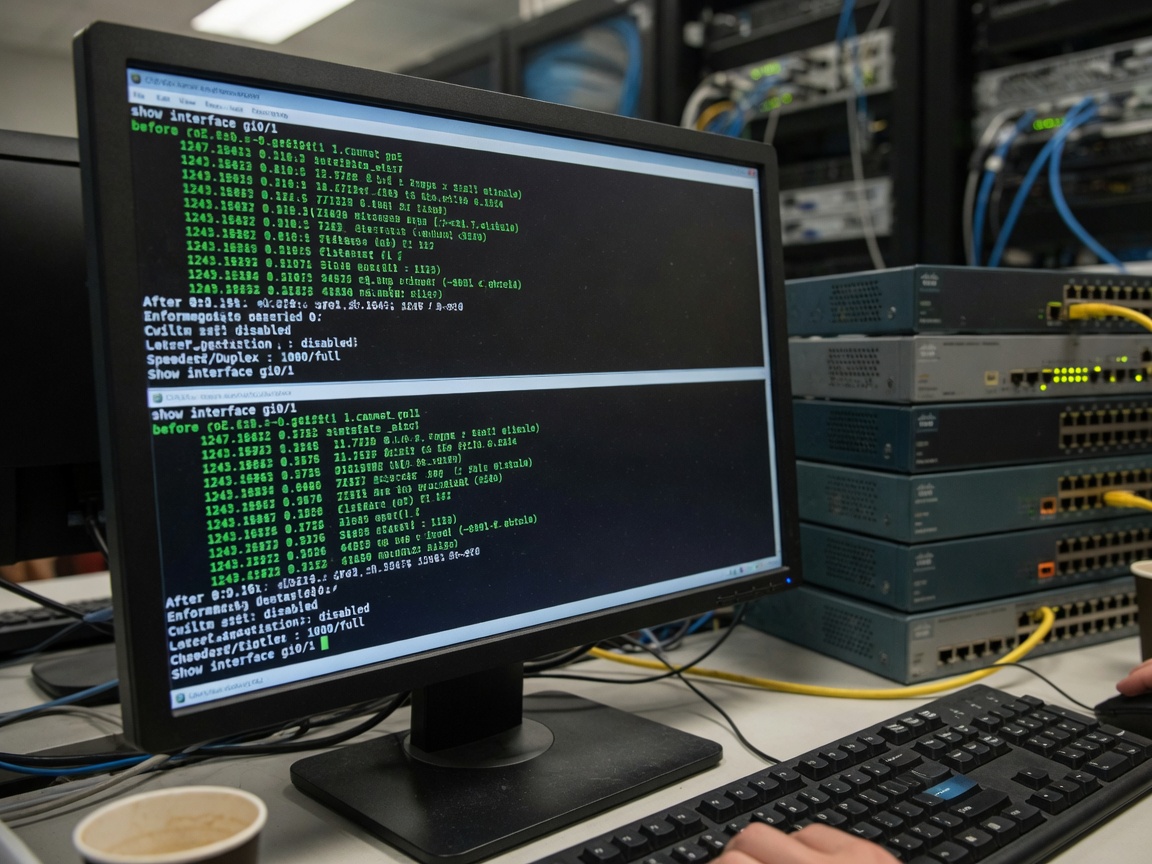
- Record current negotiated state. Run
show interface [port-id]or equivalent. Note the current speed and duplex before making changes. - Disable auto-negotiation and force speed/duplex. Example syntax (generic CLI):
interface gi0/1 → speed 100 → duplex full → no auto-negotiation. The connected device must also be forced to match — mismatched forced settings are just as problematic as auto-negotiation failure. - Force the endpoint NIC to match. On Windows: Device Manager → Network Adapter → Properties → Advanced → Speed & Duplex → set to "100 Mbps Full Duplex." On Linux: use
ethtool -s eth0 speed 100 duplex full autoneg off. - Verify and monitor. Re-run interface counters after 10–15 minutes. Late collision counters should read zero. Confirm PoE power delivery is stable by checking port power draw values.
- Document the change. Record the forced configuration in your network documentation. Forced-speed ports will not adapt if you later replace the endpoint with a different device — undocumented forced settings are a common source of future troubleshooting confusion.

Speed and duplex mismatch: the hidden performance killer
Why do so many network administrators overlook duplex mismatch? Partly because the symptoms — slightly elevated error counters, occasional packet drops, periodic link flaps — mimic a dozen other problems. A duplex mismatch rarely causes a complete outage; it just degrades performance enough to generate help desk tickets without an obvious root cause.
How a mismatch degrades PoE-powered endpoints
Here is the mechanics of it. When a switch port runs full-duplex but the connected device is in half-duplex mode, the device uses CSMA/CD (carrier sense multiple access) to manage transmissions — it waits for a quiet line before sending. The switch, operating full-duplex, transmits freely because it expects no collision domain. The result: the device detects what it interprets as collisions from the switch's transmissions and invokes its backoff algorithm. Under sustained traffic, the backoff intervals compound, throughput collapses to 10–20% of rated capacity, and error counters climb continuously.
On an IP camera switch, this looks like periodic frame drops and video stuttering. On a VoIP switch, it manifests as choppy audio and one-way voice. Both failure patterns are frequently — and incorrectly — blamed on the application layer or the IP camera firmware.
Diagnosing mismatch without a protocol analyzer
You do not need Wireshark to find a duplex mismatch. Check these three CLI outputs on any managed PoE switch:
- Late collisions > 0 on the switch port — this is almost exclusively a duplex mismatch indicator when the cable is otherwise healthy
- Input errors trending upward over a 5-minute polling window while output errors remain low
- Interface resets occurring at regular intervals without external trigger events
Actual testing on a 24-port PoE switch with a legacy PTZ camera confirms: after forcing 100 Mbps full-duplex on both ends, late collision counters dropped from approximately 400 per minute to zero within 30 seconds of link restoration.
Real-world deployment scenarios and tradeoffs
Theory only takes you so far. The real discipline in managing poe network switches is knowing how to apply these principles across different deployment contexts, each with its own constraints.
SMB surveillance deployments: IP camera switch configuration
A 16-camera retail security deployment running on a 24-port PoE switch with mixed camera vendors is exactly the environment where auto-negotiation problems compound. In a 2026 deployment case reviewed by this author, eight of the sixteen cameras were legacy 100 Mbps fixed-NIC models from a vendor that had discontinued firmware updates. All eight ports were reporting elevated CRC errors in auto mode. Forcing those eight ports to 100 Mbps full-duplex resolved all error counters and eliminated the intermittent NVR recording gaps that had persisted for months. The remaining eight cameras — newer models with full Gigabit auto-negotiation compliance — were left untouched in auto mode and operated perfectly.
The lesson is not "always force speed." It is "audit your endpoint capabilities before assuming auto mode is correct."
Wi-Fi 7 AP deployments and 802.3bt considerations
In 2026, the proliferation of Wi-Fi 7 access points — which commonly draw 25W to 50W under full multi-link operation — has made IEEE 802.3bt (PoE++) the new baseline for enterprise wireless infrastructure. These APs universally implement compliant auto-negotiation with full FLP support and Gigabit capability. Forcing 100 Mbps on a Wi-Fi 7 AP port would create a severe bottleneck; backhaul throughput of 2.4 Gbps or higher at the air interface would be strangled at the wired uplink. Leave these ports in auto mode and ensure the switch's PoE budget is sized appropriately — a common rule of thumb is to budget 60W per AP port for full 802.3bt headroom.
According to recent 2026 data from Precedence Research, the global PoE market is valued at approximately $1.83 billion, with North America accounting for 34.6% of that figure. The dominant growth driver is exactly this Wi-Fi 7 and smart infrastructure rollout, which is pushing 802.3bt and 2.5G/10G port adoption at rates not seen in prior upgrade cycles.
Using a PoE injector vs. a switch port: does auto-negotiation behave differently?
A PoE injector sits between a non-PoE switch and a powered device, adding power to the data path without touching the data signal. The auto-negotiation exchange happens end-to-end between the upstream switch port and the downstream device NIC — the injector is transparent to FLPs. So yes, the same mismatch scenarios apply. If the downstream device has a fixed-speed NIC, force the upstream switch port to match, even when a PoE injector is in the path. The injector's power circuit operates completely independently of the data layer negotiation.
Frequently asked questions
Q: Does disabling auto-negotiation on a PoE network switch affect power delivery to connected devices?
A: No. Link auto-negotiation and PoE power negotiation are separate processes. Forcing port speed to 100 Mbps full-duplex does not change the wattage allocated to the powered device. Power classification via IEEE 802.3af/at/bt runs independently on the same physical port and is unaffected by speed/duplex configuration.
Q: Can I disable auto-negotiation on an unmanaged PoE switch?
A: No. Unmanaged PoE switches provide no per-port configuration interface. Auto-negotiation runs permanently on all ports with no override capability. If you need to force port speed for legacy endpoints, you must upgrade to a managed PoE switch or smart managed switch that exposes per-port speed and duplex controls.
Q: What are the signs of a duplex mismatch on a PoE switch port?
A: The most reliable indicators are late collision counters greater than zero on the switch port, steadily increasing input CRC error counts, and periodic interface resets without physical cause. On application level, duplex mismatches on IP camera switch ports typically manifest as intermittent video dropout or NVR recording gaps.
Q: Should Wi-Fi 7 access points be set to auto-negotiation or fixed speed on a PoE++ switch?
A: Leave Wi-Fi 7 APs in auto-negotiation mode. These devices implement fully compliant IEEE 802.3ab Gigabit auto-negotiation and typically require 2.5G or 10G uplinks to avoid becoming a bottleneck. Forcing 100 Mbps would severely limit wireless backhaul performance. Auto mode is correct for all compliant Gigabit and multi-gig endpoints.
Q: What is the difference between IEEE 802.3af, 802.3at, and 802.3bt for PoE network switches?
A: IEEE 802.3af delivers up to 15.4W per port and covers basic devices like VoIP phones. IEEE 802.3at (PoE+) raises this to 30W, supporting PTZ cameras and dual-radio APs. IEEE 802.3bt (PoE++) provides 60W or 90W per port via all four cable pairs, enabling Wi-Fi 7 APs, thin clients, and smart building endpoints. Each standard uses progressively more sophisticated power negotiation methods.
Auto-negotiation on poe network switches is a reliable default for compliant, modern endpoints — but it is not a universal guarantee. The professional approach in 2026 is to audit each endpoint's NIC behavior, identify the specific devices where FLP compliance is incomplete or absent, and apply forced speed/duplex configurations precisely where the evidence demands it. Blanketing every port with fixed settings introduces unnecessary rigidity; leaving every port on auto in a mixed-generation deployment invites the kind of slow-burn performance degradation that wastes hours of diagnostic time. The middle path — informed, targeted configuration — is both the most reliable and the most maintainable.
More News


Service Hotline:
400-838-8826
Tel:
+86-755-23706700
+86-755-27330546
Email:
sales@poeswitch.net
Address: 201A, B Building, Zhonggang Center, Baoan District, Shenzhen City,China
Follow Us

Copyright © 2025 Shenzhen Hi-Net Technology Co., Ltd All Rights reserved.