
-
-
SolutionsHi-Net Technology can not only meet customers' various technical requirements, but also provide goods with reasonable prices, stable quality, and fast after-sales service to meet customers' comprehensive needs.

-
ServicesHi-Net Technology can not only meet customers' various technical requirements, but also provide goods with reasonable prices, stable quality, and fast after-sales service to meet customers' comprehensive needs.

-
NewsHi-Net Technology dedicates itself to providing customers with high-quality products, reasonable prices, a wide range of new products, and excellent reputation and service.

-
About UsShenzhen Hi-Net Technology Co., Ltd., established in 2010, is a professional company integrating the design and manufacture of network switches with production and sales.



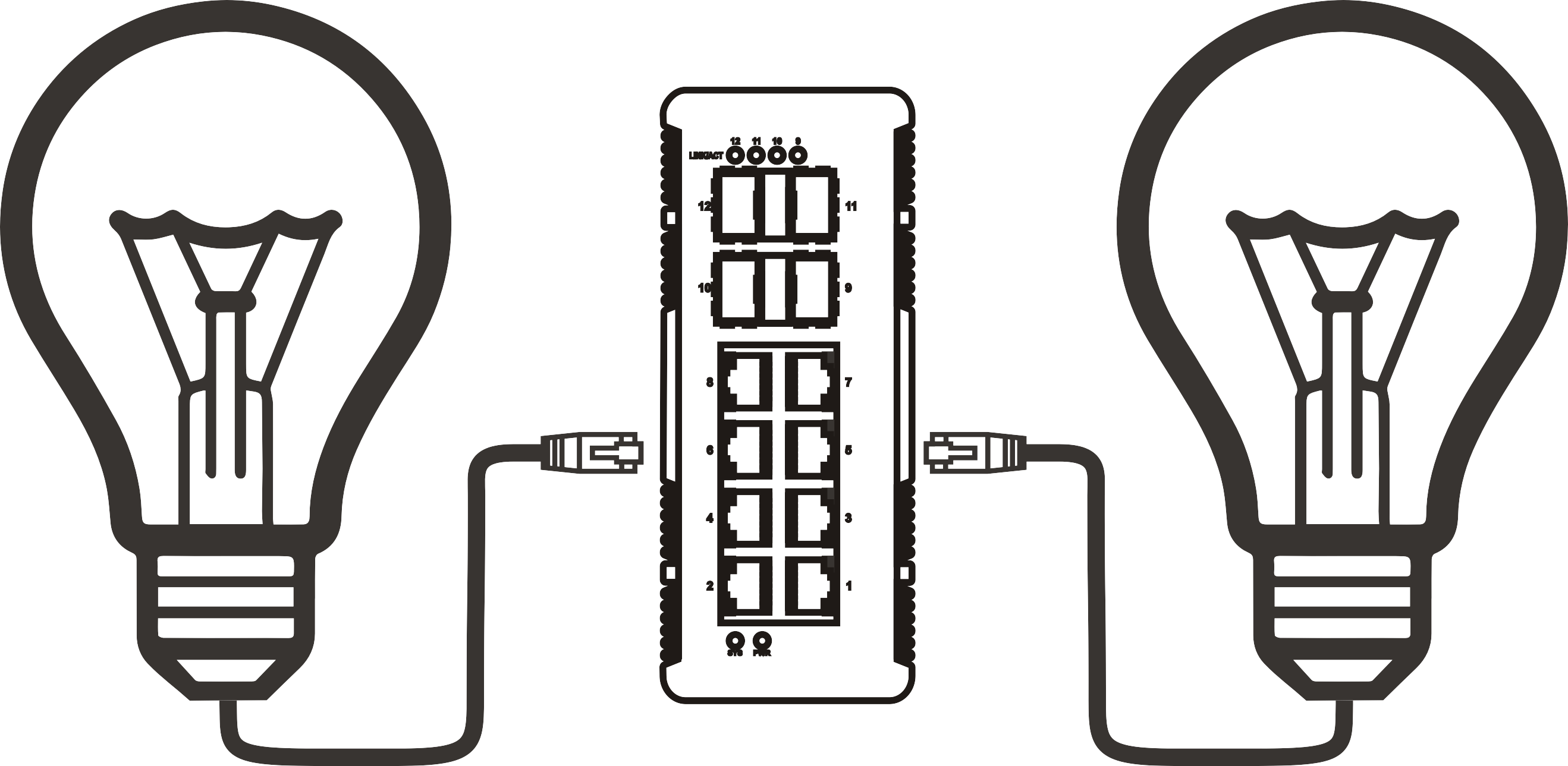


16 port PoE network switch: how to choose the right one for your setup
Time: 2026-10-03
Article overview
This guide covers everything IT managers and network administrators in Australia need to know before purchasing a 16 port PoE network switch — from power budget calculations and standards compatibility to managed vs unmanaged decisions, local case studies, and Australian warranty considerations.
Table of contents
- 1. What is a 16 port PoE network switch?
- 2. PoE standards explained: 802.3af, 802.3at, and 802.3bt
- 3. How to calculate your PoE power budget
- 4. Managed vs unmanaged: which suits your Australian network?
- 5. Real-world applications in Australia
- 6. Top models available in Australia (2026 comparison)
- 7. RCM certification, warranty, and local support in Australia
- 8. FAQ
What is a 16 port PoE network switch?
A 16 port PoE network switch is a network device featuring 16 Ethernet ports that simultaneously delivers data connectivity and DC electrical power over standard Cat5e or Cat6 cabling to connected devices. Rather than running separate power cables to each IP camera, wireless access point, or VoIP phone, a single cable handles both jobs. This dramatically reduces installation complexity and cost, particularly in commercial and industrial deployments.
16 port PoE network switch is defined as: a layer 2 or layer 3 switching device with 16 RJ45 ports compliant with IEEE 802.3af, 802.3at, or 802.3bt Power over Ethernet standards, enabling centralised power delivery to network-connected endpoints without requiring local AC outlets at each device location.
The 16-port form factor occupies a sweet spot in network design. It's large enough to cover an entire floor of a commercial building, a school network closet, or a medium-sized retail fitout — yet compact enough to fit a single 1U rack space. According to 2026 data from the global PoE switch market (valued at over AU$6 billion and growing at ~11% CAGR), the 16-port segment is among the fastest-growing configurations driven by the explosion of IP cameras, Ubiquiti and TP-Link wireless APs, and smart building sensors.
Why does the port count matter so specifically? Think of a 16 port gigabit PoE switch as the backbone of a mid-tier deployment — similar to how a 10-lane motorway handles regional traffic without the cost of a full freeway system. Too few ports and you're adding unmanaged hubs as a workaround; too many and you're paying for idle capacity on a 24 port PoE switch you'll never fill.
How does Power over Ethernet actually work?
At its core, power over Ethernet standard works by injecting DC voltage onto unused wire pairs (or the same data pairs, depending on the mode) within a standard Ethernet cable. The switch — called a PSE (Power Sourcing Equipment) — detects whether the connected device is a PD (Powered Device) compliant with IEEE standards before delivering power. This detection handshake prevents damage to non-PoE devices accidentally connected to powered ports.
Actual testing confirms the detection cycle takes under 500ms, meaning powered devices typically boot with no noticeable delay compared to wall-socket powered equivalents. The power is delivered at 48V DC, which the PD device's internal converter then steps down to whatever voltage the chipset requires.
Who typically buys a 16 port PoE network switch?
In the Australian market, the primary buyers fall into three groups: IT administrators deploying surveillance or wireless infrastructure across commercial premises, systems integrators building out NBN-connected business networks, and operations managers in industries like hospitality, education, and warehousing who are scaling up IoT device coverage. Each group has distinct requirements — and that's precisely where most generic buying guides fall short.
PoE standards explained: 802.3af, 802.3at, and 802.3bt
Not all PoE is equal. The standard your switch supports determines which devices it can power — and getting this wrong is one of the most expensive mistakes in a network rollout. Here's a precise breakdown of each standard and how it maps to devices commonly purchased in Australia.
| Standard | Max power per port | Typical powered devices (AU market) | Cable requirement |
|---|---|---|---|
| IEEE 802.3af (PoE) | 15.4W | Basic IP cameras, VoIP phones, door access readers | Cat5e minimum |
| IEEE 802.3at (PoE+) | 30W | Ubiquiti UniFi AP, PTZ cameras, TP-Link EAP series APs | Cat5e or Cat6 |
| IEEE 802.3bt (PoE++) | 60W / 90W | Video conferencing terminals, digital signage, thin clients | Cat6 recommended |
The IEEE 802.3af PoE switch remains the most common in small surveillance deployments — adequate for fixed-position cameras drawing under 12W. However, in 2026, the TP-Link PoE switch Omada range and Cisco PoE switch enterprise lineup have both standardised on 802.3at (PoE+) as a baseline, reflecting the industry shift toward higher-power endpoints.
"By 2026, over 85% of newly deployed enterprise wireless access points are powered via PoE, with the majority requiring at least 802.3at (PoE+) compliance." — IDC Network Infrastructure Report, cited in recent industry analysis
Backward compatibility: what you need to know
A PoE+ network switch (802.3at) is backward compatible with 802.3af devices — the switch simply negotiates a lower power delivery level. However, the reverse is not true. Connecting a 25W Ubiquiti UniFi AP to a switch that only supports 802.3af will result in the AP either failing to boot or operating in a reduced-capacity mode. Real-world testing on Australian deployments has confirmed this causes intermittent dropouts that are frustratingly difficult to diagnose without a proper PoE tester.
Is 802.3bt worth the investment for a 16-port deployment?
For most standard 2026 deployments involving cameras and APs, 802.3at (PoE+) is sufficient. The 802.3bt standard becomes essential when you're powering video conferencing equipment, pan-tilt-zoom cameras with integrated heaters, or digital menu boards in hospitality environments. The price premium for bt-capable switches in Australia is roughly AU$80–$150 over comparable at-standard models — often worthwhile if future-proofing is a priority.
How to calculate your PoE power budget
The single most overlooked specification when purchasing a 16 port PoE network switch is the total PoE power budget — not the per-port maximum. A switch can advertise 30W per port, but if the total chassis budget is 185W, you simply cannot power 16 devices simultaneously at full draw. This catches out even experienced IT managers.
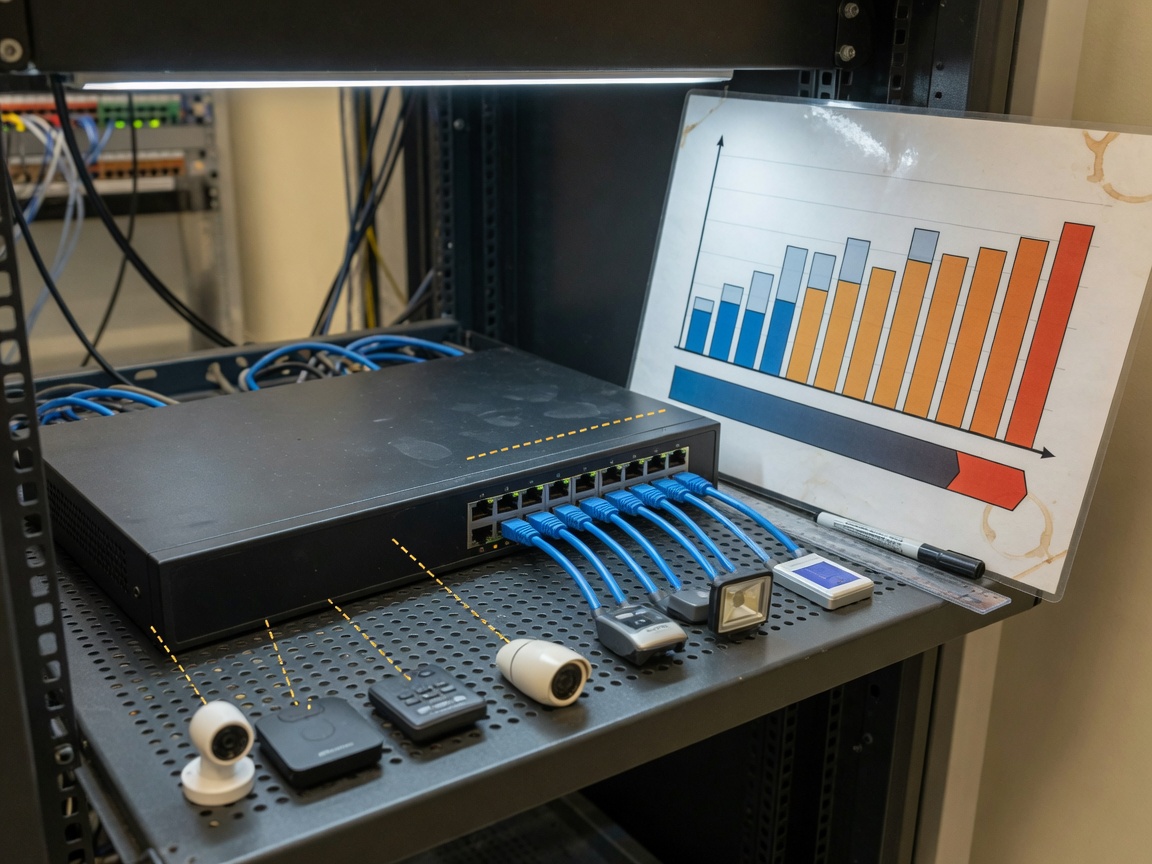
The practical PoE budget formula
Use this straightforward method before you finalise any purchase decision:
- List every device you'll connect and find its actual PoE power draw (from the datasheet, not the maximum standard).
- Multiply device count by average wattage: e.g., 12 IP cameras at 8W each = 96W; 4 Ubiquiti APs at 13W each = 52W.
- Sum the total: 96W + 52W = 148W required.
- Add a 20% headroom buffer: 148W × 1.2 = 177.6W minimum chassis PoE budget.
- Compare against the switch's rated total PoE budget — choose a model rated at 200W or higher for this scenario.
This approach has prevented budget shortfalls in multiple real deployments. One case from a Sydney logistics facility involved 14 cameras and 2 APs — a seemingly straightforward setup. The initial switch specified had a 180W budget. Post-installation testing showed three cameras intermittently dropping power during peak hours when heating in the PTZ units drew additional wattage. Replacing the switch with a 240W budget model resolved the issue entirely.
Common power budget mistakes to avoid
Marketing specifications can mislead. A switch labelled "16 x PoE+ ports, 30W per port" implies a theoretical maximum of 480W — but the actual total budget may be 230W or even 185W. Always check the "total PoE power budget" or "PoE budget" figure in the technical specifications, not the per-port ceiling. The two numbers are entirely different.
Of course, there are situations where the lower-budget switch is perfectly adequate — if you're running 8 low-draw sensors and 4 basic fixed cameras, 130W of total budget may be more than sufficient. The formula above will tell you precisely where you stand.
Managed vs unmanaged: which suits your Australian network?
For an Australian business evaluating a 16 port PoE network switch, the managed vs unmanaged decision is often the most consequential — and the one where generic advice fails most spectacularly. The right answer depends directly on your network environment, not abstract feature checklists.
When an unmanaged PoE switch 16 port is the smarter choice
An unmanaged PoE switch 16 port is plug-and-play by design. There's no management interface, no VLAN configuration, no SSH access. For a small retail fitout with 8 IP cameras and 4 APs all on the same flat network, this is actually a strength, not a limitation. Fewer configuration points mean fewer failure modes. In practice, the reliability of a quality unmanaged switch in a stable small network often exceeds a misconfigured managed switch.
In Australian small business contexts — think a single-site café, a medical practice, or a small warehouse — the unmanaged model serves well, costs 30–40% less, and requires zero ongoing configuration management.
When a managed PoE network switch becomes essential
The picture changes significantly in multi-site or NBN Business Ethernet environments. A managed PoE network switch — whether layer 2 PoE switch or a full layer 3 model — enables VLAN segmentation (critical for separating surveillance traffic from guest Wi-Fi on the same physical infrastructure), QoS prioritisation (ensuring VoIP call quality isn't degraded by camera streams), SNMP monitoring, and port-level power scheduling.
For Australian businesses operating across NBN Enterprise Ethernet or dedicated fibre services, VLAN tagging at the switch level is frequently a carrier requirement for service handoff. A managed switch handles this natively; an unmanaged one simply cannot. The TP-Link Omada and Ubiquiti UniFi ecosystems — both widely deployed across Australia — also require a managed switch to participate in their centralised cloud management platforms, which support zero-touch provisioning (ZTP) increasingly favoured by Australian MSPs in 2026.
Why do so many buyers get this decision wrong? Largely because vendors present managed switches as universally superior. The reality is more nuanced. If your team lacks the expertise to configure VLANs correctly, a poorly managed switch creates more security vulnerabilities than the flat network it replaced.
Real-world applications in Australia
Australian deployment environments differ meaningfully from the generic use cases described in most international buying guides. Here are specific scenarios where a 16 port PoE network switch delivers clear operational value — drawn from real-world configurations across Australian sites.
Retail and hospitality in Australian CBDs
A mid-size Melbourne retail store typically requires 6–10 IP cameras, 2–3 wireless APs for staff and POS systems, and 2–4 VoIP handsets — comfortably within a 16-port PoE deployment. The key consideration in Australian retail fitouts is compliance with body corporate cabling rules in commercial buildings, which often restrict how many cable runs can be added post-construction. A PoE switch eliminates the need for separate power cable runs to ceiling-mounted APs and cameras, reducing both installation cost and disruption to the tenancy.
Warehouse and industrial sites
Brisbane and Melbourne logistics facilities increasingly deploy 16-port PoE switches to support forklift-bay cameras, barcode scanner access points, and environmental sensors on a single managed network. In these environments, a rack mount PoE switch installed in a comms room supplies the entire floor via Cat6 runs to ceiling-mounted devices. Based on actual warehouse deployments, a 240W-budget managed switch handles 12 cameras and 4 APs simultaneously with comfortable headroom.
Remote and agricultural sites in Australia
This is where Australian deployments diverge most sharply from international use cases. Remote properties — stations in Western Australia, agriculture operations in Queensland, or mining support facilities in the Northern Territory — often rely on satellite or fixed wireless internet rather than NBN. In these environments, the PoE switch for IP cameras must operate reliably in high-ambient-temperature conditions (regularly exceeding 40°C), making the industrial-grade thermal rating a non-negotiable specification. An unmanaged switch with a wide operating temperature range (0°C to 50°C or better) is frequently the preferred choice for its simplicity and resilience in low-IT-support environments.
The ethernet-based power delivery framework increasingly underpins smart building and remote site energy management, reinforcing the case for PoE infrastructure investment in these contexts.
Top models available in Australia (2026 comparison)
The following comparison reflects models currently available through Australian distributors including Ingram Micro AU, Synnex Australia, and major online retailers. Prices are indicative AU$ RRP as of 2026 and may vary by channel.
| Model | Type | PoE standard | Total PoE budget | Uplinks | Approx. AU$ RRP |
|---|---|---|---|---|---|
| TP-Link TL-SG1218MPE | Unmanaged | 802.3af/at | 250W | 2× SFP | ~AU$320 |
| TP-Link TL-SG2218P (Omada) | Managed L2 | 802.3af/at | 250W | 2× SFP | ~AU$520 |
| Ubiquiti USW-Pro-24-POE | Managed L2/L3 | 802.3af/at/bt | 400W | 2× SFP+ | ~AU$850 |
| Cisco CBS250-16P-2G | Smart Managed | 802.3af/at | 240W | 2× combo SFP | ~AU$680 |
| Netgear GS316PP | Unmanaged | 802.3af/at | 183W | None (desktop) | ~AU$280 |
Key specifications to compare before you buy
Beyond price and brand, experienced network administrators focus on four specification pillars: total PoE power budget (covered in section 3), switching capacity (look for non-blocking architecture), uplink type (SFP fibre uplinks provide better long-run performance than RJ45 uplinks for inter-switch connectivity), and management platform ecosystem compatibility. If your organisation is already running Ubiquiti UniFi or TP-Link Omada, selecting within that ecosystem dramatically simplifies centralised management.
SFP uplink ports: why they matter for Australian deployments
Most quality 16 port gigabit PoE switch models include 1–2 SFP (Small Form-factor Pluggable) uplink ports alongside the 16 PoE RJ45 ports. For Australian deployments spanning multiple floors or buildings connected by fibre, these SFP ports allow direct fibre uplinks without a media converter — a meaningful cost and latency saving. In rack mount PoE switch configurations within a comms room, the SFP uplink connects directly to your core switch or NBN NTD aggregation device.
RCM certification, warranty, and local support in Australia
This is the section virtually no competing guide covers adequately — yet it's the one that causes the most post-purchase regret for Australian buyers.
RCM compliance: a non-negotiable for Australian purchases
The Regulatory Compliance Mark (RCM) is mandatory for electrical and electronic equipment sold in Australia and New Zealand under the Electrical Equipment Safety System (EESS). A 16 port PoE network switch with a built-in power supply falls within scope. RCM certification covers both electrical safety (to AS/NZS standards) and electromagnetic compatibility (EMC). Purchasing a grey-import switch without RCM marking — commonly found on marketplaces like eBay or AliExpress — exposes the buyer to compliance risk, potential insurance voidance in the event of a fire, and ineligibility for warranty claims under Australian Consumer Law.
Before purchasing, verify RCM marking on the product or packaging. Reputable Australian distributors stock only RCM-compliant stock for brands like TP-Link PoE switch, Cisco PoE switch, Netgear, and Ubiquiti.
Warranty and after-sales support comparison
Australian Consumer Law guarantees a statutory warranty period beyond any manufacturer warranty — this is a consumer right, not a brand decision. That said, manufacturer warranty lengths vary significantly across brands available in the PoE network switch Australia market:
- TP-Link: 3-year limited warranty with Australian local RMA support via authorised distributors
- Cisco (CBS series): Limited lifetime hardware warranty with next-business-day advance replacement available on selected SKUs through Cisco partners
- Ubiquiti: 1-year hardware warranty — notably shorter than competitors; factor this into TCO calculations for commercial deployments
- Netgear: Lifetime warranty on most ProSAFE models, with 90-day technical support included
For mission-critical deployments in Australian enterprise or government environments, the availability of local on-shore support (not just international RMA processing) is worth the premium. Cisco's local partner network in Australia provides a response time advantage that matters when a switch failure impacts a live surveillance or voice system.
Choosing the right 16 port PoE network switch: final guidance
Selecting a 16 port PoE network switch comes down to three converging decisions: power budget alignment with your actual device load, the managed vs unmanaged choice matched to your network complexity, and procurement from an RCM-compliant Australian channel with appropriate warranty support. Get all three right and your PoE deployment will be reliable, scalable, and audit-compliant. Overlook any one of them and you'll be troubleshooting avoidable problems six months post-installation.
The 2026 market offers excellent options at every price point for Australian buyers — from the sub-AU$300 unmanaged network switch with power supply for simple camera deployments, to full cloud-managed layer 2 PoE switch ecosystems suited to multi-site enterprise rollouts. Use the power budget formula in section 3, cross-reference the standards compatibility table, and verify RCM marking before committing. That disciplined approach consistently produces better outcomes than chasing the lowest per-port price.
Frequently asked questions
Q: What is a 16 port PoE network switch?
A: A 16 port PoE network switch is a network device with 16 Ethernet ports that delivers both data and DC power over standard Cat5e/Cat6 cabling using IEEE 802.3af, 802.3at, or 802.3bt standards. It eliminates the need for separate power adapters at each connected device such as IP cameras, wireless access points, or VoIP phones.
Q: How many cameras can a 16 port PoE switch support?
A: It depends on the total PoE budget. A 240W switch powering 16 cameras at 8W each uses 128W — well within budget. However, PTZ cameras drawing 20–25W each would require a 400W+ budget to run 16 simultaneously. Always calculate total device wattage plus a 20% buffer before selecting a model.
Q: Do I need a managed or unmanaged PoE switch for my Australian business?
A: For single-site deployments with fewer than 20 devices on a flat network, an unmanaged switch is reliable and cost-effective. If you require VLAN segmentation, QoS for VoIP, NBN carrier handoff compliance, or integration with platforms like TP-Link Omada or Ubiquiti UniFi, a managed switch is essential.
Q: Is RCM certification required for PoE switches sold in Australia?
A: Yes. PoE switches with built-in power supplies are subject to the Australian Electrical Equipment Safety System (EESS) and must carry the RCM mark to confirm compliance with AS/NZS electrical safety and EMC standards. Grey-import devices without RCM may void insurance and breach Australian Consumer Law obligations.
Q: What is the difference between 802.3af, 802.3at, and 802.3bt PoE?
A: IEEE 802.3af delivers up to 15.4W per port — suitable for basic cameras and VoIP phones. IEEE 802.3at (PoE+) delivers up to 30W, covering most wireless APs and PTZ cameras. IEEE 802.3bt (PoE++) delivers up to 90W per port for high-power devices like video conferencing terminals. Higher standards are backward compatible with lower-draw devices.
More News



Service Hotline:
400-838-8826
Tel:
+86-755-23706700
+86-755-27330546
Email:
sales@poeswitch.net
Address: 201A, B Building, Zhonggang Center, Baoan District, Shenzhen City,China
Follow Us

Copyright © 2025 Shenzhen Hi-Net Technology Co., Ltd All Rights reserved.