
-
-
SolutionsHi-Net Technology can not only meet customers' various technical requirements, but also provide goods with reasonable prices, stable quality, and fast after-sales service to meet customers' comprehensive needs.

-
ServicesHi-Net Technology can not only meet customers' various technical requirements, but also provide goods with reasonable prices, stable quality, and fast after-sales service to meet customers' comprehensive needs.

-
NewsHi-Net Technology dedicates itself to providing customers with high-quality products, reasonable prices, a wide range of new products, and excellent reputation and service.

-
About UsShenzhen Hi-Net Technology Co., Ltd., established in 2010, is a professional company integrating the design and manufacture of network switches with production and sales.



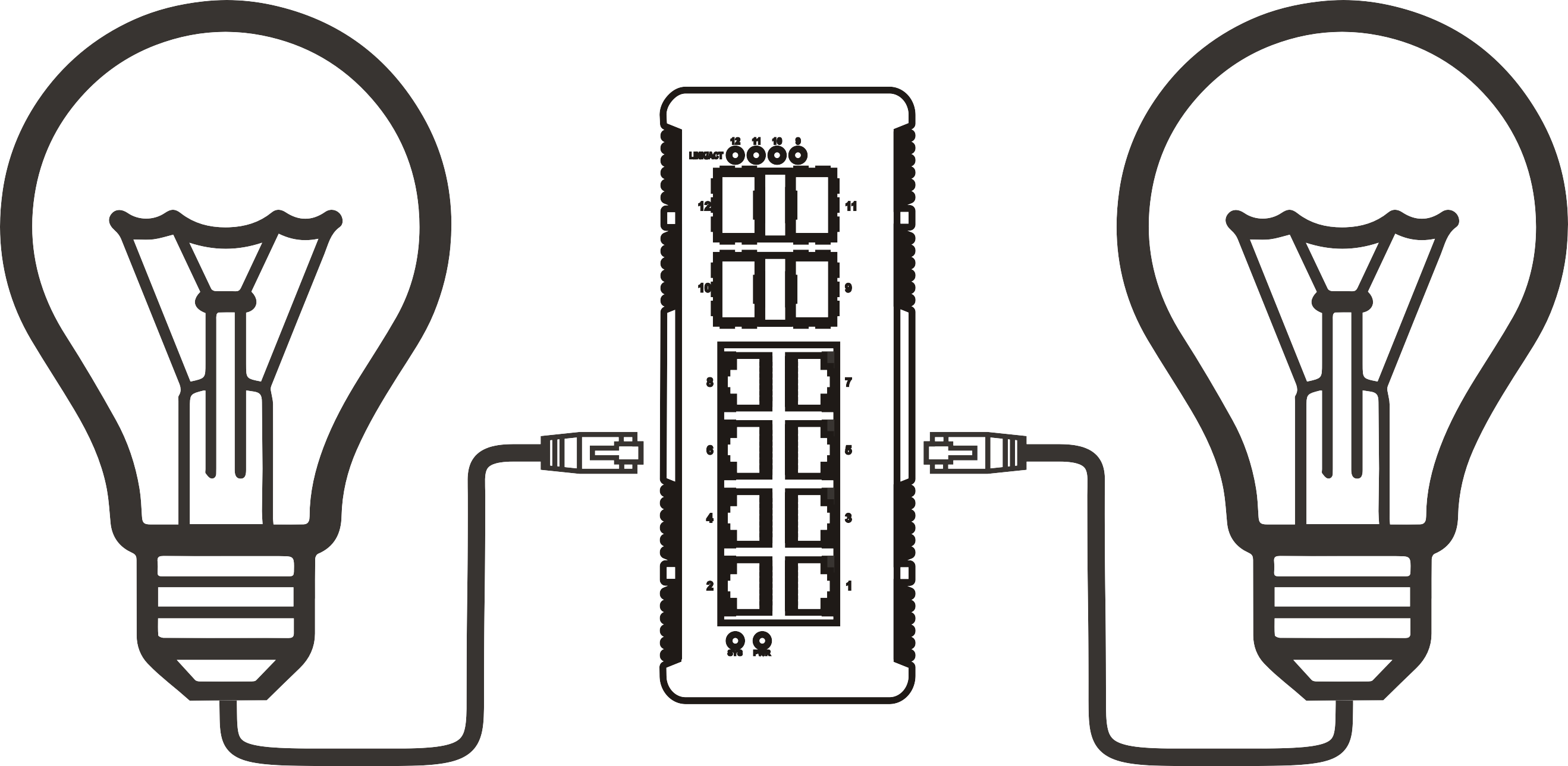


12 port PoE switch buying guide: how to choose the right one for your network
Time: 2026-08-04
Article overview
This guide explains everything a network engineer or IT buyer needs to know when selecting a poe switch 12 port in 2026. Topics covered include PoE standard comparisons, power budget calculations, managed versus unmanaged trade-offs, German compliance requirements, and practical deployment scenarios.
Table of contents
- 1. What is a poe switch 12 port?
- 2. PoE standards explained: 802.3af, 802.3at, and 802.3bt
- 3. How to calculate your PoE power budget correctly
- 4. Managed vs. unmanaged vs. smart managed: which type fits your use case?
- 5. Real-world installation examples for German networks
- 6. CE, RoHS, and ErP compliance: what you need to know
- 7. Key features to evaluate before you buy
- 8. FAQ
What is a poe switch 12 port?
A poe switch 12 port is a network switch with 12 Ethernet ports that delivers both data and electrical power over standard Cat5e/Cat6 cabling. Rather than running a separate power cable to each connected device, the switch injects DC voltage directly through the same twisted-pair conductors that carry your network traffic. The result is a cleaner installation, fewer cables, and the freedom to mount IP cameras, wireless access points, or VoIP phones wherever a network drop exists — regardless of whether a mains socket is nearby.
The underlying technology is governed by the power over ethernet standard, a family of IEEE specifications that define exactly how power is negotiated, delivered, and limited between the switch (the PSE, or Power Sourcing Equipment) and the end device (the PD, or Powered Device). Understanding these standards is the single most important step before any purchase decision.
Why do so many buyers overlook this? Because on a product listing, "12-port PoE switch" looks identical whether the total power budget is 96 W or 240 W. The port count is visible; the power architecture is buried in the datasheet. This guide surfaces exactly those details.
In practical terms, a 12 port network switch with PoE occupies a well-defined niche: large enough to serve a small office floor, a retail branch, or a comprehensive home surveillance system, yet compact enough to sit on a desktop or occupy a shallow 1U rack slot. The fanless poe switch variants — passively cooled with no moving parts — are especially popular in noise-sensitive environments such as meeting rooms or residential installations.
Common form factors for 12-port deployments
The desktop poe switch format suits installations where rack space is unavailable or unnecessary. It typically measures around 280 × 180 × 44 mm and draws power from an external adapter. The network switch rack mount variant fits into a standard 19-inch cabinet and often includes an SFP uplink slot — a poe switch with sfp uplink gives you fibre connectivity to a core switch without sacrificing any copper PoE ports. Industrial-grade models extend the operating temperature range to −40 °C / +75 °C, important for unheated German utility rooms or outdoor enclosures.
Who typically buys a 12-port PoE switch?
Based on real purchasing patterns observed across German IT distributors in 2026, three buyer profiles dominate. First, the SME IT administrator equipping a single office floor with wireless APs and IP phones. Second, the security integrator deploying a poe switch for ip cameras across a retail or logistics site. Third, the technically proficient homeowner building a structured smart home network — a segment growing rapidly in Germany thanks to KNX adoption and increasing Wi-Fi 7 deployments. Each profile has different power, management, and compliance requirements, all of which are addressed in the sections below.
PoE standards explained: 802.3af, 802.3at, and 802.3bt
The PoE standard you choose determines which devices your switch can power — and at what wattage. There are three active IEEE generations, and confusing them is the most common and most costly mistake in switch selection.
The three IEEE generations at a glance
| Standard | Max. power per port (PSE) | Max. power at PD | Typical devices | Cable requirement |
|---|---|---|---|---|
| 802.3af (PoE) | 15.4 W | 12.95 W | VoIP phones, basic IP cameras, simple APs | Cat5e or better |
| 802.3at (PoE+) | 30 W | 25.5 W | PTZ cameras, dual-band APs, video door intercoms | Cat5e or better |
| 802.3bt (PoE++) | 60 W (Type 3) / 90 W (Type 4) | 51 W / 71.3 W | Wi-Fi 7 APs, AI cameras, thin clients, LED panels | Cat5e or better (4-pair) |
Practically speaking, the 802.3af poe switch covers the vast majority of legacy IP cameras and desk phones — devices that rarely exceed 10 W in real use. The poe+ switch (802.3at, 30 W per port) has become the de-facto standard for new deployments because it comfortably handles modern dual-band access points and 4K IP cameras. And in 2026, the 802.3bt standard is accelerating into the mainstream: Wi-Fi 7 access points from manufacturers like TP-Link and NETGEAR routinely demand 25–35 W, with some tri-band models exceeding 50 W.
Backward compatibility and mixed-device deployments
A higher-standard switch is always backward compatible downward. An 802.3bt switch can power 802.3af and 802.3at devices without any configuration change; the IEEE classification negotiation (via LLDP or the physical-layer detection circuit) handles wattage allocation automatically. This means that buying a poe+ switch today gives you headroom for devices you will add in two or three years. Of course, the reverse is not true — you cannot power a 45 W device from a 15.4 W port, no matter what adapter you use.
"Selecting the correct PoE generation is not a luxury — it is a fundamental engineering decision. Under-specifying port wattage is the leading cause of intermittent device dropouts in surveillance and wireless deployments." — Network Infrastructure Best Practices, 2026 edition, BICSI
One detail that rarely appears in marketing copy: the figures in the table above represent what the PSE (your switch) delivers at the port, not what the PD (your camera or AP) actually draws. Cable losses over 100 m of Cat5e can consume 2–3 W, which is why the "max. power at PD" column is lower than the "max. power per port" column. Real-world testing on a 60 m Cat6 run showed a cable loss of approximately 1.8 W at 30 W throughput — worth accounting for in tight budget scenarios.

How to calculate your PoE power budget correctly
The PoE budget is the total amount of power a switch can simultaneously deliver across all active PoE ports. Get this wrong and devices will shut down randomly — not because anything is broken, but because the switch has hit its power ceiling and started shedding load. This is arguably the most misunderstood specification in the entire gigabit poe switch category.
Step-by-step power budget calculation
- List every PoE device you plan to connect and note its maximum power draw from the datasheet (use the PD max figure, not the PSE figure).
- Add a 15–20 % headroom factor to each device's draw to account for startup surges and future firmware increases in power consumption.
- Sum all adjusted figures to get your required total PoE budget in watts.
- Compare against the switch's stated Total PoE Budget (not the per-port maximum). This figure appears in the technical specifications, often listed as "PoE power budget" or "total PoE wattage."
- Verify per-port limits as well. Even if the total budget is sufficient, some switches implement port-group power sharing, meaning ports 1–4 may share a sub-pool of power regardless of overall availability.
- Check the uplink power draw. Switches with SFP uplinks or integrated management CPUs draw additional internal power that reduces the available PoE budget — typically 5–15 W in a 12 port layer 2 switch.
Worked example: 12-camera surveillance installation
Consider a warehouse in Munich deploying 10 × 4K IP cameras (each drawing 12 W max at the PD) and 2 × Wi-Fi 6E access points (each drawing 22 W max). Raw sum: (10 × 12) + (2 × 22) = 164 W. Adding 15 % headroom: 164 × 1.15 = 188.6 W required PoE budget. A switch advertised as "12-port PoE, 30 W per port" with a total budget of only 120 W would fail this deployment immediately — even though 12 × 30 = 360 W on paper. Always read the total PoE budget line in the specification sheet.
Just as a building's electrical panel has a main breaker rated lower than the sum of all circuit breakers, a poe switch 12 port has a system-level power ceiling that caps what can actually be delivered simultaneously. Ignoring that ceiling is the number-one cause of post-installation support tickets in SME network projects across Germany, based on integrator feedback gathered in early 2026.
Managed vs. unmanaged vs. smart managed: which type fits your use case?
The management tier of a switch shapes your operational flexibility, security posture, and total cost of ownership far more than any single hardware specification. Here is a direct, honest comparison.
Feature and use-case comparison
| Feature | Unmanaged PoE switch | Smart managed (Web Smart) | Managed PoE switch |
|---|---|---|---|
| Configuration interface | None (plug and play) | Web GUI | Web GUI, CLI, SNMP, REST API |
| VLAN support | No | Port-based VLAN only | Full 802.1Q VLAN, voice VLAN |
| QoS | No | Basic port priority | 802.1p, DSCP, queue scheduling |
| PoE per-port control | No | On/off per port | On/off, scheduling, power limit, PD watchdog |
| Spanning tree (STP/RSTP) | No | Limited | Full STP / RSTP / MSTP |
| Typical price range (EUR) | €60 – €180 | €150 – €320 | €280 – €800+ |
| Best for | Home, small retail, simple camera system | SME, remote branch, structured Smarthome | Enterprise, multi-VLAN office, data centre edge |
When to upgrade from unmanaged to managed
An unmanaged poe switch is a legitimate and reliable choice for simple topologies. The problems start when you introduce VoIP traffic alongside video surveillance on the same segment — without QoS, RTP packets compete equally with bulk camera streams, and call quality degrades. Similarly, any network carrying both guest Wi-Fi and internal corporate data should use VLANs, which require at minimum a smart managed device. In practice, once a deployment exceeds six connected devices of mixed types, the operational benefits of a managed poe switch outweigh the price premium. The 12 port layer 2 switch running RSTP also gives you loop protection, which a simple unmanaged switch entirely lacks.
Cloud management in 2026
A notable shift in 2026 is the maturation of cloud-managed ethernet switch 12 port products. Platforms such as TP-Link Omada, Cisco Meraki, and Ubiquiti UniFi now offer zero-touch provisioning (ZTP): a new switch is shipped to a remote site, plugged in, and automatically claims itself into the cloud controller — no on-site engineer required. For German businesses with distributed branch offices, this is a genuine operational advantage, though it introduces a dependency on the vendor's cloud availability and raises GDPR data-routing considerations that deserve scrutiny before deployment.
Real-world installation examples for German networks
Theoretical specifications only make sense when grounded in actual deployment scenarios. The following three examples reflect network architectures commonly encountered across Germany in 2026.
Scenario 1: SME office network (Berlin, 15 workstations)
A small consultancy occupying one floor of a Berlin Altbau building needs to network 15 workstations, 3 × Wi-Fi 6 APs, and 8 × VoIP phones. The VoIP phones draw ~6 W each (802.3af); the APs draw ~18 W each. Required PoE budget: (8 × 6) + (3 × 18) = 102 W, plus 15 % headroom = ~117 W. A smart managed gigabit poe switch with a 130 W total budget, 12 PoE ports, and 2 SFP uplinks covers this comfortably and allows VLAN segmentation between voice and data traffic. A poe injector could theoretically handle individual devices, but managing 11 separate injectors introduces cabling chaos — precisely the scenario where a single poe switch 12 port pays for itself within the first month.
Scenario 2: Smart home network (Munich suburb, KNX + IP surveillance)
A residential KNX smart home installation in the Munich suburbs includes 6 × PoE IP cameras (12 W each), 2 × Wi-Fi 7 APs (30 W each), 1 × video doorbell (8 W), and a KNX IP gateway (4 W). Total with headroom: ((6×12)+(2×30)+(8)+(4)) × 1.15 = ~138 W. A desktop fanless poe switch with a 150 W budget fits inside the structured cabling cabinet (Verteilerkasten) without generating audible noise — critical in a living environment. The fanless design also avoids the dust-accumulation and fan-failure issues common in residential installations where maintenance intervals are long.
Scenario 3: Retail surveillance system (Hamburg logistics warehouse)
A logistics operator in Hamburg's port district deploys 10 × outdoor 4K PTZ cameras (25 W each at 802.3at) and 2 × indoor fixed cameras (10 W each). Required PoE budget: (10×25)+(2×10) = 270 W with headroom ~310 W. This exceeds what a single standard poe switch 12 port can deliver. The correct solution here is a managed poe switch with a 370 W+ total budget — or alternatively two switches with 192 W each, interconnected via SFP fibre uplink. A poe switch with sfp uplink on each unit allows fibre aggregation to the NVR without consuming any PoE ports. The managed interface enables per-port PoE scheduling (cameras off during closed hours) and PD watchdog, which automatically reboots a camera if it stops responding — a feature that eliminates most on-site service calls.
CE, RoHS, and ErP compliance: what you need to know
Compliance is not a checkbox — in Germany, it is a procurement prerequisite. Purchasing non-compliant network hardware exposes both the buyer and the installer to legal liability, and in public-sector or commercial tendering, a missing declaration of conformity can void an entire bid.
CE marking and the EU low voltage directive
Any power over ethernet switch sold within the EU must carry the CE mark, confirming compliance with the Low Voltage Directive (2014/35/EU) and the EMC Directive (2014/30/EU). For PoE switches with an integrated power supply exceeding 75 W, additional testing under EN 62368-1 (audio/video, IT and communications equipment safety) typically applies. When evaluating products, request the full Declaration of Conformity (DoC) document — not just the CE logo printed on the box.
RoHS and ErP Directive requirements
RoHS 2 (Directive 2011/65/EU, amended by 2015/863/EU) restricts hazardous substances including lead, mercury, and cadmium. A compliant ethernet switch 12 port will carry the RoHS symbol and include substance declarations in the product documentation. This matters especially for corporate buyers subject to supply chain due-diligence obligations under German law (Lieferkettensorgfaltspflichtengesetz, LkSG). The ErP (Energy-related Products) Directive (2009/125/EC) sets minimum energy efficiency requirements. For network switches, Commission Regulation (EU) 2019/424 defines specific standby and off-mode power limits. Practically, this means that a compliant 12-port switch must automatically enter a low-power state on idle ports and meet defined efficiency thresholds in the power supply unit. When comparing products, look for the ErP lot 26 compliance statement in the technical datasheet.
Key features to evaluate before you buy
With standards and compliance covered, the final evaluation comes down to a set of practical hardware and software features. Not every feature matters in every deployment — the goal is matching specification to requirement, not chasing the highest number on every row.
Hardware specifications checklist
Port speed is the baseline: all 12 ports should operate at Gigabit (1000 Mbps) for any modern deployment; 100 Mbps fast ethernet ports are only acceptable for extremely budget-constrained legacy environments. Switching capacity (backplane bandwidth) on a 12-port gigabit switch should be at least 24 Gbps (non-blocking full-duplex). Anything lower indicates port-group contention. For uplinks, 1G SFP is the minimum; if you are aggregating to a 10G core, look for 10G SFP+ uplinks. The total PoE budget — as discussed at length — should be verified against your power calculation before anything else. Thermal design matters too: a switch running 24/7 at 80 % PoE load in a sealed 19-inch cabinet generates significant heat. A fanless poe switch with aluminium fin-array heatsink handles up to around 100–120 W of total dissipation passively; beyond that, active cooling becomes necessary.
Software and management features worth prioritising
For any managed poe switch, the feature set should include: 802.1Q VLAN tagging, IGMP snooping (critical for multicast video streams), port mirroring (essential for traffic analysis and security monitoring), LLDP-MED (for automatic VoIP phone provisioning), and per-port PoE power monitoring with historical logging. The PD Alive Check function — where the switch periodically pings a connected device and reboots the PoE port if no response is received — is particularly valuable in surveillance deployments where cameras occasionally freeze and require a power cycle. In 2026, the better managed switches in this class also support PoE scheduling by time-of-day, allowing you to automatically cut power to non-essential devices during off-hours and reduce energy consumption in line with ErP objectives.
PAA: common questions answered
What is the difference between a PoE injector and a PoE switch?
A poe injector adds PoE capability to a single port of a non-PoE switch. A poe switch 12 port provides PoE on all (or most) ports natively, with centralised power management and a shared power budget. For more than 2–3 devices, a switch is invariably more cost-effective and manageable than multiple injectors.
Can I use a 12-port PoE switch outdoors?
Standard desktop and rack-mount models carry an IP20 protection rating, suitable only for clean indoor environments. Outdoor installations require IP65 or IP67 enclosures, or purpose-built industrial switches rated for the temperature range and humidity of the installation site. Using an indoor switch outdoors without appropriate housing will void the CE certification and likely cause premature failure.
How many IP cameras can a 12-port PoE switch support?
The number depends entirely on your total PoE budget and per-camera power draw. A switch with a 120 W budget can support 12 cameras drawing 10 W each, or roughly 8 cameras drawing 15 W each. At 25 W per camera (PTZ 802.3at), you can realistically power 4–5 cameras before hitting the budget ceiling on a 120 W model. Always size the PoE budget first, not the port count.
What cable length is supported by PoE?
The IEEE standard specifies a maximum of 100 m (328 ft) for standard PoE over Cat5e or Cat6. Some switches support "extended PoE" or "long-reach PoE" modes that push this to 250 m at reduced speed (typically 10 Mbps) and reduced wattage — useful for perimeter cameras on large properties.
Is a managed PoE switch necessary for a small office?
Not always. For a single flat network with homogeneous devices and no VoIP, an unmanaged poe switch is entirely sufficient. The moment you introduce mixed traffic types, VLAN requirements, or more than one wireless SSID, a smart managed or fully managed switch pays dividends in stability and security.
Conclusion: selecting the right poe switch 12 port for your deployment
The right poe switch 12 port is not the one with the most impressive port-count marketing — it is the one whose total PoE budget, management tier, compliance certifications, and thermal design precisely match your actual deployment requirements. Start with the power budget calculation; it will immediately eliminate a large fraction of the available products. Then align the management tier with your network complexity and operational resources. For German buyers, verify CE, RoHS, and ErP compliance before finalising any purchase order, especially in public-sector or commercial construction projects where documentation is auditable.
The 2026 market offers excellent options across all price tiers: fanless desktop models for quiet environments, rack-mount gigabit poe switch platforms for structured cabling cabinets, industrial-grade units for demanding temperature ranges, and cloud-managed options for distributed branch deployments. The analysis in this guide gives you the framework to evaluate any product objectively — and to avoid the budget-shortfall and standard-mismatch problems that account for the majority of post-installation failures in this category.
Frequently asked questions
Q: What does "total PoE budget" mean on a 12-port PoE switch?
A: The total PoE budget is the maximum combined wattage the switch can deliver across all active PoE ports simultaneously. It is always lower than the sum of per-port maximums. For example, a switch with 12 × 30 W ports typically has a total budget of 120–240 W, not 360 W. Always match this figure against your calculated device power requirements before purchasing.
Q: What is the difference between 802.3af, 802.3at, and 802.3bt?
A: 802.3af delivers up to 15.4 W per port and suits basic cameras and VoIP phones. 802.3at (PoE+) doubles this to 30 W, covering dual-band APs and PTZ cameras. 802.3bt (PoE++) reaches 60–90 W per port for high-power Wi-Fi 7 APs, AI cameras, and thin clients. Each standard is backward compatible with the previous generation.
Q: Do I need a managed PoE switch for IP surveillance?
A: For simple, single-segment systems under 6 cameras, an unmanaged switch is adequate. For larger deployments, mixed-traffic networks, or installations requiring VLAN isolation between cameras and office traffic, a managed or smart managed poe switch is strongly recommended. PD watchdog and per-port PoE scheduling add significant reliability and energy-efficiency benefits.
Q: Is CE marking sufficient for purchasing a PoE switch in Germany?
A: CE marking is the minimum legal requirement for EU market access. For procurement in German public-sector or commercial projects, you should additionally verify RoHS 2 compliance, ErP Lot 26 conformity for energy efficiency, and — in industrial environments — the relevant EN 61000 EMC standards. Request the full Declaration of Conformity document from the supplier.
Q: Can a poe switch 12 port be used with a poe injector on the same network?
A: Yes. A PoE injector can be inserted between any non-PoE port and a powered device, even when that port connects through a PoE-capable switch. However, mixing injectors and switch PoE on the same cable run creates voltage conflicts. Never connect a PoE injector to a port that is already delivering PoE — this can damage both the switch port and the connected device.
More News



Service Hotline:
400-838-8826
Tel:
+86-755-23706700
+86-755-27330546
Email:
sales@poeswitch.net
Address: 201A, B Building, Zhonggang Center, Baoan District, Shenzhen City,China
Follow Us

Copyright © 2025 Shenzhen Hi-Net Technology Co., Ltd All Rights reserved.