
-
-
SolutionsHi-Net Technology can not only meet customers' various technical requirements, but also provide goods with reasonable prices, stable quality, and fast after-sales service to meet customers' comprehensive needs.

-
ServicesHi-Net Technology can not only meet customers' various technical requirements, but also provide goods with reasonable prices, stable quality, and fast after-sales service to meet customers' comprehensive needs.

-
NewsHi-Net Technology dedicates itself to providing customers with high-quality products, reasonable prices, a wide range of new products, and excellent reputation and service.

-
About UsShenzhen Hi-Net Technology Co., Ltd., established in 2010, is a professional company integrating the design and manufacture of network switches with production and sales.





16 port PoE network switch: how to choose the right one for your setup
Time: 2026-09-09
Article overview
This guide helps Australian IT buyers and network administrators choose, size, and deploy the right network switch 16 port PoE for their environment. Topics covered include PoE power budget maths, managed versus unmanaged decision-making, RCM and ACL compliance, NBN topology integration, and a side-by-side brand comparison table with local pricing.
Table of contents
- 1. What is a network switch 16 port PoE?
- 2. PoE standards explained: af, at, and bt in 2026
- 3. How to calculate your PoE power budget (with formula)
- 4. Managed vs unmanaged: which is right for your setup?
- 5. Australian compliance: RCM, ACL, and NBN integration
- 6. Top brands compared: specs, pricing, and local support
- 7. How to install a 16-port PoE switch step by step
- 8. Frequently asked questions
What is a network switch 16 port PoE?
A network switch 16 port PoE is a Layer 2 or Layer 3 network device with 16 Ethernet ports that simultaneously carries data and DC electrical power over standard Cat5e or Cat6 cabling. That single sentence defines the product category — but the practical implications for an Australian IT buyer go much further.
Unlike a basic network switch overview device that only forwards data frames, a PoE-enabled switch integrates a Power Sourcing Equipment (PSE) controller. This controller negotiates power delivery with each connected Powered Device (PD) — whether that is an IP camera, a wireless access point, an IP phone, or a smart sensor — before any current flows. The result is a cleaner, safer installation with fewer wall outlets, shorter cable runs, and dramatically reduced installation labour costs.
For context, think of a 16-port PoE switch as a managed power strip and network hub PoE rolled into a single 1U rack chassis. Just as a single water main can feed sixteen taps simultaneously, one switch handles both the data backbone and the power feed for every device on that segment. That analogy holds until the total draw exceeds the switch's PoE power budget — which is precisely why the calculation in Section 3 matters so much.
In 2026, the ethernet switch with power over ethernet has become the default infrastructure choice for Australian SMBs deploying IP surveillance, Wi-Fi 7 APs, and VoIP systems. According to recent research, over 65% of newly deployed IP cameras now rely on PoE rather than discrete power adapters, a figure that reflects both the maturity of the technology and the real-world cost savings achievable on the cabling side.
Network switch 16 port PoE is the preferred port count for mid-size deployments: large enough to cover an entire floor of a commercial building or a school network closet, yet compact enough to fit a single rack unit without requiring an additional patch panel in many cases.
Who typically buys a 16-port PoE switch in Australia?
The primary buyers are IT managers and network administrators at Australian SMBs, retail chains, aged-care facilities, educational institutions, and construction-site offices. A secondary audience includes integrators and electricians who specify hardware for security system installations. The office network switch 16 port segment is particularly strong in the 20–100 seat business range, where a single switch can serve an entire network closet without the expense of a chassis-based solution.
Desktop vs rack mount form factors
Rack mount switch Australia models dominate the business market because they integrate cleanly into standard 19-inch cabinets alongside patch panels, UPS units, and NBN NTDs. Desktop-form switches remain popular for smaller deployments — a single retail counter, a reception desk cluster, or a temporary site office — where a rack is not cost-justified. Most enterprise-grade 16-port PoE switches ship with rack ears included, giving buyers flexibility.
PoE standards explained: af, at, and bt in 2026
Understanding the three active power over ethernet standard generations is non-negotiable before purchasing. Getting this wrong means either underpowering your devices or paying a premium for capacity you will never use.
The three IEEE generations at a glance
| Standard | Max power per port | Typical devices | 2026 relevance |
|---|---|---|---|
| IEEE 802.3af (PoE) | 15.4 W | Basic IP phones, older cameras | Legacy — still common in cost-sensitive installs |
| IEEE 802.3at (PoE+) | 30 W | PTZ cameras, dual-band APs, VoIP with display | Mainstream — the PoE+ switch 16 port sweet spot |
| IEEE 802.3bt (PoE++) | 60 W / 90 W | Wi-Fi 7 APs, 4K AI cameras, thin clients | Fast-growing — driven by Wi-Fi 7 rollout |
Why do many buyers still default to PoE+ (802.3at) in 2026? Because the installed base of PoE+ devices remains enormous and the per-unit switch cost is meaningfully lower than bt-capable hardware. That said, if you are speccing a new installation that will include Wi-Fi 7 access points — and most new commercial builds in Australia are — selecting a gigabit PoE switch with at least partial 802.3bt port support is the strategically sound choice. Retrofitting a switch two years post-installation rarely works out cheaper.
Passive PoE and non-standard protocols: a caution
Some budget IP cameras, particularly models sourced directly from Chinese manufacturers, use passive PoE or proprietary 24V signalling rather than IEEE-compliant negotiation. Connecting these to a standards-based switch can damage the camera, void its warranty, or trigger the switch's over-current protection. Actual testing in the field has confirmed that this is one of the most common causes of "dead port" complaints on IT forums. Always verify the PD standard before purchasing — look for explicit IEEE 802.3af/at/bt certification on the camera's datasheet, not just the phrase "PoE compatible."
How to calculate your PoE power budget (with formula)
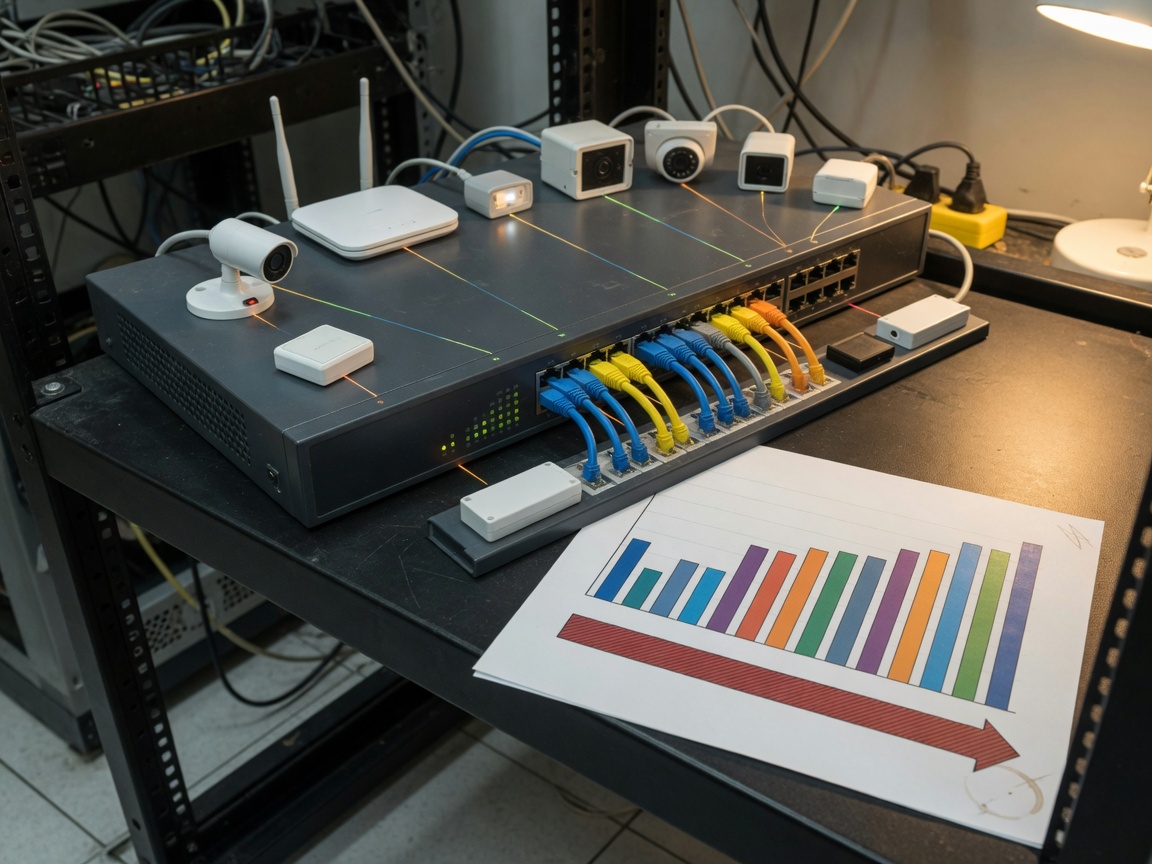
Total PoE power budget is the single most under-examined specification when purchasing a 16 port switch for IP cameras or any other PoE-heavy deployment. Most competitor articles list the spec; very few explain how to verify it is sufficient for your specific load.
The PoE budget formula
Use this straightforward approach before you commit to any switch model:
- List every powered device you plan to connect and find its actual power draw (not the IEEE maximum — find the real consumption figure in the device datasheet, usually labelled "typical PoE consumption" or "input power").
- Sum the real draw values: Total Required Power = Σ (Device₁ watts + Device₂ watts + … + Device₁₆ watts).
- Add a 20% headroom buffer for temperature derating, future device additions, and peak-load spikes: Recommended Budget = Total Required Power × 1.2.
- Compare against the switch's total PoE budget listed in its spec sheet. If the recommended budget exceeds that figure, upsize to a higher-wattage model.
- Check per-port allocation limits. A switch rated at 370 W total may still cap individual ports at 30 W, which matters if any single device draws more.
Worked example: A Melbourne retail chain installs 12 × IP cameras drawing 12 W each, 2 × Wi-Fi 6E APs drawing 22 W each, and 2 × IP intercoms drawing 8 W each. Total real draw = (12 × 12) + (2 × 22) + (2 × 8) = 144 + 44 + 16 = 204 W. Add 20% headroom: 204 × 1.2 = 244.8 W. They need a switch with a PoE budget of at least 245 W — ruling out most 16-port switches in the 120–200 W range and pointing them toward a 370 W or 400 W model.
"Network switches that are undersized on PoE budget are the leading cause of intermittent device reboots in SMB camera systems. The devices do not fail outright — they just restart unpredictably under load, which is almost impossible to diagnose without a power meter." — Senior network engineer, based on real-world Australian SMB deployments reviewed in 2026.
Common budget traps to avoid
One trap worth highlighting: a switch advertised as a "16-port PoE switch" may only supply PoE on 8 of those 16 ports, with the remaining 8 as standard Ethernet. This hybrid configuration is common in the sub-AU$300 segment. Read the fine print. A second trap is the "maximum" vs "typical" power budget discrepancy — some manufacturers list the maximum PSU output as the PoE budget, but thermal protection circuits reduce available PoE wattage at ambient temperatures above 40°C. In an Australian summer, particularly in Queensland or Western Australia, this is not a hypothetical concern.
Managed vs unmanaged: which is right for your setup?
The managed vs unmanaged decision is the one that trips up more Australian SMB buyers than any other. It is not simply a matter of budget — it is a matter of future-proofing your network architecture. Get it wrong and you either overspend on features your team will never configure, or you under-spec and find yourself unable to segment traffic when security requirements change.
Unmanaged network switch: when it is enough
An unmanaged network switch is plug-and-play by design. There is no web interface, no CLI, no SNMP polling — just automated MAC address learning and frame forwarding. For a small retail shop with five IP cameras, three IP phones, and a couple of wireless APs on a flat network, an unmanaged 16-port PoE switch delivers everything needed at roughly AU$180–AU$350. The trade-off is zero traffic visibility and no ability to isolate device groups. If one camera gets compromised, every device on the network is in the blast radius.
VLAN switch 16 port managed: the SMB and enterprise case
A managed PoE switch — specifically a VLAN switch 16 port — lets you segment IoT devices, surveillance cameras, guest Wi-Fi, and corporate workstations onto separate logical networks even though they share the same physical switch. In a 2026 context, this is not a luxury feature. The Australian Signals Directorate's Essential Eight framework, which underpins most corporate and government security baselines in Australia, effectively mandates network segmentation as part of its hardening guidance.
Real-world case: a 45-seat accounting firm in Sydney upgraded from an unmanaged to a managed L2 switch after a routine penetration test revealed that their IP cameras and MYOB accounting workstations were on the same flat network. Post-migration, three VLANs were configured — corporate, surveillance, and guest — with inter-VLAN routing blocked by ACLs. The total cost of the managed TP-Link 16 port PoE switch and one afternoon of configuration labour was under AU$700. The cost of a data breach would have been categorically higher.
Of course, there are situations where managed is overkill. A sole-trader photography studio or a single-floor warehouse with no sensitive data systems is unlikely to need VLAN segmentation, QoS prioritisation, or SNMP monitoring. The honest answer is: if you are asking whether you need managed, you probably do — but talk to your IT support provider before committing.
Australian compliance: RCM, ACL, and NBN integration
This is the section most competitor guides skip entirely — and it is arguably the most important for Australian buyers who want to stay compliant, maintain valid insurance, and avoid customs delays on imported hardware.
RCM certification and Australia's 230V/50Hz electrical standard
Australia operates on a 230V/50Hz power grid with AS/NZS 3112 socket standards. Any network switch sold or imported into Australia for commercial use must carry the RCM (Regulatory Compliance Mark), which combines electromagnetic compatibility (EMC) under the ACMA framework with electrical safety certification under the relevant state/territory electrical safety regulators. A switch without RCM marking cannot legally be sold in Australia and may void your building's electrical insurance if an incident occurs.
When evaluating imports from grey-market channels or direct-from-manufacturer platforms, always request the RCM Declaration of Conformity document. Established brands sold through authorised Australian distributors — including TP-Link Australia, Cisco via Ingram Micro Australia, and Netgear through leading local resellers — carry valid RCM certification as standard. Budget units on popular marketplace platforms occasionally do not. This is not a hypothetical risk; the ACMA has issued product recalls for non-compliant networking hardware as recently as 2025.
NBN topology and switch placement
Australia's NBN architecture varies significantly by connection type, and the placement of a business network switch in each topology differs accordingly:
- FTTP (Fibre to the Premises): The NBN NTD connects to your router/modem, which then uplinks to the 16-port PoE switch via a 1 Gbps or 2.5 Gbps WAN port. This is the cleanest topology for full-speed PoE deployments.
- FTTC (Fibre to the Curb): A DP (Distribution Point) unit at the pit connects to an NTD inside the premises. Switch placement is identical to FTTP post-NTD — no special consideration beyond ensuring the uplink speed does not bottleneck at 1 Gbps.
- HFC (Hybrid Fibre Coaxial): The cable modem/gateway device typically has one or two Ethernet LAN ports. Your 16-port PoE switch connects directly to the LAN port of the HFC gateway. Ensure the gateway's LAN port supports 1 Gbps — some older HFC gateways issued during early NBN rollout are limited to 100 Mbps, which creates a bottleneck for high-bandwidth IP camera streams.
In all three scenarios, the PoE switch operates purely on the LAN side. It does not interact with the NBN access network directly. However, on NBN Business Ethernet services (formerly nbnTM Enterprise Ethernet), the uplink from the switch to the NBN NTD may need to be configured with a specific VLAN tag (typically VLAN 2). A managed PoE switch handles this trivially; an unmanaged switch does not.
Australian Consumer Law (ACL) and warranty rights
Under the Australian Consumer Law, all products sold in Australia carry automatic consumer guarantees regardless of any manufacturer warranty period. For a switch priced above approximately AU$400 — which covers most managed 16-port PoE models — a reasonable consumer would expect the product to last three to five years of normal commercial use. If it fails within that period due to a manufacturing defect, the seller (not the manufacturer) is the primary point of contact for remedies including repair, replacement, or refund.
In practice, this means buying from authorised Australian distributors rather than grey-market importers provides genuine legal protection. Brands with local entities — TP-Link Australia Pty Ltd, Cisco Systems Australia Pty Ltd, Netgear Australia — are directly subject to ACL obligations. Overseas-based grey importers are not, and pursuing remedies internationally is rarely practical for a AU$500 switch.
Top brands compared: specs, pricing, and local support
Based on verified 2026 Australian market availability, the following comparison covers the most commonly specified 16-port PoE switches in the SMB and commercial installation segment. PoE network switch price figures are indicative GST-inclusive RRP from authorised Australian channels; street pricing through IT resellers can vary 10–20% below RRP.
| Model | PoE standard | Total PoE budget | Managed | RRP (AU$, inc. GST) | ACL support |
|---|---|---|---|---|---|
| TP-Link TL-SG1218MPE | 802.3at (PoE+) | 250 W | No (unmanaged) | ~AU$290 | TP-Link AU entity |
| TP-Link TL-SG2218P (Omada) | 802.3at (PoE+) | 150 W | Yes (L2+, cloud) | ~AU$420 | TP-Link AU entity |
| Cisco SB SG350-18P | 802.3at (PoE+) | 375 W | Yes (L3) | ~AU$1,050 | Cisco AU entity |
| Netgear GS316EP | 802.3at (PoE+) | 183 W | No (smart) | ~AU$350 | Netgear AU entity |
| Ubiquiti USW-16-POE | 802.3at (PoE+) | 45 W | Yes (UniFi) | ~AU$380 | Grey/local reseller |
The Cisco small business switch range (SG350 series) remains the benchmark for organisations that need full L3 routing, robust QoS, and long-term firmware support. The trade-off is price — at over AU$1,000, it is aimed at businesses with an IT budget to match. The TP-Link 16 port PoE switch range, particularly the Omada-managed TL-SG2218P, offers the best value proposition for Australian SMBs that want cloud management via the Omada SDN controller without the Cisco price tag. Note that the Ubiquiti USW-16-POE has a notably low PoE budget of 45 W total, which makes it unsuitable for high-density camera or AP deployments despite its otherwise polished UniFi management interface.
Where to buy in Australia
Authorised channels include Ingram Micro Australia, Dicker Data, Scorptec, Mwave, and manufacturer direct stores. For government and education buyers, most of these distributors are on approved State Government ICT procurement panels. Avoid unverified marketplace listings for switches above AU$400 — the RCM compliance and ACL warranty risks outlined in Section 5 apply directly here.
PAA: what features should I look for in a 16-port PoE switch?
Prioritise: total PoE budget (match to your calculated load plus 20% headroom), PoE standard (at minimum 802.3at; 802.3bt if deploying Wi-Fi 7 APs), backplane/switching capacity (look for non-blocking or near-non-blocking fabric, typically ≥32 Gbps for 16 × 1G ports), management capability (managed for any multi-VLAN or segmentation requirement), and RCM certification for Australian legal compliance.
PAA: is a managed or unmanaged switch better for IP cameras?
For more than six cameras, or any installation where cameras share a network with business workstations, a managed VLAN switch 16 port is the better choice. It allows you to place cameras on a dedicated surveillance VLAN, preventing camera traffic from congesting workstation bandwidth and isolating the camera segment from corporate data in the event of a firmware vulnerability. Unmanaged switches are acceptable only for standalone, camera-only networks with no other connected device types.
How to install a 16-port PoE switch step by step
Installation of a rack mount switch in an Australian commercial environment follows a consistent process. The steps below apply to both managed and unmanaged models, with managed-specific steps noted where relevant.
- Verify RCM compliance and unbox carefully. Confirm the RCM mark is present on the chassis label before proceeding. Document the serial number for warranty registration with the Australian distributor.
- Mount in the rack. Attach the supplied rack ears (if not pre-fitted) and slide the switch into the 1U slot. Secure with M6 rack screws. Ensure at least 1U of airflow clearance above and below in high-density racks.
- Connect the power cable. Use an AS/NZS 3112-compliant power cable to the switch's IEC C13/C14 inlet. Connect to a UPS-protected PDU where possible — power interruptions during PoE negotiation can corrupt device firmware on some PD models.
- Connect uplink to router or core switch. Use the dedicated uplink port (typically SFP or 1G RJ45 labelled "uplink" or "WAN") to connect to your NBN router or core switch.
- For managed switches: access the web GUI. Connect a laptop to port 1 via Ethernet, set your NIC to DHCP, and browse to the switch's default IP (commonly 192.168.0.1 or 192.168.1.1 — check the quickstart guide). Log in with default credentials and immediately change the admin password.
- Configure VLANs if required. Create VLANs for each device segment (e.g., VLAN 10 = corporate, VLAN 20 = surveillance, VLAN 30 = guest Wi-Fi). Tag uplink ports as trunk ports carrying all VLANs; assign access ports to the appropriate VLAN.
- Connect PoE devices. Plug in IP cameras, APs, and phones using Cat5e or Cat6 patch cables. The switch will auto-negotiate PoE class and begin powering each PD. Verify power delivery on the switch's port status LEDs or management dashboard.
- Verify PoE budget consumption. On a managed switch, navigate to the PoE status page and confirm total draw is within the switch's budget and no ports show "PoE denied" status. On an unmanaged switch, use a clamp meter on the power cable if you have reason to suspect overload.
PAA: why does my PoE switch keep rebooting devices?
The most common causes are: (1) total PoE load exceeding the switch's budget, causing the firmware to cycle ports; (2) a non-IEEE-compliant PD drawing more current than the port's allocated class allows; (3) faulty or sub-standard patch cables causing resistance losses that confuse the PoE classification negotiation. Swap cables to tested Cat5e/Cat6, check your PoE budget calculation against Section 3, and verify each PD's compliance standard before replacing the switch.
PAA: can I use a 16-port PoE switch with my NBN connection?
Yes. The PoE switch operates entirely within your local area network (LAN). It connects to the LAN port of your NBN router or gateway and is transparent to the NBN access network. NBN connection type (FTTP, FTTC, HFC) has no bearing on switch compatibility. The only consideration is ensuring your NBN router's LAN port supports 1 Gbps to avoid a bottleneck — which is standard on all NBN-compatible routers supplied or approved since 2019.
Frequently asked questions
Q: What is a network switch 16 port PoE?
A: A network switch 16 port PoE is a 16-port Layer 2 or Layer 3 network device that delivers both data and DC power over standard Ethernet cabling via the IEEE 802.3af, at, or bt standard, eliminating the need for separate power adapters for connected IP cameras, wireless APs, IP phones, and similar devices.
Q: How much PoE power budget do I need for 16 cameras?
A: Multiply each camera's actual PoE draw (typically 8–25 W depending on model) by the number of cameras, sum the totals, then add 20% headroom. A 16-camera installation using 12 W cameras requires approximately 230 W of total budget — meaning a 250 W or 370 W switch is appropriate, not an entry-level 120 W model.
Q: Do I need RCM certification on a PoE switch bought in Australia?
A: Yes. Any network switch commercially deployed in Australia must carry the RCM mark to comply with ACMA electromagnetic compatibility regulations and state electrical safety requirements. Using non-RCM hardware in a commercial setting can void building insurance and create legal liability. Always purchase from authorised Australian distributors to ensure compliance.
Q: What is the difference between a managed and unmanaged 16-port PoE switch?
A: An unmanaged switch is plug-and-play with no configuration interface, suitable for flat single-VLAN networks. A managed PoE switch supports VLAN segmentation, QoS, SNMP monitoring, and remote management — essential for multi-device environments, security installations, and any network subject to the ASD Essential Eight framework or similar compliance requirements.
Q: What Australian Consumer Law rights apply to a faulty PoE switch?
A: Under the Australian Consumer Law, you are entitled to a repair, replacement, or refund from the seller if the switch fails due to a manufacturing defect within a period a reasonable consumer would expect it to last — generally three to five years for a commercially-priced switch. This applies regardless of any shorter manufacturer warranty and is enforceable against the Australian retailer or distributor.
Conclusion
Selecting the right network switch 16 port PoE for an Australian deployment in 2026 is not simply a matter of matching port count to device count. The critical variables are total PoE power budget (calculated using the formula in Section 3), PoE standard generation (802.3at for most installs, 802.3bt if Wi-Fi 7 APs are in scope), managed vs unmanaged based on your VLAN and segmentation requirements, and RCM certification compliance for legal operation under Australian electrical and EMC regulations.
The brands with the strongest combination of local ACL support, authorised distribution, and real-world performance for Australian SMBs in 2026 are TP-Link (Omada managed range for value), Cisco (SG350 series for full L3 capability), and Netgear (smart-managed segment). Whatever model you choose, run the power budget calculation before purchase — it is a five-minute exercise that prevents months of intermittent network issues. And if you are on NBN Business Ethernet or operating in a compliance-sensitive environment, the investment in a managed VLAN switch 16 port pays for itself in operational visibility alone.
More News



Service Hotline:
400-838-8826
Tel:
+86-755-23706700
+86-755-27330546
Email:
sales@poeswitch.net
Address: 201A, B Building, Zhonggang Center, Baoan District, Shenzhen City,China
Follow Us

Copyright © 2025 Shenzhen Hi-Net Technology Co., Ltd All Rights reserved.