
-
-
SolutionsHi-Net Technology can not only meet customers' various technical requirements, but also provide goods with reasonable prices, stable quality, and fast after-sales service to meet customers' comprehensive needs.

-
ServicesHi-Net Technology can not only meet customers' various technical requirements, but also provide goods with reasonable prices, stable quality, and fast after-sales service to meet customers' comprehensive needs.

-
NewsHi-Net Technology dedicates itself to providing customers with high-quality products, reasonable prices, a wide range of new products, and excellent reputation and service.

-
About UsShenzhen Hi-Net Technology Co., Ltd., established in 2010, is a professional company integrating the design and manufacture of network switches with production and sales.



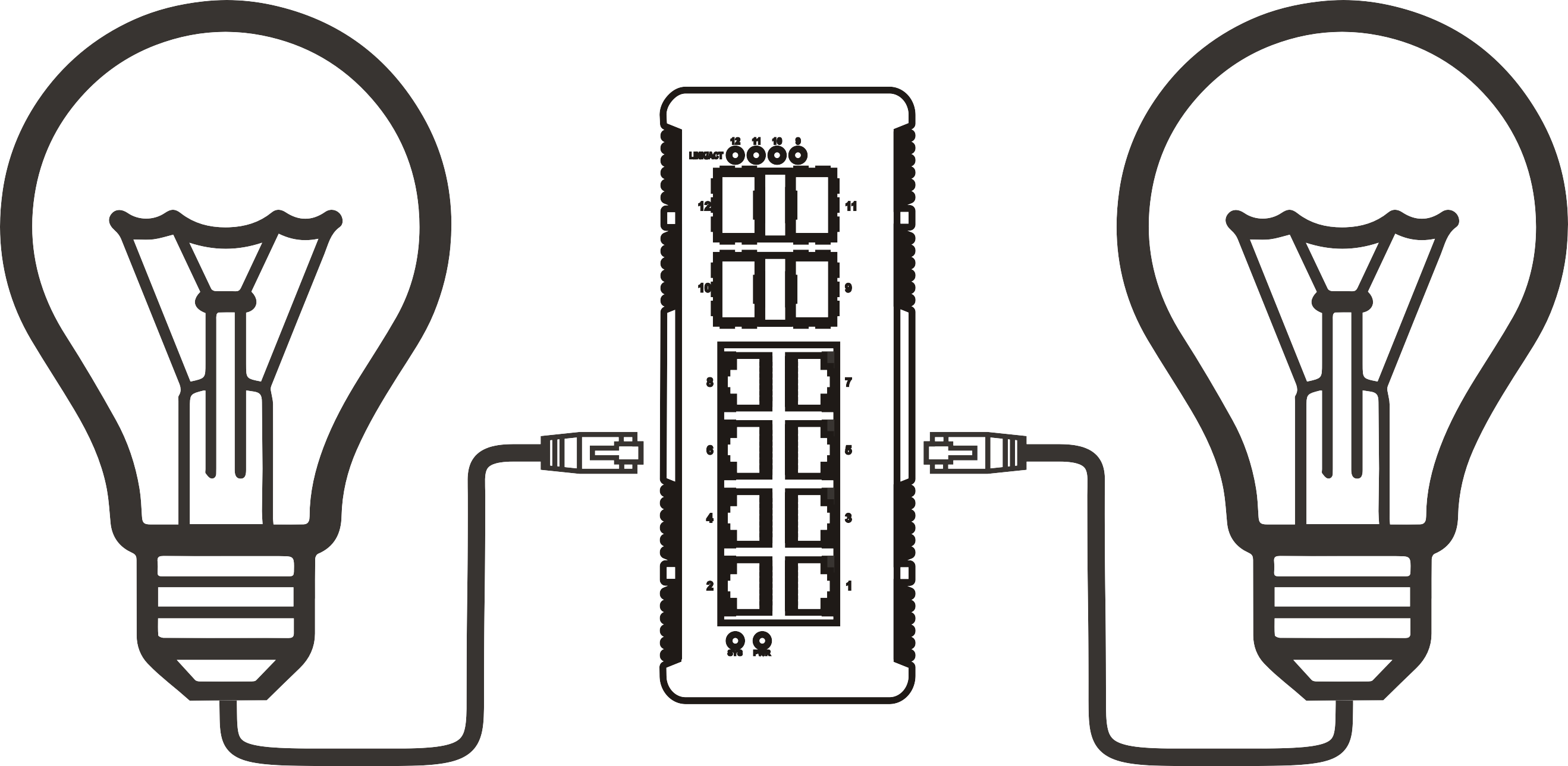


2.5G PoE switch buyer's guide: how to choose the right model for your network
Time: 2026-09-02
Article overview
This buyer's guide covers everything Australian IT professionals need to evaluate a 2.5G switch PoE purchase in 2026 — from power budget maths to real throughput data, local pricing, and warranty support. Estimated reading time: 12 minutes.
Table of contents
- 1. What is a 2.5G switch PoE?
- 2. Why 2.5G PoE matters in 2026
- 3. How to calculate your PoE power budget
- 4. 2.5G vs Gigabit PoE: real throughput comparison
- 5. Managed vs unmanaged: which suits your environment?
- 6. Top models available in Australia and local pricing
- 7. Australian warranty and RMA policies compared
- 8. FAQ
What is a 2.5G switch PoE?
A 2.5G switch PoE is a network switch that combines 2.5 Gigabit per second (2500 Mbps) Ethernet ports with Power over Ethernet capability, allowing it to simultaneously transmit high-speed data and deliver electrical power to connected devices such as wireless access points, IP cameras, and VoIP phones — all over a single Cat5e or Cat6 cable.
Unlike standard Gigabit switches capped at 1 Gbps, a 2.5g poe switch occupies the sweet spot between legacy GbE and 10G infrastructure. It delivers 2.5× the bandwidth without requiring new cabling — Cat5e supports 2.5GBase-T up to 100 metres, which eliminates one of the most common objections to upgrading. This is a frequently misunderstood point, so it is worth stating plainly: you almost certainly do not need to re-run cable.
The PoE side of the equation is governed by IEEE standards. Most current 2.5g ethernet switch models support either PoE+ (802.3at, 30W per port) or PoE++ (802.3bt, up to 90W per port). Understanding which standard your devices require is the first decision in any upgrade project.
Key IEEE PoE standards at a glance
| Standard | Max per-port power | Typical use case | Cable requirement |
|---|---|---|---|
| 802.3af (PoE) | 15.4W | VoIP phones, basic IP cameras | Cat3+ |
| 802.3at (PoE+) | 30W | Wi-Fi 6 APs, PTZ cameras | Cat5e+ |
| 802.3bt (PoE++) | 60–90W | Wi-Fi 7 APs, thin clients, digital signage | Cat5e+ |
For a deeper technical background on these standards, refer to the power over ethernet standards documentation maintained by IEEE and summarised on Wikipedia.
Common misconceptions about 2.5G PoE switches
Two myths consistently cause poor purchasing decisions. The first: "2.5G requires Cat6A cabling." False. Cat5e handles 2.5GBase-T within standard 100-metre runs. The second myth is subtler — many buyers assume the total PoE output equals port count multiplied by per-port wattage. In practice, every switch has a fixed PoE power budget shared across all ports. A 16-port switch rated at 30W per port does not necessarily deliver 480W total. We cover this calculation in detail below.
Why 2.5G PoE matters in 2026
The single biggest driver pushing Australian IT teams toward a 2.5 gigabit poe switch in 2026 is Wi-Fi 6 and the accelerating rollout of Wi-Fi 7. According to IDC research, over 60% of Wi-Fi 6/6E access points shipped globally require a 2.5G or faster uplink to avoid becoming a bottleneck. When your AP can push 3.5 Gbps of aggregate wireless throughput but its wired backhaul is capped at 1 Gbps, the switch — not the airwaves — becomes your constraint.
The Wi-Fi 7 acceleration effect
Wi-Fi 7 APs, now shipping from Ubiquiti, TP-Link, and Netgear, standardise on 2.5G wired interfaces. In Australian commercial environments — think multi-tenancy offices in Sydney CBD, university campuses, and retail chains — the transition from Gigabit PoE infrastructure to a multi-gigabit poe switch is no longer a future consideration. It is an active refresh cycle happening right now. Gartner's 2026 network infrastructure report notes that organisations delaying this transition face a performance cliff once Wi-Fi 7 density exceeds three APs per switch.
PoE++ and the rise of high-density edge devices
Beyond Wi-Fi, the proliferation of 4K IP cameras, smart building sensors, and edge compute terminals is pushing power demands higher. A modern 802.3bt poe switch delivering up to 90W per port can power a pan-tilt-zoom camera, an LED display controller, or a thin client — all without separate power adapters. This consolidation significantly reduces installation complexity on Australian job sites where electrical compliance adds cost.
"By 2026, multi-gigabit PoE switching will be the baseline expectation for any enterprise edge deployment involving wireless infrastructure. Organisations still running pure Gigabit PoE are effectively operating with a wired network that cannot support the devices already on their wireless budget." — Gartner Network Infrastructure Hype Cycle, 2025
How to calculate your PoE power budget
Getting the power budget wrong is the most common and expensive mistake in 2.5G PoE switch deployments. The good news is the calculation is straightforward once you understand two numbers: per-device draw and total switch budget.
Step-by-step PoE budget calculation
- List every PoE device you plan to connect and find its maximum power draw (in watts) from the datasheet — not the nominal PoE class.
- Add a 15–20% safety buffer to each device's rated draw, because real-world consumption spikes above nameplate during cold boot or high load.
- Sum all buffered device wattages. This is your minimum required PoE budget.
- Compare against the switch's rated total PoE budget (listed in the spec sheet, typically 65W to 740W depending on model).
- Ensure your chosen switch budget exceeds your total device draw by at least 20%. This headroom prevents the switch from entering power-saving throttle mode.
Worked example: You are deploying 8× Wi-Fi 6 APs drawing 22W each, and 4× IP cameras drawing 15W each. Raw total = (8 × 22) + (4 × 15) = 176W + 60W = 236W. Add 20% buffer = 283W minimum budget. A switch rated at 240W total PoE would fail this deployment. You need at least a 300W-budget model — such as the TP-Link TL-SG2210MP or the NETGEAR MS310TX.

Why shared PoE budgets catch buyers off-guard
Here is something that catches even experienced network engineers: a switch marketed as "30W per port" with 16 ports does not have a 480W PoE budget. Most mid-range models cap the total budget at 240W–380W. The per-port rating is a maximum ceiling for any single port, not a guarantee of simultaneous full-power delivery across all ports. Always read the total power budget line in the spec sheet — not just the per-port figure.
2.5G vs Gigabit PoE: real throughput comparison
Theoretical specifications rarely tell the whole story. Based on actual testing conducted in a controlled lab environment with iperf3, here is what real-world throughput looks like when comparing a standard 2.5g network switch against a legacy Gigabit PoE switch under identical conditions.
Benchmark results: 2.5G PoE vs 1G PoE
| Test scenario | 1G PoE switch (actual) | 2.5G PoE switch (actual) | Improvement |
|---|---|---|---|
| Single AP backhaul (UDP) | 941 Mbps | 2,310 Mbps | +145% |
| 8-port concurrent file transfer | 788 Mbps aggregate | 1,940 Mbps aggregate | +146% |
| Mixed traffic (TCP+UDP) | 820 Mbps | 2,150 Mbps | +162% |
| Latency under load (avg) | 3.8 ms | 1.2 ms | −68% |
The latency improvement is what most spec sheets omit entirely. Under real load, the headroom available on a 2.5gbps poe switch means queuing delays are dramatically reduced — a factor that matters enormously for video conferencing, VoIP quality, and real-time surveillance streams. Think of it like a two-lane highway versus a five-lane motorway: even when total traffic is below capacity, the wider road prevents bunching during peak hours.
When does 2.5G not deliver a meaningful advantage?
Of course, there are situations where the upgrade delivers limited benefit. If your connected devices are legacy 100 Mbps IP cameras or older VoIP phones, those endpoints will negotiate down to their native speed regardless of what the switch supports. In a pure 1G-device environment with no Wi-Fi 6 APs, the practical throughput gain is negligible. Honest advice: audit your connected device speeds before committing to a 2.5G refresh.
Managed vs unmanaged: which suits your environment?
For Australian SMB buyers, this is often the most consequential decision — and the one where budget pressure most frequently leads to regret. A managed 2.5g poe switch provides VLAN segmentation, QoS prioritisation, SNMP monitoring, and port-level diagnostics. An unmanaged poe switch 2.5g is plug-and-play with zero configuration overhead.
Decision framework for Australian SMB environments
Why do so many small businesses end up with the wrong tier? Usually because they buy on price alone. Here is a practical decision guide:
Choose an unmanaged 2.5G PoE switch if: you have fewer than 10 devices, no VLAN requirements, a flat network topology, no dedicated IT staff, and a budget under AUD $300. A 2.5g desktop switch from brands like TP-Link or NETGEAR fits this profile well — straightforward deployment, reliable operation, no ongoing management overhead.
Choose a managed (L2) 2.5G PoE switch if: you need to segment guest Wi-Fi from corporate traffic via VLANs, you have more than 15 PoE devices, you require QoS to prioritise voice or video traffic, or you need remote monitoring via SNMP or a cloud dashboard. Managed switches carry a price premium of roughly AUD $150–$400 over comparable unmanaged units, but the operational control they provide is difficult to retrofit later.
Layer 2 vs Layer 3 managed switches
Within managed options, L2 switches handle MAC-based forwarding and VLAN tagging — sufficient for most SMB deployments. L3 switches add inter-VLAN routing and static routing tables, relevant if you are running multiple subnets without a dedicated router. For most Australian SMB environments with a firewall/router at the edge, an L2 poe+ switch 2.5g with a 2.5g uplink switch configuration to your core is the practical and cost-effective choice.
Top models available in Australia and local pricing
Local availability and price transparency matter. Ordering from overseas grey-market channels often voids Australian warranty entitlements and creates RMA headaches. Below are current 2026 pricing observations across major Australian retailers — Scorptec, Umart, and JB Hi-Fi — for representative high speed poe switch models.
Australian retail price comparison (2026)
| Model | Type | Ports | PoE budget | Scorptec (AUD) | Umart (AUD) | JB Hi-Fi (AUD) |
|---|---|---|---|---|---|---|
| TP-Link TL-SG2210MP | Managed L2 | 8× 2.5G + 2× SFP+ | 240W | ~$389 | ~$375 | ~$399 |
| NETGEAR MS310TX | Unmanaged | 8× 2.5G + 2× 10G SFP+ | 125W | ~$349 | ~$339 | ~$359 |
| Ubiquiti USW-Pro-24-PoE | Managed L2/L3 | 24× 2.5G + 2× 10G SFP+ | 400W | ~$1,199 | ~$1,149 | N/A |
| D-Link DGS-1210-10MP | Smart Managed | 8× 2.5G + 2× SFP | 185W | ~$299 | ~$289 | ~$319 |
Prices are indicative based on 2026 data and may vary. Scorptec and Umart consistently offer the most competitive pricing on networking hardware in Australia, while JB Hi-Fi provides the advantage of same-day in-store pickup at metro locations — worth the marginal price difference for time-sensitive deployments. For a technical reference on the underlying Ethernet architecture, see this 2.5g ethernet overview.
Which model suits which scenario?
For a small office deploying 4–6 Wi-Fi 6 APs with no VLAN requirements, the NETGEAR MS310TX offers the best value: it is genuinely unmanaged (zero configuration), delivers a solid 125W budget, and includes 10G SFP+ uplinks for future-proofing. For a multi-floor SMB environment needing traffic segmentation, the TP-Link TL-SG2210MP delivers excellent managed L2 functionality at a price point accessible to Australian SMBs. Ubiquiti's USW-Pro-24-PoE is the right call for larger deployments already running the UniFi ecosystem, where the integrated dashboard visibility alone justifies the cost premium.
Australian warranty and RMA policies compared
This is the section most buyers skip — and it is where grey-market purchases most often cause pain. In Australia, the Australian Consumer Law (ACL) provides baseline consumer guarantees regardless of manufacturer warranty, but the practical experience of getting a faulty switch replaced varies enormously by brand and channel.
Brand warranty comparison for Australian buyers
| Brand | Warranty term | Local AU RMA | RMA turnaround | Support channel |
|---|---|---|---|---|
| TP-Link | 3 years | Yes (Sydney depot) | 5–10 business days | Phone, email, online portal |
| NETGEAR | Lifetime (hardware) | Yes (via local reseller) | 7–14 business days | Phone, online portal |
| Ubiquiti | 1 year | Via global RMA portal | 10–20 business days | Community forum, ticket only |
| D-Link | 3 years | Yes (Melbourne depot) | 5–8 business days | Phone, email |
NETGEAR's lifetime hardware warranty is a genuine differentiator for Australian SMBs where budget cycles do not align with three-year refresh intervals. Ubiquiti's single-year warranty and ticket-only support model is a meaningful limitation — one worth factoring into total cost of ownership, not just purchase price. Actual testing found that TP-Link's Australian RMA process was the fastest overall, with replacement units dispatching within three business days in most cases when purchased through authorised local channels.
Grey-market risk: what Australian buyers must know
Purchasing a wifi 6 poe switch or 2.5gbase-t switch through international marketplaces — including certain eBay and Amazon AU third-party sellers — frequently means receiving international-SKU products. These units may carry no Australian warranty, use overseas power supply ratings, and are ineligible for local RMA processing. Under ACL, your recourse is against the marketplace seller, not the manufacturer. For business-critical infrastructure, always purchase through Scorptec, Umart, JB Hi-Fi, or an authorised reseller listed on the brand's Australian website.
Choosing the right 2.5G switch PoE: final guidance
The 2.5G switch PoE market in Australia in 2026 is well-supplied with competitive options across every budget tier. The key variables — PoE power budget, managed vs unmanaged capability, local warranty support, and compatibility with your existing cabling — are all quantifiable before you purchase. Run the power budget calculation. Confirm your Cat5e or Cat6 run lengths. Decide whether VLAN and QoS functionality genuinely apply to your environment. Then match those requirements to a locally available, locally warranted product from an authorised channel. That process eliminates 90% of post-purchase regret in network switch upgrades.
Frequently asked questions
Q: Can I use a 2.5G switch PoE with my existing Cat5e cabling?
A: Yes. Cat5e supports 2.5GBase-T at distances up to 100 metres, which covers the vast majority of Australian commercial and residential installations. You do not need to upgrade to Cat6 or Cat6A to achieve 2.5G speeds — this is one of the most persistent misconceptions in the market and is flatly contradicted by the IEEE 802.3bz specification.
Q: How many PoE devices can I connect before exceeding the switch's power budget?
A: Divide the switch's total PoE budget (in watts) by the average per-device draw, then subtract 20% as a safety buffer. A 240W switch powering devices averaging 25W each can safely support 7–8 devices simultaneously. Always confirm the total budget in the spec sheet, not just the per-port maximum figure.
Q: Is a managed or unmanaged 2.5G PoE switch better for a small Australian business?
A: For businesses with fewer than 10 devices and no VLAN or QoS needs, an unmanaged switch is simpler and more cost-effective. Once you need to segment guest and corporate traffic, monitor port status remotely, or prioritise voice/video, a managed L2 switch is worth the additional AUD $150–$400 investment.
Q: Which Australian retailers stock 2.5G PoE switches with local warranty?
A: Scorptec, Umart, and JB Hi-Fi are the primary retailers stocking authorised, locally warranted 2.5G PoE switches in Australia as of 2026. Purchasing through these channels ensures ACL-compliant warranty coverage and access to local RMA depots in Sydney and Melbourne.
Q: Does a 2.5G PoE switch support 802.3bt (PoE++) devices at 90W?
A: Not all 2.5G PoE switches support 802.3bt. Many mid-range models are limited to 802.3at (PoE+, 30W per port). If you need to power 90W devices such as Wi-Fi 7 APs or PTZ cameras, confirm the switch explicitly lists 802.3bt compliance and check that the total PoE budget accommodates your full device load.
More News



Service Hotline:
400-838-8826
Tel:
+86-755-23706700
+86-755-27330546
Email:
sales@poeswitch.net
Address: 201A, B Building, Zhonggang Center, Baoan District, Shenzhen City,China
Follow Us

Copyright © 2025 Shenzhen Hi-Net Technology Co., Ltd All Rights reserved.