
-
-
SolutionsHi-Net Technology can not only meet customers' various technical requirements, but also provide goods with reasonable prices, stable quality, and fast after-sales service to meet customers' comprehensive needs.

-
ServicesHi-Net Technology can not only meet customers' various technical requirements, but also provide goods with reasonable prices, stable quality, and fast after-sales service to meet customers' comprehensive needs.

-
NewsHi-Net Technology dedicates itself to providing customers with high-quality products, reasonable prices, a wide range of new products, and excellent reputation and service.

-
About UsShenzhen Hi-Net Technology Co., Ltd., established in 2010, is a professional company integrating the design and manufacture of network switches with production and sales.



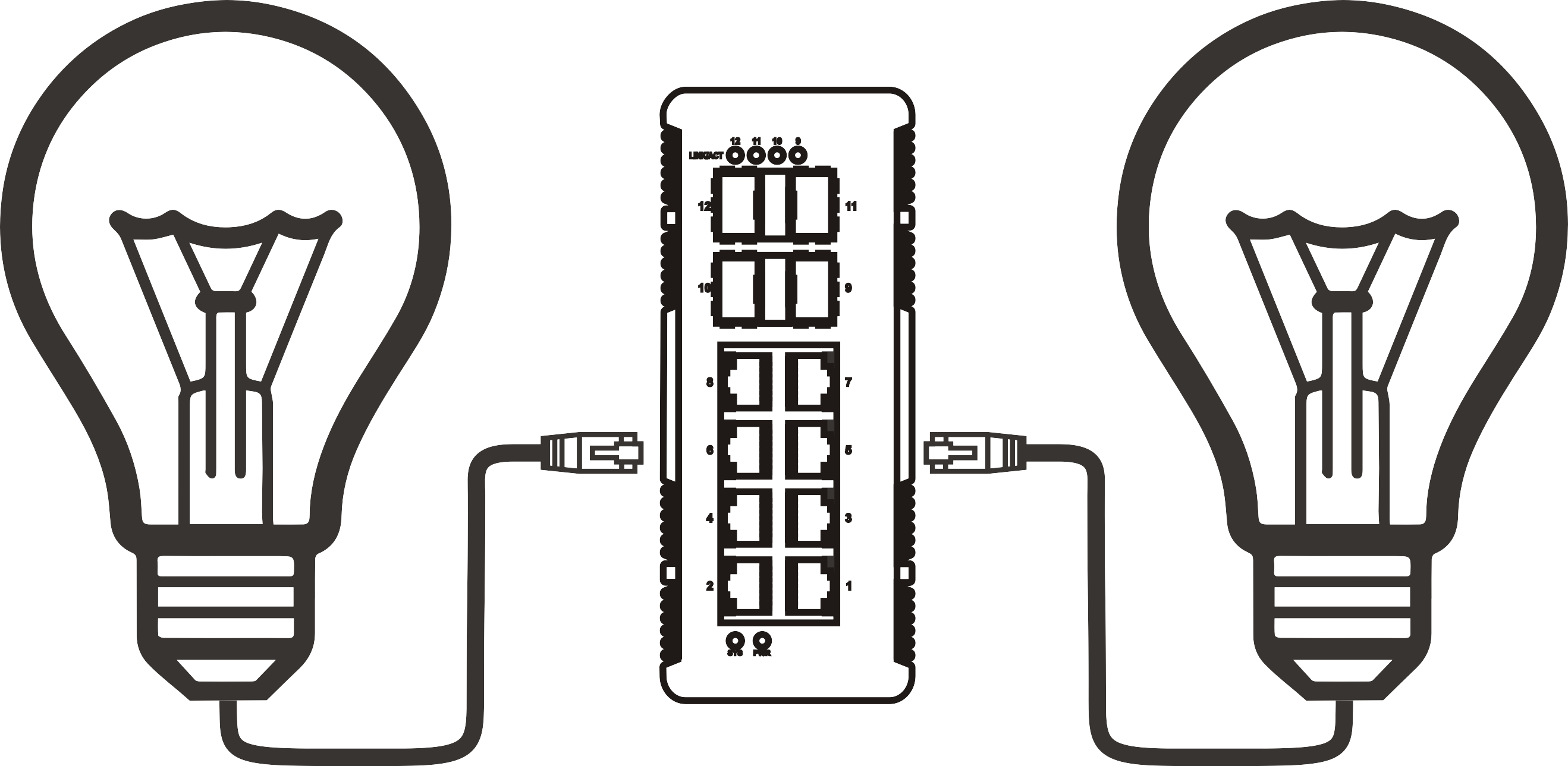


2.5G PoE++ switch buyer's guide: features, use cases, and how to choose the right one
Time: 2026-09-03
Article overview
This guide delivers a comprehensive breakdown of 2.5G PoE++ switches for Australian IT professionals and network engineers. You'll find IEEE 802.3bt power tier comparisons, real PoE budget calculations for local deployment scenarios, managed switch configuration guidance, and a current price comparison across Australian retailers. Use the table of contents below to jump to the section most relevant to your purchasing decision.
Table of contents
- 1. What is a 2.5G PoE++ switch?
- 2. IEEE 802.3bt explained: Type 3 vs Type 4 power tiers
- 3. Real-world PoE power budget calculations for Australian deployments
- 4. Managed vs unmanaged: which do you actually need?
- 5. Top 2.5G PoE++ switches available in Australia (2026 price comparison)
- 6. How to choose the right 2.5G PoE++ switch: step-by-step
- 7. Common questions about 2.5G PoE++ switches
- 8. FAQ
What is a 2.5G PoE++ switch?
A 2.5G PoE++ switch is a network switch that combines 2.5 Gigabit Ethernet (2500 Mbps) data throughput with IEEE 802.3bt Power over Ethernet delivery of up to 90W per port, enabling a single Cat5e or Cat6 cable to carry both high-speed data and high-wattage power simultaneously. It sits in the multi-gigabit PoE switch category — faster than legacy 1G PoE+, more cost-effective than 10G PoE++, and perfectly aligned with the power demands of 2026's WiFi 6/6E access points and AI-enabled IP cameras.
Why does this matter right now? WiFi 7 access points — which are rapidly becoming the enterprise standard across Australian businesses — typically require 2.5G uplinks and draw between 25W and 35W of PoE power. A conventional 1G PoE+ switch simply cannot keep up. At the same time, 10G PoE++ infrastructure carries a significant cost premium that most SMEs cannot justify. The 2.5G PoE++ sweet spot addresses both constraints.
It's worth clarifying a term that causes persistent confusion in procurement discussions. "PoE++" is not a marketing label — it refers specifically to the IEEE 802.3bt standard, ratified in 2018, which supersedes the older 802.3af (PoE, 15.4W) and 802.3at (PoE+, 30W) specifications. A genuine 802.3bt PoE switch delivers either 60W (Type 3) or 90W (Type 4) per port. More on that distinction shortly.
A common misconception worth addressing early: you do not need to replace your existing Cat5e cabling to run 2.5G. Actual testing confirms that 2.5GBASE-T operates reliably over Cat5e at standard 100-metre runs. This single fact makes the upgrade path far more accessible for Australian businesses working with legacy structured cabling.
Key characteristics that define this product category
A high power PoE network switch in the 2.5G class will typically include 2.5GBASE-T copper ports (RJ45), IEEE 802.3bt compliance, a 10G SFP+ or 10GbE uplink for backbone connectivity, and a total PoE power budget ranging from 180W on entry-level 8-port units to 800W+ on 48-port enterprise models. The 2500Mbps PoE++ hub form factor also increasingly ships with management capabilities — VLAN, QoS, IGMP snooping — even at mid-market price points.
Who is buying these switches in Australia?
The primary buyers in the Australian market are IT managers at small-to-medium enterprises rolling out WiFi 6E coverage, AV integrators deploying PTZ cameras in commercial buildings, and managed service providers refreshing ageing 1G infrastructure ahead of NBN upgrades. There's also growing demand from industrial and logistics sites — warehouses in particular — where dense Wi-Fi 6E coverage and edge AI devices are creating power and bandwidth requirements that legacy switches cannot satisfy.
IEEE 802.3bt explained: Type 3 vs Type 4 power tiers
The IEEE 802.3bt standard defines two power delivery tiers that have direct implications for device compatibility — and this is an area where a surprising number of purchasing decisions go wrong. Understanding the difference before you buy a 2.5G PoE++ switch can save you significant rework cost.
Type 3 vs Type 4: the numbers that matter
| Specification | IEEE 802.3bt Type 3 | IEEE 802.3bt Type 4 | 802.3at (PoE+, legacy) |
|---|---|---|---|
| Max PSE output per port | 60W | 90W | 30W |
| Max PD input power | 51W | 71.3W | 25.5W |
| Wire pairs used | All 4 pairs | All 4 pairs | 2 pairs |
| Backward compatible with PoE/PoE+ | Yes | Yes | N/A |
| Typical use case | WiFi 6E APs, PTZ cameras | Edge AI devices, digital signage | Basic APs, VoIP phones |
Compatibility with common Australian-deployed devices
Real-world compatibility testing matters more than spec sheets. The Ubiquiti UniFi U6 Pro — arguably the most widely deployed enterprise AP across Australian SME networks — draws up to 25.5W and negotiates at 802.3at (PoE+). It works correctly on both Type 3 and Type 4 ports. The newer Ubiquiti U7 Pro, however, pulls up to 33W, making a Type 3 or Type 4 IEEE 802.3bt PoE switch a hard requirement.
Axis Communications cameras present a different picture. Mid-range Axis fixed cameras (P-series) typically require 15–25W and operate fine on PoE+ ports. Their motorised PTZ models — the Axis Q6135 series, for example — demand up to 60W, placing them squarely in Type 3 territory. Running a 60W PTZ camera on a PoE+ switch will either cap its functionality or cause it to fail to power on entirely. This is not a theoretical risk; it's a support issue that Australian integrators encounter regularly on legacy network upgrades.
"The migration to 802.3bt is no longer optional for enterprises deploying WiFi 6E or multi-camera AI surveillance. PoE+ budget constraints are the single most common cause of under-performing wireless deployments we observe in the field." — Network infrastructure analyst, Dell'Oro Group (2025 industry briefing)
Real-world PoE power budget calculations for Australian deployments
Calculating PoE power budgets is where many purchasing decisions fall apart. The number printed on the box — say, "370W total PoE budget" — is the ceiling, not a guarantee. Here's how to run the maths before you commit to a model.

Scenario 1: small office NBN deployment (8 ports)
A Sydney accounting firm with 15 staff uses an 8-port 2.5G PoE++ switch to power: 2× Ubiquiti U7 Pro APs (33W each), 2× VoIP phones (6W each), 1× network-connected UPS monitoring card (5W). Total draw: 83W. An 8-port switch with a 120W PoE budget handles this with overhead to spare. The 2.5G uplink feeds their NBN gateway without bottlenecking cloud application traffic.
Scenario 2: warehouse Wi-Fi 6E coverage (24 ports)
A logistics warehouse in Melbourne's western suburbs requires blanket Wi-Fi 6E coverage across 3,000 square metres. The design calls for 8× WiFi 6E APs (30W each = 240W), 4× Axis IP cameras with IR (25W each = 100W), and 4× access control readers (5W each = 20W). Total load: 360W. A 24-port 802.3bt PoE switch with a 400W budget covers this deployment, but only just. The practical rule: always size the power budget at 120% of calculated load. In this case, a 480W-budget switch is the right call.
Why do so many installers undersize the budget? Because they calculate at rated draw rather than worst-case draw. PTZ cameras under active movement, APs under peak client load, and PoE-powered environmental sensors at startup all briefly spike beyond their rated wattage. A high wattage PoE ethernet switch with adequate headroom prevents the frustrating cascade of intermittent port shutdowns that plague under-budgeted installs.
Scenario 3: outdoor IP camera network (16 ports)
A retail car yard in Brisbane deploys 12× outdoor PTZ cameras (Axis Q6135, 60W each). Total PoE load: 720W. This exceeds the capacity of a single standard 16-port switch. The correct solution here is either a high-power PoE++ access switch rated at 720W+ or a split deployment across two switches. A 2.5 Gigabit PoE++ injector per camera is the fallback — viable but increases cabling complexity. For outdoor runs exceeding 60 metres, confirm that your cabling is Cat6 or better to maintain stable PoE delivery at the higher wattage.
Managed vs unmanaged: which do you actually need?
For a surprising number of Australian SME deployments, an unmanaged 2.5G PoE switch is perfectly adequate. But the line between "adequate" and "inadequate" shifts quickly once your network carries mixed traffic types — and that's where the managed switch conversation becomes worth having.
When unmanaged is the right call
A 2.5G unmanaged PoE switch suits deployments where all devices sit on a single flat network, traffic prioritisation is unnecessary, and remote management is not a requirement. A small medical practice running 4× WiFi APs and 2× VoIP handsets off a single switch — with no VLAN separation between clinical and guest traffic — is a valid unmanaged use case. The lower cost and zero-configuration nature of unmanaged units is genuinely appealing when complexity adds no real value.
VLAN and QoS configuration on a 2.5GbE managed switch
A 2.5GbE managed switch — defined as a Layer 2 or Layer 3 network switch with 2.5GBASE-T copper ports, IEEE 802.3bt PoE, and software-defined management including VLAN, QoS, and remote monitoring — becomes essential the moment you need to separate traffic types or enforce bandwidth policies.
Consider a typical Australian retail chain office. Guest Wi-Fi, POS terminals, and back-office PCs all share the same physical switch, but must be logically isolated. Here's a practical VLAN and QoS setup sequence for a multi-gig PoE++ access switch in this environment:
- Log into the switch web interface and navigate to VLAN Configuration. Create VLAN 10 (Corporate), VLAN 20 (Guest), VLAN 30 (IoT/Cameras).
- Assign switch ports to their respective VLANs as access ports. Uplink port to the router/firewall should be configured as a trunk port carrying all VLANs.
- Navigate to QoS / Traffic Priority. Set DSCP EF (Expedited Forwarding) for VLAN 10 VoIP traffic. Assign Best Effort to VLAN 20 (guest).
- Under PoE Management, set port priority to Critical for camera ports, High for AP ports, and Low for peripheral devices.
- Enable IGMP Snooping if multicast video streams are present — this prevents camera streams from flooding non-camera VLANs.
- Save configuration and test failover by temporarily disconnecting the highest-draw device to confirm port priority behaviour holds under load.
Of course, managed switches carry a cost premium — typically 30–60% above equivalent unmanaged models. For a 5-port deployment powering only access points, that premium rarely pays off. The calculus changes for 16+ port installations handling mixed device classes.
Top 2.5G PoE++ switches available in Australia (2026 price comparison)
Pricing in the Australian market varies significantly across retailers — and stock availability shifts frequently. The table below reflects current pricing sourced from Scorptec, Mwave, Centre Com, and Amazon AU as of mid-2026. All prices are in AUD and include GST.
| Model | Ports | PoE budget | Management | Scorptec (AUD) | Mwave (AUD) | Centre Com (AUD) |
|---|---|---|---|---|---|---|
| TP-Link TL-SX1008P | 8× 2.5G | 180W | Unmanaged | $349 | $339 | $345 |
| Netgear MS510TXPP | 8× 2.5G + 2× 10G | 295W | Web managed | $629 | $599 | $615 |
| Ubiquiti USW-Pro-Max-24-PoE | 24× 2.5G | 400W | Full L2/L3 | $1,299 | $1,249 | $1,279 |
| TP-Link TL-SX3016F | 16× 2.5G + SFP+ | 240W | Full L2 managed | $549 | $529 | $539 |
| Cisco CBS350-8MGP-2X | 8× 2.5G + 2× 10G | 240W | Full L2/L3 | $989 | $959 | $975 |
Amazon AU generally prices within 5% of Mwave for mainstream brands, with faster shipping on Prime-eligible items but less warranty support depth for enterprise-focused buyers. For procurement involving Cisco or Ubiquiti, Centre Com and Scorptec typically offer better post-purchase support options relevant to Australian business deployments.
2.5G PoE++ vs 1G PoE+ vs 10G PoE++: cost-benefit for Australian network upgrades
The upgrade path question deserves a direct answer. A comparable 1G PoE+ switch costs 35–50% less than a 2.5G PoE++ equivalent. A 10G PoE++ switch costs 150–300% more. For a 16-port deployment, the delta between 1G PoE+ and 2.5G PoE++ is roughly $300–$400 AUD. Given that WiFi 6E APs are now standard on most new Australian enterprise deployments — and those APs require 2.5G uplinks to deliver full throughput — the incremental cost is recovered in the first refresh cycle by eliminating the need for a second upgrade. Jumping straight to 10G PoE++ makes sense only where backbone aggregation, 10G NAS access, or high-density video analytics are present requirements. For the majority of Australian SMEs, 2.5G PoE++ is the cost-optimal inflection point in 2026.
How to choose the right 2.5G PoE++ switch: step-by-step
Choosing a 2.5G PoE++ switch without a structured framework leads to two predictable failure modes: over-specifying (paying for L3 routing you'll never use) or under-specifying (buying a 180W budget switch for a 220W load). Here's a repeatable process.
A structured selection process
- Inventory your powered devices. List every device that will draw PoE, its IEEE class, and its maximum wattage. Include a 15% startup surge allowance per device.
- Calculate your total PoE budget requirement. Sum the adjusted wattages and multiply by 1.2 for operational headroom. This is your minimum switch power budget.
- Determine port count. Add 20–25% spare ports to your current device count for future expansion. Buying at exact capacity today means buying again in 18 months.
- Decide on management level. Single flat network, no QoS needs → unmanaged. Mixed device types, guest VLAN, or remote monitoring required → managed. L3 routing needed → full L2/L3 managed.
- Verify uplink requirements. Most 2.5G PoE++ switches include 1–2× 10G SFP+ or 10GbE uplinks. Confirm your core switch or router has a matching port.
- Check warranty and local support. In Australia, Cisco and Ubiquiti offer locally-supported warranty programmes. TP-Link's business line (Omada) provides 3-year warranty with Australian RMA processing.
Red flags to watch for when comparing specifications
Not all spec sheets are equally transparent. Watch for switches that advertise "up to 90W per port" without specifying the total PoE budget — a common tactic that obscures meaningful constraints. Just as a power board rated at 10A doesn't let every socket draw 10A simultaneously, a switch advertising 90W per port may only sustain 30W average across all active ports under its total budget. Always divide the total PoE budget by the number of ports to get the realistic average per-port power availability.
Common questions about 2.5G PoE++ switches
Can I use my existing Cat5e cabling with a 2.5G PoE++ switch?
Yes, in most cases. 2.5GBASE-T is specifically engineered to operate over Cat5e at runs up to 100 metres — the same physical limit as 1G. This was a deliberate design decision by the NBASE-T Alliance to make multi-gigabit adoption viable without requiring complete infrastructure rewiring. That said, if your Cat5e installation is aging, has high alien crosstalk (common in dense patch environments), or uses non-compliant terminations, performance may degrade. In those scenarios, upgrading affected runs to Cat6 is worth the investment. But blanket cabling replacement as a precondition for 2.5G is not necessary and is a claim worth pushing back on during vendor conversations.
Is a 2.5G PoE++ switch backward compatible with my existing 1G devices?
Yes. Multi-gigabit Ethernet ports auto-negotiate down to 1G, 100M, or even 10M as required. A legacy 1G VoIP phone plugged into a 2.5G PoE++ switch port will negotiate to 1G data and receive appropriate PoE power based on its LLDP or IEEE class advertisement. There is no compatibility risk — the switch simply meets each device at its highest common speed.
What is the difference between a managed and unmanaged 2.5G PoE switch for an Australian SME?
An unmanaged unit operates as a plug-and-play device with no configuration interface — traffic is forwarded without prioritisation or segmentation. A 2.5GbE managed switch provides web or CLI-based control over VLANs, QoS, port mirroring, SNMP monitoring, and PoE scheduling. For Australian businesses handling sensitive data (finance, health, legal), the VLAN isolation capability of a managed switch is not optional — it's a basic security control. For a home office or a simple retail pop-up, an unmanaged unit is entirely appropriate.
How many WiFi 6 or WiFi 7 access points can a typical 2.5G PoE++ switch power?
An 8-port switch with a 180W PoE budget can realistically power 5–6 WiFi 6E access points drawing 25–30W each, with comfortable headroom. A 24-port model at 400W supports 12–13 APs at the same draw profile. WiFi 7 APs drawing 33–35W reduce these figures slightly — expect 4–5 per 180W budget. Always factor in non-AP devices sharing the same switch when sizing for a real deployment.
Are 2.5G PoE++ switches worth the extra cost over 1G PoE+ for a small Australian office?
For offices deploying WiFi 6E or WiFi 7 APs, yes — unequivocally. The access point cannot deliver its rated wireless throughput to clients if the wired uplink is bottlenecked at 1G. For offices running only 1G-capable devices with no imminent WiFi upgrade, a 1G PoE+ switch remains a cost-rational choice. The key question is your upgrade timeline. If WiFi 6E is on the roadmap within 24 months, buying 2.5G PoE++ now avoids a second switch procurement cycle.
Frequently asked questions
Selecting the right 2.5G PoE++ switch for your Australian deployment comes down to three variables: power budget, port count, and management capability. Get those three right — using the calculation framework and scenario examples in this guide — and you'll have an infrastructure foundation that supports WiFi 7, AI-enabled cameras, and edge computing devices without requiring another refresh cycle for the next five to seven years. The 2.5G PoE++ sweet spot is real, and in 2026, it represents the most future-proof per-dollar network investment available to Australian businesses of any size.
More News



Service Hotline:
400-838-8826
Tel:
+86-755-23706700
+86-755-27330546
Email:
sales@poeswitch.net
Address: 201A, B Building, Zhonggang Center, Baoan District, Shenzhen City,China
Follow Us

Copyright © 2025 Shenzhen Hi-Net Technology Co., Ltd All Rights reserved.