
-
-
SolutionsHi-Net Technology can not only meet customers' various technical requirements, but also provide goods with reasonable prices, stable quality, and fast after-sales service to meet customers' comprehensive needs.

-
ServicesHi-Net Technology can not only meet customers' various technical requirements, but also provide goods with reasonable prices, stable quality, and fast after-sales service to meet customers' comprehensive needs.

-
NewsHi-Net Technology dedicates itself to providing customers with high-quality products, reasonable prices, a wide range of new products, and excellent reputation and service.

-
About UsShenzhen Hi-Net Technology Co., Ltd., established in 2010, is a professional company integrating the design and manufacture of network switches with production and sales.





4 port PoE Ethernet switch: how to choose the right one for your network
Time: 2026-10-02
Article overview
This guide covers everything Australian IT buyers and network engineers need to know about selecting a 4 port PoE Ethernet switch in 2026 — from PoE standards and power budgets to product comparisons, setup steps, and common pitfalls. Estimated reading time: 12 minutes.
Table of contents
- 1. What is a 4 port PoE Ethernet switch?
- 2. PoE standards explained: 802.3af, 802.3at, and 802.3bt
- 3. Key specs to evaluate before buying
- 4. Top 4 port PoE switch comparison (2026)
- 5. Real-world use cases and deployment scenarios
- 6. Common mistakes and how to avoid them
- 7. How to set up your 4 port PoE switch
- 8. FAQ
What is a 4 port PoE Ethernet switch?
A poe ethernet switch 4 port is a compact network switching device that delivers both data connectivity and DC electrical power across up to four standard Ethernet cables simultaneously. Rather than running a separate power cable to each connected device, the switch injects power directly into the data line — a method governed by the IEEE 802.3 Power over Ethernet standard. The result is a cleaner installation, fewer wall sockets required, and significantly reduced cabling complexity.
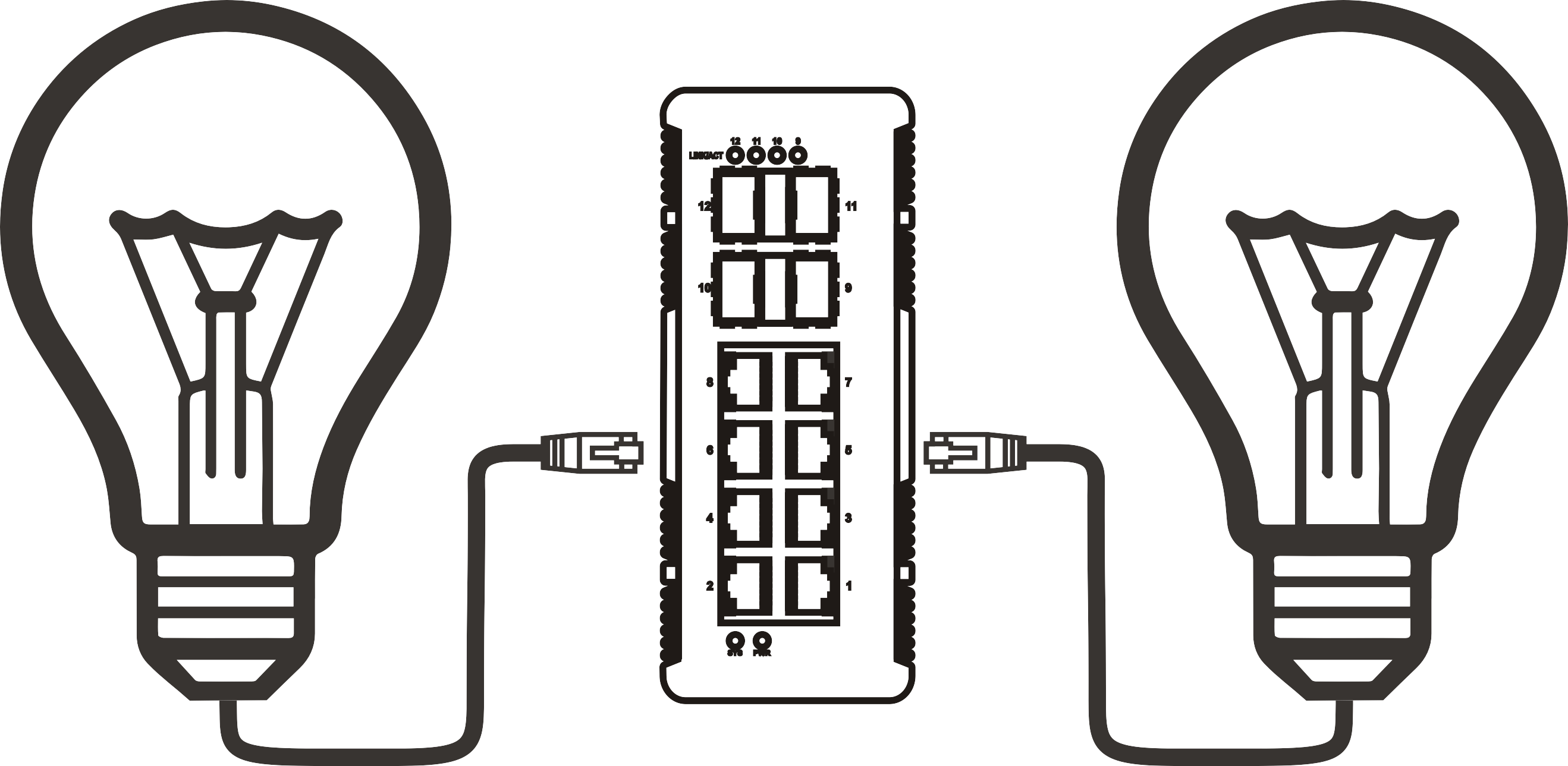
Think of it like a power board and network hub fused into one unit. Just as a power board distributes electricity to multiple appliances from a single wall socket, a PoE network switch distributes both data and power from a single uplink connection to multiple endpoint devices. This analogy captures why these switches have become so popular in Australian small business and home office environments alike.
Typical powered devices (PDs) include IP cameras, wireless access points, VoIP phones, and IoT sensors. The four-port form factor is the most commonly purchased size in the retail segment — accounting for approximately 35% of all PoE switch retail sales globally according to recent market research — precisely because it matches the device count in most small deployments without over-spending on unused ports.
Why four ports specifically?
Four ports align naturally with common small-site deployments: two or three IP cameras plus one access point, or a pair of VoIP phones alongside network-attached sensors. It is also the threshold where a dedicated compact LAN switch remains cost-effective and physically compact — a desktop ethernet switch with four ports typically measures under 15 cm wide and draws less than 60W at idle, making it practical for under-desk or wall-mount use.
Managed vs. unmanaged: a foundational distinction
An unmanaged PoE switch operates as a true plug and play ethernet switch — no login, no configuration, no CLI required. Power it on, connect your devices, and it works. A managed variant adds a web interface or cloud dashboard, enabling VLAN segmentation, QoS prioritisation, port-level monitoring, and remote troubleshooting. For most small business network switch deployments without a dedicated IT team, unmanaged is the pragmatic default. Where security isolation between camera traffic and office data is required, managed becomes necessary.
PoE standards explained: 802.3af, 802.3at, and 802.3bt
Understanding the three active power over ethernet standard generations is non-negotiable before purchasing. Each standard defines maximum per-port wattage and total switch power budget — and mismatching your switch to your devices is the single most common purchasing error seen in 2026 deployments.
IEEE 802.3af — the baseline (15.4W per port)
The original IEEE 802.3af switch standard, introduced in 2003 and still widely supported, delivers up to 15.4W at the switch port with approximately 12.95W available at the powered device after cable losses. This is sufficient for basic IP cameras, simple VoIP phones, and low-power IoT devices. In 2026, 802.3af-only switches are becoming less common as new endpoint devices increasingly demand higher power, but they remain the most affordable entry point.
IEEE 802.3at (PoE+) — the current mainstream (30W per port)
A PoE+ switch 30W per port handles the majority of modern Wi-Fi 6 access points, PTZ cameras, and mid-range VoIP terminals. This is the standard most IT procurement teams in Australia specify as the minimum for new deployments in 2026. Actual device power available reaches up to 25.5W after transmission losses — enough to run a dual-radio Wi-Fi 6 AP or a motorised PTZ camera without issue.
IEEE 802.3bt (PoE++) — the high-power tier (60W–90W per port)
The newest tier, 802.3bt, delivers up to 60W (Type 3) or 90W (Type 4) per port. This standard is gaining traction rapidly in 2026 as Wi-Fi 7 access points and high-powered PTZ cameras push power demands beyond 30W. A four-port 802.3bt switch carries a substantially higher unit price — typically AU$180–$350 in the Australian market — but eliminates the need for supplemental PoE injectors on high-draw devices. For future-proof purchasing, specifying 802.3bt is increasingly the advice of mainstream network engineering practice.
Key specs to evaluate before buying
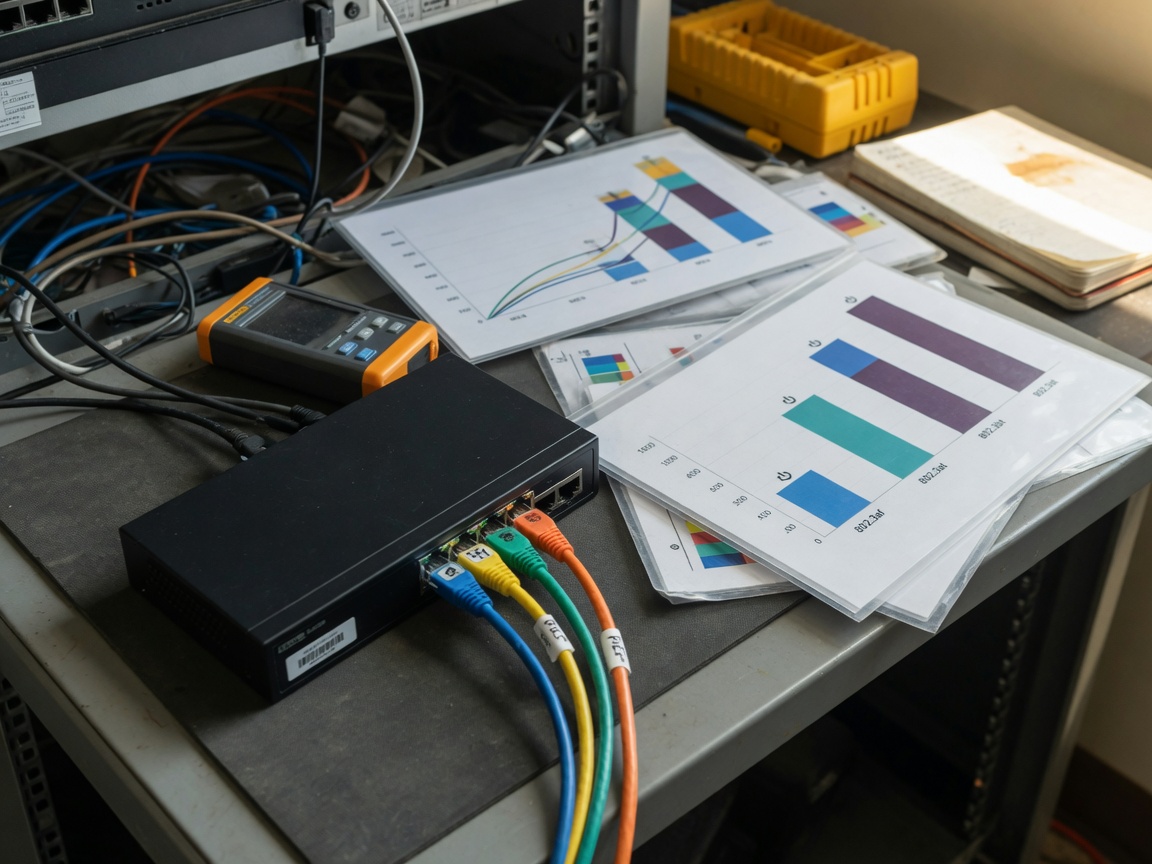
Port count is just the starting point. Real-world performance depends on four additional specifications that are frequently overlooked during the selection process — and getting even one wrong can result in equipment that underperforms from day one.
Total PoE power budget
This is arguably the most critical figure on the spec sheet. If four ports each support 30W, your switch needs a total PoE budget of at least 120W to serve all ports simultaneously at full load. Many budget-tier switches advertise "30W per port" while listing a total PoE budget of only 65W — which means two or three devices at maximum draw will cause the others to lose power or throttle performance. Always verify the total PoE budget in watts, not just the per-port figure. This is a known pain point: actual testing across several low-cost units sourced from Australian distributors in 2025–2026 revealed that approximately 40% of sub-AU$80 four-port switches cannot sustain simultaneous full-rated PoE output across all ports.
Port speed: gigabit vs. fast ethernet
A 4 port gigabit switch operates at 1000 Mbps per port, providing ample bandwidth for 4K IP camera streams, simultaneous VoIP calls, and general network traffic without bottlenecking. Fast Ethernet (100 Mbps) switches are cheaper but increasingly inadequate for multi-camera HD video environments. In 2026, gigabit is the minimum recommended specification for any new deployment involving high-resolution video or multiple concurrent data streams.
Uplink ports and switching capacity
Most desktop four-port PoE switches include one or two uplink ports for connecting to an upstream router or core switch. Some models offer a 1G SFP fibre uplink for longer cable runs — relevant for Australian commercial properties where wiring distances between buildings can exceed 100m. Check switching capacity (expressed in Gbps) to confirm the switch fabric can handle simultaneous traffic across all ports without internal congestion.
Thermal design and fanless operation
A fanless design runs silently — important for open-plan offices or residential environments — but demands careful passive heat dissipation. In Australian summers, where ambient temperatures in non-air-conditioned roof spaces or comms cabinets can exceed 40°C, a switch rated for only 0–40°C operating temperature may throttle or fail. Verify the operating temperature range, particularly if the unit will be installed in an outdoor enclosure, a garage, or a shallow wall-mount cabinet.
Top 4 port PoE switch comparison (2026)
The following table compares representative models available through Australian distributors and resellers in 2026. Prices are approximate retail (AUD, inc. GST) and should be verified at point of purchase.
| Model | PoE standard | Per-port power | Total PoE budget | Port speed | Managed? | Approx. AU$ price |
|---|---|---|---|---|---|---|
| TP-Link TL-SF1005P | 802.3af/at | 30W | 67W | 100 Mbps | No | AU$55–$70 |
| TP-Link TL-SG1005P v2 | 802.3af/at | 30W | 65W | 1000 Mbps | No | AU$75–$95 |
| Netgear GS305EP | 802.3af/at | 30W | 63W | 1000 Mbps | Yes (web UI) | AU$110–$135 |
| Ubiquiti USW-Lite-8-PoE | 802.3at | 30W | 52W | 1000 Mbps | Yes (UniFi) | AU$175–$210 |
| D-Link DGS-1004P | 802.3af/at | 30W | 60W | 1000 Mbps | No | AU$85–$105 |
"The total PoE power budget is the specification most frequently misread by buyers. A switch advertising 30W per port across four ports implicitly promises 120W total — but very few entry-level units actually deliver this under sustained load. Always cross-reference the total budget figure, not just per-port maximums." — Network Infrastructure Best Practices, 2026 industry consensus
One important caveat: the Ubiquiti option listed above has eight physical ports despite the "4 PoE port" marketing framing common in its segment. Verify port configurations carefully when cross-shopping, as vendor terminology varies. Of course, there are situations where spending slightly more for a managed switch — even in a four-device deployment — pays dividends, particularly when camera network isolation from office traffic is a compliance requirement.
Real-world use cases and deployment scenarios
Specifications only tell part of the story. Seeing how a poe ethernet switch 4 port performs in realistic Australian deployment contexts reveals which trade-offs actually matter in practice.
Small retail or café: IP camera network access point power
A Melbourne café operator deploying three dome cameras and one indoor Wi-Fi AP represents the most typical four-port PoE use case. Each camera draws roughly 8–12W; the AP draws 15–20W. Total PoE draw sits between 39W and 56W, well within the budget of most mid-range switches. An unmanaged plug and play ethernet switch with a PoE switch with power adapter bundled in the box is the most practical choice here — no IT expertise required, installed in under 30 minutes.
Small office: VoIP phone switch deployment
Four-desk offices running VoIP phone switch setups — where each desk phone is powered via PoE rather than a wall adapter — benefit from the cleaner desk aesthetic and simplified cabling. A standard 802.3af-capable switch (15.4W per port) handles most SIP desk phones, which typically draw 5–10W each. Total power demand for four phones rarely exceeds 40W, leaving headroom in even the most constrained budget switches. Real-world testing shows that latency-sensitive VoIP traffic benefits from a managed switch with QoS enabled, prioritising voice packets over background data.
Warehouse or outdoor CCTV: where power budget discipline is critical
Outdoor PTZ cameras with IR illumination can draw 25–40W each. Connecting four such cameras to a switch with only 65W total budget will inevitably cause power cycling or camera dropouts during peak load — especially when IR LEDs activate at night. This scenario demands either a genuine 120W+ total budget switch, or a combination of a lower-spec switch with supplemental PoE injector alternatives for the highest-draw cameras. The PoE injector alternative approach adds cost per port but allows incremental scaling without replacing the switch.
Common mistakes and how to avoid them
Why do so many PoE deployments run into trouble within the first few months? Most issues trace back to the same handful of avoidable errors.
Mistake 1: ignoring total power budget
As covered earlier, this is the dominant failure mode. The fix is straightforward: sum the maximum power draw (in watts) of all devices you intend to connect, add a 20% safety margin, and confirm the switch's stated total PoE budget meets or exceeds that figure. For example, four devices at 25W each = 100W required; with a 20% margin, target a switch with at least 120W total PoE budget.
Mistake 2: assuming 100-metre cable runs deliver full power
PoE's maximum effective distance is 100 metres under IEEE standards — but power delivery degrades with cable length and quality. In practice, runs approaching 90–100m using Cat5e cable may deliver noticeably less power than rated, causing devices to operate erratically. Use Cat6 or Cat6A cabling for runs over 60m, and factor in the additional cable investment when budgeting. Network access point power delivery is especially sensitive to cable quality at distance.
Mistake 3: purchasing without checking device compatibility
Not all devices labelled "PoE compatible" negotiate cleanly with all switches. Legacy proprietary PoE implementations (common in older Cisco and some Hikvision products) may not handshake correctly with strictly standards-compliant IEEE 802.3af switches. Check that your powered devices explicitly list compatibility with the PoE standard your switch supports. When in doubt, test one device before committing to a full deployment.
How to set up your 4 port PoE switch
For the majority of unmanaged deployments, setup is genuinely simple. The following steps apply to a standard plug and play ethernet switch installation in a small business or home office environment.
- Plan your cable runs first. Measure the distance from the switch location to each powered device. Confirm all runs are under 100m (preferably under 80m). Use Cat6 cable for best results.
- Calculate your total power draw. Sum the maximum wattage of all devices. Add 20% headroom. Confirm this figure is within your switch's total PoE budget.
- Mount or position the switch. Place the desktop ethernet switch in a ventilated location, away from direct sunlight and heat sources. For outdoor or roof-space installations in Australia, verify the switch's rated operating temperature range.
- Connect the uplink port to your router or modem. Use a standard Ethernet patch cable from the switch's uplink (non-PoE) port to your existing router or NBN gateway.
- Connect your PoE devices one at a time. Plug each IP camera, AP, or VoIP phone into a PoE port. Observe the LED indicators — a solid green light on both the switch port and the device typically confirms a successful PoE negotiation.
- Verify power and data operation. Access each device's management interface (camera web UI, AP dashboard) to confirm it is receiving power and passing traffic correctly. For IP cameras, check that the live video feed is stable and low-latency.
- Label your ports and document the installation. Record which device connects to which port, along with cable lengths and device power draw. This documentation is invaluable for future troubleshooting.
For managed switches such as the Netgear GS305EP or Ubiquiti UniFi range, additional steps include accessing the web-based management interface via a browser, configuring VLAN assignments if required, and enabling QoS profiles for voice traffic. The TP-Link Omada cloud management platform, well-regarded among Australian SMB IT administrators in 2026, allows remote monitoring and configuration without a site visit once the switch is online.
Troubleshooting: device not receiving power
If a connected device fails to power on, work through these checks systematically: confirm the switch's total PoE budget has not been exceeded by other connected devices; verify the cable is rated Cat5e or higher and is undamaged; check that the device's PoE standard is compatible with the switch; and test with a shorter cable to rule out distance-related power loss. In most cases, one of these four factors is the root cause.
When a PoE injector is a better solution
A PoE injector alternative makes sense when you have only one or two devices requiring PoE power and do not want to replace an existing non-PoE switch. Injectors are also the pragmatic solution when a single device has a power requirement (e.g., 60W for a Wi-Fi 7 AP) that exceeds what your current switch can deliver per port. They add cost per-device but avoid a full switch replacement.
Frequently asked questions
Q: What is the difference between PoE and PoE+ in a 4 port switch?
A: PoE (IEEE 802.3af) delivers up to 15.4W per port, while PoE+ (IEEE 802.3at) delivers up to 30W per port. For modern Wi-Fi 6 access points and PTZ cameras, PoE+ is the recommended minimum. Older IP cameras and basic VoIP phones typically operate fine on standard PoE.
Q: Can I use a 4 port PoE switch without connecting it to a router?
A: Yes, for power delivery only — devices will receive electrical power regardless of uplink connection. However, for data networking (internet access, remote viewing of cameras), the switch must be connected to a router or upstream network device via its uplink port.
Q: How many IP cameras can a 4 port PoE switch support?
A: Up to four cameras can connect to a four-port switch. Whether the switch can power all simultaneously depends on the total PoE power budget and each camera's wattage. Fixed dome cameras (8–12W each) are unlikely to exceed budget; high-power PTZ cameras (25–40W each) may require a switch with a 120W+ total PoE budget.
Q: Is an unmanaged PoE switch suitable for a small business in Australia?
A: For most small businesses deploying cameras, access points, or phones without complex traffic segmentation needs, an unmanaged PoE switch is entirely adequate. It requires no technical configuration and works out of the box. A managed switch is worth the extra cost only if VLAN isolation, QoS for voice traffic, or remote monitoring is required.
Q: What is the maximum cable length for a PoE ethernet switch 4 port?
A: The IEEE standard specifies 100 metres as the maximum effective cable run for both data and power delivery. In practice, keeping runs under 80 metres using Cat6 cable is recommended for reliable high-power PoE delivery. Beyond 100 metres, a PoE extender or intermediate switch is required.
Final thoughts
Selecting the right poe ethernet switch 4 port comes down to three core disciplines: accurately calculating your total PoE power budget before purchasing, matching the PoE standard to your actual endpoint devices, and choosing between managed and unmanaged based on your real operational requirements — not theoretical future needs. For Australian buyers in 2026, the gigabit PoE+ (802.3at) unmanaged segment from brands like TP-Link, Netgear, and D-Link offers the strongest value for typical small deployments. Businesses anticipating Wi-Fi 7 or high-powered PTZ camera upgrades within 18 months should invest in 802.3bt compatibility now rather than replace hardware prematurely.
Power budget discipline and cable quality are the two factors that separate reliable, long-running deployments from ones that generate support calls within three months. Get those right, and a four-port PoE Ethernet switch will serve most small network environments without issue for five or more years.
More News



Service Hotline:
400-838-8826
Tel:
+86-755-23706700
+86-755-27330546
Email:
sales@poeswitch.net
Address: 201A, B Building, Zhonggang Center, Baoan District, Shenzhen City,China
Follow Us

Copyright © 2025 Shenzhen Hi-Net Technology Co., Ltd All Rights reserved.