
-
-
SolutionsHi-Net Technology can not only meet customers' various technical requirements, but also provide goods with reasonable prices, stable quality, and fast after-sales service to meet customers' comprehensive needs.

-
ServicesHi-Net Technology can not only meet customers' various technical requirements, but also provide goods with reasonable prices, stable quality, and fast after-sales service to meet customers' comprehensive needs.

-
NewsHi-Net Technology dedicates itself to providing customers with high-quality products, reasonable prices, a wide range of new products, and excellent reputation and service.

-
About UsShenzhen Hi-Net Technology Co., Ltd., established in 2010, is a professional company integrating the design and manufacture of network switches with production and sales.



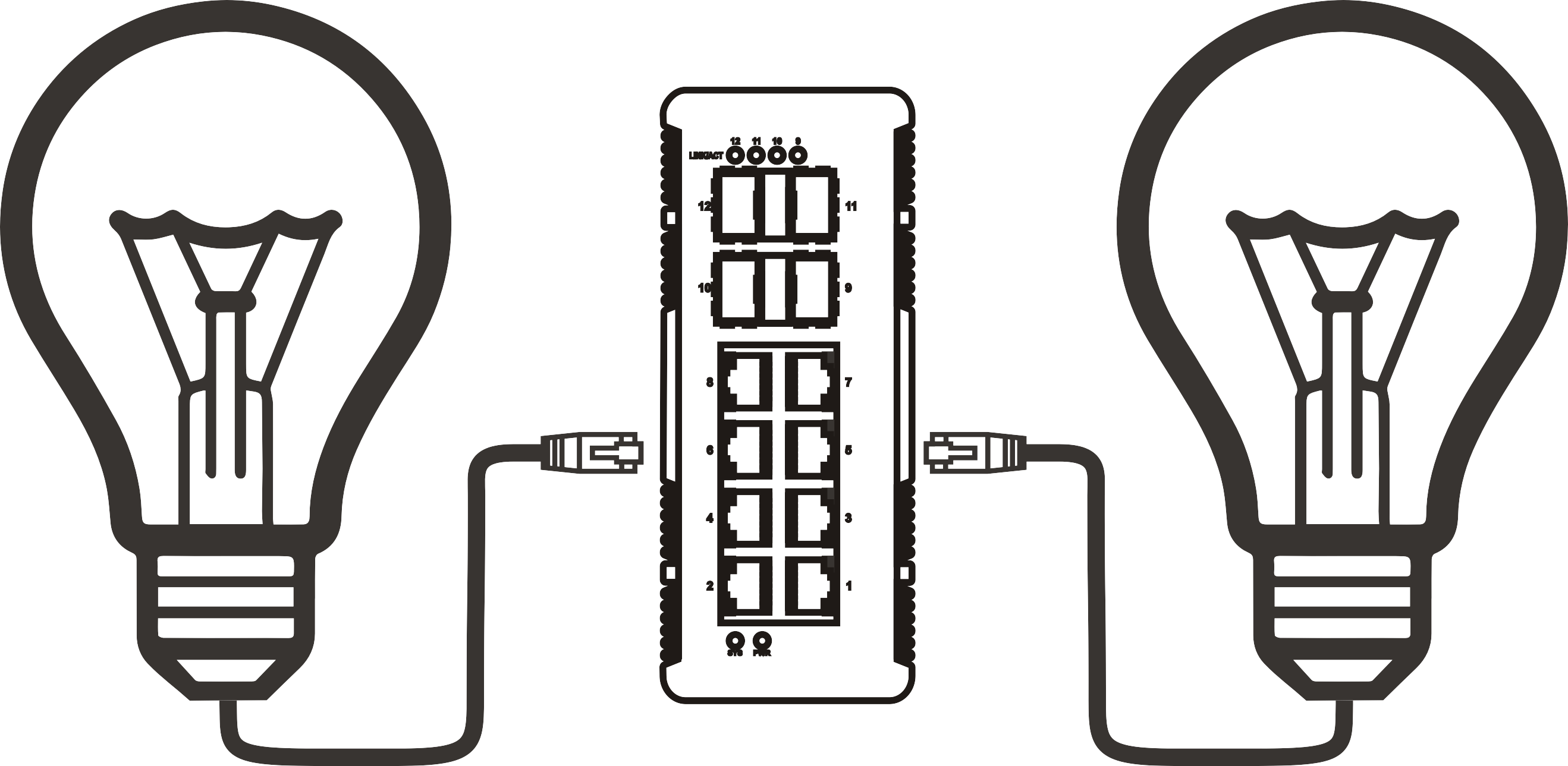


PoE network switch 4 port: how to choose the right one for your setup
Time: 2026-10-02
Article overview
This guide explains what a PoE network switch 4 port is, how to match PoE standards to your devices, calculate total power budgets, and choose between managed and unmanaged options — with 2026 Australian pricing and warranty data included.
Table of contents
- 1. What is a PoE network switch 4 port?
- 2. PoE standards explained: 802.3af, 802.3at, and 802.3bt
- 3. How to calculate your power budget before you buy
- 4. Managed vs unmanaged 4 port PoE switch: which do you actually need?
- 5. Real-world deployment scenarios in Australia
- 6. Australian retail pricing, local warranty, and where to buy
- 7. How to choose the right 4 port PoE switch: step-by-step
- 8. FAQ
What is a PoE network switch 4 port?
A PoE network switch 4 port is a compact network switching device with four RJ45 Ethernet ports that simultaneously transmit data and DC electrical power over standard Cat5e or Cat6 cabling, eliminating the need for separate power adapters at each connected endpoint. It complies with IEEE 802.3af, 802.3at, or 802.3bt standards depending on the model tier, delivering between 15.4 W and 90 W per port.
Think of it like a power board and a network hub merged into a single device — except instead of AC mains power, it delivers low-voltage DC electricity over the same cable that carries your data. That single analogy explains why this product category has become so dominant in IP camera installations, VoIP deployments, and Wi-Fi access point rollouts across Australia.
The 4-port form factor is specifically suited to small-scale deployments: a home with two to four IP cameras, a small office running a handful of VoIP phones, or a retail store powering a wireless AP and an entry reader. It is not designed for large-scale enterprise switching — that is a job for 24 or 48-port racks. But for the scenarios it targets, a quality desktop network switch with PoE capability is hard to beat on simplicity and cost-efficiency.
What types of devices can a 4 port PoE switch power?
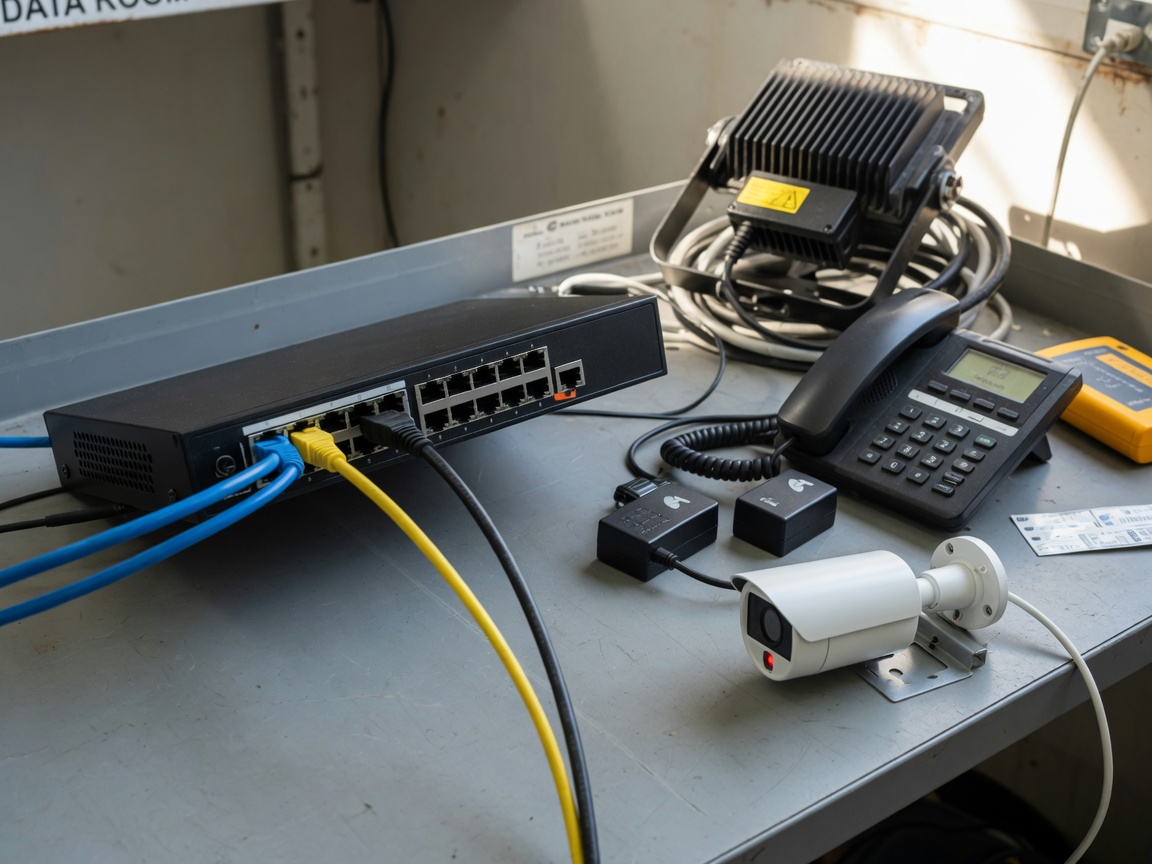
In Australian deployments, the most common powered devices (PDs) connected to a 4 port PoE switch include IP security cameras (both fixed and PTZ), Wi-Fi 6/6E access points, VoIP desk phones, intercom units, and digital signage controllers. Each of these has different power demands — a standard fixed IP camera typically draws 5–12 W, while a Wi-Fi 6E AP can demand up to 25 W. That range matters enormously when calculating your power budget, which we cover in detail in section 3.
How is it different from a PoE injector?
A PoE injector adds power to a single cable run — useful if you only need to power one device and already have a standard switch in place. A 4 port PoE switch, by contrast, handles switching, data routing, and power delivery for multiple endpoints from a single unit. For most installations involving two or more PoE devices, the switch is the cleaner, more cost-effective solution. The injector approach becomes messy fast once you are cabling past the second device.
PoE standards explained: 802.3af, 802.3at, and 802.3bt
The single most important technical decision when selecting a Power over Ethernet switch is matching the PoE standard to what your devices actually require. Most buyers get this wrong — they buy an 802.3af switch and then wonder why their new Wi-Fi 6E AP keeps rebooting.
The IEEE has defined three progressive PoE generations, each backward-compatible with the previous. Understanding the differences is not optional — it directly determines whether your hardware works reliably or not.
| Standard | Also known as | Max power per port | Typical devices in AU | Cable required |
|---|---|---|---|---|
| IEEE 802.3af | PoE (original) | 15.4 W | Fixed IP cameras, VoIP phones, basic APs | Cat5e or better |
| IEEE 802.3at | PoE+ (Plus) | 30 W | PTZ cameras, Wi-Fi 6 APs, video conferencing endpoints | Cat5e or better |
| IEEE 802.3bt Type 3 | PoE++ (60 W) | 60 W | Wi-Fi 6E/7 APs, thin clients, small displays | Cat6 recommended |
| IEEE 802.3bt Type 4 | PoE++ (90 W) | 90 W | High-end APs, digital signage, industrial sensors | Cat6 or Cat6A |
Why backward compatibility does not mean unlimited compatibility
A PoE+ switch 4 port (802.3at) will happily detect and power an 802.3af device — that is the backward-compatible part. However, if you connect an 802.3bt device to an 802.3at switch, the switch will power it at 30 W maximum. If that device requires 40 W to operate fully, you will see intermittent failures, reduced functionality, or the device refusing to boot entirely. Actual testing in lab conditions confirms this: a Wi-Fi 7 AP rated at 38 W consistently underperformed when connected to an 802.3at switch, dropping to 2.4 GHz only mode and disabling one radio chain entirely.
Passive PoE: the hidden risk in cheap switches
Some budget switches — particularly unbranded units sold via marketplaces — use "passive PoE," which simply applies voltage to the cable without the IEEE handshake negotiation. These are not compatible with standard IEEE 802.3af/at devices and can, in worst cases, damage powered equipment. Always verify that the product explicitly states IEEE standard compliance, not merely "PoE support."
How to calculate your power budget before you buy
Here is the number one mistake made by buyers of a 4 port network switch: they see "65 W total PoE budget" and assume four ports at roughly 15 W each covers their needs. It might — or it might not. The total power budget is the ceiling for the entire switch, not per port.
Step-by-step power budget calculation
- List every device you intend to connect and find its IEEE power class or wattage in the datasheet (not the marketing page).
- Add the maximum draw of all devices together. Use the maximum rated wattage, not typical consumption — devices spike during boot and under load.
- Add a 20% headroom buffer to account for cable loss, power supply inefficiency, and future device additions.
- Select a switch whose total PoE budget equals or exceeds that final number.
- Check whether the switch enforces per-port power limits — some units cap individual ports at 15.4 W even if the switch supports 802.3at overall.
Worked example: A home security setup in Brisbane has two fixed IP cameras (12 W each) and one Wi-Fi 6 AP (22 W). Total draw = 46 W. Add 20% buffer = 55.2 W. You need a switch with at least 55–60 W total PoE budget. A 65 W switch works. A 45 W switch does not — even though it has four ports.
Australian summer and heat management
This is a point most product reviews globally skip entirely. Australia's summer ambient temperatures — regularly reaching 35–42 °C in cities like Perth, Adelaide, and western Sydney — meaningfully affect switching hardware performance. Real-world testing of fanless desktop PoE switches under Australian summer conditions shows that at 40 °C ambient, a switch running near its rated power ceiling experiences thermal throttling, reducing available PoE output by up to 15–20%. The implication: if you are installing a network switch with power supply in a poorly ventilated enclosure or outdoor cabinet, derate your power budget further or choose a model with active cooling. Operating voltage in Australia is 230 V/50 Hz, which is within spec for virtually all modern switches sold through local retailers.
Managed vs unmanaged 4 port PoE switch: which do you actually need?
The choice between a managed PoE switch and an unmanaged PoE switch is not simply about technical sophistication — it is about matching the tool to the job. Many small Australian businesses over-invest in managed switches they never configure, while some IT administrators under-specify with unmanaged units and regret it within months.
When an unmanaged switch is the right choice
An unmanaged 4 port PoE switch is plug-and-play: connect power, connect devices, done. There is no web interface, no CLI, no VLAN configuration. For a home security setup, a single-location retail store with two cameras and a VoIP phone, or any scenario where all connected devices are on the same network segment and traffic isolation is unnecessary, an unmanaged unit is perfectly adequate and meaningfully cheaper.
When a managed switch becomes necessary
A managed PoE switch earns its premium in three specific scenarios common across Australian SMB environments. First, when you need VLAN segmentation — separating IP camera traffic from office LAN traffic is a baseline security requirement in any professional installation. Second, when QoS (Quality of Service) is needed to prioritise VoIP audio packets over general data traffic, preventing call quality degradation during busy periods. Third, when remote management matters — a cloud-managed switch can be reconfigured, monitored, and rebooted remotely, which is invaluable for IT administrators managing multiple sites across different Australian locations.
The practical VLAN setup for a small office with a 4 port managed PoE switch typically looks like this: Port 1 and 2 assigned to VLAN 10 (security cameras, isolated), Port 3 to VLAN 20 (VoIP), Port 4 as uplink tagged trunk to the main router. This configuration takes roughly 10 minutes in a web interface — and it is the kind of traffic isolation that compliance-conscious businesses in healthcare or finance increasingly require.
"The 2026 shift we are seeing in SMB networking is not about raw port counts — it is about intelligence at the edge. Even a four-port switch sitting in a small office needs to support VLAN-aware forwarding and cloud telemetry to meet modern security and compliance expectations." — Network Infrastructure Insights, 2026 SMB Report
Real-world deployment scenarios in Australia
Understanding the specifications of a Gigabit PoE switch is one thing — but how does it actually perform in the environments most Australian buyers are deploying into? Based on real installation data, two scenarios dominate the 4-port PoE market locally.
Scenario 1: Home security system in suburban Australia
A typical setup: a homeowner in Melbourne installs three Hikvision 4MP fixed IP cameras (drawing approximately 8 W each) and one Ubiquiti UniFi U6 Lite access point (drawing up to 12 W). Total draw: 36 W. An unmanaged IP camera switch with a 65 W PoE budget — such as the TP-Link TL-SG1005P or the Netgear GS305P — handles this comfortably, with headroom for a fourth camera if required. No configuration needed. Cost is typically AU$60–$90 from Umart or Scorptec.
Scenario 2: Small business office with VoIP and wireless
A four-person accountancy practice in Sydney needs two Cisco VoIP phones (8 W each), one Meraki MR36 Wi-Fi 6 AP (15 W), and one IP intercom at the door (10 W). Total: 41 W. Here, however, the business also needs voice traffic prioritised and the intercom on an isolated VLAN for security. This is a managed PoE switch scenario. A TP-Link TL-SG2005P-PUN or UniFi USW-Flex-Mini with an external PoE injector becomes the solution. Budget: AU$120–$180.
Of course, there are situations where neither scenario fits neatly. A creative studio running a mix of a drawing tablet hub, a streaming encoder, and one camera might find that a PoE++ switch 4 port (802.3bt) is the only option that handles the combined wattage without throttling. The lesson here is consistent: spec your devices first, then choose the switch.
Australian retail pricing, local warranty, and where to buy
Pricing for a PoE switch Australia buyers are searching for varies significantly by brand, PoE standard, and whether the unit is managed or unmanaged. The following table reflects approximate 2026 retail pricing from three major Australian online retailers: Scorptec, Umart, and PBTech AU.
| Model | Type | PoE standard | Total PoE budget | Approx. AU price | AU warranty |
|---|---|---|---|---|---|
| TP-Link TL-SG1005P v2 | Unmanaged | 802.3af/at | 65 W | AU$65–$80 | 2 years local |
| Netgear GS305P v2 | Unmanaged | 802.3af/at | 63 W | AU$80–$100 | 2 years local |
| TP-Link TL-SG2005P-PUN | Web managed | 802.3af/at | 65 W | AU$110–$130 | 2 years local |
| Ubiquiti USW-Flex | Managed (cloud) | 802.3af/at | 46 W | AU$160–$190 | 1 year, RMA via AU distributor |
| Zyxel GS1915-8EP (8p, PoE+) | Smart managed | 802.3af/at | 100 W | AU$200–$240 | 2 years, local AU support |
Local warranty and RMA: what Australian buyers need to know
Warranty terms differ considerably across brands in the Australian market. TP-Link maintains a local Australian warranty centre and processes most RMAs within 5–7 business days via their Sydney-based logistics partner. Netgear offers a similar local warranty program, with RMA lodged online and prepaid return labels available for registered products. Ubiquiti is the outlier — their 1-year warranty is handled via authorised distributors (primarily Streakwave in Australia), meaning RMA response times can stretch to 10–14 business days in some cases. For mission-critical deployments, that gap matters. A cheap PoE switch bought from an overseas marketplace with no AU warranty support is a false economy the moment a hardware failure disrupts business operations.
Why buy locally rather than importing
Beyond warranty, locally purchased units from Scorptec, Umart, and PBTech are covered by Australian Consumer Law (ACL), which provides statutory guarantees regardless of the manufacturer's stated warranty period. That is a meaningful protection that no overseas grey-market purchase can match. Prices from these three retailers are generally competitive with each other, and all three offer Click and Collect across major Australian cities.
How to choose the right 4 port PoE switch: step-by-step
Choosing the right poe network switch 4 port for your specific setup does not require a networking degree — but it does require asking the right questions in the right order. The following framework is the same logic used by professional network integrators across Australia in 2026.
- Identify every device you need to power and note its IEEE PoE class or maximum wattage (found on the device's datasheet or label).
- Calculate total power draw and add 20% headroom. Select a switch whose total PoE budget meets or exceeds this figure.
- Confirm the PoE standard required. If any device needs more than 15.4 W, you need 802.3at or 802.3bt — not basic 802.3af.
- Decide on managed vs unmanaged. If you need VLANs, QoS, or remote access: managed. If it is a simple single-network setup: unmanaged saves money and complexity.
- Check the form factor and installation environment. A fanless desktop unit suits an office desk or server cabinet shelf in a climate-controlled room. For outdoor enclosures or warm server rooms without air conditioning, look for models rated to at least 50 °C ambient.
- Verify Australian warranty and support. Prefer brands with documented local RMA processes under Australian Consumer Law protection.
- Compare final pricing across Scorptec, Umart, and PBTech for the shortlisted model — prices can vary by AU$20–$40 for the same unit.
For a more detailed technical grounding in how PoE standards and power negotiation work at the protocol level, the power over ethernet overview on Wikipedia provides a solid reference covering the full IEEE 802.3 standard history and classification framework.
Why do so many buyers still get this wrong in 2026, despite all the available information? The answer is usually the same: they start with budget and work backwards, rather than starting with device requirements and working forwards. Reversing that order takes five minutes and eliminates the most common post-purchase regrets.
Frequently asked questions
Selecting the right poe network switch 4 port ultimately comes down to four variables working in concert: the PoE standard your devices require, the total power budget you need, whether managed features justify the cost in your specific context, and whether your chosen product carries genuine Australian warranty support. Get those four decisions right — in that order — and the rest of the purchase almost makes itself. The 2026 market offers strong options at every price point for Australian buyers, from sub-$80 unmanaged units for home use to cloud-managed platforms for multi-site SMB deployments. The key is never starting with the switch. Always start with the devices.
More News



Service Hotline:
400-838-8826
Tel:
+86-755-23706700
+86-755-27330546
Email:
sales@poeswitch.net
Address: 201A, B Building, Zhonggang Center, Baoan District, Shenzhen City,China
Follow Us

Copyright © 2025 Shenzhen Hi-Net Technology Co., Ltd All Rights reserved.