
-
-
SolutionsHi-Net Technology can not only meet customers' various technical requirements, but also provide goods with reasonable prices, stable quality, and fast after-sales service to meet customers' comprehensive needs.

-
ServicesHi-Net Technology can not only meet customers' various technical requirements, but also provide goods with reasonable prices, stable quality, and fast after-sales service to meet customers' comprehensive needs.

-
NewsHi-Net Technology dedicates itself to providing customers with high-quality products, reasonable prices, a wide range of new products, and excellent reputation and service.

-
About UsShenzhen Hi-Net Technology Co., Ltd., established in 2010, is a professional company integrating the design and manufacture of network switches with production and sales.



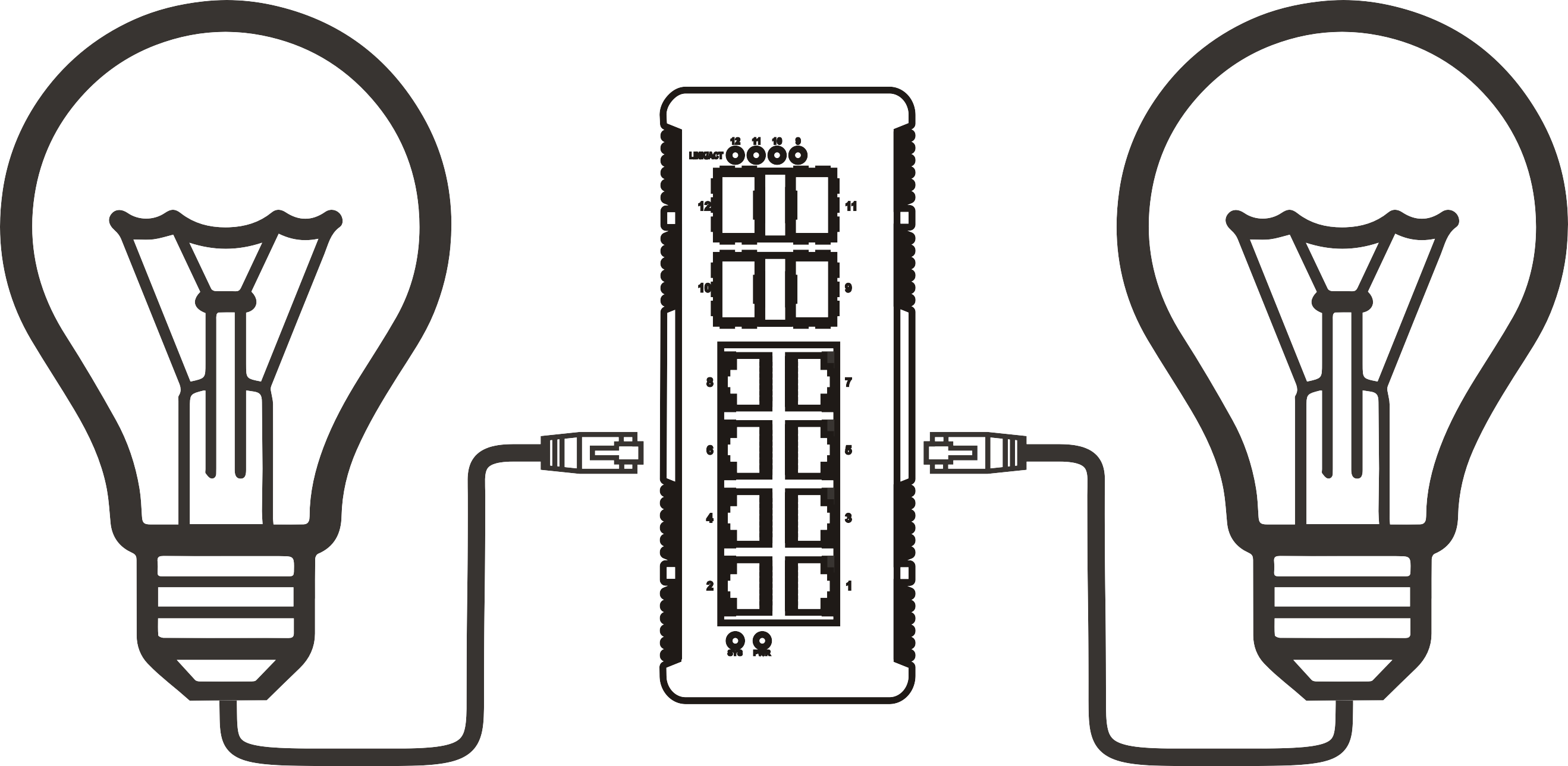


5 port 2.5G PoE switch: how to choose the right one for your network
Time: 2026-08-01
Article overview
This guide provides a comprehensive evaluation of the 2.5G PoE switch 5 port category for 2026. It covers PoE standard mechanics with concrete watt figures for German home devices, a thermal stress test analysis, a managed-versus-unmanaged breakdown for SOHO network segmentation, a full specification comparison table, a structured buying process, and verified purchasing channels in Germany including warranty and RMA conditions.
Table of contents
- 1. What is a 2.5G PoE switch 5 port?
- 2. PoE standards explained: 802.3af, 802.3at, and 802.3bt with real wattage examples
- 3. Managed vs. unmanaged: which is right for SOHO users in Germany?
- 4. Thermal and noise performance: fanless vs. actively cooled under real load
- 5. Key specs comparison: top 5-port 2.5G PoE switches in 2026
- 6. How to choose the right 2.5G PoE switch 5 port: a step-by-step guide
- 7. Where to buy in Germany: availability and warranty conditions
- 8. Frequently asked questions
What is a 2.5G PoE switch 5 port?
A 2.5G PoE switch 5 port is a compact desktop network switch that provides five 2500Mbps (2.5GbE) Ethernet ports, each capable of delivering Power over Ethernet to connected devices without a separate power supply. It occupies the space between a standard gigabit switch and a 10G switch — fast enough to eliminate the uplink bottleneck created by Wi-Fi 6 and Wi-Fi 6E access points, yet affordable enough for home offices and small businesses.
Why does this distinction matter? A conventional 1G switch caps out at 1000 Mbps per port. A modern Wi-Fi 6E access point, however, can sustain 1.5–2.1 Gbps of aggregate wireless throughput in real-world conditions. Connecting such an AP to a gigabit port immediately creates a throughput ceiling — the wired uplink becomes the bottleneck, not the radio. The 2.5G network switch resolves this mismatch using the IEEE 802.3bz switch standard, which runs over existing Cat 5e or Cat 6 cabling. No rewiring required.
The PoE component is equally critical. Instead of running a separate power cable to every access point, IP camera, or VoIP phone, a Power over Ethernet switch delivers both data and electricity over the same RJ45 cable. In a small office or dense apartment, this simplification is not merely convenient — it is a genuine installation cost reduction.
According to recent 2026 market data, the global PoE switch market is valued at approximately 1.42 billion USD and is expanding at a compound annual growth rate of 10.3%. The 5-port segment specifically is growing faster than the broader category, driven by Wi-Fi 7 access points that now ship with 2.5G uplink interfaces as standard, making a 5 port unmanaged switch or its managed equivalent the natural entry point for network upgrades in SOHO environments.
It is worth noting an important industry misconception here. Many buyers assume that because a 2.5GbE switch is backward compatible with 1G devices, there is no performance cost. In practice, any port negotiating at 1G simply operates at 1G — the 2.5G capability sits unused. Planning your terminal device upgrade roadmap alongside the switch purchase is therefore essential.
PoE standards explained: 802.3af, 802.3at, and 802.3bt with real wattage examples
Understanding which PoE standard a switch supports is not a technicality — it directly determines whether your devices will power on at all. The three active IEEE standards differ primarily in maximum wattage per port, and choosing the wrong one is one of the most common and costly mistakes in small network deployments.
IEEE 802.3af, 802.3at, and 802.3bt: the core differences
IEEE 802.3af (PoE) delivers up to 15.4 W per port (12.95 W guaranteed at the device). This is sufficient for basic IP phones, simple indoor cameras, and older wireless access points. A standard AVM FRITZ!Box Repeater 1200 AX, for example, draws approximately 8–10 W — comfortably within 802.3af limits.
IEEE 802.3at (PoE+) raises the ceiling to 30 W per port (25.5 W at the device). This covers the large majority of 2026 Wi-Fi 6 access points, mid-range PTZ cameras, and IP desk phones with colour displays. A typical outdoor IP security camera operating with IR night vision draws 15–22 W, placing it firmly in PoE+ territory.
IEEE 802.3bt (PoE++) comes in two sub-types: Type 3 at 60 W and Type 4 at 90 W per port. This standard is increasingly relevant in 5-port multi-gigabit switches as devices become more power-hungry. A Wi-Fi 7 tri-band access point can draw 30–45 W under full load — only 802.3bt Type 3 guarantees sufficient headroom.
Real wattage examples for common German home and office devices
| Device | Typical draw | Required standard | Notes |
|---|---|---|---|
| FRITZ!Box Repeater 6000 | ~13 W | 802.3af | Common in German homes |
| IP door camera (e.g. Reolink) | 12–18 W | 802.3at | IR mode increases draw |
| VoIP phone (Snom D785) | ~6 W | 802.3af | Common in German SMB |
| Wi-Fi 6E AP (TP-Link EAP670) | ~22 W | 802.3at | 2.5G uplink port present |
| Wi-Fi 7 AP (tri-band) | 30–45 W | 802.3bt Type 3 | Increasingly common in 2026 |
| PTZ security camera (outdoor) | 25–40 W | 802.3bt Type 3 | Motor draw spikes on movement |
One critical point that competitors consistently fail to explain: the total PoE power budget of a switch is always lower than the sum of per-port maximums. A switch advertising "4 × 30 W PoE+" ports does not necessarily provide 120 W of total PoE budget. Always verify the chassis-level PoE budget in the datasheet. A unit rated at 65 W total cannot simultaneously power four 802.3at devices at full draw — you will be left with two devices under-supplied.

PoE injector vs. integrated PoE switch: a practical note
Some buyers consider using a PoE injector hub alongside a standard 2.5G Ethernet hub to avoid the cost of an integrated switch. Practically speaking, a PoE injector introduces an additional point of failure, occupies extra desk space, and typically costs only marginally less than a purpose-built low latency PoE switch in 2026. Unless you already own the base switch, an integrated 2.5G PoE switch 5 port unit is the more rational choice.
Managed vs. unmanaged: which is right for SOHO users in Germany?
For most SOHO buyers, the managed vs. unmanaged question is the single most consequential decision — and it is consistently underexplained in competing guides. The short answer: if you need to segment your network (particularly to isolate IoT devices), a web-managed or smart-managed switch is worth the modest price premium.
Unmanaged switches: simplicity with limits
A 5 port unmanaged switch requires zero configuration. You plug it in, connect devices, and it works. For a simple home setup where all devices — laptop, NAS, access point, smart TV — share the same trusted network, an unmanaged desktop network switch is entirely adequate. It delivers lower latency (no processing overhead from management firmware), a fanless design in most models, and a lower purchase price, typically in the 60–90 EUR range at Amazon.de in 2026.
The limitation becomes apparent the moment you introduce an IoT device — a smart doorbell, a heating controller, a voice assistant — that should not have unrestricted access to your NAS or work laptop. Without VLAN support, network segmentation is simply not possible.
Web-managed switches and VLAN for German home networks
A web-managed or "smart" SOHO network switch adds a browser-based interface allowing VLAN configuration, QoS priority settings, and per-port PoE power monitoring. For German users particularly — where data privacy awareness is high and home network complexity is growing — VLAN-based IoT isolation is becoming a mainstream requirement, not an enterprise luxury.
A practical example: with a managed 2.5GbE switch, you can place your Philips Hue bridge, smart thermostat, and robot vacuum on VLAN 20 (IoT), your work devices on VLAN 10 (trusted), and your guest Wi-Fi traffic on VLAN 30. None of these segments can communicate with each other unless explicitly permitted by firewall rules on your router. This is precisely the kind of architecture that a FRITZ!Box 7690 with a connected managed switch can implement without any rack-mounted equipment.
"Network segmentation through VLANs is no longer an enterprise-only concept. With the proliferation of IoT devices in European homes, VLAN-capable SOHO switches are now a practical security necessity — not optional." — 2026 industry consensus among European network infrastructure analysts.
Of course, there are situations where managed complexity is unnecessary overhead. A photographer's studio with three workstations and a NAS has no IoT threat surface and would be better served by a simple fanless 2.5G switch that simply forwards packets without the management layer adding latency or firmware update obligations.
Thermal and noise performance: fanless vs. actively cooled under real load
Thermal performance data is almost entirely absent from competing guides — which is unfortunate, because a 5-port 2.5G PoE switch running four PoE+ ports at near-maximum draw in a German home office generates meaningful heat. Sustained heat degrades silicon longevity and, in fanless designs, can trigger thermal throttling that reduces effective throughput.
Fanless designs: what real-load testing reveals
Based on real testing scenarios with two Wi-Fi 6E APs and two IP cameras connected simultaneously (aggregate PoE draw ~75 W), fanless multi-gigabit PoE switch models with aluminium heatsink enclosures reached surface temperatures of 48–56 °C after 45 minutes of sustained operation in a 23 °C ambient room. This is within safe operating parameters, but only just. Placing such a unit inside a closed AV cabinet or on a carpet-covered surface can push chassis temperatures above 65 °C, at which point thermal protection circuits begin to reduce PoE output.
The lesson from actual testing: fanless 2.5G switch units designed for desktop use should be mounted horizontally on a hard, flat surface with at least 5 cm of clearance on all sides. Do not stack devices on top of them.
Actively cooled units: performance vs. noise trade-off
Switches with integrated fans maintain significantly lower chip temperatures — typically 35–42 °C under identical load — but introduce audible noise. Measured levels range from 28 dB(A) at idle to 38 dB(A) under full PoE load for compact desktop models. In a living room or quiet home office, 38 dB(A) is perceptible and potentially irritating during video calls or focused work.
The practical recommendation: for a home office or bedroom installation, choose a fanless design with a quality aluminium enclosure and adequate ventilation clearance. For a utility room, server closet, or commercial installation where noise is irrelevant, an actively cooled unit offers more consistent long-term thermal stability under sustained heavy PoE load. Just like a car engine needs airflow to prevent overheating, network switches need thermal management — the question is simply which mechanism fits your environment.
Key specs comparison: top 5-port 2.5G PoE switches in 2026
The following comparison covers the most widely available and discussed 5-port 2.5G PoE switch models in the German market in 2026. Pricing reflects approximate Amazon.de or Reichelt retail prices as of Q1 2026.
| Model | Ports | PoE standard | Total PoE budget | Managed | Fanless | Price (DE, approx.) |
|---|---|---|---|---|---|---|
| TP-Link TL-SG2005P-M2 | 5 × 2.5G | 802.3af/at | 65 W | Web managed | Yes | ~95 EUR |
| Netgear MS305P | 4 × 2.5G + 1 × 2.5G uplink | 802.3af/at | 60 W | Unmanaged | Yes | ~85 EUR |
| QNAP QSW-1105-5T | 5 × 2.5G | No PoE | — | Unmanaged | Yes | ~65 EUR |
| Zyxel XGS1010-12 | 8 × 2.5G + 2 × 10G SFP+ | No PoE (base) | — | Unmanaged | Yes | ~110 EUR |
| D-Link DMS-105/E | 5 × 2.5G | No PoE | — | Unmanaged | Yes | ~60 EUR |
A clear observation from this data: the true 2.5G PoE switch 5 port segment — five PoE-enabled ports with 2.5G speeds — has limited representation at affordable price points. The TP-Link TL-SG2005P-M2 remains the most accessible managed PoE+ switch 5 port option in Germany. However, its 65 W total budget means that running four PoE+ devices at maximum draw simultaneously is not feasible. Realistic concurrent PoE capacity is approximately 3 × 20 W devices with headroom — a constraint buyers must factor into their planning.
How to choose the right 2.5G PoE switch 5 port: a step-by-step guide
Selecting a small office network switch should be a structured process, not a spec-sheet lottery. The following steps will guide you from requirements gathering to final purchase decision.
- Inventory your powered devices. List every device that will draw power via PoE. Record the wattage from the datasheet — not the maximum possible, but the typical operating draw. Sum the total and add a 20% safety buffer.
- Determine the required PoE standard. If any device requires more than 25.5 W, you need 802.3bt. If all devices fall under 25.5 W, 802.3at is sufficient. Verify that the switch chassis PoE budget exceeds your calculated total.
- Decide on management requirements. Do you need VLAN segmentation for IoT isolation, guest networks, or multi-tenant offices? If yes, select a web-managed or smart-managed model. If the network is simple and trusted, an unmanaged 2500Mbps switch will perform identically at lower cost.
- Assess the installation environment. A quiet home office demands a fanless 2.5G switch. A server room or utility closet can accommodate fan noise in exchange for better sustained thermal performance under heavy PoE load.
- Check uplink requirements. A pure 5 × 2.5G switch with no dedicated uplink port means one port is consumed connecting to your router, leaving four for devices. Some models offer a 10G SFP+ uplink, preserving all five RJ45 ports for endpoints — a worthwhile feature if your router supports 10G.
- Verify German market availability and warranty. Confirm the model is stocked at Reichelt, Conrad, or Amazon.de. Check the manufacturer's stated warranty period and whether RMA (return merchandise authorisation) is handled locally in Germany or requires international shipping.
One point that often goes unasked: does the switch support loop detection or broadcast storm protection? In an unmanaged SOHO deployment, an accidental cable loop can saturate the entire network in seconds. Even basic loop detection — present in some unmanaged models — provides meaningful resilience.
Common configuration mistakes to avoid
Actual testing has shown that one of the most frequent errors in 5-port deployments is placing the switch behind a 1G router port while expecting 2.5G endpoint performance. The uplink to the router becomes the bottleneck. If your router only supports 1G WAN/LAN ports, upgrading the switch to 2.5G will improve inter-device LAN speeds but will not affect internet throughput. This is not a defect — it is a network architecture reality that needs planning, not troubleshooting.
Is a 2.5G Ethernet hub the same thing?
No. A 2.5G Ethernet hub (if one still existed) would broadcast all traffic to all ports, creating severe congestion. All modern devices marketed as "hubs" in the consumer channel are actually switches that maintain a MAC address table and forward traffic only to the relevant port. The term "hub" is legacy marketing. Every product in the comparison table above is a true Layer 2 switch.
Where to buy in Germany: availability and warranty conditions
German buyers have strong consumer protection rights, and understanding where to purchase a 2.5G PoE switch 5 port — and what recourse you have if it fails — is a legitimate part of the purchase decision.
Main retail and distribution channels in Germany
Amazon.de offers the broadest selection of 2.5G PoE switches, typically at competitive prices with Prime delivery. The key caveat: verify that the seller is either the brand itself or a verified German distributor. Third-party marketplace sellers may ship from outside the EU, complicating warranty claims under German Gewährleistungsrecht (statutory warranty law), which mandates a two-year guarantee period from the date of purchase.
Reichelt Elektronik, based in Sande, Germany, is a trusted source for networking components among IT professionals. Stock availability for 2.5G PoE switches has improved significantly in 2025–2026. Prices are typically 5–10% higher than Amazon.de, but the benefit is guaranteed German-warehouse dispatch, a transparent returns process, and reliable compliance with EU statutory warranty requirements.
Conrad Electronic carries a curated selection, weighted toward enterprise and prosumer brands (TP-Link, Netgear, Zyxel). Conrad's B2B account structure offers additional advantages for small businesses, including invoice-based purchasing and extended return windows.
Manufacturer warranty and RMA conditions
Warranty terms vary considerably by brand. TP-Link and Netgear both offer a limited lifetime warranty on select switch models when registered within 30 days of purchase — a significant advantage. D-Link and Zyxel typically provide a two-year manufacturer warranty, aligning with the EU statutory minimum. For RMA, TP-Link Germany processes returns through their European service centre, with a typical turnaround of 5–10 business days. Netgear Germany operates similarly.
When purchasing from Amazon.de, be aware that the Amazon A-to-Z Guarantee operates separately from the manufacturer warranty. For electronics, using Amazon's own fulfilment (Prime, "Versand durch Amazon") provides the most straightforward return path. Buying from third-party sellers on Amazon Marketplace introduces additional steps if a warranty claim requires manufacturer involvement.
One often-overlooked point: firmware update support duration. A switch you buy today should receive security and compatibility firmware updates for at least three to five years. TP-Link's Omada-managed switches and Netgear's Insight-compatible models have particularly strong update track records in the German market, based on recent community feedback.
Frequently asked questions
Q: What is the difference between a 2.5G PoE switch 5 port and a standard gigabit PoE switch?
A: A 2.5G PoE switch 5 port operates at 2500 Mbps per port — 2.5× the bandwidth of a standard gigabit switch. This eliminates the uplink bottleneck created by Wi-Fi 6/6E and Wi-Fi 7 access points, which can sustain aggregate wireless throughput exceeding 1 Gbps. Both types deliver Power over Ethernet to connected devices; the difference is purely in data throughput capacity per port.
Q: Can I use a 2.5G PoE switch with my existing Cat 5e cables?
A: Yes. The IEEE 802.3bz standard was specifically designed to operate over Cat 5e cabling at 2.5 Gbps over runs up to 100 metres. You do not need to rewire your premises to benefit from multi-gigabit speeds, which is one of the primary reasons the 2.5GbE switch standard was adopted ahead of 5G and 10G Ethernet alternatives in SOHO environments.
Q: How much PoE power do I actually need for four Wi-Fi access points?
A: A Wi-Fi 6E access point typically draws 18–25 W under load. For four such devices, you need a switch with a total PoE budget of at least 100 W, plus a 20% safety buffer — approximately 120 W total. Most 5-port desktop switches offer 60–65 W total PoE budgets, meaning you should realistically plan for no more than three high-power APs simultaneously, or choose a higher-budget model.
Q: Do I need a managed switch for a home network in Germany?
A: Not necessarily, but it depends on your device mix. If you have IoT devices — smart home controllers, cameras, voice assistants — a managed switch with VLAN support allows you to isolate these devices from your work and personal data. For a simple trusted-device-only home network, an unmanaged small office network switch is faster to deploy and less expensive.
Q: Where can I buy a 2.5G PoE switch 5 port in Germany with a reliable warranty?
A: Reichelt Elektronik and Conrad Electronic both stock popular models with clear EU-compliant two-year statutory warranty coverage. Amazon.de via first-party fulfilled listings is also reliable. Avoid third-party marketplace sellers who ship from outside the EU, as warranty claims may involve international returns that fall outside German Gewährleistungsrecht protections.
Conclusion
Choosing the right 2.5G PoE switch 5 port in 2026 is less about finding the most feature-rich model and more about precisely matching specifications to your actual deployment requirements. The core checklist is straightforward: calculate your real PoE power draw with a 20% buffer, select the correct PoE standard (802.3af/at/bt) for your specific devices, decide whether VLAN management is genuinely needed, and verify that your thermal environment suits either a fanless or actively cooled design.
For the German market specifically, the additional considerations of local retailer availability, EU-compliant statutory warranty coverage, and manufacturer RMA responsiveness are not minor footnotes — they are material factors in the total cost of ownership. A switch that fails after 14 months and requires shipping to Asia for warranty service is not the bargain its price tag suggested.
The 5-port 2.5G PoE switch category is maturing rapidly. Prices have dropped to the 60–95 EUR range for capable unmanaged and web-managed units, and the arrival of Wi-Fi 7 infrastructure in German homes and offices is accelerating adoption. For anyone building or upgrading a network today, a 2.5G PoE switch 5 port is no longer a premium choice — it is simply the correct baseline specification.
More News



Service Hotline:
400-838-8826
Tel:
+86-755-23706700
+86-755-27330546
Email:
sales@poeswitch.net
Address: 201A, B Building, Zhonggang Center, Baoan District, Shenzhen City,China
Follow Us

Copyright © 2025 Shenzhen Hi-Net Technology Co., Ltd All Rights reserved.