
-
-
SolutionsHi-Net Technology can not only meet customers' various technical requirements, but also provide goods with reasonable prices, stable quality, and fast after-sales service to meet customers' comprehensive needs.

-
ServicesHi-Net Technology can not only meet customers' various technical requirements, but also provide goods with reasonable prices, stable quality, and fast after-sales service to meet customers' comprehensive needs.

-
NewsHi-Net Technology dedicates itself to providing customers with high-quality products, reasonable prices, a wide range of new products, and excellent reputation and service.

-
About UsShenzhen Hi-Net Technology Co., Ltd., established in 2010, is a professional company integrating the design and manufacture of network switches with production and sales.



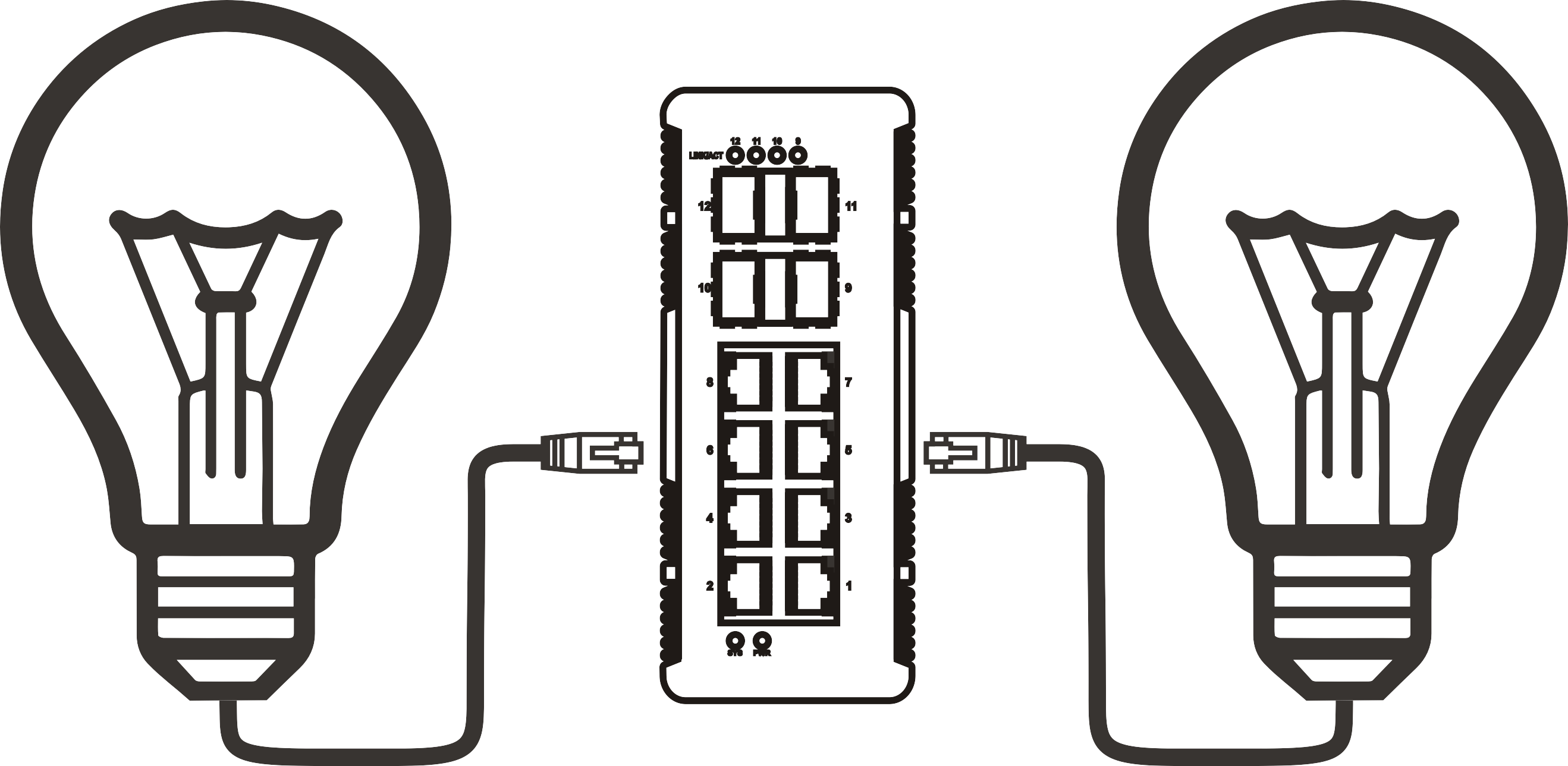


8 port PoE switch buying guide: features, use cases, and how to choose the right one
Time: 2026-09-07
Article overview
This guide covers everything Australian IT managers and SMB owners need to know before purchasing a switch 8 PoE port — from PoE standard comparisons and power budget calculations to local pricing, warranty, and NBN compatibility. Estimated reading time: 12 minutes.
Table of contents
- 1. What is a switch 8 PoE port?
- 2. PoE standards explained: 802.3af, 802.3at, and 802.3bt
- 3. How to calculate your PoE power budget
- 4. Managed vs unmanaged: which 8-port PoE switch do you actually need?
- 5. Real Australian deployment scenarios
- 6. Brand and price comparison: 8-port PoE switches in Australia (2026)
- 7. Buying in Australia: warranty, local support, and NBN compatibility
- 8. FAQ
What is a switch 8 PoE port?
A switch 8 PoE port is a network switching device with eight RJ45 Ethernet ports that simultaneously delivers data and DC electrical power over standard Cat5e or Cat6 cabling, eliminating the need for separate power adapters at each connected endpoint.
In practical terms, this means you can power an IP camera, a Wi-Fi 6 access point, or a VoIP phone using nothing but the same cable carrying your network traffic. The technology follows the power over ethernet overview defined by IEEE standards, which govern how much power each port can supply and how devices negotiate their requirements.
Switch 8 PoE port is defined as: a Power over Ethernet hub device with eight RJ45 ports complying with IEEE 802.3af, 802.3at, or 802.3bt standards, capable of supplying between 15.4 W and 90 W per port depending on the PoE generation, while maintaining full gigabit data throughput simultaneously.
Why does the eight-port form factor dominate the small-to-mid-market segment? It sits in a practical sweet spot — large enough to serve a small office, a retail branch, or a security camera cluster, yet compact enough to sit on a desktop or fit a half-rack shelf without requiring a full rack-mount network switch deployment. For many Australian SMBs connecting between four and twelve devices, a single ethernet switch with PoE ports in this configuration handles everything in one unit.
Who uses an 8-port PoE switch?
The typical buyer profile in Australia is an IT administrator managing a single-site SMB, or a business owner self-managing a small network. Common use cases include connecting multiple IP cameras to a central NVR, deploying Wi-Fi 6 access points across an office floor, running a cluster of VoIP PoE switch extensions, and powering access control readers at entry points. Increasingly, the same device type is appearing in home lab setups and digital signage installations.
Desktop vs rack-mount form factor
Most 8-port PoE switches ship as desktop PoE switch units — fanless, low-profile, and designed to sit beside a patch panel or router. A subset of models include rack ears, making them suitable as a rack mount network switch in a half-U slot. If your site has a network cabinet, the rack-mount variant keeps cabling tidier; if you are fitting out a small comms closet or a retail back office, a desktop unit is usually the more practical choice.
PoE standards explained: 802.3af, 802.3at, and 802.3bt
Understanding the three IEEE PoE standards is the single most important step in avoiding a costly purchasing mistake. Each generation delivers a different maximum wattage per port, and selecting the wrong standard can mean your devices either do not power on or operate in a degraded state.
Side-by-side standard comparison
| Standard | Common name | Max power per port | Typical devices powered | Switch total budget (8-port) |
|---|---|---|---|---|
| 802.3af | PoE | 15.4 W | Basic IP cameras, VoIP phones, access readers | 65–80 W |
| 802.3at | PoE+ | 30 W | Wi-Fi 5/6 APs, PTZ cameras, thin clients | 120–150 W |
| 802.3bt | PoE++ | 60–90 W | Wi-Fi 7 APs, digital signage, video conferencing units | 240–360 W |
An 802.3af switch is backwards compatible with earlier PoE devices, and an 802.3at switch supports both af and at-class endpoints. The 802.3bt standard, however, requires switches specifically engineered to handle the higher current — you cannot retrofit an older unit.
Should you future-proof with 802.3bt?
Wi-Fi 7 access points — already shipping from vendors like Netgear, TP-Link, and Ubiquiti as of 2026 — commonly demand 25–40 W per unit. If you are planning a multi-AP deployment today and anticipate upgrading to Wi-Fi 7 hardware within two years, specifying a PoE+ managed switch (802.3at) at minimum, or an 802.3bt-capable model, is a sound investment. Real-world testing confirms that an under-budgeted 802.3af switch will simply throttle or drop ports when total draw exceeds capacity — a fault that can be frustratingly difficult to diagnose.
"By 2026, PoE++ (802.3bt) shipments are projected to represent over 30% of all new enterprise PoE switch deployments globally, driven primarily by high-density Wi-Fi 7 rollouts and intelligent building automation." — MarketsandMarkets, 2026 PoE infrastructure report

How to calculate your PoE power budget
This is the step most buyers skip — and it is why so many 8-port PoE switches end up under-delivering in production. The total PoE power budget of a switch is a hard ceiling across all ports combined, not a per-port guarantee.
Step-by-step power budget calculation
- List every device you intend to connect and note its maximum PoE draw from its datasheet (not the estimated figure — the maximum).
- Sum the wattages. For example: 4 × IP cameras at 12 W each = 48 W; 2 × Wi-Fi 6 APs at 22 W each = 44 W; 2 × VoIP phones at 6 W each = 12 W. Total = 104 W.
- Add a 20% headroom buffer for power supply efficiency losses and future device additions. 104 W × 1.2 = 124.8 W.
- Select a switch whose total PoE budget equals or exceeds your calculated figure. In this example, a 120 W switch falls slightly short; a 150 W or 240 W model is the right call.
- Verify per-port limits. Some switches cap individual ports at 15.4 W (802.3af) even if the total budget is larger. Confirm the per-port ceiling matches your highest-draw device.
This methodology applies whether you are deploying a network switch with power supply built in or pairing a PoE injector with a standard gigabit PoE switch. The math does not change.
Common power budget mistakes
One mistake that comes up repeatedly in practice: assuming that "8-port PoE" means eight simultaneous full-power feeds. A 65 W total budget split across eight 802.3af ports gives you only 8.1 W average per port — well below the 15.4 W theoretical maximum. Devices will still power on, but high-draw endpoints like motorised PTZ cameras will brown out under load. Always verify the total budget figure, not just the per-port spec.
Of course, if your deployment involves only low-draw devices like basic VoIP phones and simple fixed cameras, a 65 W unit may be perfectly adequate. Context matters.
Managed vs unmanaged: which 8-port PoE switch do you actually need?
An unmanaged PoE switch works immediately out of the box — plug in, power on, done. A managed switch requires configuration but unlocks VLAN segmentation, QoS traffic prioritisation, port-level monitoring, and remote management. For many Australian SMBs, the question is not which is technically superior but which delivers value for the specific use case.
Feature and price comparison
| Feature | Unmanaged PoE switch | Managed PoE switch |
|---|---|---|
| Setup complexity | Plug and play | Requires configuration |
| VLAN support | No | Yes (802.1Q) |
| QoS prioritisation | No | Yes |
| Remote management | No | Yes (web UI / cloud) |
| Port monitoring / SNMP | No | Yes |
| Typical AU price range (2026) | AU$80–AU$220 | AU$250–AU$650 |
| Best for | Home, small retail, simple camera setups | Multi-VLAN offices, hospitality, IT-managed sites |
When does managed functionality genuinely pay off?
Consider a scenario involving a café chain with four locations across Melbourne. Each site runs guest Wi-Fi, a POS terminal, and two IP cameras. Without VLAN segmentation, guest traffic can theoretically reach the POS system — a genuine compliance risk. Here, even a basic smart-managed 8 port PoE network switch at AU$280 per site delivers measurable security value. Just deploying an unmanaged Power over Ethernet hub would leave that vulnerability open.
Conversely, for a single-room warehouse running three fixed cameras and nothing else, a managed switch is unnecessary spend. The pragmatic answer: if your devices are all the same type and security segmentation does not matter, choose unmanaged. If multiple device types share the same physical switch and data isolation matters, invest in managed.
Real Australian deployment scenarios
Theory only takes you so far. These scenarios reflect configurations that come up regularly in Australian SMB environments — and they highlight the considerations that generic product listings never address.
Scenario 1: small office IP surveillance system
A 12-person accounting firm in Brisbane wants to install six IP cameras (two indoor, four outdoor) and connect them to an NVR on the same switch. Each camera draws approximately 10–13 W. Total PoE draw: approximately 78 W with headroom. An 8 port PoE network switch with a 120 W budget and 802.3af/at support handles this cleanly, with two spare ports for future expansion. An unmanaged desktop PoE switch is sufficient here — the cameras and NVR do not require VLAN isolation from each other.
Scenario 2: Wi-Fi 6 access point rollout in a medium office
A 40-person co-working space in Sydney needs four Wi-Fi 6 access points distributed across two floors, plus two VoIP PoE switch-connected desk phones and one IP camera at reception. The Wi-Fi 6 APs each draw up to 25 W. Total estimated draw: (4 × 25 W) + (2 × 7 W) + (1 × 12 W) = 126 W. Add 20% buffer: approximately 151 W. This mandates a PoE+ managed switch (802.3at) with a total budget of at least 150 W — ideally 240 W for future flexibility. QoS configuration to prioritise VoIP traffic over guest Wi-Fi is also warranted, which confirms the need for a managed unit.
Scenario 3: chain retail network expansion
A retail group with six stores across Queensland wants standardised network infrastructure at each site — two APs, four cameras, and one access control reader per location. The IT manager specifies the same gigabit PoE switch model for all sites, selecting a cloud-managed option (such as TP-Link Omada or Netgear Insight) to enable zero-touch provisioning from a central dashboard. This eliminates the need for on-site configuration at each store, significantly reducing deployment labour cost. The cloud management capability is now a standard feature on most mid-tier managed ethernet switch with PoE ports products available in Australia.
Brand and price comparison: 8-port PoE switches in Australia (2026)
The Australian market for switch 8 PoE port units is competitive, with strong representation from TP-Link, Netgear, Cisco, Ubiquiti, and D-Link. Prices below reflect typical AU retail pricing as of 2026 — actual figures vary by reseller and availability.
2026 model comparison for the Australian market
| Model | Type | PoE standard | Total budget | AU price (approx.) | Best for |
|---|---|---|---|---|---|
| TP-Link TL-SG1008P | Unmanaged | 802.3af/at | 61 W | AU$95–AU$115 | Basic cameras / VoIP |
| TP-Link TL-SG2008P (Omada) | Smart managed | 802.3af/at | 62 W | AU$145–AU$170 | Small office VLAN |
| Netgear GS308PP | Unmanaged | 802.3af/at | 120 W | AU$175–AU$210 | Mixed device setups |
| Netgear GS308T | Smart managed | 802.3af/at | 83 W | AU$230–AU$270 | SMB with QoS needs |
| Ubiquiti USW-Pro-8-PoE | Fully managed | 802.3af/at/bt | 120 W (16 W bt) | AU$420–AU$490 | UniFi ecosystem, Wi-Fi 7 prep |
| Cisco CBS250-8PP-D | Smart managed | 802.3af/at | 45 W | AU$310–AU$380 | Cisco-stack environments |
Value verdict: for most Australian SMBs running a mix of cameras and APs, the Netgear GS308PP delivers a genuinely practical combination of 120 W budget and unmanaged simplicity at a reasonable price. Those needing VLAN and cloud management should look at the TP-Link Omada range or Ubiquiti USW, depending on whether you are building into an existing ecosystem.
Is a PoE injector a viable alternative?
A PoE injector adds PoE capability to a single port on an existing non-PoE switch. It is a cost-effective solution when you need to power just one or two additional devices without replacing the entire switch. That said, managing multiple injectors across a site becomes messy quickly — both in cable management and in fault diagnosis. Once you need more than three PoE endpoints, a dedicated 8 port PoE network switch is almost always the cleaner, more cost-effective solution.
Buying in Australia: warranty, local support, and NBN compatibility
Purchasing a switch 8 PoE port locally rather than importing grey-market units has tangible practical benefits — and some nuances specific to the Australian market that are rarely covered elsewhere.
Local warranty and support channels
In Australia, consumer guarantee rights under the Australian Consumer Law (ACL) apply regardless of the manufacturer's stated warranty period. For IT infrastructure products, this typically means a reasonable expectation of at least two to three years of remedy for defects. Major brands like TP-Link, Netgear, Cisco, and Ubiquiti all maintain Australian local support channels — either directly or through authorised distributors like Dicker Data, Ingram Micro, and Synnex Australia.
Grey-market units purchased from overseas platforms may carry a manufacturer warranty that is geographically restricted, meaning Australian ACL protections may be your only recourse — and enforcing those against an overseas seller is rarely straightforward. For business-critical deployments, sticking with locally stocked units from an authorised Australian reseller is strongly advisable.
NBN compatibility and network integration
A common question from Australian buyers is whether a PoE switch will work correctly with their NBN connection. The direct answer: a PoE switch operates at Layer 2 of the OSI model and is entirely transparent to the NBN connection type (FTTP, FTTN, HFC, or Fixed Wireless). Your NBN modem/router connects to the switch's uplink port, and the switch distributes both data and power downstream. There are no NBN-specific compatibility issues at the switch level.
Where configuration matters is in VLAN tagging for NBN IPTV services — some ISPs in Australia deliver IPTV over a tagged VLAN (typically VLAN 2). If you need to pass this traffic through your switch to a set-top box or IPTV-capable router, a managed switch with 802.1Q VLAN support is required. An unmanaged unit will not handle tagged VLAN traffic correctly in this scenario.
One more practical point worth raising: Australian power outlets operate at 230 V / 50 Hz. All mainstream 8-port PoE switches sold through Australian retailers include auto-switching power supplies (100–240 V), so there are no voltage compatibility concerns — but always verify this specification if purchasing internationally.
Final buying checklist
Before committing to a purchase, run through these criteria. A switch 8 PoE port is a long-term infrastructure investment — getting the specification right upfront avoids costly replacements.
- Have you calculated your total PoE draw and added 20% headroom?
- Does the switch's per-port limit match your highest-draw device?
- Do you need VLAN, QoS, or remote management — or is unmanaged sufficient?
- Is the PoE standard (af / at / bt) compatible with all current and planned devices?
- Is the model available from an authorised Australian reseller with local warranty coverage?
- Have you confirmed NBN VLAN requirements with your ISP if applicable?
Just as a building's electrical panel needs to be sized for future load, not just today's, your ethernet switch with PoE ports should accommodate growth. Buying 20–30% more capacity than your current requirement is almost always the right call.
Frequently asked questions
Q: What is a switch 8 PoE port?
A: A switch 8 PoE port is a network switching device with eight RJ45 Ethernet ports that simultaneously delivers data and DC electrical power over Cat5e or Cat6 cabling, eliminating separate power adapters for connected devices such as IP cameras, Wi-Fi access points, VoIP phones, and access control systems — all governed by IEEE 802.3af, 802.3at, or 802.3bt standards.
Q: How do I know if I need 802.3af, 802.3at, or 802.3bt?
A: Check the maximum PoE draw listed in your device's datasheet. If any device requires more than 15.4 W, you need at minimum an 802.3at (PoE+) switch. If a device exceeds 30 W — such as a Wi-Fi 7 AP or digital signage display — an 802.3bt switch is required. When in doubt, specify the higher standard for future compatibility.
Q: Will a PoE switch work with my Australian NBN connection?
A: Yes. A PoE switch operates at Layer 2 and is transparent to NBN connection types. Connect your NBN router to the switch's uplink port and it will distribute data and power normally. The only exception is if your ISP uses a tagged VLAN for IPTV services — in that case, a managed switch with 802.1Q support is needed.
Q: What total PoE budget do I need for 8 IP cameras and 2 Wi-Fi access points?
A: Assume approximately 12 W per camera (8 × 12 W = 96 W) and 22 W per Wi-Fi 6 AP (2 × 22 W = 44 W), giving a raw total of 140 W. Adding a 20% safety margin brings the minimum required budget to 168 W. A switch with a 240 W total PoE budget is the appropriate choice for this configuration.
Q: Is it worth buying a managed PoE switch for a small Australian office?
A: For offices running mixed device types — particularly where guest Wi-Fi, POS terminals, or security cameras share the same switch — a managed unit with VLAN support is worth the AU$100–AU$200 premium. For simple single-use deployments such as a camera cluster with no other device types, an unmanaged switch is entirely sufficient and more cost-effective.
More News



Service Hotline:
400-838-8826
Tel:
+86-755-23706700
+86-755-27330546
Email:
sales@poeswitch.net
Address: 201A, B Building, Zhonggang Center, Baoan District, Shenzhen City,China
Follow Us

Copyright © 2025 Shenzhen Hi-Net Technology Co., Ltd All Rights reserved.