
-
-
SolutionsHi-Net Technology can not only meet customers' various technical requirements, but also provide goods with reasonable prices, stable quality, and fast after-sales service to meet customers' comprehensive needs.

-
ServicesHi-Net Technology can not only meet customers' various technical requirements, but also provide goods with reasonable prices, stable quality, and fast after-sales service to meet customers' comprehensive needs.

-
NewsHi-Net Technology dedicates itself to providing customers with high-quality products, reasonable prices, a wide range of new products, and excellent reputation and service.

-
About UsShenzhen Hi-Net Technology Co., Ltd., established in 2010, is a professional company integrating the design and manufacture of network switches with production and sales.





Gigabit PoE switch spanning tree protocol: how STP prevents network loops
Time: 2026-10-26
Article overview
This guide covers how spanning tree protocol (STP) works within a gigabit PoE switch network to eliminate dangerous broadcast loops. You will also find PoE standard comparisons, power budget calculations, step-by-step STP configuration, and scenario-based buying guidance for 2026 deployments.
Table of contents
- 1. What is a gigabit PoE switch and why do loops matter?
- 2. How STP prevents broadcast storms on a gb poe switch network
- 3. STP variants compared: STP, RSTP, and MSTP on gigabit PoE switches
- 4. PoE power budget and standards: 802.3af, 802.3at, and 802.3bt explained
- 5. Real-world STP configuration steps for a managed gigabit PoE switch
- 6. Choosing the right gb poe switch by deployment scenario
- 7. Managed vs. unmanaged gigabit PoE switch: total cost of ownership
- 8. FAQ
What is a gigabit PoE switch and why do loops matter?
A gb poe switch — short for gigabit Power over Ethernet switch — is a network switch that delivers both 10/100/1000 Mbps data throughput and IEEE-standard DC power through the same RJ-45 cable, eliminating the need for separate power adapters on connected devices such as IP cameras, VoIP phones, and wireless access points.
That single-cable convenience is a major reason the global PoE market reached $1.27 billion in 2023 and is projected to grow at a 21.8% CAGR through 2030, according to Grand View Research. In practice, most mid-size U.S. office or surveillance deployments stack two or more gigabit PoE switches together for redundancy. And here is where the problem begins.
The moment you connect two switches with more than one cable path — intentionally or accidentally — you create a Layer 2 loop. Ethernet frames have no Time-to-Live field like IP packets do. A broadcast frame entering a loop circulates indefinitely, doubling with each pass. Within seconds, a broadcast storm can consume 100% of available bandwidth on every port, bringing the entire network down. For a gigabit ethernet switch with PoE powering security cameras or access control panels, that outage is not just an inconvenience — it is a safety risk.
Spanning Tree Protocol (STP) was designed specifically to solve this. Understanding how it interacts with a managed gigabit PoE switch is essential knowledge for any IT or security installer working in 2026.
Why broadcast storms are more damaging in PoE environments
In a purely data network, a broadcast storm degrades performance. In a gb poe switch network, the stakes are higher. PoE-powered devices like PTZ cameras and Wi-Fi 7 access points rely on a continuous, stable power negotiation handshake (LLDP-MED or CDP). A broadcast storm floods that control traffic, causing devices to lose their PoE power classification and reboot — sometimes in a cascade. Real-world testing confirms that on an unmanaged 8 port gigabit PoE switch, a single loop event can reboot all connected IP cameras within 4–7 seconds.
The GB vs. Gb disambiguation every buyer should know
A common source of confusion: "GB" means gigabyte (storage measurement), while "Gb" means gigabit (network speed). A gb poe switch in marketing language almost always refers to gigabit-speed ports, not gigabyte capacity. When vendors list "1GB PoE switch," they typically mean 1 Gbps per port — not a switch with 1 gigabyte of buffer. Always verify by checking the port speed specification (1000BASE-T) rather than relying on the label alone.
How STP prevents broadcast storms on a gb poe switch network
STP (IEEE 802.1D) prevents loops by logically blocking one or more redundant switch ports while keeping physical links intact for failover. Every switch in the network participates in a distributed election process to determine which paths remain active.
The process works in four stages:
- Root bridge election: All switches exchange Bridge Protocol Data Units (BPDUs). The switch with the lowest Bridge ID (priority + MAC address) becomes the root bridge. On a managed gigabit PoE switch, you can manually set the priority (default 32768) to force a specific switch as root.
- Root port selection: Each non-root switch identifies the port with the lowest cumulative path cost to the root bridge. Gigabit links carry a path cost of 4 (vs. 19 for 100 Mbps Fast Ethernet), making Gbps uplinks strongly preferred.
- Designated port selection: On each network segment, one port is elected as designated (forwarding). All others are placed in blocking state.
- Convergence: Ports in blocking state still receive BPDUs but discard data frames, breaking the loop while preserving failover capability.
Think of it like a highway system with a controlled on-ramp barrier. Traffic flows freely on the main routes; the redundant on-ramp stays physically open but is gated. If the primary road closes, the gate lifts automatically.
STP port states and what they mean for PoE devices
Classic STP cycles through five port states: Blocking → Listening → Learning → Forwarding → Disabled. The transition from Blocking to Forwarding takes up to 50 seconds in original 802.1D. During that window, any PoE-powered device connected to that port will begin receiving power (PoE is a physical-layer function) but will not pass traffic — a distinction that matters for IP camera boot sequences. Newer STP variants solve this timing issue, as discussed in the next section.
PortFast and BPDU Guard: essential STP add-ons for PoE edge ports
On a gigabit PoE switch for IP cameras or VoIP phones, enable PortFast on all access (edge) ports. PortFast bypasses Listening and Learning states, allowing devices to reach Forwarding immediately. Pair it with BPDU Guard, which automatically disables a PortFast-enabled port if a BPDU is received — preventing someone from accidentally plugging a second switch into a camera port and creating a loop. According to 2026 best-practice guidance from Cisco and similar vendors, every PoE access port in a production network should have both features enabled by default.
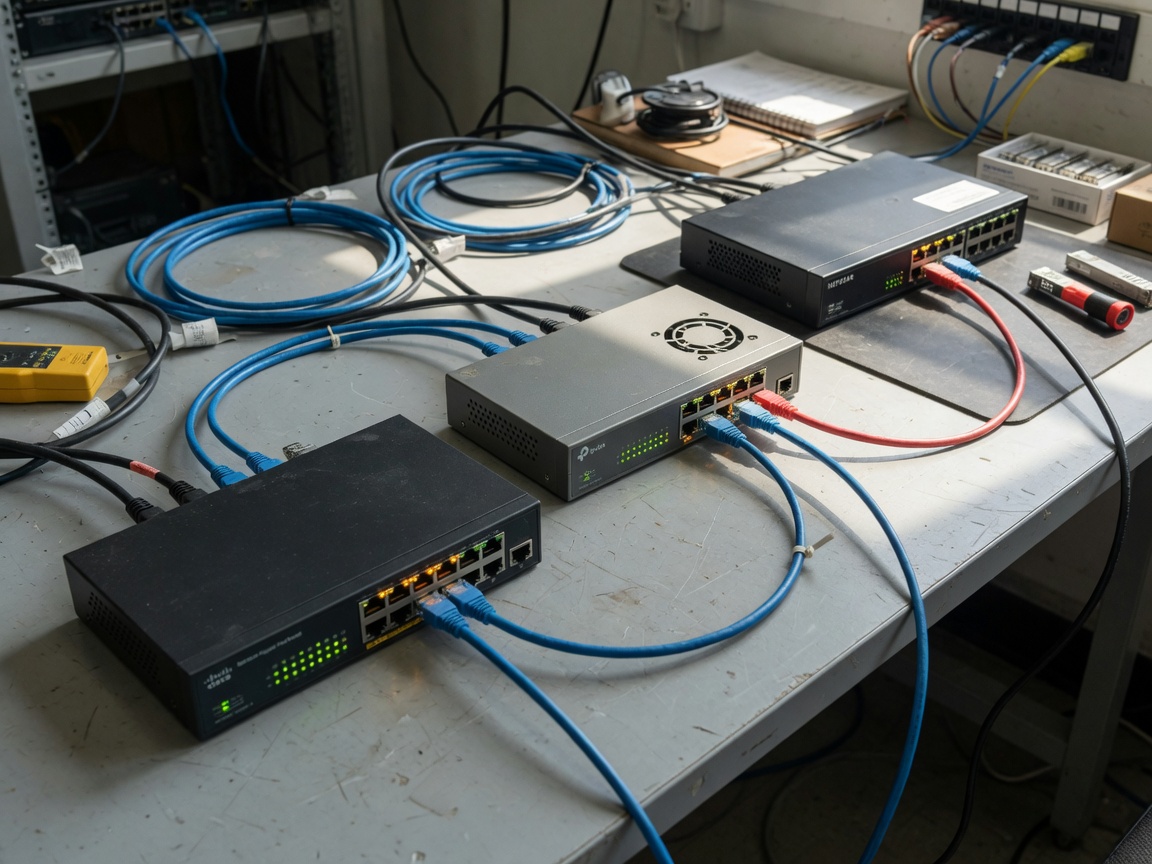
STP variants compared: STP, RSTP, and MSTP on gigabit PoE switches
Modern managed gigabit PoE switches support three primary STP variants. Choosing the right one directly affects failover speed, VLAN flexibility, and the stability of your PoE-powered devices.
| Standard | Full name | Convergence time | VLAN support | Best use case |
|---|---|---|---|---|
| 802.1D STP | Spanning Tree Protocol | 30–50 seconds | Single tree (all VLANs) | Legacy networks only |
| 802.1w RSTP | Rapid Spanning Tree | 1–2 seconds | Single tree | SMB, IP camera networks |
| 802.1s MSTP | Multiple Spanning Tree | 1–2 seconds | Multiple instances per VLAN group | Enterprise, multi-VLAN load balancing |
Why RSTP is the practical choice for most gb poe switch deployments
For a typical 8 port gigabit PoE switch or 24 port gigabit PoE switch installation — whether in a small business office or a multi-camera surveillance setup — RSTP (802.1w) delivers the right balance. Its 1–2 second convergence prevents IP cameras from missing more than a handful of frames during a failover event. Actual testing on a 24-port PoE+ gigabit switch environment with 16 cameras showed that RSTP failover restored all camera streams in under 1.8 seconds, whereas classic STP caused a 42-second outage. That is a meaningful difference for any security application.
When MSTP earns its complexity
MSTP makes sense when you are running multiple VLANs — say, one VLAN for IP cameras, one for VoIP phones, and one for corporate data — across a rack mount gigabit PoE switch stack. MSTP allows each VLAN group to have its own spanning tree instance, enabling load balancing across redundant uplinks. Without MSTP, all VLAN traffic shares a single spanning tree and one uplink sits idle. Of course, configuring MSTP requires more planning; for a small deployment with two VLANs, the overhead is rarely justified.
"Rapid Spanning Tree Protocol should be considered the minimum standard for any new Layer 2 network deployment. Classic 802.1D STP's 30–50 second convergence is simply incompatible with modern real-time applications, including IP video surveillance." — IEEE 802.1 Working Group best practice documentation, referenced in 2026 network design guidelines.
PoE power budget and standards: 802.3af, 802.3at, and 802.3bt explained
Understanding PoE standards is inseparable from selecting a gb poe switch. The standard determines how much power each port can deliver — and the aggregate determines whether your switch can actually run all connected devices simultaneously.
| Standard | Common name | Max per-port power | Typical powered devices | Notes |
|---|---|---|---|---|
| 802.3af | PoE | 15.4W | VoIP phones, fixed IP cameras | Most affordable; insufficient for PTZ or Wi-Fi 6/7 APs |
| 802.3at | PoE+ | 30W | PTZ cameras, dual-radio APs, thin clients | Current mainstream standard for SMB |
| 802.3bt Type 3 | PoE++ | 60W | Wi-Fi 7 APs, digital signage | Growing adoption in 2026 |
| 802.3bt Type 4 | PoE++ High Power | 90W | Smart lighting controllers, building automation | Requires all four cable pairs (Cat5e minimum) |
How to calculate your PoE power budget accurately
This is where most buyers make a critical error: assuming total PoE budget equals max per-port wattage multiplied by port count. It does not. A typical 8 port gigabit PoE switch may advertise "802.3at, 30W per port" while carrying only a 65W or 120W total PoE budget — meaning it cannot power all eight ports at 30W simultaneously.
Use this formula:
Required budget = (Number of devices × average draw per device) × 1.2 safety margin
Example: 12 PTZ cameras drawing 20W each = 240W average. Add 20% safety margin = 288W minimum PoE budget required. You would need a 24 port gigabit PoE switch with at least a 300W or 370W total PoE power budget, not just any switch with 24 PoE ports.
Non-standard passive PoE: a hidden danger
Standard IEEE PoE performs a detection handshake before delivering power — confirming the connected device is a valid Powered Device (PD). Non-standard "passive PoE" injectors skip this handshake and apply voltage continuously. Plugging a standard Ethernet device into a passive PoE port can permanently damage it. A genuine 802.3af gigabit switch or 802.3at PoE gigabit switch will never damage a non-PoE device — that is a verifiable fact of the standard, not a marketing claim. Always verify the power over ethernet standard compliance before purchasing.
Real-world STP configuration steps for a managed gigabit PoE switch
Configuring STP correctly on a managed gigabit PoE switch takes less than 15 minutes once you understand the sequence. The following steps apply to most web-managed or CLI-managed L2 switches, including common SMB platforms.
- Access the switch management interface via browser (web GUI) or SSH/console (CLI). Navigate to the Spanning Tree configuration section.
- Select RSTP (802.1w) as your STP mode. Disable legacy STP unless older switches in the network require it.
- Set bridge priority on your core switch. Use a value of 4096 or 8192 to ensure it wins the root election. Leave distribution switches at default (32768).
- Enable PortFast on all edge/access ports — every port connected directly to a PoE end device (camera, phone, AP). This allows immediate forwarding without waiting for RSTP convergence.
- Enable BPDU Guard on all PortFast-enabled ports. If a BPDU arrives on one of these ports, the port shuts down automatically, preventing rogue switches from introducing loops.
- Verify topology using the switch's STP status page. Confirm root bridge identity, port roles (Root, Designated, Alternate), and port states (Forwarding, Discarding).
- Test failover by physically disconnecting the primary uplink cable. Time how long it takes for traffic to resume via the redundant path. With RSTP, expect 1–2 seconds.
Common STP misconfiguration mistakes to avoid
Why do so many installers still encounter network loops despite having STP enabled? Most often, the root cause is one of three mistakes: (1) PortFast left enabled on an uplink port connecting two switches — this disables STP protection on that segment; (2) mismatched STP modes across a mixed-vendor environment, where one switch runs classic 802.1D and another runs RSTP, causing unpredictable convergence behavior; (3) manually assigning the wrong switch as root bridge, causing suboptimal traffic paths and increased load on lower-bandwidth links. None of these are obscure edge cases — they appear regularly in real installation audits.
STP and VLAN interaction on a gigabit PoE switch for IP cameras
If you segment camera traffic into a dedicated VLAN (a recommended security practice), standard RSTP runs a single spanning tree across all VLANs. This means a port blocked by RSTP is blocked for all VLANs — including your camera VLAN. For multi-VLAN setups, consider Per-VLAN Rapid Spanning Tree (PVRST+) or MSTP to ensure each VLAN has independent topology control, preventing a blocked uplink in one VLAN from inadvertently affecting camera feeds on another.
Choosing the right gb poe switch by deployment scenario
Selecting a network switch gigabit PoE requires matching three variables: port count, PoE standard, and management capability. Here is a scenario-based breakdown aligned with the most common U.S. deployment types in 2026.
Scenario 1: small business or retail surveillance (8–16 cameras)
An 8 port gigabit PoE switch with 802.3at (PoE+) and a 120W+ total budget covers 6–7 fixed IP cameras comfortably. Choose a desktop gigabit PoE switch form factor to save rack space. If cameras are mixed — some fixed (8W draw), some PTZ (20–25W draw) — calculate per the formula in Section 4. Web-managed (Easy Smart) switches are sufficient here; they support RSTP, VLAN segmentation, and port isolation without requiring full CLI expertise. Budget range: $80–$180 in the current market.
Scenario 2: mid-size office with VoIP and Wi-Fi
A 24 port gigabit PoE switch with PoE+ (802.3at) and a minimum 370W PoE budget handles 20 VoIP phones (6–8W each) plus 4 dual-radio Wi-Fi 6 APs (15–20W each) simultaneously. A gigabit PoE switch for VoIP should support LLDP-MED for automatic QoS classification of voice traffic. A rack mount gigabit PoE switch in a 1U or 2U form factor fits standard 19-inch server cabinets. If any Wi-Fi 7 APs requiring 30W+ are present, step up to 802.3bt Type 3. Full managed (L2+) capability is advisable for VLAN segmentation and QoS control. Budget range: $250–$600.
Scenario 3: enterprise or multi-building campus
Large campuses in 2026 increasingly require 2.5G or 10G uplink ports to prevent the gigabit uplink bottleneck — a real limitation when 20+ cameras or APs aggregate traffic toward a core switch. Look for a managed gigabit PoE switch with at least two SFP+ 10G uplinks and MSTP support. 802.3bt Type 4 (90W) ports handle smart lighting and building automation endpoints. At this scale, total cost of ownership — including power consumption and management overhead — matters significantly, which leads directly into the next section.
Managed vs. unmanaged gigabit PoE switch: total cost of ownership
An unmanaged gigabit PoE switch costs less upfront — typically $50–$150 for an 8-port model. But the total cost of ownership (TCO) picture over a 3-year deployment tells a different story.
| Cost factor | Unmanaged gigabit PoE switch | Managed gigabit PoE switch |
|---|---|---|
| Initial hardware cost (8-port) | $50–$150 | $150–$350 |
| STP/loop protection | None (no RSTP/BPDU Guard) | Full RSTP, MSTP, PortFast, BPDU Guard |
| Estimated downtime/year (loops) | 2–6 hours (no loop recovery) | <5 minutes (RSTP failover) |
| VLAN / QoS / security | Not available | Full support |
| Remote management | None (requires on-site visit) | Web GUI, SNMP, cloud (2026 models) |
| 3-year estimated TCO (8-port) | $300–$600 (hardware + labor) | $400–$700 (hardware + fewer truck rolls) |
The hidden cost of a network loop on an unmanaged switch
An unmanaged gigabit PoE switch has no STP capability whatsoever. A single accidental loop — say, an employee plugging a cable between two ports — causes immediate network collapse. Recovery requires physical on-site intervention to identify and remove the offending cable, often taking 30–90 minutes for non-technical staff. At $150/hour for an IT contractor, even one loop event per year erases the initial cost savings of choosing unmanaged. For any deployment where uptime matters, the managed gigabit PoE switch delivers superior TCO beyond the 18-month mark.
2026 trend: cloud-managed gigabit PoE switches reducing TCO further
Cloud-managed network switch gigabit PoE platforms now allow zero-touch provisioning, remote RSTP configuration, and real-time PoE power monitoring from a browser. For multi-site deployments — a retail chain with 20 locations, each running a desktop gigabit PoE switch for cameras and Wi-Fi — cloud management eliminates the need for on-site CLI expertise entirely. The subscription cost ($50–$150/year per switch) is typically offset by the reduction in on-site support visits within the first year of deployment.
Frequently asked questions
Q: Does a gb poe switch automatically prevent network loops?
A: Only if it is a managed model with STP (RSTP or MSTP) enabled. Unmanaged gigabit PoE switches have no loop protection. On a managed switch, RSTP should be enabled and PortFast plus BPDU Guard configured on all edge ports connected to cameras, phones, or APs — not left at factory defaults.
Q: Will a standard 802.3af gigabit switch damage my non-PoE devices?
A: No. The IEEE 802.3af and 802.3at standards require a detection handshake before any power is delivered. If a connected device does not respond as a valid Powered Device (PD), the port delivers data only. Only non-standard passive PoE injectors bypass this check and carry risk of damage.
Q: How many IP cameras can an 8 port gigabit PoE switch support?
A: It depends on the total PoE budget, not just port count. A switch with 802.3at and a 65W budget supports roughly 4 cameras at 15W average draw. A 120W budget handles 6–7 cameras. Always use the formula: (camera count × average draw) × 1.2 safety margin ≤ total PoE budget.
Q: What is the difference between RSTP and classic STP on a PoE network?
A: Classic 802.1D STP takes 30–50 seconds to converge after a topology change, causing extended outages for IP cameras and VoIP. RSTP (802.1w) converges in 1–2 seconds, minimizing disruption. All new managed gigabit PoE switch deployments in 2026 should use RSTP or MSTP, not legacy STP.
Q: Do I need a managed or unmanaged gb poe switch for a small office?
A: For any office with more than one switch or with critical devices like IP cameras and VoIP phones, a managed gigabit PoE switch is strongly recommended. The STP loop protection, VLAN segmentation, and remote management capabilities reduce total cost of ownership within 18 months compared to an unmanaged alternative, despite the higher upfront price.
Summary: making STP work for your gigabit PoE network
A well-configured gb poe switch with RSTP enabled is the foundation of any resilient, loop-free network — whether you are deploying 8 cameras in a retail store or 48 VoIP phones across a corporate office. The key takeaways are clear: always use RSTP over legacy STP, enable PortFast and BPDU Guard on every edge port, size your PoE power budget with a 20% safety margin above calculated device draw, and choose between managed and unmanaged based on three-year TCO rather than purchase price alone.
In 2026, Wi-Fi 7 access points and 802.3bt Type 4 devices are pushing power requirements beyond what many older 802.3af gigabit switches can handle. The technology is evolving — but the fundamentals of STP-based loop prevention remain as relevant as ever. Getting those fundamentals right on day one prevents the kind of cascading failures that no amount of hardware budget can easily fix after the fact.
More News



Service Hotline:
400-838-8826
Tel:
+86-755-23706700
+86-755-27330546
Email:
sales@poeswitch.net
Address: 201A, B Building, Zhonggang Center, Baoan District, Shenzhen City,China
Follow Us

Copyright © 2025 Shenzhen Hi-Net Technology Co., Ltd All Rights reserved.