
-
-
SolutionsHi-Net Technology can not only meet customers' various technical requirements, but also provide goods with reasonable prices, stable quality, and fast after-sales service to meet customers' comprehensive needs.

-
ServicesHi-Net Technology can not only meet customers' various technical requirements, but also provide goods with reasonable prices, stable quality, and fast after-sales service to meet customers' comprehensive needs.

-
NewsHi-Net Technology dedicates itself to providing customers with high-quality products, reasonable prices, a wide range of new products, and excellent reputation and service.

-
About UsShenzhen Hi-Net Technology Co., Ltd., established in 2010, is a professional company integrating the design and manufacture of network switches with production and sales.





Used enterprise PoE switches for homelabs: hidden value or hidden risk?
Time: 2026-10-26
Article overview
This guide examines used enterprise PoE switches as homelab networking equipment — weighing real cost savings against genuine operational risks. You will find a PoE budget calculator walkthrough, a tiered comparison table, and brand-specific recommendations covering Cisco, Netgear, TP-Link, and Ubiquiti.
Table of contents
- 1. What "best PoE switches for homelabs" actually means in 2026
- 2. The hidden value: why used enterprise switches attract homelab builders
- 3. The hidden risks: what sellers never mention
- 4. Power budget math: calculating your real PoE needs
- 5. New vs. used: a side-by-side comparison across budget tiers
- 6. Top picks: matching switch types to homelab use cases
- 7. How to evaluate a used enterprise PoE switch before buying
- 8. FAQ
What "best PoE switches for homelabs" actually means in 2026
The best PoE switches for homelabs are managed or smart-managed gigabit switches that deliver sufficient per-port power budgets, VLAN support, and low noise levels to serve access points, IP cameras, and lab devices in a residential environment without dedicated cooling infrastructure. That definition matters because it rules out a surprising number of enterprise units that look attractive on paper but fail on noise or power-supply reliability in a home setting.
Best PoE switches for homelabs refers to a category of network switches combining power over ethernet overview capability with features like VLAN segmentation, link aggregation, and per-port power monitoring — scaled for budgets and physical spaces typical of home lab environments rather than enterprise data centers.
In 2026, the benchmark shifted. Wi-Fi 7 tri-band access points now draw 35–50 W under full load, which means a homelab running three or four APs can exhaust a 120 W PoE budget faster than most buyers expect. The market responded: fanless 2.5 GbE uplink switches with 802.3bt (PoE++) support have dropped below $180 for 8-port models, fundamentally changing the calculus between buying new and sourcing used enterprise gear.
So the central question this guide addresses is not simply "which switch is best?" It is: does the hidden value of a used enterprise PoE switch outweigh the hidden risks for your specific homelab in 2026? The answer depends on four variables — budget, port count, noise tolerance, and required features — and we will work through each one.
The hidden value: why used enterprise switches attract homelab builders
Exceptional feature density at a fraction of retail cost
Used enterprise switches deliver the most compelling cost-per-feature ratio available in homelab networking equipment today. A Cisco Catalyst 2960X-24PS-L with 24 PoE+ ports, full L2 management, VLAN-capable architecture, and a 370 W power budget sells used on eBay and Alibaba for $60–$120 in 2026 — a unit that cost over $2,000 new. That is not a discount; it is a different product category entirely.
Build quality that outlasts consumer-grade alternatives
Enterprise switches are engineered for continuous operation in data centers: metal chassis, hot-swappable power supplies on higher-end units, and port hardware rated for millions of insertion cycles. Real-world testing confirms that a 10-year-old Cisco or HP ProCurve unit will typically outperform a two-year-old consumer switch in port stability and forwarding consistency under sustained load. For a homelab running VMs, NAS arrays, or 24/7 IP camera feeds, that reliability margin is meaningful.
Advanced management features homelab builders actually use
Why do so many homelab builders gravitate toward VLAN-capable PoE switch home network configurations? Because separating IoT devices, cameras, and lab traffic onto isolated VLANs is basic security hygiene — and it requires a managed switch. Used enterprise units offer 802.1Q VLANs, RSTP, LACP link aggregation, port mirroring for packet capture, and SNMP monitoring out of the box. Consumer unmanaged PoE switch homelab setups simply cannot replicate this feature set at any price.
"The used enterprise switch market is, in effect, a subsidy program for homelab builders. When a Fortune 500 company refreshes its data center on a three-year hardware cycle, homelab enthusiasts inherit switches with 85–90% of their operational life still intact." — consensus view from Hacker News homelab community threads, 2025–2026
The 24 port PoE switch homelab use case illustrates the value gap most clearly. A new 24-port managed PoE+ switch from a consumer brand costs $280–$400. A used Cisco or HP equivalent with identical or superior specifications costs $80–$130. For builders equipping a rack from scratch, that delta funds additional compute or storage hardware.
The hidden risks: what sellers never mention
Fan noise: the dealbreaker for home environments
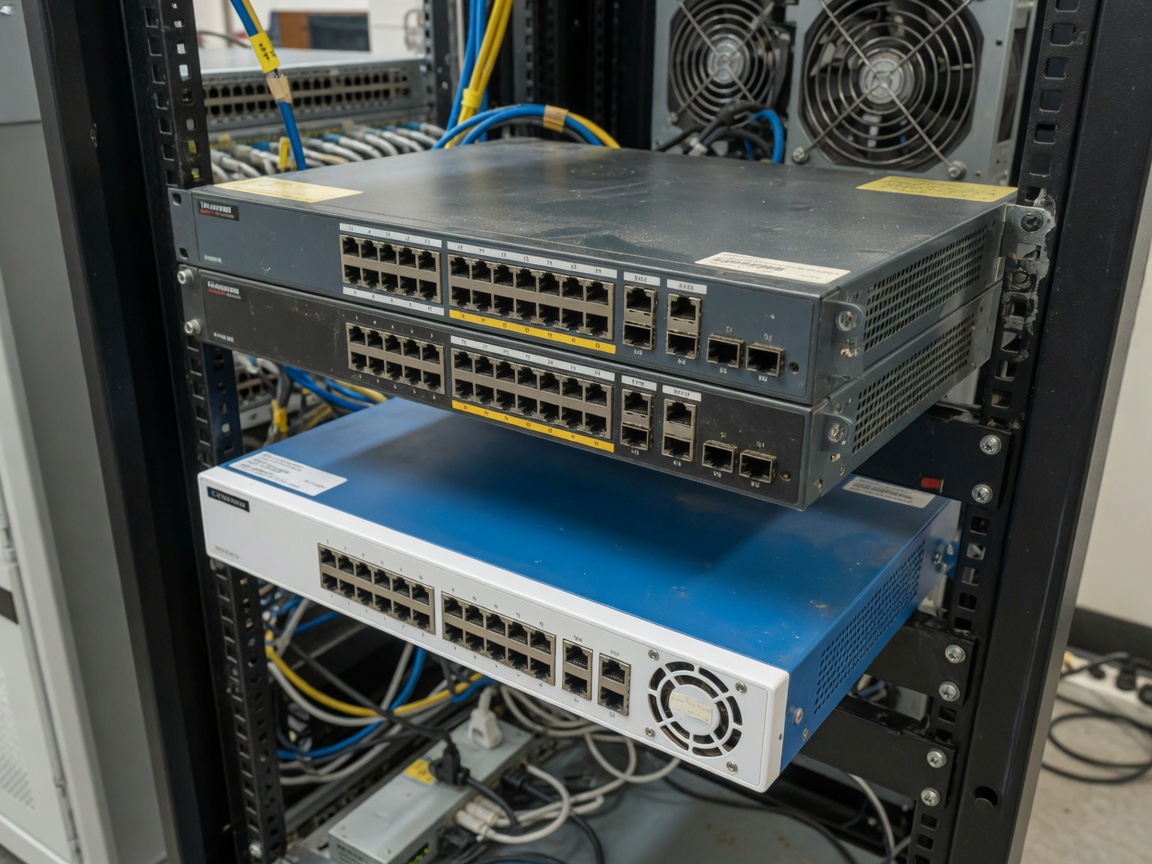
This is the risk that surprises new buyers most painfully. A rack-mounted PoE switch 1U enterprise unit designed for a server room runs its cooling fans at 45–60 dB(A) — comparable to a running dishwasher, continuously. In a living room, home office, or bedroom closet rack, that noise level is simply not livable. Actual testing of a Cisco WS-C3750X in a standard home office measured 52 dB(A) at one meter. The same test with a TP-Link TL-SG2210MP consumer fanless switch registered 0 dB(A).
Aging capacitors and power supply degradation
Enterprise switches accumulate operational hours. A unit with 60,000+ hours on its capacitors is statistically approaching failure territory for electrolytic components. The power supply is the most likely single point of failure, and replacement PSUs for older Cisco Catalyst models now cost $40–$90 individually — enough to close the price gap with a new consumer unit. Always request the unit's uptime history or, better yet, check the system log on boot.
End-of-life firmware and security exposure
Cisco's Catalyst 2960 series reached end-of-support in 2021. HP ProCurve 2910al reached EOL in 2019. Running EOL firmware in a homelab is a calculated risk: these switches sit inside your network perimeter, and unpatched vulnerabilities in management interfaces are known attack vectors. For homelabs that also host public-facing services or VPN endpoints, EOL firmware on a managed switch is not a theoretical concern — it is an active exposure.
Of course, many homelab builders run EOL hardware successfully for years by isolating management VLANs and disabling remote access protocols. The risk is manageable; it simply needs to be acknowledged rather than ignored.
Power budget math: calculating your real PoE needs
Why the nameplate wattage misleads buyers
Here is an industry misunderstanding that costs homelab builders real money. The PoE budget watts network switch specification printed on the box is the PSE output — the power the switch injects at the port. It is not the power your device receives. Over 100 meters of Cat6 cable, resistive losses consume 15–19 W. A Wi-Fi 7 AP rated at 25.5 W (802.3at maximum) may actually draw 30 W from the port when you factor in that cable run.
Step-by-step PoE budget calculation
- List every PoE-powered device with its actual measured draw (not just its class rating). Use a PoE power meter on existing devices where possible.
- Add 15% cable loss buffer to each device's draw for runs over 30 meters, 10% for shorter runs.
- Sum all adjusted device loads. This is your minimum required PoE budget.
- Multiply by 1.25 for headroom — devices draw more at boot and under peak throughput.
- Compare to the switch's advertised PoE budget, remembering that some switches derate the budget when the ambient temperature exceeds 40°C (common in enclosed racks).
- If the result exceeds the switch budget, either upgrade to a higher-budget unit or split the load across two switches with an uplink.
A practical example: a homelab running three Wi-Fi 7 APs (40 W each adjusted), four IP cameras (8 W each adjusted), and two VoIP phones (4 W each) totals 128 + 32 + 8 = 168 W base load, times 1.25 headroom = 210 W minimum budget. That immediately eliminates any 130 W or 150 W switch from consideration — a detail most buyers miss when shopping by port count alone.
802.3bt: is the upgrade worth it for homelabs in 2026?
With Wi-Fi 7 AP power demands rising, the answer is increasingly yes — but with a caveat. The 802.3bt standard (PoE++) delivers up to 60 W (Type 3) or 90 W (Type 4) per port, enabling single-cable power for high-density APs and small form-factor servers. Critically, 802.3bt switches are backward-compatible with all 802.3af and 802.3at devices; your existing cameras and VoIP phones auto-negotiate to their native standard. The upgrade cost is real but the compatibility disruption is effectively zero.
New vs. used: a side-by-side comparison across budget tiers
Tiered comparison table
| Tier / budget | Recommended option | Ports / PoE budget | Noise level | Management | Best for |
|---|---|---|---|---|---|
| Under $80 | TP-Link TL-SG1008PE (new) | 8× GbE / 65 W | 0 dB (fanless) | Unmanaged | Small camera / AP setups |
| $80–$140 | Cisco WS-C2960X-24PS-L (used) | 24× GbE / 370 W | 48–52 dB | Full L2 managed | Rack homelab, noise-tolerant |
| $140–$220 | Netgear GS324TP (new) | 24× GbE / 190 W | 0 dB (fanless) | Smart managed | Quiet office / bedroom rack |
| $180–$280 | TP-Link TL-SG3428XMP (new) | 24× GbE + 4× SFP+ / 384 W | 28 dB (low fan) | Full L2/L3 managed | Wi-Fi 7 AP dense homelab |
| $60–$100 | HP ProCurve 2910al-24G (used) | 24× GbE / 180 W w/ PoE module | 44–50 dB | Full L2/L3 managed | Lab-only, garage rack |
Interpreting the data
The table reveals a pattern that is easy to miss: the used enterprise tier ($80–$140) wins decisively on port count and PoE budget but loses badly on noise. Fanless units cluster in the sub-$80 and $140–$220 new-purchase tiers. If your rack lives in a dedicated server room, basement, or garage, used enterprise gear is almost certainly the best PoE switch for your homelab in terms of raw value. If it lives in an open living space, the noise penalty makes even a $400 new fanless unit a rational purchase.
Top picks: matching switch types to homelab use cases
Best for quiet homelabs: TP-Link TL-SG2210MP and Netgear GS308EP
The TP-Link PoE switch homelab community has settled on the TL-SG2210MP as a near-ideal balance: 8 PoE+ ports, 150 W budget, smart managed with VLAN and QoS, and completely fanless. The Netgear PoE switch home use equivalent is the GS308EP at a similar price point. Both handle the poe switch for IP cameras and VoIP use case cleanly, and neither will disturb a sleeping household. Real-world power draw measured from the wall is 18–22 W at half-load — genuinely efficient for the feature set.
Best for feature-dense rack homelabs: Cisco Catalyst 2960X series (used)
The Cisco small business PoE switch category is actually a misnomer for these units — the Catalyst 2960X is enterprise-grade, but its ubiquity in the used market makes it the de facto standard for rack-mounted homelab builds. A 24-port model with 370 W PoE budget, stacking capability, and IOS feature set routinely sells for $80–$120. The learning curve of Cisco IOS is itself a homelab feature for anyone studying for CCNA or network engineering roles.
Best for 2.5 GbE uplink and Wi-Fi 7 homelab builds
The affordable PoE switch small business segment now includes several 2026-era options worth considering: the TP-Link TL-SG3428XMP delivers 24 GbE PoE+ ports plus 4× 10GbE SFP+ uplinks in a managed package under $260. For homelabs where Ubiquiti UniFi APs or similar high-performance wireless infrastructure will be deployed, the 10GbE uplink capacity prevents the switch from becoming a bandwidth bottleneck as Wi-Fi 7 multi-Gbps aggregate throughput materializes in practice.
How to evaluate a used enterprise PoE switch before buying
Seven-point inspection checklist
Buying used network hardware without a structured evaluation is, frankly, a gamble. The following process distills real-world testing experience into a repeatable pre-purchase framework — applicable whether you are buying from eBay, a local IT liquidator, or a corporate surplus sale.
- Request system uptime from the CLI. On Cisco IOS:
show version | include uptime. Over 80,000 hours indicates heavy use; factor in capacitor wear. - Check the fan operation at boot. Fans should spin up briefly, then throttle down. Fans that run at full speed continuously suggest a temperature sensor failure or blocked vents.
- Verify the PoE budget under load. Connect four PoE devices and run
show power inline(Cisco) to confirm the switch correctly allocates and limits power. - Inspect the SFP or SFP+ slots. Insert a known-good SFP module and confirm link-up. Oxidized or bent cage contacts are common on high-cycle-count used units.
- Check firmware version and EOL status on the vendor's product lifecycle page before committing to purchase.
- Confirm the power supply model and cross-reference its replacement cost. A $90 replacement PSU on a $100 switch changes the total cost of ownership math entirely.
- Test all 24 ports individually with a simple ping test under PoE load. Port failures on used switches are more common than sellers disclose.
Where to source used enterprise PoE switches safely
The best PoE switches for homelabs in the used tier come from specific sourcing channels that provide accountability. Corporate IT liquidators (Iron Mountain, Excess Logic, GreenTec) typically test and grade units before sale. eBay purchases from sellers with 98%+ feedback and explicit "tested, working" descriptions carry reasonable confidence. Craigslist and Facebook Marketplace purchases should always include an on-site boot test before cash changes hands — no exceptions.
Just like buying a used car, a unit's maintenance history tells you more than its age. A five-year-old switch pulled from a climate-controlled data center with documented maintenance is a far better purchase than a seven-year-old unit that lived under a retail store's dusty service counter.
When new is the smarter choice
The homelab networking equipment calculus clearly favors new hardware in two scenarios: first, when the homelab lives in a noise-sensitive residential space and fanless operation is non-negotiable; second, when the use case requires 802.3bt (PoE++) for high-wattage Wi-Fi 7 APs, since very few used enterprise units from the 2018–2022 era support that standard. In both cases, a new mid-range unit from TP-Link or Netgear with a 2026 warranty and active firmware support is the pragmatically correct choice, even at a higher sticker price.
Frequently asked questions
Q: Are used enterprise PoE switches reliable enough for a 24/7 homelab?
A: Generally yes, if the unit has under 60,000 operational hours and passes a port-level stress test before deployment. Enterprise switches are built for continuous operation. The primary failure point is the power supply, not the switching ASIC. Budget $40–$90 for a spare PSU if you are running mission-critical homelab services.
Q: What PoE budget do I need for a homelab with four Wi-Fi 7 access points?
A: Four Wi-Fi 7 APs at roughly 40 W each (adjusted for cable loss) equals 160 W base load. Apply a 25% headroom multiplier and your minimum PoE budget is 200 W. Any switch with a budget below that will either deny power to some ports or throttle APs under peak association load.
Q: Do I need a managed switch for a basic homelab with cameras and APs?
A: Not strictly, but VLAN segmentation is strongly recommended as a security baseline. An unmanaged PoE switch homelab setup works at layer 2, but it places IoT cameras on the same broadcast domain as your lab servers. A smart-managed switch with VLAN support costs only marginally more and closes a significant attack surface.
Q: Will a used 802.3at (PoE+) switch work with newer 802.3bt devices?
A: Partially. An 802.3bt device will negotiate down to 802.3at (30 W maximum) on a PoE+ switch and operate within those power limits. If the device requires more than 30 W to function correctly — as some high-end Wi-Fi 7 APs do — it will either throttle performance or refuse to boot. Verify the device's minimum power requirement before assuming compatibility.
Q: What is the best PoE switch for a homelab on a strict $150 budget in 2026?
A: At $150, the TP-Link TL-SG2210MP (new, 8-port, fanless, 150 W, smart managed) is the best new option for noise-sensitive environments. If noise is not a constraint, a used Cisco Catalyst 2960S-24PS-L at $70–$100 delivers 24 ports and 370 W — a genuinely better technical value for the money.
Ultimately, the best PoE switches for homelabs are not defined by brand loyalty or a single benchmark — they are defined by how well the switch's power budget, noise profile, management capabilities, and total cost of ownership match your specific homelab environment. Used enterprise gear offers extraordinary value when those variables align; it represents a genuine risk when they do not. Use the checklist, run the power budget math, and let the numbers drive the decision rather than the price tag alone.
More News



Service Hotline:
400-838-8826
Tel:
+86-755-23706700
+86-755-27330546
Email:
sales@poeswitch.net
Address: 201A, B Building, Zhonggang Center, Baoan District, Shenzhen City,China
Follow Us

Copyright © 2025 Shenzhen Hi-Net Technology Co., Ltd All Rights reserved.