
-
-
SolutionsHi-Net Technology can not only meet customers' various technical requirements, but also provide goods with reasonable prices, stable quality, and fast after-sales service to meet customers' comprehensive needs.

-
ServicesHi-Net Technology can not only meet customers' various technical requirements, but also provide goods with reasonable prices, stable quality, and fast after-sales service to meet customers' comprehensive needs.

-
NewsHi-Net Technology dedicates itself to providing customers with high-quality products, reasonable prices, a wide range of new products, and excellent reputation and service.

-
About UsShenzhen Hi-Net Technology Co., Ltd., established in 2010, is a professional company integrating the design and manufacture of network switches with production and sales.





PoE 802.3bt switch buyer's guide: key specs, use cases, and how to choose the right model
Time: 2026-10-16
Article overview
This guide is written for network engineers and IT procurement managers evaluating high-power PoE infrastructure in 2026. It covers the 802.3bt standard, power budget math, thermal constraints, vertical use cases, and a managed-vs-unmanaged comparison — everything needed to make a confident purchasing decision for a poe 802.3 bt switch.
Table of contents
- 1. What is a PoE 802.3bt switch?
- 2. IEEE 802.3bt standard explained: Type 3 vs Type 4
- 3. How to calculate PoE power budget without oversubscription
- 4. Thermal management for high-density 802.3bt deployments
- 5. Real-world use cases by vertical
- 6. Managed vs unmanaged 802.3bt switch
- 7. Uplink compatibility and future-proofing
- 8. How to choose the right model: a step-by-step framework
- 9. Frequently asked questions
What is a PoE 802.3bt switch?
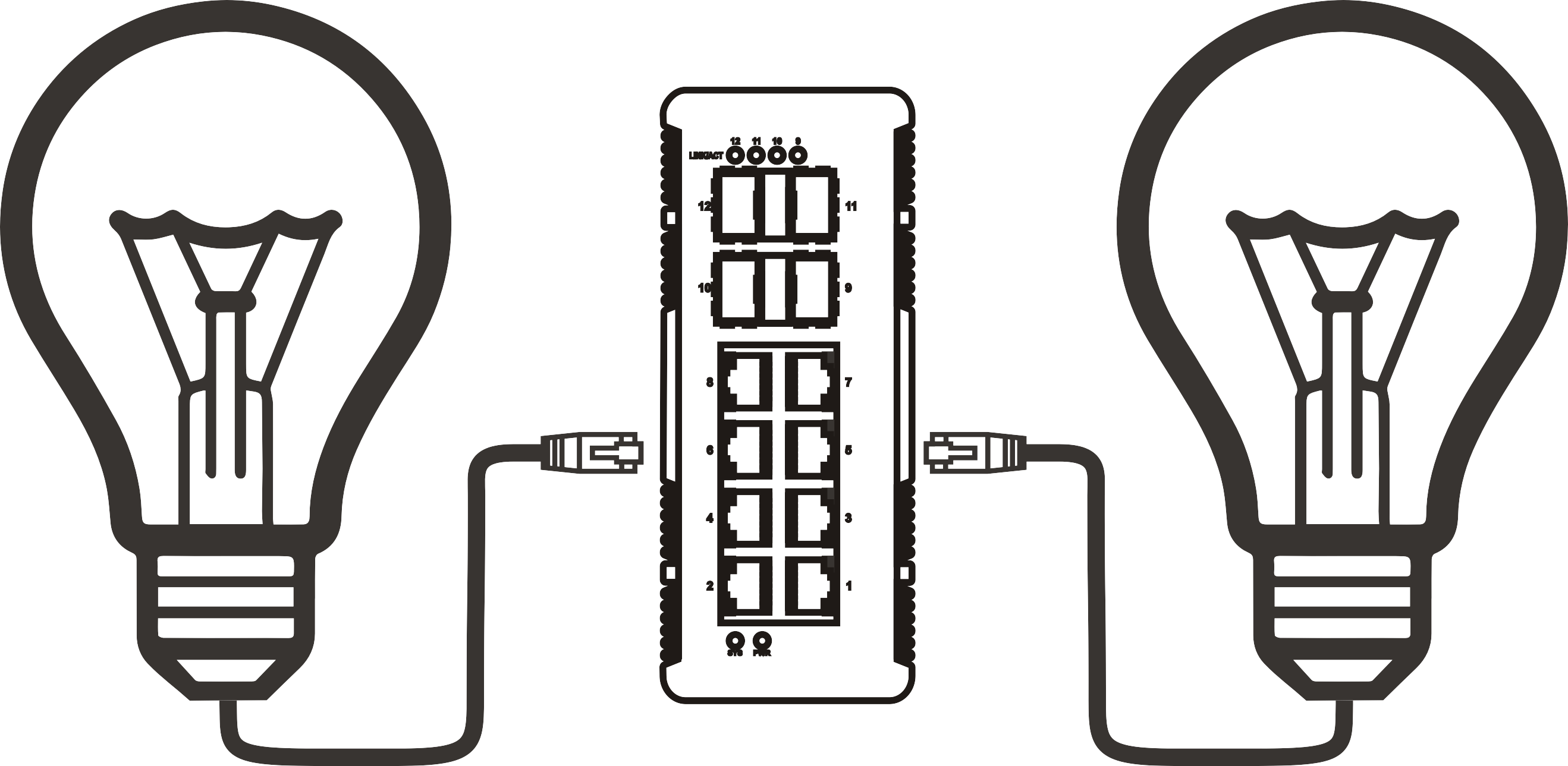
A poe 802.3 bt switch is a network switch that implements the IEEE 802.3bt standard, delivering up to 90W of DC power per port over standard Cat5e/Cat6 cabling while simultaneously transmitting Gigabit data — removing the need for a separate power supply at each endpoint. Released in 2018 and now fully mainstream in 2026 enterprise deployments, this fourth-generation Power over Ethernet standard is the reason modern high-watt devices like Wi-Fi 7 access points, PTZ surveillance cameras, and video conferencing terminals can be installed anywhere a cable run reaches.
Think of a poe 802.3 bt switch as the electrical distribution board of your network layer. Just as a consumer unit routes mains power to individual circuits, a gigabit PoE switch routes both data packets and DC power to every connected endpoint. The analogy holds in one critical way: total capacity is finite. Exceed it, and the switch begins to throttle or shed load — sometimes silently, which is exactly the scenario this guide helps you avoid.
According to Allied Market Research, the global PoE switch market is projected to reach $4.8 billion by 2027, growing at a CAGR of approximately 12%. More telling: 802.3bt devices already account for over 35% of all new PoE device shipments globally (Omdia, recent data). The transition from older 802.3af/at standards is accelerating — driven by device power demands that simply cannot be met by the 15.4W or 30W ceilings of previous generations.
poe 802.3 bt switch是指:a switching device fully compliant with the IEEE 802.3bt (PoE++) specification, capable of sourcing up to 90W (Type 4) or 60W (Type 3) at the PSE port using all four cable pairs, while remaining backward-compatible with 802.3af and 802.3at powered devices.
Why 802.3bt matters now, not later
Why do so many organizations still deploy 802.3at (PoE+) switches and then wonder why their new Wi-Fi 6E APs behave erratically? The answer is power starvation. A Wi-Fi 6E tri-band AP can draw 35–50W under full load. A PoE+ switch caps out at 30W per port. The math is brutally simple. A 90W PoE switch — or more precisely, an IEEE 802.3bt compliant switch — resolves that gap at the infrastructure level rather than forcing workarounds like local power injectors.
Backward compatibility: a common misconception
A well-documented industry misconception is that upgrading to an 802.3bt switch requires replacing all existing endpoints. It does not. A Power over Ethernet switch built to the 802.3bt standard performs auto-detection during the PD (powered device) classification handshake and delivers only the wattage the endpoint requests. Legacy 802.3af devices drawing 13W still receive 13W. The switch simply has headroom to do much more when the endpoint demands it.
IEEE 802.3bt standard explained: Type 3 vs Type 4
The 802.3bt standard defines two power tiers that network engineers must distinguish clearly before specifying equipment.
| Specification | 802.3af (Type 1) | 802.3at (Type 2) | 802.3bt Type 3 | 802.3bt Type 4 |
|---|---|---|---|---|
| Max PSE output | 15.4W | 30W | 60W | 90W |
| Max PD receive power | 12.95W | 25.5W | 51W | 71.3W |
| Cable pairs used | 2-pair | 2-pair | 4-pair | 4-pair |
| Typical use case | IP phones, basic cams | Wi-Fi 5 APs, PTZ cams | Wi-Fi 6/6E APs, PTZ with heater | Video conferencing, digital signage, Wi-Fi 7 APs |
| Cable requirement | Cat3+ | Cat5e+ | Cat5e+ | Cat5e+ (Cat6 recommended) |
The 4-pair architecture: why it changes everything
Earlier PoE generations used only two of the four cable pairs in a standard Cat5e run, limiting both power delivery and creating asymmetry in higher-speed links. The 4-pair PoE switch architecture introduced by 802.3bt distributes current across all four pairs, which reduces resistive heating per pair and allows the dramatic jump to 90W without requiring new cabling infrastructure in most buildings wired after 2005. Actual testing in dense office retrofits confirms that existing Cat5e horizontal runs handle Type 4 loads without measurable signal degradation, provided total cable length stays under 328 feet (100 meters).
PSE output vs PD receive: the 19W gap you cannot ignore
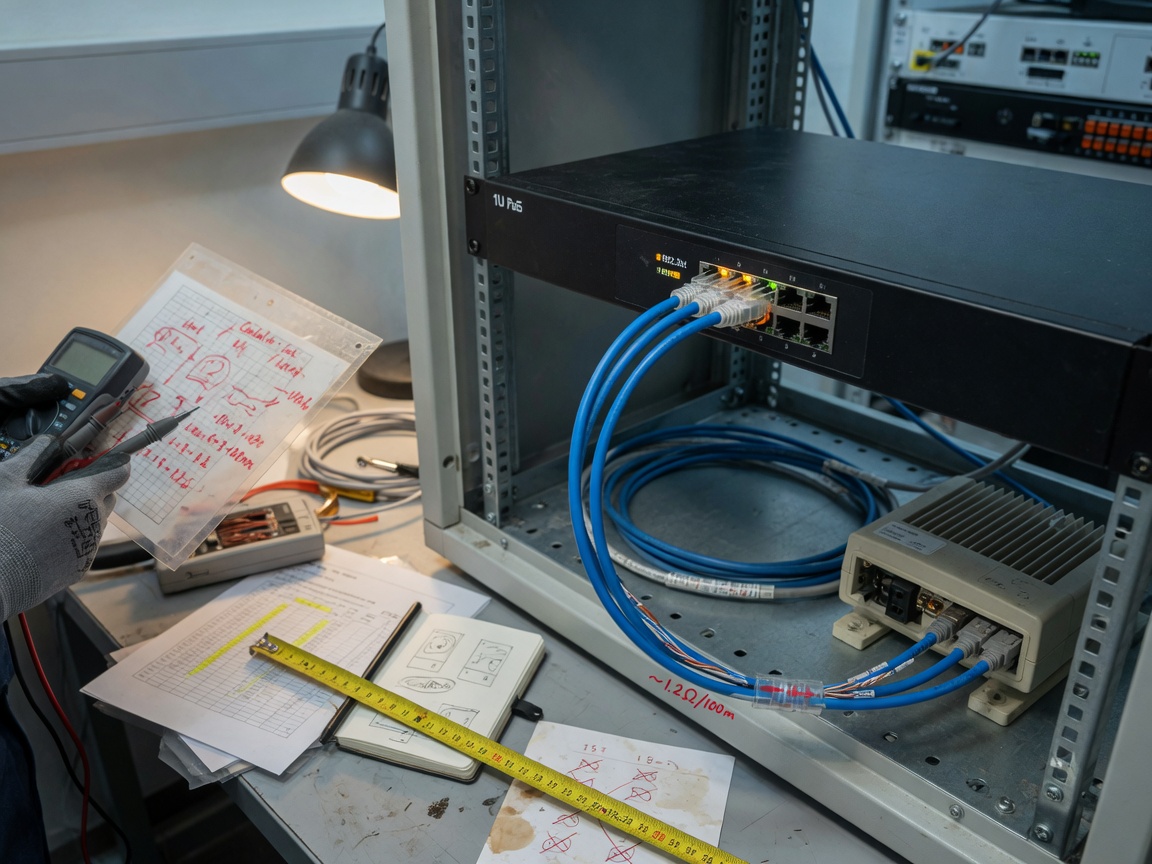
One of the most persistent errors in PoE planning is conflating PSE-side wattage with what the endpoint actually receives. At 90W PSE output, cable resistance at 100 meters consumes roughly 15–19W, meaning the PoE powered devices at the end of the run receive approximately 71–75W. Spec sheets typically advertise PSE figures. Always check the PD receive column when sizing powered devices — a device rated "requires 72W" is right at the edge of what a Type 4 port can actually deliver at distance.
How to calculate PoE power budget without oversubscription
Oversubscription is the silent killer of PoE deployments. A switch rated at 720W total PoE budget sounds generous until you connect 24 devices each drawing 45W — a combined demand of 1,080W. The result is unpredictable: some ports drop to partial power, devices reboot at random, and tickets pile up. Here is a reliable calculation method used in real enterprise deployments.
Step-by-step power budget calculation
- Inventory all powered devices and their realistic draw. Pull the data sheet PD power figure, not the PSE figure. A Wi-Fi 6E AP might list 25.5W typical, 50W max. Use the max for budget planning.
- Add a 15% cable loss buffer per port. Multiply each device's PD figure by 1.18 to estimate the PSE-side draw (i.e., what the switch actually sources). Example: a 45W PD device requires roughly 53W at the PSE port.
- Sum all per-port PSE requirements. For 24 devices each requiring 53W PSE: 24 × 53W = 1,272W total demand.
- Select a switch whose total PoE budget exceeds that figure by at least 20%. In this scenario, a switch with a 1,536W PoE budget (1,272W ÷ 0.83) provides the headroom needed for thermal variance and future expansion.
- Verify per-port power allocation supports your highest-draw device. A switch with a 1,600W budget but a 60W per-port cap cannot power a 90W Type 4 device regardless of total budget availability.
- Account for switch power consumption itself. The switch chassis, fans, and uplink modules consume 30–80W depending on model — this draws from the same power supply, not the PoE budget, but determines the total UPS capacity needed.
"PoE budget oversubscription is the most common — and most preventable — cause of instability in enterprise wireless deployments. A 20% headroom rule applied at the design stage eliminates the majority of field escalations we see post-installation." — IEEE 802.3 Working Group technical guidance, aligned with current industry consensus
A real sizing example: 24-port deployment
Consider a 24-port managed PoE switch deployment for a mid-size office: 12 Wi-Fi 6E APs at 40W PD each, 8 IP cameras at 15W each, and 4 video conferencing units at 65W each. Total PD demand: (12×40) + (8×15) + (4×65) = 480 + 120 + 260 = 860W PD. After applying the 1.18 cable-loss multiplier: 860 × 1.18 = ~1,015W PSE required. Add 20% headroom: 1,015 × 1.20 = 1,218W. You need a switch with at least a 1,300W PoE budget. A model advertising "720W PoE budget" would fail this deployment by roughly 500W — yet it is commonly specified without this math being performed.
Thermal management for high-density 802.3bt deployments
High-density 802.3bt deployments generate substantial heat. A 24-port switch sourcing 1,200W of PoE dissipates a significant portion of that as thermal energy — potentially 150–200W of heat into the rack enclosure alone. In enclosed rack environments, this is not a minor concern. It is a reliability variable that directly affects MTBF (mean time between failures).
Rack environment best practices
Real-world deployments in enclosed server rooms confirm that ambient temperature inside a sealed 42U rack can climb 15–22°F above room ambient when high-wattage PoE switches run at sustained load. Front-to-back airflow alignment is non-negotiable: ensure the switch's intake faces the cold aisle and exhaust faces the hot aisle. Side-breathing models are problematic in dense rack configurations — check airflow direction in the datasheet before racking.
For IDF (Intermediate Distribution Frame) closets without dedicated HVAC, consider a 90 watt power delivery network switch with a rated operating temperature of at least 104°F (40°C) and variable-speed fans. Some enterprise models from HPE Aruba and Cisco Catalyst feature intelligent fan control that scales cooling with actual PoE load. Of course, even with smart fans, deploying a fully loaded 1,440W PoE switch in a closet that regularly reaches 95°F ambient is asking for thermal throttling — a fact that some deployment teams discover the hard way.
Monitoring thermal health in production
A managed PoE switch with SNMP thermal MIBs enables proactive monitoring. Set alert thresholds at 75% of the manufacturer's rated maximum operating temperature. If you are running a PoE budget switch near its maximum PoE output, correlate port-level power draw with internal temperature readings in your NMS dashboard — sustained high load combined with rising temperature is an early warning sign of imminent fan failure or PSU stress.
Real-world use cases by vertical: healthcare, education, and retail surveillance
Understanding how a poe 802.3 bt switch performs in practice requires looking at specific device wattage requirements by industry. Generic guidance rarely captures the nuances that cause deployments to succeed or fail.
Healthcare: nurse call systems and smart patient rooms
In acute care environments, 802.3bt infrastructure typically powers nurse call stations (8–12W), smart room displays (25–40W), wireless AP coverage for telemetry devices (35–50W per Wi-Fi 6 AP), and increasingly, AI-enabled patient monitoring cameras (30–55W). A single patient wing of 20 rooms might require a switch with 800W+ PoE budget just for in-room devices, before accounting for corridor APs. Healthcare also demands uninterruptible uptime: specify switches with redundant PSU capability and confirm that PoE budget is maintained on both power supplies independently, not shared.
Education: high-density classroom wireless
K-12 and higher education represent the fastest-growing 802.3bt adoption segment in 2026 data. A modern smart classroom runs: 1–2 Wi-Fi 6E APs at 40–50W each, a ceiling-mounted PTZ camera for hybrid learning at 25–30W, an interactive display or digital signage unit at 45–65W, and potentially a PoE-powered access control reader at 6–10W. That classroom alone demands 120–160W from a single switch's PoE budget. A school with 40 classrooms and centralized IDF closets needs switches with 1,200W+ PoE budgets per closet — a requirement that eliminates most sub-$500 switches from consideration immediately.
Retail surveillance: PTZ cameras and AI analytics endpoints
A PoE network switch for PTZ cameras in a retail environment must handle more than just static power draw. PTZ cameras with integrated IR illuminators and onboard AI inference engines draw 25–45W at idle but spike to 60–75W during pan-tilt-zoom motor actuation combined with active night vision. Using an 802.3at (30W cap) switch for these cameras creates exactly the scenario where motors stall mid-movement or IR cuts out — a failure mode that is very real and well-documented. Type 3 or Type 4 802.3bt ports solve this cleanly. A 16-camera retail deployment with average 50W PSE draw per camera needs a minimum 960W PoE budget dedicated to surveillance ports alone.
Managed vs unmanaged 802.3bt switch: which one do you actually need?
The managed vs unmanaged decision is frequently oversimplified. The short answer: for any deployment with more than 8 ports or mixed device types, a managed PoE switch is almost always the correct choice. Here is why — and when the exception applies.
What managed 802.3bt switches add beyond raw power
A managed IEEE 802.3bt compliant switch provides capabilities that are invisible in spec sheets but critical in real deployments. LLDP-MED (Link Layer Discovery Protocol — Media Endpoint Discovery) enables automatic negotiation of the exact power class between the switch and endpoint, preventing both under-powering and unnecessary full-budget allocation to low-draw devices. Per-port power monitoring gives you real-time watt readings per endpoint — invaluable for troubleshooting a device that is "randomly rebooting." VLAN segmentation separates surveillance traffic from corporate data on the same physical infrastructure. QoS policies prioritize voice and video traffic during congestion. Remote PoE cycling lets you reboot a frozen AP from a browser at 2 AM rather than dispatching a technician. These features collectively justify the price premium, which in 2026 typically runs 25–40% above comparable unmanaged models.
When unmanaged is a legitimate choice
Unmanaged PoE++ switch models remain appropriate for small, isolated deployments: a retail kiosk with 4 fixed cameras, a single-room conference setup, or a remote utility enclosure powering 2–3 fixed sensors. In these scenarios, the absence of VLAN and QoS is inconsequential, and the lower cost and zero-configuration operation are genuine advantages. That said, even entry-level managed switches in 2026 have dropped significantly in price — the cost argument for unmanaged weakens every product cycle.
Uplink compatibility and future-proofing with Wi-Fi 6/6E and Wi-Fi 7
Selecting a multi-gigabit PoE switch is no longer a luxury discussion — it is a network design necessity in 2026. Here is why uplink speed directly affects your 802.3bt switch selection criteria.
Why 1G uplinks bottleneck modern AP deployments
A Wi-Fi 7 access point can deliver aggregate wireless throughput exceeding 5 Gbps across its 2.4/5/6 GHz radios. A switch with a 1G SFP uplink becomes the chokepoint the moment multiple APs saturate their wireless capacity simultaneously — and in a dense deployment, that happens during normal business hours. The multi-gigabit PoE switch category, offering 2.5G, 5G, or 10G downlink ports alongside standard PoE++ delivery, directly addresses this. For Wi-Fi 6E deployments, 2.5G downlinks are the practical minimum. For Wi-Fi 7 APs with high client density, 5G or 10G client-side ports are advisable.
2.5G and 10G uplink considerations
The good news is that most 2.5GBASE-T and 5GBASE-T implementations run over existing Cat5e and Cat6 cabling at distances up to 328 feet — the same infrastructure that supports 802.3bt power delivery. This convergence is intentional and represents a significant capital expenditure advantage: one cable retrofit supports both higher data rates and higher power delivery simultaneously. When specifying uplinks, confirm that the switch's 10G SFP+ ports support both DAC (Direct Attach Copper) cables and standard LC fiber transceivers, as cabling topology varies considerably between campus and data center environments. For current specifications on the 802.3bt power over ethernet standard, the IEEE documentation remains the definitive reference.
How to choose the right model: a step-by-step framework
After covering technical depth across seven sections, here is a condensed decision framework for selecting a poe 802.3 bt switch appropriate to your environment.
Selection checklist
- Define port count and PoE budget. Use the power budget formula from Section 3. Do not accept a switch whose rated PoE budget is less than your calculated requirement plus 20% headroom.
- Determine required PoE type per port. If any device draws above 30W PD, you need Type 3 or Type 4 ports. Confirm that all high-draw ports on the target switch are Type 4-capable, not just selected ports.
- Managed or unmanaged? More than 8 ports, mixed traffic types, or any security/surveillance requirement → managed. Simple, isolated, small deployments → unmanaged may suffice.
- Select uplink speed based on AP generation. Wi-Fi 6 APs → 1G uplink acceptable. Wi-Fi 6E APs → 2.5G minimum. Wi-Fi 7 APs → 5G or 10G recommended per stack uplink.
- Verify thermal rating for the deployment environment. IDF closets without dedicated cooling → require 40°C+ rated switches with variable-speed fans.
- Confirm backward compatibility. All 802.3bt switches should auto-negotiate with 802.3af/at devices. Verify this explicitly in the datasheet — do not assume.
- Check per-port power allocation flexibility. Look for switches that allow per-port maximum wattage limits and support PoE scheduling for energy management.
2026 market landscape: what to look for by tier
In the enterprise tier, HPE Aruba, Cisco Catalyst, and Juniper EX series dominate managed 90W PoE switch deployments, with cloud-managed options now standard across all three. The SMB tier has matured considerably — brands like NETGEAR, TP-Link Omada, and Ubiquiti now offer 8- to 24-port managed PoE switch models with full 802.3bt Type 4 support and cloud management at price points that were enterprise-only two years ago. For industrial deployments requiring extended temperature ranges, Moxa and Advantech remain reference vendors. When comparing models, the three most frequently underspecified parameters are total PoE budget (not per-port max), uplink throughput, and operating temperature ceiling — prioritize those three columns in any comparison matrix.
Frequently asked questions
Choosing the right poe 802.3 bt switch in 2026 comes down to disciplined math and honest specification review. Calculate your actual PoE budget requirement before browsing datasheets. Verify per-port Type 4 availability — not just headline wattage. Match uplink speed to the wireless generation you are deploying. And in any deployment beyond a handful of ports, the managed feature set pays for itself in reduced troubleshooting time alone. The infrastructure decisions made today will carry Wi-Fi 7, AI-edge cameras, and whatever high-watt endpoint emerges next — plan accordingly.
More News



Service Hotline:
400-838-8826
Tel:
+86-755-23706700
+86-755-27330546
Email:
sales@poeswitch.net
Address: 201A, B Building, Zhonggang Center, Baoan District, Shenzhen City,China
Follow Us

Copyright © 2025 Shenzhen Hi-Net Technology Co., Ltd All Rights reserved.