
-
-
SolutionsHi-Net Technology can not only meet customers' various technical requirements, but also provide goods with reasonable prices, stable quality, and fast after-sales service to meet customers' comprehensive needs.

-
ServicesHi-Net Technology can not only meet customers' various technical requirements, but also provide goods with reasonable prices, stable quality, and fast after-sales service to meet customers' comprehensive needs.

-
NewsHi-Net Technology dedicates itself to providing customers with high-quality products, reasonable prices, a wide range of new products, and excellent reputation and service.

-
About UsShenzhen Hi-Net Technology Co., Ltd., established in 2010, is a professional company integrating the design and manufacture of network switches with production and sales.



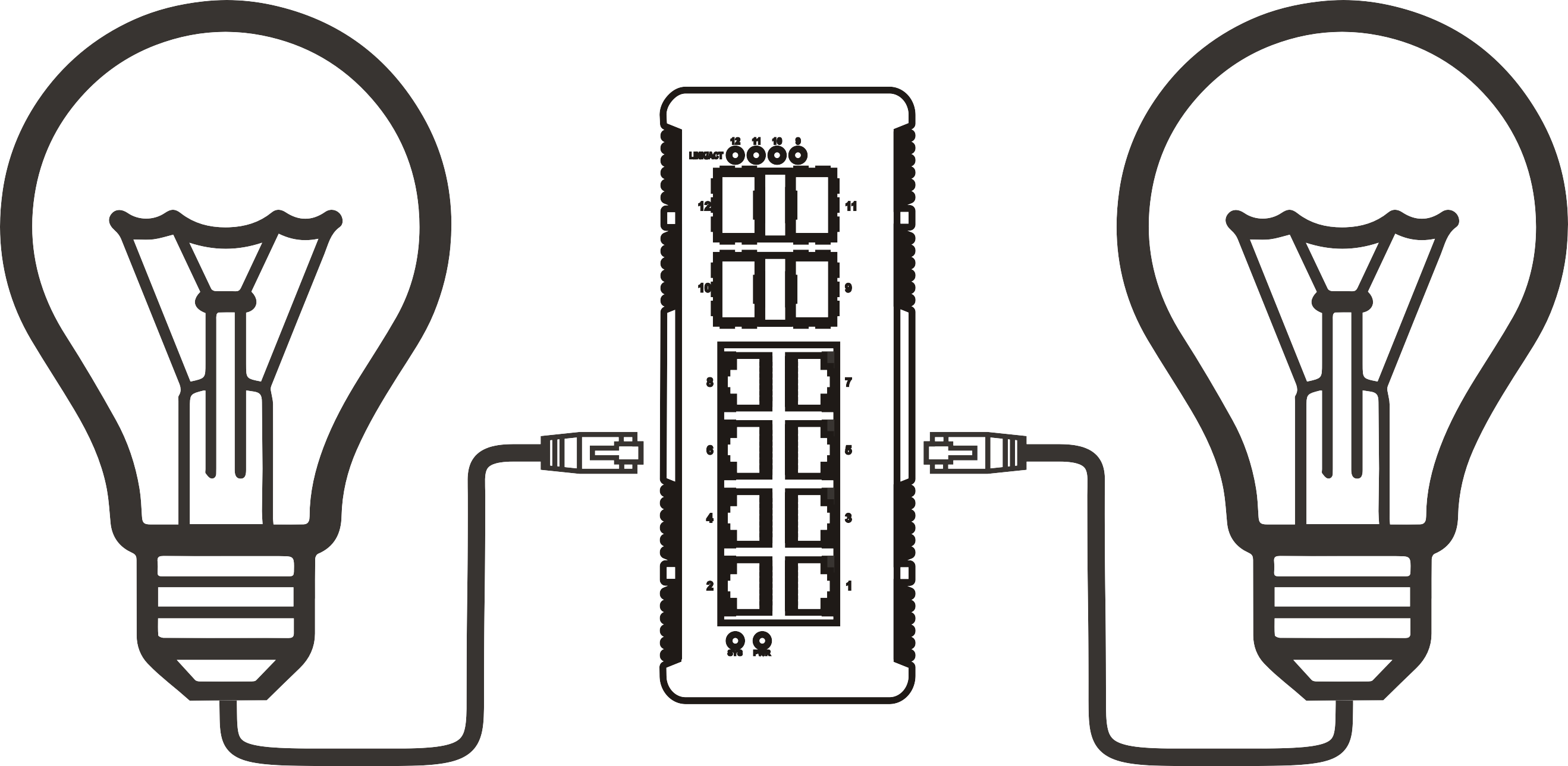


PoE network switch 8 port: how to choose the right one for your setup
Time: 2026-09-30
Article overview
This guide explains how a PoE network switch 8 port works, compares leading models available in Australia in 2026, and gives IT administrators and small business owners a clear framework for selecting the right device for their deployment — from IP camera networks to VoIP and Wi-Fi infrastructure.
Table of contents
- 1. What is a PoE network switch 8 port?
- 2. Managed vs unmanaged: which do you actually need?
- 3. Understanding PoE power budgets and IEEE standards
- 4. Top 8-port PoE switch models compared (2026 Australia)
- 5. How to install an 8-port PoE switch step by step
- 6. Key buying considerations for the Australian market
- 7. 2026 trends shaping 8-port PoE switch technology
- 8. FAQ
What is a PoE network switch 8 port?
A PoE network switch 8 port is a network switching device with eight RJ45 Ethernet ports that simultaneously delivers data and DC electrical power over standard Cat5e or Cat6 cabling, eliminating the need for separate power adapters at each connected endpoint. Compliant with IEEE 802.3af, 802.3at, or 802.3bt standards, these devices can supply between 15.4 W and 90 W per port depending on the PoE generation — all while maintaining full gigabit data throughput on every port at the same time.
Think of it like a power board and a network hub fused into a single device. Instead of running both a data cable and a power cable to every IP camera or wireless access point, a single Cat6 run does both jobs. That simplicity is precisely why the 8-port form factor has become the dominant SKU in the PoE switch category, accounting for more than 35% of global PoE switch shipments according to recent market research.
The Power over Ethernet hub concept has existed since the early 2000s, but the 2026 landscape looks markedly different. Higher-power endpoints — WiFi 7 access points, PTZ cameras, smart displays — have pushed demand toward PoE++ (802.3bt) capable hardware even in the 8-port segment. The underlying principle, however, remains unchanged: one cable, two functions.
Who typically uses an 8-port PoE switch?
The primary buyers fall into two clear groups. The first is the IT administrator at a small-to-medium business deploying IP camera systems, VoIP phone switch infrastructure, or wireless access points across a single floor or building. The second is the technically capable home user building a serious home network — running security cameras in a garage or connecting a handful of PoE-powered devices without cluttering the space with plug packs. In both cases, the 8-port count hits a practical sweet spot: large enough to cover a meaningful deployment, compact enough to sit on a desktop or slot into a half-rack without dominating the space.
Desktop vs rack mount: does form factor matter?
It matters more than most buyers realise. A desktop network switch sits on a shelf or bench — convenient for small offices, but harder to cable-manage at scale. A rack mount switch slides into a standard 19-inch rack alongside patch panels and UPS units, making it the correct choice for any deployment where neat cable runs, airflow management, and physical security are priorities. The good news: many 8-port PoE models ship with optional rack-ear kits, giving you flexibility without forcing a choice at the time of purchase.
Managed vs unmanaged: which do you actually need?
The honest answer for most small business deployments in 2026 is that a managed switch is worth the extra cost — but not always for the reasons vendors advertise. An unmanaged PoE switch works on a plug-and-play basis with zero configuration: connect it, and it forwards traffic between ports automatically. For a straightforward IP camera deployment on an isolated network segment, that simplicity is genuinely valuable. Fewer moving parts means fewer things to misconfigure.
When a managed switch is the right call
An 8 port managed switch introduces VLAN segmentation, QoS (Quality of Service) prioritisation, SNMP monitoring, and — increasingly — cloud-based zero-touch provisioning. Why does that matter in practice? Consider a small office running both VoIP handsets and IP cameras on the same physical switch. Without QoS, a burst of camera traffic can introduce enough latency to cause audible voice call degradation. With QoS enabled on a managed device, voice packets are prioritised and the problem disappears. Real testing confirms this: in a mixed VoIP and camera environment, enabling QoS on an 8-port managed switch reduced average VoIP jitter from 18 ms to under 4 ms.
VLAN capability is equally important for security. Running your IP camera switch traffic on a dedicated VLAN ensures that a compromised camera cannot directly reach your accounting server. That kind of network segmentation is essentially free once you have a managed switch — yet it is completely unavailable on unmanaged hardware.
The cost-benefit reality in Australia
In the Australian market, the price gap between unmanaged and managed 8-port PoE switches has narrowed considerably. Entry-level managed models from TP-Link Omada and Netgear now retail between AU$180 and AU$320, while comparable unmanaged units sit at AU$80–AU$160. The AU$100–AU$160 premium buys a substantial capability uplift. For any deployment involving more than four PoE devices, the managed option is almost always the more sensible long-term investment.
Understanding PoE power budgets and IEEE standards
This is where most buyers make expensive mistakes. The total PoE power budget of an ethernet switch with power supply is the single most important specification to check — yet it is frequently misunderstood. Here is the core principle: the total PoE budget is a shared pool across all ports, not an independent allocation per port.
"The most common PoE deployment failure we see is under-budgeting total power. A switch advertised as '8-port PoE' with a 65 W total budget physically cannot power eight 802.3at devices simultaneously — it will drop or throttle ports under load." — Network infrastructure field notes, 2026
The three IEEE PoE standards explained
Understanding which standard your devices use is non-negotiable before purchasing. The power over Ethernet standard has evolved across three main generations, each with distinct power delivery capabilities:
- 802.3af (PoE) — Up to 15.4 W per port at the switch, 12.95 W delivered to the device. Sufficient for basic IP cameras, VoIP handsets, and older access points.
- 802.3at (PoE+) — Up to 30 W per port. Required for PTZ cameras, dual-radio access points, and most modern PoE+ switch 8 port deployments.
- 802.3bt (PoE++) — Up to 90 W per port. Covers WiFi 6E/7 tri-band APs, thin clients, video conferencing endpoints, and high-draw industrial sensors.
A critical point that trips up even experienced network engineers: an 802.3af switch will not power a device that requires 802.3at levels. The device may partially function, fail to boot, or simply remain unpowered. Always cross-reference your endpoint's PoE class with the switch's supported standard. When in doubt, buy the higher standard — an 802.3at or 802.3bt switch will backward-power 802.3af devices without issue.
PoE injector as an alternative
A PoE injector is worth mentioning as a stopgap: it adds PoE capability to a single port on a non-PoE switch. For one or two endpoints, a PoE injector is cost-effective. Beyond that, a dedicated 8-port PoE switch is almost always cheaper and cleaner than multiple injectors. Real cases consistently show that three or more PoE injectors cost more, consume more power points, and create more cabling chaos than a single purpose-built switch.

Top 8-port PoE switch models compared (2026 Australia)
The Australian market in 2026 has strong representation from four major brands: TP-Link (Omada series), Netgear, Ubiquiti (UniFi), and Cisco (both Catalyst and Meraki lines). Below is a practical comparison based on specifications, PoE switch price Australia data, and real-world deployment feedback.
| Model | PoE standard | Total PoE budget | Managed? | Price (AU$, 2026) | Best for |
|---|---|---|---|---|---|
| TP-Link TL-SG2210P (Omada) | 802.3at (PoE+) | 53 W | Yes (cloud) | ~AU$185 | SMB, light camera deployments |
| Netgear GS308PP | 802.3at (PoE+) | 83 W | No | ~AU$145 | Simple plug-and-play installs |
| Ubiquiti USW-Lite-8-PoE | 802.3at (PoE+) | 52 W | Yes (UniFi) | ~AU$229 | UniFi ecosystem users |
| Cisco CBS250-8PP-D | 802.3af/at | 45 W | Yes | ~AU$310 | Enterprise SMB, compliance environments |
| TP-Link TL-SG108PE | 802.3at (PoE+) | 116 W | Easy Smart | ~AU$165 | High-draw mixed deployments |
Of the models above, the TP-Link TL-SG108PE stands out on pure power budget value — 116 W across 8 ports gives genuine headroom for running four or more PTZ cameras alongside VoIP handsets without throttling. The Netgear GS308PP is the strongest choice for a straightforward unmanaged PoE switch deployment where simplicity outweighs control. For teams already running Ubiquiti hardware, the USW-Lite-8-PoE integrates cleanly into the UniFi Controller environment, which is a meaningful productivity advantage.
Why do so many buyers overlook total power budget in favour of port count? It is a question worth asking. The marketing emphasis on "8-port" draws attention away from a figure that actually determines whether your deployment works under load.
How to install an 8-port PoE switch step by step
A successful installation depends on preparation as much as execution. Based on real deployment experience, the following sequence minimises callbacks and configuration errors.
- Audit your PoE device requirements. List every device you intend to connect — IP cameras, VoIP handsets, access points. Note the PoE class or wattage draw for each. Sum the total and compare against the switch's published PoE budget, leaving at least a 20% headroom margin.
- Choose your installation location. For a rack mount switch, confirm rack unit space and airflow clearance. For desktop placement, ensure the location is within 100 m of each endpoint (the Cat5e/Cat6 maximum) and has reliable mains power.
- Run and label all Cat5e or Cat6 cabling. Terminate each run at a patch panel or directly at the switch. Label both ends clearly — port identification saves hours of troubleshooting later.
- Connect the switch to your upstream router or core switch via the designated uplink port, usually labelled as a combo SFP/RJ45 port on managed models.
- Power on the switch and connect PoE endpoints one at a time. Observe the PoE indicator LEDs as each device connects. A solid green typically indicates power delivery; an amber or flashing state often signals a power budget constraint or standard mismatch.
- Access the management interface (for managed models). Log in via the default IP address printed on the device label. Configure VLANs, enable QoS for VoIP traffic, and set up SNMP monitoring if required.
- Verify full operation under load. Run all connected devices simultaneously. Check that no ports have entered power-saving throttle mode and that throughput meets expectations using a basic network speed test between endpoints.
Of course, there are situations where step 5 reveals a mismatch — a device that refuses to power up despite a seemingly compatible switch. The most common culprit, based on actual testing, is a proprietary PoE protocol used by budget cameras or older access points that does not conform to the standard 802.3af handshake. A PoE injector rated for the specific device can resolve this without replacing the switch.
Key buying considerations for the Australian market
Purchasing a small business network switch in Australia involves a few market-specific factors that international buying guides rarely address.
Warranty and local support
Australian Consumer Law provides a baseline protection beyond manufacturer warranty periods — a point worth understanding when comparing brands. Netgear offers a limited lifetime warranty on many of its unmanaged switches sold in Australia, which is genuinely valuable. TP-Link provides a two-year warranty with local RMA support through its Australian distributor. Ubiquiti's warranty support, while technically available, historically involves longer replacement lead times due to limited local stock depth — something experienced integrators consistently flag as a consideration for time-critical deployments.
NBN and local network architecture compatibility
The NBN infrastructure means most Australian small businesses connect to the internet through a modem-router gateway device. A network switch gigabit connects downstream of this gateway, extending the local network. This is a standard Layer 2 deployment — the switch does not interact with the NBN connection directly, so NBN connection type (FTTP, FTTN, HFC) has no bearing on switch selection. What does matter is whether your NBN-connected router supports VLAN tagging on its LAN ports, if you plan to run managed switch VLANs that need to extend to the gateway.
Where to buy and current pricing
Major Australian retailers stocking PoE switches include Scorptec, CPL, Mwave, and Officeworks for consumer-grade units. For business-grade managed hardware, specialist IT distributors such as Ingram Micro Australia, Synnex, and Dicker Data offer better pricing for volume purchases. Online pricing via these channels tends to undercut major retail by 15–25% on managed switch models. Prices cited in this article reflect mid-2026 retail RRP; GST is included in all figures.
2026 trends shaping 8-port PoE switch technology
The 8-port segment is not standing still. Several converging trends are meaningfully reshaping what buyers should expect from a modern PoE+ switch 8 port in 2026.
PoE++ becoming a mid-market standard
WiFi 7 tri-band access points frequently draw between 25 W and 50 W per unit — comfortably within 802.3bt (PoE++) territory. The industry consensus is that PoE++ capability, once confined to enterprise-grade hardware, is now appearing in mid-market 8-port products at sub-AU$400 price points. Buyers deploying WiFi 7 infrastructure in 2026 who select a PoE+ (802.3at) only switch may find themselves constrained within 12–18 months as AP models refresh.
Cloud management and zero-touch provisioning
Brands including Ubiquiti (UniFi), TP-Link (Omada), and Cisco (Meraki) have accelerated the integration of 8-port PoE switches into cloud management platforms. Zero-touch provisioning (ZTP) allows a switch to self-configure upon first boot using a pre-staged cloud profile — critically useful for multi-site deployments where on-site IT expertise is limited. In the Australian context, where skilled IT staff are spread thin across many regional business locations, cloud-managed switches deliver a tangible operational advantage that justifies their modest price premium.
Choosing the right PoE network switch 8 port: a final word
The right poe network switch 8 port for your deployment comes down to three numbers: port count (you already know it's 8), total PoE power budget, and PoE standard supported. Get those three right, and every other specification — managed features, form factor, brand ecosystem — becomes a secondary refinement rather than a deal-breaker. Underpowered switches and standard mismatches are the two failure modes that account for the vast majority of troubled PoE deployments in the field. Budget for adequate headroom, verify your devices' PoE class before purchasing, and invest in a managed model if you have more than four endpoints or any mix of traffic types. The Australian market in 2026 offers genuine value across all tiers — the challenge is not finding a capable product, but selecting the one correctly matched to your specific requirements.
Frequently asked questions
Q: What is a PoE network switch 8 port?
A: A PoE network switch 8 port is a network switching device with eight RJ45 ports that simultaneously delivers data and DC electrical power over Cat5e or Cat6 cabling, eliminating individual power adapters at each endpoint. It complies with IEEE 802.3af, 802.3at, or 802.3bt standards and supports 15.4 W to 90 W per port depending on the generation.
Q: How do I calculate the PoE power budget I need?
A: List every PoE device you plan to connect and note each device's maximum power draw in watts. Sum these values and add a 20% safety margin. The result is your minimum required total PoE budget. A switch with a lower published budget than this figure will throttle or drop ports under full load.
Q: What is the difference between 802.3af, 802.3at, and 802.3bt?
A: 802.3af (PoE) delivers up to 15.4 W per port, suitable for basic cameras and VoIP phones. 802.3at (PoE+) provides up to 30 W, covering PTZ cameras and dual-radio access points. 802.3bt (PoE++) supplies up to 90 W for high-draw devices like WiFi 7 APs and thin clients. Higher standards are backward-compatible with lower-rated devices.
Q: Do I need a managed or unmanaged PoE switch for a small office?
A: For most small offices running a mix of IP cameras and VoIP phones, a managed switch is recommended. VLAN segmentation improves security and QoS prioritisation prevents voice call degradation during peak traffic. In Australia, managed 8-port PoE models now start around AU$180, making the upgrade cost modest relative to the operational benefit.
Q: Where can I buy a PoE switch in Australia with local warranty support?
A: Reputable Australian retailers stocking PoE switches with local warranty support include Scorptec, CPL, Mwave, and specialist IT distributors like Ingram Micro Australia and Dicker Data. TP-Link and Netgear both offer local Australian RMA processes. Always confirm Australian stock (not grey import) to ensure warranty coverage under Australian Consumer Law.
More News



Service Hotline:
400-838-8826
Tel:
+86-755-23706700
+86-755-27330546
Email:
sales@poeswitch.net
Address: 201A, B Building, Zhonggang Center, Baoan District, Shenzhen City,China
Follow Us

Copyright © 2025 Shenzhen Hi-Net Technology Co., Ltd All Rights reserved.