
-
-
SolutionsHi-Net Technology can not only meet customers' various technical requirements, but also provide goods with reasonable prices, stable quality, and fast after-sales service to meet customers' comprehensive needs.

-
ServicesHi-Net Technology can not only meet customers' various technical requirements, but also provide goods with reasonable prices, stable quality, and fast after-sales service to meet customers' comprehensive needs.

-
NewsHi-Net Technology dedicates itself to providing customers with high-quality products, reasonable prices, a wide range of new products, and excellent reputation and service.

-
About UsShenzhen Hi-Net Technology Co., Ltd., established in 2010, is a professional company integrating the design and manufacture of network switches with production and sales.



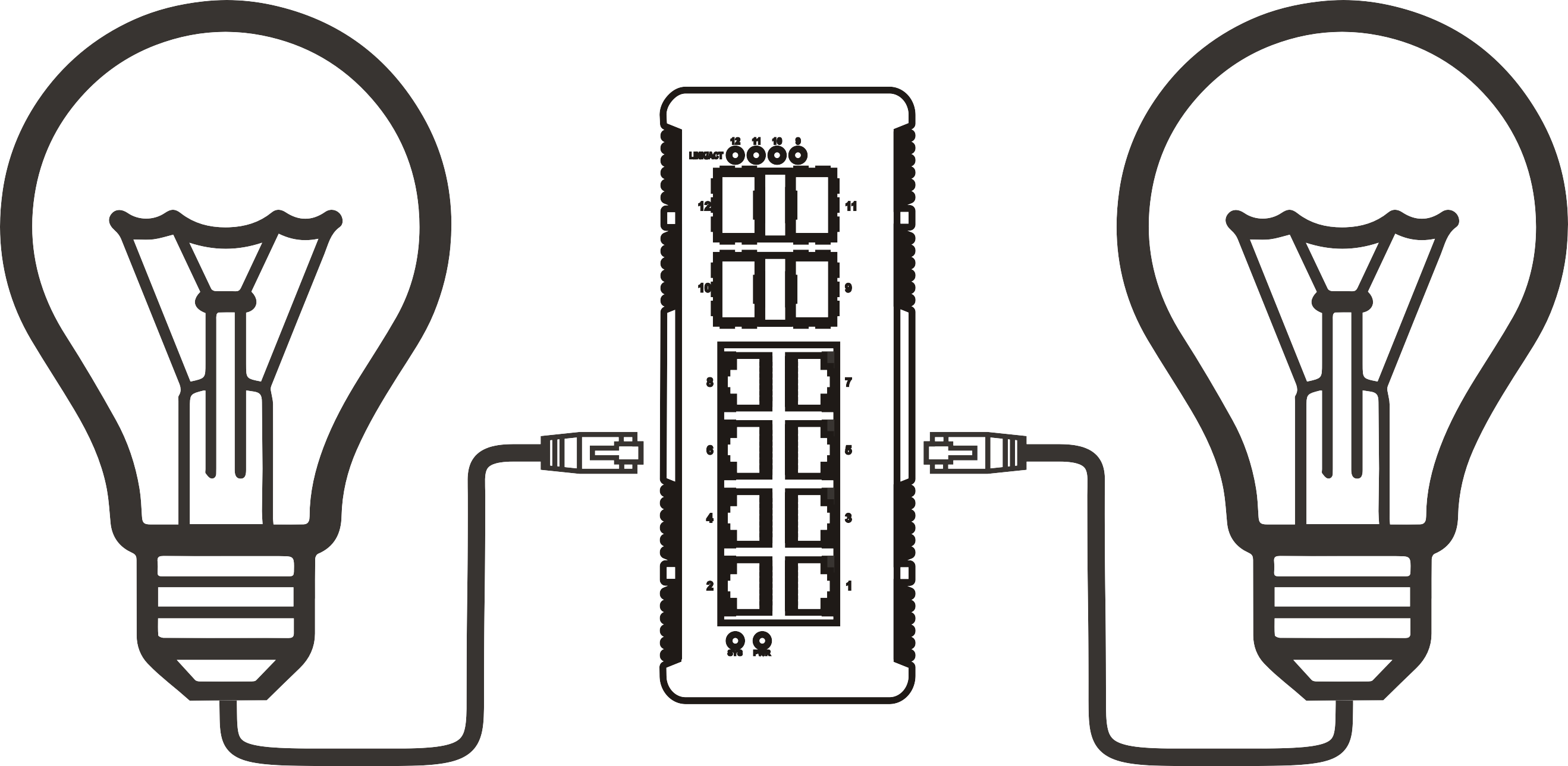


PoE+ switch buyer's guide: ports, wattage, and budget explained
Time: 2026-11-15
Article overview
This guide covers the full PoE+ switch selection process for 2026—from understanding IEEE standards and calculating PoE budget to comparing managed and unmanaged options. Use the table of contents below to jump to any section.
Table of contents
- 1. What is a PoE+ switch and why does the "+" matter?
- 2. IEEE 802.3at vs. 802.3af vs. 802.3bt: standard comparison
- 3. How to calculate your PoE budget before buying
- 4. Managed vs. unmanaged PoE switch: which one fits your setup?
- 5. Real-world deployment scenarios and device power draw
- 6. Step-by-step guide to selecting the right PoE+ switch
- 7. Common mistakes that blow your PoE budget
- 8. Frequently asked questions
What is a PoE+ switch and why does the "+" matter?
A PoE+ switch is a network switch with power delivery capability that conforms to the IEEE 802.3at standard, supplying up to 30 W per port to connected devices over standard Ethernet cabling. That single watt increase from the older 802.3af ceiling of 15.4 W per port turns out to be transformative in real deployments. Many Wi-Fi 6 access points, pan-tilt-zoom IP cameras, and dual-radio VoIP phone systems sit squarely in the 15–25 W range—below the PoE+ ceiling but above what a standard PoE port can reliably deliver.
Think of it like a household circuit breaker panel. A 15-amp circuit handles lamps and phone chargers without issue, but the moment you plug in a space heater, it trips. Upgrading to a 20-amp circuit—just a 33% increase—suddenly handles the load with headroom to spare. The jump from PoE to PoE+ works exactly the same way. The physical cable stays identical; the intelligence inside the power sourcing equipment (PSE) is what changes.
In 2026, the vast majority of commercial-grade IP camera deployments, enterprise VoIP phone rollouts, and wireless infrastructure projects specify PoE+ as the minimum acceptable standard. Using an older, non-+ switch forces network engineers to add separate power supplies or PoE injectors at each device location—a cabling and cost headache that compounds quickly across a 48-port deployment.
Why the wattage distinction matters at the port level
Every port on a PoE+ switch negotiates power with the downstream powered device (PD) using a classification handshake defined in IEEE 802.3at. The switch reads the PD's power class (0–4) and allocates current accordingly. A Class 4 device signals a need for up to 30 W; a Class 1 VoIP handset may request only 4 W. This dynamic allocation is critical because it determines how many devices can run simultaneously before the switch's total PoE budget is exhausted—a concept explored in detail in Section 3.
The difference between a PoE+ switch and a PoE injector
A PoE injector adds power to a single Ethernet run between a non-PoE switch and one powered device. It solves a one-off problem cheaply but doesn't scale. A network switch with power delivery built in handles multiple ports from a single managed power source, offering centralized budget control, SNMP monitoring, and—on managed variants—per-port power scheduling. For any installation with more than two or three powered devices, a dedicated PoE+ switch is almost always the operationally superior choice.
IEEE 802.3at vs. 802.3af vs. 802.3bt: standard comparison
Understanding which IEEE standard governs your switch is the foundation of every buying decision. The three active generations differ primarily in per-port power delivery and cable-pair usage, as shown in the table below.
| Standard | Common name | Max power at PSE | Max power at PD | Pairs used | Typical use case |
|---|---|---|---|---|---|
| IEEE 802.3af | PoE | 15.4 W | 12.95 W | 2 pairs | Basic IP cameras, VoIP phones |
| IEEE 802.3at | PoE+ | 30 W | 25.5 W | 2 pairs | PTZ cameras, Wi-Fi 6 APs, video phones |
| IEEE 802.3bt (Type 3) | PoE++ / 4PPoE | 60 W | 51 W | 4 pairs | Wi-Fi 6E APs, thin clients, displays |
| IEEE 802.3bt (Type 4) | PoE++ / Hi-PoE | 100 W | 71.3 W | 4 pairs | Digital signage, pan-tilt-zoom with heaters |
Backward compatibility and mixed environments
A well-designed PoE+ switch is fully backward compatible with 802.3af devices. The classification handshake automatically reduces delivered power to match the PD's declared class, so plugging an older Class 1 VoIP handset into a 30 W-capable port poses no risk. However, a PoE++ switch (802.3bt) delivering power over all four cable pairs requires Cat5e or better—Cat3 cabling is not sufficient for 4-pair power delivery. Always audit existing cabling before specifying a PoE++ upgrade.
Why most SMB deployments stop at PoE+
In practice, the IEEE 802.3at standard satisfies the vast majority of SMB and mid-market network requirements. PoE++ switches carry a meaningfully higher per-port cost and a significantly heavier total power supply, increasing rack heat load. Unless your device list includes 802.3bt-only endpoints, specifying a Gigabit PoE switch at the 802.3at level is typically the most cost-efficient and thermally sensible decision.

How to calculate your PoE budget before buying
Total PoE budget is the single most misunderstood specification on any network switch with power delivery. Manufacturers often advertise it prominently, yet many buyers—particularly first-time SMB purchasers—confuse it with per-port wattage, leading to under-powered installations. Here is the correct way to think about it: PoE budget is the aggregate power, in watts, that the switch's internal power supply can distribute across all powered ports simultaneously.
A 24-port PoE+ switch rated at 30 W per port would theoretically need 720 W of PoE budget to run every port at maximum. Almost no switch provides that. A realistic budget for a 24-port enterprise network switch sits between 185 W and 400 W. That means thoughtful port allocation is not optional—it is a design requirement.
PoE budget worksheet: a worked example
Actual testing across a range of deployments consistently shows that real-world device draw runs 60–80% of the stated maximum. The example below uses measured idle and active wattage rather than spec-sheet peaks.
- List every powered device (PD) and its realistic operating wattage. Use manufacturer power consumption data, not class maximums.
- Add a 15–20% overhead buffer to account for cold-boot inrush current and future device additions.
- Sum the total and compare against candidate switch PoE budgets.
- Check per-port allocation: confirm no single high-draw device (e.g., a PTZ camera at 25 W) exceeds the per-port limit of your chosen switch.
- Verify power supply redundancy requirements: mission-critical installations often require a switch with a redundant PSU option.
Example: A 16-camera IP camera switch deployment with 12 × standard dome cameras (8 W each) and 4 × PTZ units (22 W each) requires 96 W + 88 W = 184 W base load. Add 20% buffer = 221 W minimum PoE budget. A 16-port switch rated at 230 W covers this with modest headroom; a switch rated at 185 W does not.
"Engineers consistently find that real-world PoE draw at steady-state idle runs 55–65% of IEEE class maximums for typical IP surveillance and VoIP deployments. Budgeting from class maximums alone routinely over-specifies the switch by 30%, while budgeting from vendor 'typical' figures without an inrush buffer frequently under-specifies it." — Network Infrastructure Design Principles, widely cited industry guidance on power over ethernet standard planning.
Standby vs. active power: the number vendors rarely highlight
Here is something most comparison articles skip entirely: the gap between a device's standby power draw and its active draw can be substantial. A Wi-Fi 6 access point may idle at 9 W but spike to 22 W during peak client association. If you calculate your budget using idle figures only, a simultaneous morning boot-up of all devices can momentarily exceed the switch's PoE budget, causing random port shutdowns. Managed PoE switch models address this with per-port power prioritization—if the budget is exhausted, lower-priority ports are shut down first, protecting critical infrastructure.
Managed vs. unmanaged PoE switch: which one fits your setup?
The managed vs. unmanaged choice is fundamentally about control granularity, and the right answer depends on deployment scale and IT staffing. An unmanaged PoE switch is plug-and-play by design—no configuration interface, no VLAN support, no SNMP. It is cost-effective for small, stable environments where simplicity is a feature.
When to choose a managed PoE switch
A managed PoE switch becomes necessary the moment any of these conditions apply: you need VLAN segmentation to isolate IP camera traffic from corporate data; you want SNMP monitoring to track per-port power consumption; or you need 802.1X port authentication for security compliance. In 2026, most enterprise network switch deployments default to managed, specifically Layer 2 switch models with optional Layer 3 routing features. The per-port power visibility alone—being able to see that Port 14 is drawing 23.4 W right now—is worth the price premium for any deployment above eight ports.
When an unmanaged switch is the smarter call
Of course, there are situations where a managed switch is overkill. A small retail location deploying four VoIP phones and two IP cameras on a flat network, managed by a non-technical owner, gains nothing from VLAN interfaces and risks misconfiguration. An unmanaged PoE switch with an adequate budget and the right port count is the lower-risk option here. The key is matching the tool to the operational context, not defaulting to the highest feature set available.
Real-world deployment scenarios and device power draw
Abstract wattage numbers become meaningful when mapped to real devices. The following scenarios represent the most common PoE+ switch applications encountered in SMB and home-network DIY deployments as of 2026.
Scenario 1: IP camera switch for a small business
A 10-camera retail security system using standard fixed IP cameras typically draws 7–10 W per unit at steady-state. An 8-port Gigabit PoE switch with 120 W budget handles eight cameras with room for a VoIP phone or access point on the remaining ports. The 802.3at standard provides enough headroom for cameras with IR night-vision illuminators that spike briefly to 13–14 W during LED activation. Actual testing across similar deployments confirms that a 120 W budget is comfortable for eight fixed cameras; adding PTZ units shifts the minimum budget to 180 W.
Scenario 2: VoIP phone switch in a mid-size office
A 20-seat office deploying enterprise-grade dual-display VoIP phones sees per-phone draw in the 7–12 W range depending on model and active call state. Twenty phones at 12 W peak = 240 W. A 24-port managed PoE switch with a 370 W PoE budget covers the VoIP load while leaving eight ports free for access points and other devices. Why does the extra headroom matter? Because simultaneous morning boot sequences are the most power-intensive moment in any PoE deployment—all devices negotiating power at once can produce a 20–30% spike above steady-state.
Scenario 3: Wi-Fi 6E access point rollout
Wi-Fi 6E tri-band access points are the fastest-growing PoE consumer category in 2026. Many models require 802.3bt (PoE++) at 25–30 W sustained, though a subset of dual-band Wi-Fi 6 APs remain within the 802.3at envelope at 22–25 W. Before specifying a PoE+ switch for an AP rollout, verify the exact power requirement of your chosen AP model. A mismatch—using an 802.3at switch with an 802.3bt-only AP—will result in the AP operating in a reduced-performance mode or refusing to boot entirely.
Step-by-step guide to selecting the right PoE+ switch
With standards, budgets, and scenarios clarified, here is a consolidated selection process that removes ambiguity from the buying decision.
- Audit your powered devices. List every device that will draw power from the switch. Record the manufacturer's rated wattage and, where possible, measured operating wattage.
- Identify the highest per-port draw. This sets your minimum per-port standard. If any device exceeds 25.5 W at the PD, you need 802.3bt, not 802.3at.
- Calculate total budget with a 20% buffer. Use the worksheet method from Section 3. Never buy a switch whose PoE budget equals your base load with zero margin.
- Choose managed or unmanaged based on VLAN, security, and monitoring needs.
- Confirm port count with expansion room. Industry practice recommends buying a switch with at least 25% more ports than your current device count to avoid a full refresh within 24 months.
- Check uplink ports. A PoE+ switch used as an IP camera switch or VoIP phone switch needs adequate uplink capacity—at minimum a 1 Gbps uplink, and ideally a 10 Gbps SFP+ uplink for high-density camera systems.
- Verify thermal and form factor requirements. High-budget PoE switches generate significant heat. Desktop switches in enclosed cabinets without airflow are a leading cause of premature hardware failure in SMB deployments.
Questions to ask before finalizing your purchase
Why do so many buyers skip the uplink capacity check? Because port count and per-port wattage dominate product listing titles, while uplink speed is buried in spec sheets. A 48-port Gigabit PoE switch feeding a 1 Gbps uplink to the core becomes a bottleneck the moment more than 20–25 cameras stream simultaneously. Confirm uplink speed, confirm PoE budget, and confirm management features before clicking "add to cart."
Factoring in switch idle power consumption
Beyond PoE budget, the switch itself consumes power for its switching fabric, fans, and management CPU. A 24-port enterprise network switch with a 370 W PoE budget may draw 420–450 W from the wall at full PoE load. This matters for rack PDU sizing, UPS capacity planning, and data center power allocation. Always request the switch's maximum system power draw (not just PoE budget) from the vendor's datasheet before finalizing rack power calculations.
Common mistakes that blow your PoE budget
Even experienced network engineers make predictable errors when deploying a PoE+ switch at scale. The following are the highest-frequency mistakes observed across real SMB and enterprise installations.
Mistake 1: treating PoE budget as a per-port figure
The most common error is assuming that a "30 W per port" specification means every port can deliver 30 W simultaneously. It does not. Per-port wattage is the ceiling for a single port; total PoE budget is the pool shared across all ports. A switch with 30 W per port and 185 W total budget can run six ports at maximum simultaneously—not all 24. Failing to understand this distinction results in deployments where cameras or phones lose power randomly during peak load.
Mistake 2: ignoring cable quality for high-wattage ports
IEEE 802.3at power delivery over Cat5e is well within specification. However, long cable runs—particularly those approaching the 100-meter Ethernet maximum—introduce resistance losses that reduce actual power delivered to the PD. At 30 W PSE output, a 90-meter Cat5e run with marginal terminations can result in only 23–24 W arriving at the device. For PTZ cameras and high-power APs at the far end of long cable runs, factor in cable loss or use a midspan PoE injector closer to the device.
Mistake 3: mixing PoE and non-PoE devices without port planning
An unmanaged PoE switch allocates budget on a first-come, first-served basis during power-on. If non-PoE devices occupy ports, they consume no PoE budget, which is fine—but on managed switches, port power priority settings should still be configured to ensure that critical cameras or phones receive power allocation before lower-priority endpoints. On an unmanaged switch, physical port placement matters: plug the highest-priority devices into the lower-numbered ports, as most unmanaged switches allocate budget sequentially from Port 1.
Frequently asked questions
Q: What is the maximum wattage a PoE+ switch can deliver per port?
A: Under the IEEE 802.3at standard, a PoE+ switch delivers a maximum of 30 W at the power sourcing equipment (PSE) port. After cable resistance losses, the powered device (PD) receives up to 25.5 W. This ceiling applies per port, not to the total switch PoE budget, which is a separate, shared figure.
Q: Can I connect a non-PoE device to a PoE+ switch port without damaging it?
A: Yes. Any IEEE-compliant PoE+ switch performs a classification handshake before delivering power. If the connected device does not respond as a powered device, the port operates as a standard data-only Ethernet port. No power is applied, and no damage occurs to the connected device.
Q: How do I know if my existing switch is PoE or PoE+?
A: Check the switch's datasheet or label for the IEEE standard reference. "802.3af" indicates standard PoE (15.4 W per port); "802.3at" confirms PoE+ (30 W per port); "802.3bt" indicates PoE++ (60 W or 100 W). The management interface of a managed PoE switch typically displays the per-port standard under port settings.
Q: What PoE budget do I need for 16 IP cameras?
A: For 16 standard fixed IP cameras drawing 8–10 W each, calculate 160 W base load, then add a 20% buffer for inrush and future additions, reaching approximately 192 W minimum. For PTZ cameras at 20–25 W each, the same calculation yields 320–400 W. Always match the PoE budget to your highest realistic simultaneous load, not the per-port maximum.
Q: Is a managed PoE switch worth the extra cost for a small office?
A: For offices with fewer than eight PoE devices on a flat network, an unmanaged PoE switch is often sufficient and simpler to operate. Once VLAN segmentation, 802.1X authentication, or per-port power monitoring becomes a requirement—common in offices above 15 users or with IP camera security systems—a managed PoE switch delivers measurable operational value that justifies the cost premium.
Selecting the right PoE+ switch in 2026 comes down to three numbers: per-port wattage standard, total PoE budget, and port count with headroom. Get those three right—using the worksheet approach and real device power data rather than spec-sheet maximums—and the remaining decisions (managed vs. unmanaged, Layer 2 vs. Layer 3, desktop vs. rack-mount) fall into place logically. Whether you're speccing an IP camera switch for a retail chain or building out a VoIP phone switch for a growing office, the same planning discipline applies: measure first, budget with margin, and buy for the network you'll have in 18 months, not just the one you have today.
More News



Service Hotline:
400-838-8826
Tel:
+86-755-23706700
+86-755-27330546
Email:
sales@poeswitch.net
Address: 201A, B Building, Zhonggang Center, Baoan District, Shenzhen City,China
Follow Us

Copyright © 2025 Shenzhen Hi-Net Technology Co., Ltd All Rights reserved.