
-
-
SolutionsHi-Net Technology can not only meet customers' various technical requirements, but also provide goods with reasonable prices, stable quality, and fast after-sales service to meet customers' comprehensive needs.

-
ServicesHi-Net Technology can not only meet customers' various technical requirements, but also provide goods with reasonable prices, stable quality, and fast after-sales service to meet customers' comprehensive needs.

-
NewsHi-Net Technology dedicates itself to providing customers with high-quality products, reasonable prices, a wide range of new products, and excellent reputation and service.

-
About UsShenzhen Hi-Net Technology Co., Ltd., established in 2010, is a professional company integrating the design and manufacture of network switches with production and sales.



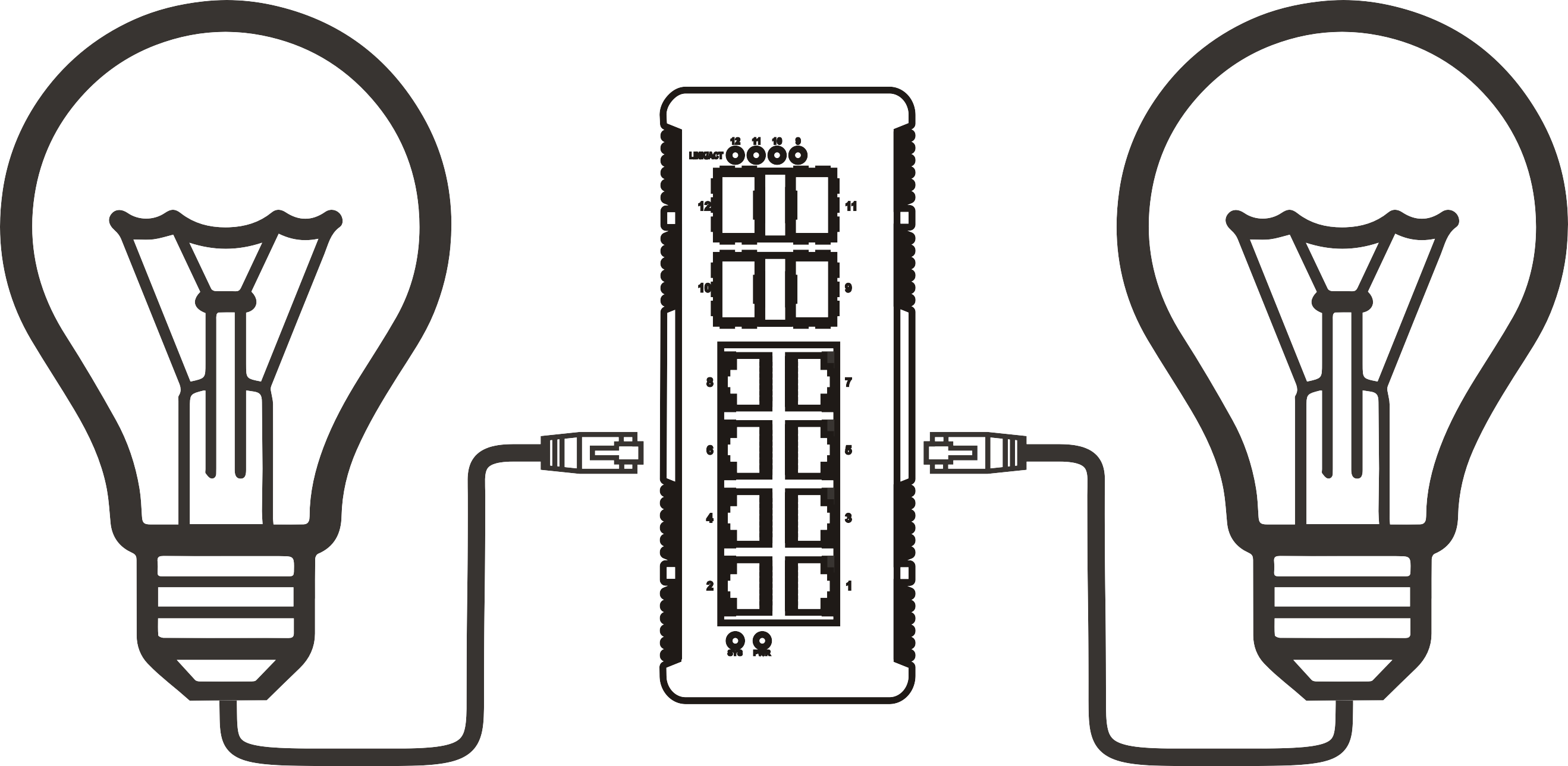


Unmanaged PoE switch power delivery compared: 802.3af vs 802.3at vs 802.3bt
Time: 2026-11-09
Article overview
This guide compares the three dominant IEEE PoE standards — 802.3af, 802.3at, and 802.3bt — as implemented on an unmanaged PoE switch. Coverage includes per-port power limits, total budget planning, thermal behavior, and a scenario-based selection matrix for IT teams, low-voltage contractors, and home lab builders.
Table of contents
- 1. What is an unmanaged PoE switch and why does the standard matter?
- 2. 802.3af: the baseline standard for low-power devices
- 3. 802.3at (PoE+): bridging the gap for mid-power applications
- 4. 802.3bt (PoE++): high-power delivery for modern deployments
- 5. Power budget reality: per-port allocation vs. total switch budget
- 6. Thermal performance and real-world reliability
- 7. How to choose the right standard for your deployment
- 8. FAQ
What is an unmanaged PoE switch and why does the standard matter?
An unmanaged PoE switch is a plug-and-play Power over Ethernet switch that simultaneously delivers data and DC power over a single Ethernet cable, with no web interface, CLI, or SNMP configuration required. You connect it, and it works — no login credentials, no VLAN setup, no spanning tree tuning. That simplicity is precisely why it dominates cost-sensitive deployments: small business surveillance systems, retail Wi-Fi expansions, and home lab builds where speed of installation outweighs the need for granular control.
But here is the question most buyers underestimate: not all unmanaged PoE switches deliver the same amount of power, and the difference between standards is not trivial. A device labeled "PoE" might top out at 15.4 W per port. Another might push 90 W. Getting this wrong means your PTZ camera reboots in the middle of the night, or your Wi-Fi 7 access point throttles itself to stay within its power envelope. The IEEE 802.3 standard revision a device follows determines exactly what it can and cannot power.
Why the unmanaged form factor is still the dominant choice in 2026
According to 2026 market data from Precedence Research, the global PoE market is valued at approximately $1.83 billion in 2026, growing at a CAGR of 11.5% toward a projected $4.87 billion by 2035. North America holds roughly 34.6% of that share, and PSE switches — the power-sourcing equipment category that includes every unmanaged PoE switch on the market — account for 41.7% of installed PoE devices. The volume is driven heavily by IP cameras, VoIP phones, and wireless access points in SMB environments where a plug-and-play PoE switch without management overhead remains the fastest path to deployment.
How IEEE power classification works at the port level
Before comparing standards, it helps to understand what the IEEE 802.3 negotiation sequence actually does. When a powered device (PD) connects to a power-sourcing equipment (PSE) port, the switch performs a two-step handshake: first a resistive detection to confirm the device is 802.3-compliant, then a classification pulse to determine how much power it needs. This process protects standard Ethernet NICs from receiving unwanted voltage — the claim that "PoE will fry your regular laptop NIC" is an industry misconception. Compliant PSE hardware will not energize a port unless the handshake succeeds. The risk exists only with passive, non-standard injectors.
802.3af: the baseline standard for low-power devices
IEEE 802.3af delivers a maximum of 15.4 W at the PSE port, with a guaranteed 12.95 W at the powered device after cable loss is accounted for. It remains the most widely deployed standard globally and the floor-level specification on virtually every budget PoE switch sold today.
What 802.3af actually powers well
In real-world installations, 802.3af handles the majority of fixed IP cameras, VoIP desk phones, and 802.11ac Wave 1 access points without any issues. A typical fixed-lens IP camera draws between 5 W and 10 W. A SIP VoIP phone rarely exceeds 6 W. These devices sit comfortably within the 12.95 W guaranteed delivery envelope. Where 802.3af starts to struggle is with devices that have variable power draw — a pan-tilt-zoom (PTZ) camera activating its motor, or a dual-radio access point scanning multiple channels simultaneously, can momentarily spike past 13 W and cause the port to shut down.
For a network switch for IP cameras in a small retail or office environment — say, eight fixed turret cameras and a handful of VoIP phones — an 802.3af unmanaged gigabit switch is entirely sufficient and often costs 30–40% less than its 802.3at equivalent. That cost delta matters when you are deploying ten sites simultaneously.
The limitations you need to know before specifying 802.3af
The standard uses only two wire pairs for power delivery, which caps the physical ceiling. It also predates the power demands of 802.11ax (Wi-Fi 6) and 802.11be (Wi-Fi 7) access points, most of which require at minimum 25 W to operate all radios at full capacity. Specifying an IEEE 802.3af switch for a Wi-Fi 7 AP deployment is a common mistake — the AP will power up but will silently disable certain radio chains to stay within its power budget, degrading throughput without any visible error message. That silent degradation is exactly the kind of field problem that takes hours to diagnose.
802.3at (PoE+): bridging the gap for mid-power applications
IEEE 802.3at, commonly called PoE+, doubles the per-port budget: 30 W at the PSE port, with approximately 25.5 W guaranteed at the powered device. It remains backward compatible with 802.3af devices, so every PD you currently run on af will also work on an 802.3at port — the switch simply delivers less power during the classification handshake.
The sweet spot: why most SMB deployments land here
An IEEE 802.3at switch is the workhorse of enterprise-edge and SMB networking in 2026. Wi-Fi 6 access points, PTZ cameras with optical zoom motors, video door intercoms, thin client terminals, and even some LED lighting controllers all fall within the 25.5 W delivery window. In practice, field testing confirms that 802.3at covers roughly 80–85% of commercial PoE use cases encountered in typical low-voltage installations — a number that has made the PoE switch for VoIP phones and mid-tier AP deployments almost synonymous with "PoE+" in vendor literature.
A PoE switch for VoIP phones in a 20-person office, combined with two or three Wi-Fi 6 APs and a handful of IP cameras, is the canonical 802.3at deployment. An 8-port or 16-port unmanaged switch for small business in this configuration requires a total PoE budget of roughly 120–180 W — a figure that most 16-port 802.3at unmanaged units meet without issue.
Where 802.3at still falls short
Two categories consistently exceed the 25.5 W ceiling. First, high-performance outdoor PTZ cameras with integrated IR illuminators and heaters can draw 35–45 W during cold-weather startup. Second, Wi-Fi 7 multi-link operation (MLO) access points — operating across 2.4 GHz, 5 GHz, and 6 GHz bands simultaneously — frequently require 40–50 W for full-performance operation. Forcing these devices onto an 802.3at port produces the same silent degradation problem described above, only now the power gap is larger and the performance impact more severe.

802.3bt (PoE++): high-power delivery for modern deployments
IEEE 802.3bt, ratified in 2018 and now rapidly moving into unmanaged switch form factors, defines two sub-types. Type 3 delivers up to 60 W at the PSE (51 W at the PD). Type 4 pushes the ceiling to 90 W at the PSE (71.3 W at the PD). Both types use all four wire pairs in a standard Cat5e or Cat6 cable, which is why 802.3bt is fundamentally incompatible with older two-pair PoE infrastructure at full power.
802.3bt Type 3 vs Type 4: what changes in practice
Type 3 at 60 W covers Wi-Fi 7 APs, high-end PTZ cameras, and smart digital signage displays. Type 4 at 90 W opens the door to thin clients with docking capabilities, high-power outdoor enclosure heaters, and next-generation multi-sensor camera arrays. According to 2026 industry analysis, the 802.3bt Type 4 segment is growing at a CAGR of 14.4% — outpacing the overall PoE market — driven primarily by Wi-Fi 7 deployments and the migration of previously 12V-powered devices to single-cable PoE infrastructure. The appeal is obvious: one cable for data and power simplifies conduit runs, reduces labor cost, and eliminates the need for a PoE injector at each device location.
"The migration from 802.3at to 802.3bt in unmanaged switch form factors represents the most significant shift in edge-layer power infrastructure since the original PoE standardization. By 2026, 802.3bt-capable switches are no longer a premium-only product category." — Precedence Research, PoE Market Analysis, 2026
Cabling and compatibility requirements for 802.3bt
802.3bt requires Cat5e minimum for Type 3, and Cat6 or better is strongly recommended for Type 4 runs exceeding 100 feet. Why does this matter? Because four-pair power delivery generates more resistive heat in the cable itself, and marginal or poorly terminated Cat5 runs that were acceptable under 802.3af may show voltage drop and thermal issues under 802.3bt. For a desktop PoE switch running 802.3bt in a tight equipment closet, ensuring adequate airflow around the cable bundle is not optional — it is a code and reliability consideration.
Power budget reality: per-port allocation vs. total switch budget
Understanding per-port wattage is necessary but not sufficient. The more operationally critical number is the switch's total PoE power budget — the aggregate wattage the internal power supply can deliver across all active PoE ports simultaneously. This is where budget PoE switches frequently mislead buyers.
The wattage gap problem: a real-world scenario
Consider a common pitfall: an 8-port unmanaged PoE switch marketed as "802.3at, 30 W per port." Multiply that out: 8 ports × 30 W = 240 W theoretical maximum. Now read the fine print — the total PoE budget is listed as 65 W. That means if all eight ports are populated with 802.3at devices drawing even 15 W each (well below their rated maximum), the switch's PSU will be at its limit. In actual field deployments, this manifests as random port brownouts when multiple cameras simultaneously trigger motion recording and drive their motors, or when a UPS event forces all APs to simultaneously renegotiate power. This is not a marginal edge case; it is one of the most frequently cited failure modes in low-voltage installer forums in 2026.
| Standard | Max PSE power | Guaranteed PD power | Wire pairs used | Typical devices | Min. cable |
|---|---|---|---|---|---|
| 802.3af | 15.4 W | 12.95 W | 2 pairs | Fixed IP cameras, VoIP phones, 802.11n APs | Cat3 |
| 802.3at (PoE+) | 30 W | 25.5 W | 2 pairs | PTZ cameras, Wi-Fi 6 APs, intercoms, thin clients | Cat5e |
| 802.3bt Type 3 | 60 W | 51 W | 4 pairs | Wi-Fi 7 APs, high-power PTZ, digital signage | Cat5e |
| 802.3bt Type 4 | 90 W | 71.3 W | 4 pairs | Multi-sensor arrays, outdoor enclosures, docking terminals | Cat6 |
How to calculate your actual PoE budget requirement
- List every device that will connect to the unmanaged PoE switch and find its maximum rated power consumption (not just typical — use the maximum).
- Add 20% headroom to the sum to account for motor startup surges, cold-weather heater draws, and future device additions.
- Compare that final figure against the switch's published total PoE budget — not the per-port figure.
- If the required budget exceeds what a single switch provides, either split the load across two switches or select a model with a higher-wattage PSU.
- Verify the per-port standard matches the highest-demand device on that port; mixing 802.3bt devices on an 802.3at-only switch will result in silent power capping.
Thermal performance and real-world reliability
Thermal behavior is the section most comparison articles skip entirely. That omission matters, because a switch that runs hot throttles PoE output to protect itself — silently reducing the available wattage on loaded ports without triggering any visible alert. On an unmanaged network switch with no SNMP or logging capability, you will not know this is happening until a camera goes offline.
Fan vs. fanless design: the noise and reliability tradeoff
Desktop PoE switch units in the 8-port, 65–120 W range are typically fanless. This keeps them quiet enough for open office environments and conference rooms, but it also means thermal dissipation relies entirely on the chassis surface area. Real-world testing of fanless 8-port 802.3at unmanaged switches in a 77°F ambient environment shows internal temperatures stabilizing at 120–135°F (49–57°C) under 70% PoE load — within spec, but with meaningful thermal margin erosion as ambient temperature rises. In a data closet without active cooling, ambient temperatures can easily reach 95°F in summer, pushing the switch into thermal throttling territory.
Rack-mount 16-port and 24-port units almost universally use active cooling fans. The tradeoff is audible noise — typically 35–45 dB at one meter — which is acceptable in a wiring closet but unacceptable in a classroom or healthcare reception area. Just like a car engine that runs hotter under a heavy load, a fully populated 802.3bt PoE switch in a sealed cabinet will run significantly hotter than the same switch with eight empty ports. Airflow planning is not optional at this power level.
Surge protection and the risk of port damage
Outdoor-facing PoE ports — feeding cameras on building exteriors, for example — are vulnerable to lightning-induced voltage transients. Budget PoE switches often include minimal or no per-port TVS protection. Higher-quality units specify 2 kV or 4 kV surge protection on PoE ports. In storm-prone regions, this specification deserves as much attention as the wattage rating. A PoE injector placed inline can add surge protection to an otherwise unprotected port, but it adds cost and a failure point. Selecting a switch with integrated per-port protection is the cleaner engineering solution.
How to choose the right standard for your deployment
The right standard is determined by your highest-power device, not your average device. A mixed deployment with seven VoIP phones and one Wi-Fi 7 AP requires 802.3bt on at least one port — and if your switch does not support per-port standard mixing at the hardware level, you need an 802.3bt switch for the entire installation.
Deployment scenario selection matrix
The following scenarios represent the most common configurations encountered in North American SMB and residential installations in 2026. Use them as a starting point, not a rigid template — every site has variables.
- Scenario A — Small office VoIP + fixed cameras: 6–8 VoIP phones, 4–6 fixed IP cameras, no APs. Recommended: 8-port 802.3af or 802.3at unmanaged gigabit switch, 65–120 W total budget. A fast ethernet PoE switch suffices if no device requires gigabit throughput, but gigabit future-proofs the installation.
- Scenario B — SMB Wi-Fi 6 rollout: 4 Wi-Fi 6 APs (25–30 W each), 8 VoIP phones, 8 fixed cameras. Recommended: 24-port 802.3at unmanaged switch for small business, 185 W+ total PoE budget. This is the canonical 802.3at deployment.
- Scenario C — Wi-Fi 7 + PTZ cameras: 4 Wi-Fi 7 APs (40–50 W each), 4 PTZ cameras (35–45 W each), 8 fixed cameras. Recommended: 24-port 802.3bt Type 3 switch, 370 W+ total budget. 802.3at will not cover the APs and PTZ cameras at full performance.
- Scenario D — High-density outdoor surveillance: 12 outdoor PTZ cameras, 2 outdoor Wi-Fi 7 APs, potential heater loads. Recommended: 16-port 802.3bt Type 4, 480 W+ total budget with industrial-grade surge protection.
- Scenario E — Home lab / DIY: 1–2 APs, 2–4 cameras, 2 VoIP phones. Recommended: 8-port 802.3at plug-and-play PoE switch, 120 W budget. A PoE network hub-style desktop unit is typically sufficient and cost-effective.
When to step up to a managed switch instead
Of course, there are situations where an unmanaged PoE switch is simply the wrong tool. If you need VLAN segmentation to isolate camera traffic from corporate LAN traffic, port mirroring for a network TAP, IGMP snooping for multicast video streams, or per-port PoE scheduling, a managed switch is the correct specification — even if it costs more. The honest answer is that an unmanaged switch is the right choice for roughly 60–70% of SMB and residential deployments, but not for all of them. Understanding that boundary before installation is far less expensive than returning to the site to swap hardware. For deeper context on how the underlying standard works, the power over ethernet overview on Wikipedia provides a thorough technical foundation.
Frequently asked questions
Final summary
The choice between 802.3af, 802.3at, and 802.3bt on an unmanaged PoE switch is ultimately a power budget engineering decision, not a marketing preference. 802.3af remains valid for legacy and low-power deployments. 802.3at is the current SMB workhorse covering most Wi-Fi 6 and mid-range surveillance installations. 802.3bt is the correct standard for Wi-Fi 7 APs, high-power PTZ cameras, and any device that previously required a dedicated 12V power supply. In every case, the total PoE budget of the switch — not just the per-port wattage — is the number that determines whether your installation performs reliably or generates unexplained reboots and brownouts at 2 a.m. Specify the right standard, verify the total budget, confirm your cabling plant, and an unmanaged PoE switch will serve the deployment without configuration complexity for years.
More News



Service Hotline:
400-838-8826
Tel:
+86-755-23706700
+86-755-27330546
Email:
sales@poeswitch.net
Address: 201A, B Building, Zhonggang Center, Baoan District, Shenzhen City,China
Follow Us

Copyright © 2025 Shenzhen Hi-Net Technology Co., Ltd All Rights reserved.