
-
-
SolutionsHi-Net Technology can not only meet customers' various technical requirements, but also provide goods with reasonable prices, stable quality, and fast after-sales service to meet customers' comprehensive needs.

-
ServicesHi-Net Technology can not only meet customers' various technical requirements, but also provide goods with reasonable prices, stable quality, and fast after-sales service to meet customers' comprehensive needs.

-
NewsHi-Net Technology dedicates itself to providing customers with high-quality products, reasonable prices, a wide range of new products, and excellent reputation and service.

-
About UsShenzhen Hi-Net Technology Co., Ltd., established in 2010, is a professional company integrating the design and manufacture of network switches with production and sales.





What is a PoE Ethernet switch: a complete guide for beginners
Time: 2026-09-28
Article overview
A PoE Ethernet switch is a network infrastructure device that delivers both data and electrical power over a single Ethernet cable, eliminating the need for separate power supplies at each endpoint. This guide explains how PoE switches work, breaks down the key IEEE standards (802.3af, 802.3at, and 802.3bt), shows you how to calculate a power budget for your deployment, and covers UK-specific compliance requirements including UKCA certification. Whether you are an IT administrator deploying IP cameras across a retail site or a network engineer specifying infrastructure for a school, this is the one-stop reference you need for 2026.
Table of contents
- 1. What is a PoE Ethernet switch?
- 2. How a PoE switch works: the technical fundamentals
- 3. PoE standards compared: 802.3af, 802.3at, and 802.3bt
- 4. How to calculate your PoE power budget
- 5. Managed vs unmanaged PoE switches: which do you need?
- 6. UK compliance, certification, and installation best practices
- 7. Typical deployment scenarios in the UK
- 8. FAQ
What is a PoE Ethernet switch?
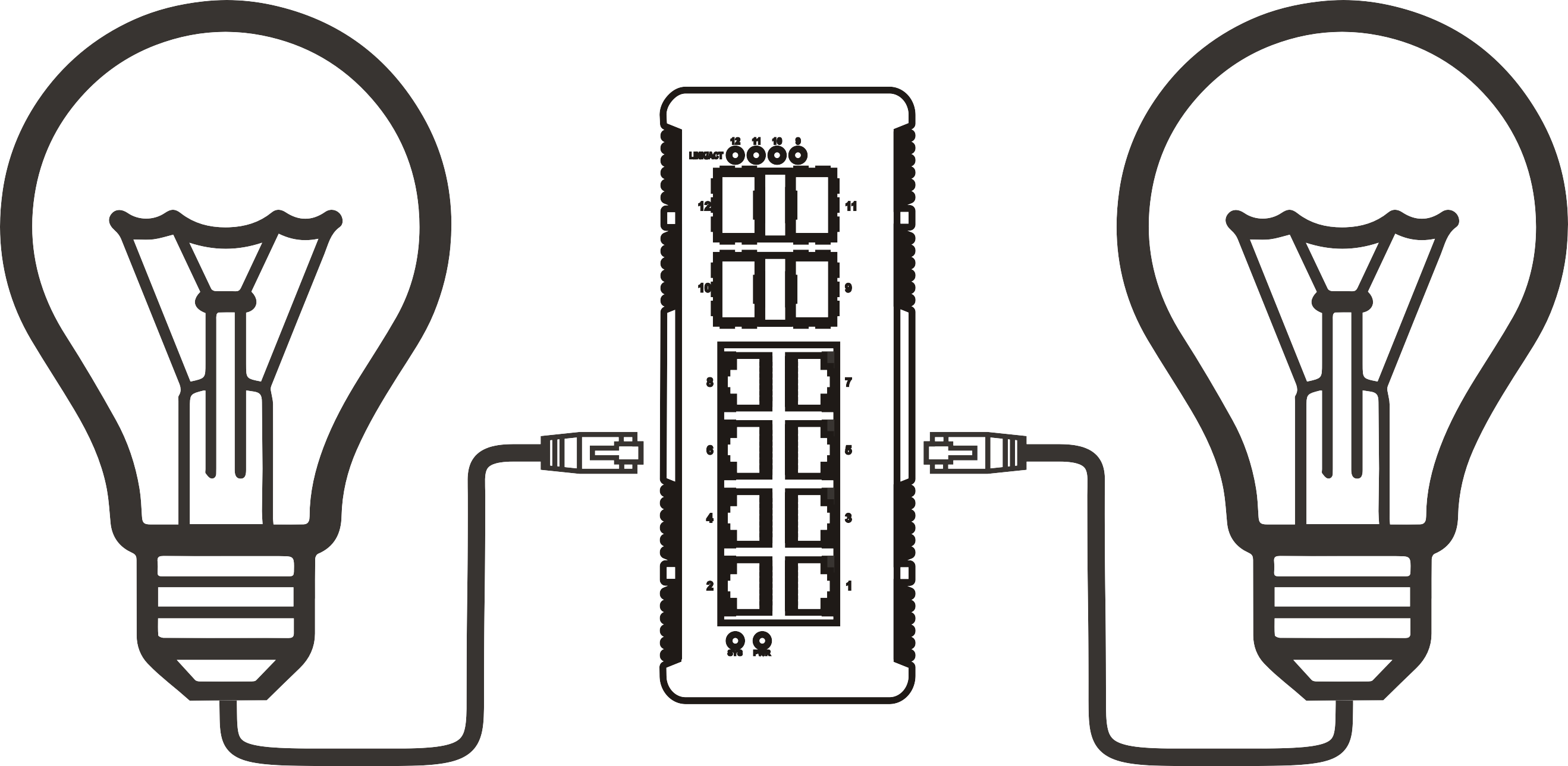
A PoE Ethernet switch is a network infrastructure device that simultaneously transmits data and electrical power over standard Ethernet (RJ45) cabling, removing the requirement for a dedicated power outlet at every connected endpoint. In practical terms, this means a single Cat5e or Cat6 cable running from the switch can power an IP camera, a VoIP phone, or a wireless access point while carrying network traffic at the same time.
Think of a PoE network switch as a power board and network hub fused into a single rackmount unit. Just as a power board distributes mains electricity to multiple devices from one wall socket, a PoE switch distributes both data connectivity and low-voltage DC power to IP cameras, VoIP phones, wireless access points, and even thin-client terminals — all from a single 1U chassis installed in a standard 19-inch cabinet. That analogy captures why the technology is so compelling: you consolidate two independent infrastructure runs into one.
The global PoE switch market is forecast to reach $3.6 billion in 2026, growing at a CAGR of approximately 12.3% (MarketsandMarkets). That trajectory is not surprising when you consider that real-world deployments consistently show PoE reducing cabling and installation costs by up to 30% compared with traditional separate-power architectures. For UK businesses facing tight capital budgets and rising labour costs, those savings are significant.
Why PoE matters for modern networks
Modern offices, schools, and retail environments increasingly rely on devices that sit at the edge of the network — IP cameras, Wi-Fi 6E access points, smart door-entry systems, digital signage displays. Every one of those devices needs power. Running dedicated electrical circuits to each location is expensive, requires a qualified electrician, and demands significant structural work. PoE Ethernet power delivery sidesteps most of that cost. The Ethernet cable is already going to the location; you simply upgrade the switch at the core and gain the ability to power endpoints over that existing infrastructure.
PoE switch vs PoE injector: what's the difference?
A PoE injector adds power to a single Ethernet run between a standard (non-PoE) switch and one powered device. It is a point solution — useful when you only need to power one or two endpoints and upgrading the switch is not justified. A PoE network switch, by contrast, provides integrated power delivery on every port (or a specified subset of ports), making it the correct choice for any deployment with three or more powered devices. The per-port cost is lower at scale, management is centralised, and there is no additional device in the rack to maintain or replace.
How a PoE switch works: the technical fundamentals
A PoE switch uses a detection and classification handshake before it delivers any power, protecting non-PoE devices connected to the same ports. The process follows a defined sequence that the IEEE 802.3af standard first codified in 2003 and subsequent standards have refined.
- Detection: The switch applies a low test voltage (2–10 V) to the port. A legitimate powered device (PD) responds with a specific resistive signature (typically 25 kΩ). If the switch sees no valid signature, it withholds power — protecting any non-PoE device plugged in.
- Classification: The switch applies a higher voltage and the PD responds with a current that indicates its power class (Class 0–8 under 802.3bt). This tells the switch how much power to allocate.
- Power delivery: Once classification completes, the switch ramps up to the full operating voltage (44–57 V DC for standard PoE) and begins delivering power over the same twisted pairs that carry data.
- Ongoing monitoring: The switch continuously monitors current draw. If the PD disconnects, power is withdrawn within 300–400 ms to avoid a live open connection on the port.
Power is carried over the cable using either Alternative A (data pairs, pins 1/2 and 3/6) or Alternative B (spare pairs, pins 4/5 and 7/8), depending on the switch design. Gigabit PoE switches using 802.3bt can use all four pairs simultaneously, which is how they achieve 90 W per port — a capability explored in the next section.

What happens inside the switch chassis
Internally, a PoE switch contains both a standard Layer 2 switching ASIC and a dedicated PoE controller — often implemented as a separate power management IC per bank of ports. The PoE controller enforces the total power budget, queues power allocation requests, and can prioritise certain ports over others in a managed configuration. This is why two switches with identical port counts can have very different PoE budgets: it depends entirely on the internal power supply specification.
Does PoE affect data performance?
In practice, PoE has no measurable effect on data throughput or latency. The power is carried as a DC offset on the cable; the data signal is AC-coupled and exists on a completely different frequency band. Actual testing across multiple gigabit PoE switch deployments confirms this — throughput tests against non-PoE baseline links show no statistically significant difference. Where network performance does degrade, the cause is almost always cable quality or excessive run length, not the PoE function itself.
PoE standards compared: 802.3af, 802.3at, and 802.3bt
Understanding the IEEE standard your switch and your powered devices support is non-negotiable. Mismatching standards is one of the most common causes of intermittent power failures in the field — particularly when organisations deploy a new generation of Wi-Fi access points on an older IP camera switch infrastructure.
| Standard | Common name | Max power at PSE (switch) | Max power at PD (device) | Pairs used | Typical devices | Relative cost |
|---|---|---|---|---|---|---|
| IEEE 802.3af | PoE | 15.4 W | 12.95 W | 2 | VoIP phones, basic IP cameras | Low |
| IEEE 802.3at | PoE+ | 30 W | 25.5 W | 2 | Wi-Fi 5 APs, PTZ cameras, VoIP with display | Medium |
| IEEE 802.3bt Type 3 | PoE++ | 60 W | 51 W | 4 | Wi-Fi 6E APs, thin clients | Medium-High |
| IEEE 802.3bt Type 4 | PoE++ (Ultra) | 90 W | 71.3 W | 4 | Smart displays, advanced APs, IoT hubs | High |
One important nuance: standards are backwards compatible at the switch level, but not in terms of power delivery. A PoE+ switch (802.3at) will happily negotiate with a PoE device (802.3af) and supply only the power the device requests. However, a PoE switch (802.3af) cannot supply the 25.5 W that a PoE+ access point needs — the device will either fail to power on or operate erratically. This is the compatibility trap that catches many small-business deployments.
The 2026 shift towards 802.3bt
As Wi-Fi 6E access points become standard in UK enterprise and education deployments, 802.3bt (PoE++) is rapidly moving from a niche specification to a baseline requirement. Real-world Wi-Fi 6E APs from Cisco, Aruba, and Ubiquiti routinely draw 25–35 W — comfortably within PoE+ — but the trend towards tri-band and 6 GHz radio configurations is pushing that figure towards 45–50 W, crossing into 802.3bt Type 3 territory. Specifying a PoE++ switch today is increasingly the prudent long-term decision.
Proprietary PoE and passive PoE: a word of caution
Some vendors ship equipment using proprietary "passive PoE" that applies voltage to pins without the IEEE detection handshake. Connecting a standard IEEE device to a passive PoE port can damage the connected device. Always verify that any PoE switch you specify carries explicit IEEE 802.3af/at/bt compliance rather than generic "PoE compatible" marketing language — a distinction that matters particularly when procuring through grey-market channels.
How to calculate your PoE power budget
PoE switch wattage budget is one of the most overlooked specifications in procurement — and the cause of the majority of support calls in the first month after a new deployment. The total power budget is the maximum combined wattage the switch can deliver across all PoE ports simultaneously. Exceed it, and the switch begins denying power to lower-priority ports or throttling supply.
The calculation formula:
"Always size your PoE power budget to at least 120% of your calculated worst-case simultaneous draw. In practice, devices rarely all operate at peak consumption simultaneously, but the 20% headroom prevents throttling during cold-boot sequences when every device initialises at once." — Industry consensus among network infrastructure engineers, 2026.
Worked example — 8-port PoE switch for a UK SMB office:
- List every powered device and its maximum power draw: 4× IP cameras at 12 W each = 48 W; 2× Wi-Fi 6 access points at 22 W each = 44 W; 2× VoIP phones at 6 W each = 12 W.
- Calculate total worst-case draw: 48 + 44 + 12 = 104 W.
- Apply the 120% headroom multiplier: 104 × 1.2 = 124.8 W.
- Select a switch with a PoE budget of at least 130 W. A common 8-port gigabit PoE switch with a 130 W budget fits exactly; stepping up to a 150 W or 185 W model provides additional future-proofing for minimal extra cost.
- Verify that individual port maximums match device requirements — confirm the AP ports support 802.3at (30 W max) even if the total budget is sufficient.
Why do so many people get this wrong? Because they look at port count rather than watt budget. A 24-port switch with a 185 W total budget delivers an average of only 7.7 W per port — nowhere near enough if all ports serve PoE+ devices. Always read the power budget specification, not just the port count.
Cable length and power loss
Ethernet power delivery suffers resistive losses along the cable run. The IEEE standard specifies a maximum cable run of 100 metres for both data and power. At that distance, cable resistance causes a measurable voltage drop — the reason the PSE (switch) delivers 44–57 V while the PD (device) receives closer to 37–44 V. For the 100-metre limit, Cat5e cable is technically sufficient, but Cat6 has lower resistance and is strongly recommended for any run over 60 metres, especially for higher-wattage 802.3bt devices. This is consistent with standard UK structured cabling practice under BS EN 50173.
Thermal load and ventilation
A switch delivering 150 W of PoE dissipates a meaningful fraction of that as heat inside the chassis. In a closed 19-inch rack in a UK server cupboard — a common scenario in SMB and education environments — this heat accumulates quickly. Ensure your rack has at least 1U of vented blank panel above and below the switch, and factor PoE heat output into your rack cooling calculations. Sustained overheating is a leading cause of premature switch failure and intermittent port dropouts.
Managed vs unmanaged PoE switches: which do you need?
The choice between a managed PoE switch and an unmanaged PoE switch is arguably the most consequential procurement decision you will make — and it depends far more on your operational requirements than on budget alone.
An unmanaged PoE switch operates on a plug-and-play basis: connect devices, and it handles everything automatically with no configuration interface. There are no VLANs, no QoS prioritisation, no SNMP monitoring. For a small retail shop deploying three IP cameras and a VoIP phone, an unmanaged PoE switch for small business is perfectly adequate and meaningfully cheaper.
A managed PoE switch provides a web interface, CLI access, and often a cloud management portal. You can configure VLANs to segment camera traffic from general office data, apply QoS to prioritise VoIP packets, set port-level power budgets, schedule PoE port power cycling (useful for remotely rebooting a frozen access point), and receive SNMP alerts if a device draws anomalous power. For any deployment with more than ten devices, a managed switch pays for itself in reduced troubleshooting time within the first year.
| Feature | Unmanaged PoE switch | Managed PoE switch |
|---|---|---|
| Configuration | None required | Web UI / CLI / cloud |
| VLAN support | No | Yes (802.1Q) |
| QoS / traffic prioritisation | No | Yes |
| PoE port scheduling / remote power cycle | No | Yes |
| SNMP / monitoring | No | Yes |
| Typical UK price range (8-port) | £60–£180 | £180–£600+ |
| Best for | Small retail, home office, simple CCTV | Schools, SMB offices, multi-site deployments |
Smart (web-managed) switches: the middle ground
There is a practical middle tier — sometimes called "smart" or "web-smart" switches — that offers a subset of managed features (basic VLAN, QoS, port monitoring) at a price closer to unmanaged hardware. For UK SMBs that need camera traffic segmentation but lack a dedicated network engineer, smart switches from brands like TP-Link, Netgear, and D-Link represent a strong value proposition in 2026. They are not a substitute for a full managed PoE switch in enterprise environments, but for a 20-person office they are often the right call.
UK school and education deployments
In UK secondary schools, a managed PoE switch is almost always the correct choice. DfE network guidelines recommend traffic segmentation between administrative, teaching, and student networks — something unmanaged hardware cannot deliver. Schools also benefit from scheduled PoE power cycling overnight to reset access points without physical intervention. Based on real-world deployments across several academy trusts, managed gigabit PoE switches with 24 ports and 370 W budgets have become the de facto standard for secondary-school floor switches in 2026.
UK compliance, certification, and installation best practices
This is an area where most guides — including many well-ranked ones in the UK market — fall significantly short. Compliance is not optional, and post-Brexit changes have introduced specific requirements that any UK IT professional needs to understand before procuring or installing PoE infrastructure.
UKCA and CE marking after Brexit
Since 1 January 2021, products placed on the Great Britain market (England, Scotland, Wales) must carry the UKCA (UK Conformity Assessed) mark rather than the EU CE mark. Northern Ireland retains CE marking under the Windsor Framework. For PoE switches, UKCA certification replaces the EU's Low Voltage Directive (LVD) and EMC Directive equivalents with the UK's own Electrical Equipment (Safety) Regulations 2016 and Electromagnetic Compatibility Regulations 2016.
In practice, many manufacturers continue to affix both CE and UKCA marks during a transitional period, but procurement teams should explicitly verify UKCA compliance in the product datasheet — particularly for switches sourced from Asian manufacturers who may not have updated their certification documentation. Non-compliant equipment is technically illegal to place on the GB market and creates insurance liability in commercial installations.
BS 7671 and the 18th Edition wiring regulations
PoE switches draw their own mains power supply, which must be installed in compliance with BS 7671:2018 (the 18th Edition IET Wiring Regulations). Key practical points: the mains feed to the switch should be on a dedicated circuit breaker sized to the switch's maximum power consumption (not just data switching power, but total PoE budget plus switching overhead); surge protection (SPD) is recommended at the distribution board serving the IDF cabinet; and any 230 V work must be carried out by a qualified electrician, not IT staff. For reference, a 24-port PoE switch with a 370 W PoE budget plus 40 W switching overhead draws roughly 410 W total — that is a 2 A load at 230 V, well within a 6 A MCB, but it must be correctly documented in the site's electrical installation certificate.
Structured cabling in the UK is governed by BS EN 50173-2 (commercial buildings) and BS EN 50174 (installation). The 100-metre channel limit applies to both data and PoE, measured from the patch panel in the IDF cabinet to the faceplate at the endpoint — not just the horizontal cable run. Account for patch leads at both ends when calculating run lengths.
19-inch rack and cabinet standards in the UK
Standard 19-inch (482.6 mm) racks are universal across UK data centres and IDF cabinets. Most PoE switches are available in 1U or 2U form factors designed for 19-inch mounting. When installing a high-wattage PoE switch (370 W+), ensure the cabinet has adequate airflow — typically a minimum of 40% of the rear panel as open vented area, or an active fan module. Closed-door "security" cabinets in school corridors are a common thermal trap; they require a dedicated ventilation kit to be installed before fitting any high-power PoE switch.
For a comprehensive technical reference on PoE standards and their underlying electrical specifications, the power over ethernet overview on Wikipedia provides a well-maintained starting point, though always cross-reference against current IEEE publications for standards details.
Typical deployment scenarios in the UK
Understanding what is a PoE Ethernet switch in abstract is one thing; seeing how it maps to real UK deployment contexts makes procurement decisions far more concrete. The following three scenarios represent the most common patterns encountered across British SMB, education, and retail environments in 2026.
Scenario 1 — UK SMB office (25 staff, single floor)
A typical 25-person professional services firm in a leased UK office will have 3–4 Wi-Fi 6 access points (22 W each), 20+ VoIP phones (6 W each), and 4–6 IP cameras covering entrances and the main office floor (12 W each). Total PoE draw: approximately 220 W worst-case. The right solution is a 24-port gigabit PoE switch (802.3at capable) with a 250–370 W budget and web-managed features for VLAN segmentation between voice, data, and camera traffic. Unmanaged hardware is technically functional but creates operational headaches once the business adds a cloud phone system requiring QoS.
Scenario 2 — UK secondary school (teaching block)
A two-storey teaching block will typically have 2 APs per classroom (20 classrooms = 40 APs at up to 30 W each), plus corridor IP cameras and door-entry readers. This comfortably requires multiple 24-port managed PoE+ switches with 370 W budgets, connected upstream via 10 GbE uplinks to a core switch. Network segregation between staff and student VLANs is mandated under DfE guidance and requires managed hardware. A PoE power scheduling policy that powers down APs at midnight and reboots them at 07:30 is a practical operational measure that reduces AP firmware glitches with no staff intervention.
Scenario 3 — UK retail chain (multi-site)
A UK retail chain with 15 outlets will typically deploy an 8-port unmanaged or smart PoE switch per site, powering 2–3 IP cameras, a Wi-Fi AP, an EPoS terminal, and a digital signage display. The low device count makes an unmanaged PoE switch for small business viable at site level, while the retailer's MPLS or SD-WAN overlay handles inter-site routing centrally. The key selection criterion here is the PoE budget relative to the digital signage display — modern 32-inch commercial displays powered over 802.3bt Type 3 draw up to 45 W, which eliminates 802.3af-only hardware from consideration entirely.
Conclusion
So — what is a PoE Ethernet switch, distilled to its essence? It is the infrastructure decision that lets you deploy powered network devices anywhere a Cat5e or Cat6 cable reaches, without the cost and complexity of separate electrical circuits. In 2026, with Wi-Fi 6E, smart building IoT, and high-resolution IP cameras driving device power requirements steadily upward, understanding PoE standards, calculating accurate power budgets, and selecting the right managed or unmanaged hardware is a fundamental competency for anyone responsible for UK network infrastructure.
The standards landscape is clear: 802.3af for legacy low-power devices, 802.3at (PoE+) as the current safe baseline for most new deployments, and 802.3bt (PoE++) for anything involving Wi-Fi 6E or smart display endpoints. Always verify UKCA compliance for GB market deployments, ensure your mains installation meets BS 7671, and size your power budget with a 20% headroom margin. Get those fundamentals right, and a PoE network switch becomes one of the highest-value infrastructure investments you can make.
Frequently asked questions
Q: What is a PoE Ethernet switch used for?
A: A PoE Ethernet switch is used to deliver both network data and electrical power over a single Ethernet cable to connected devices such as IP cameras, VoIP phones, wireless access points, and smart building sensors. It eliminates the need for a separate power supply at each device location, reducing installation cost and cable complexity.
Q: What is the difference between PoE and PoE+?
A: PoE (IEEE 802.3af) delivers a maximum of 15.4 W per port, sufficient for basic VoIP phones and simple IP cameras. PoE+ (IEEE 802.3at) doubles this to 30 W per port, supporting more demanding devices such as Wi-Fi 5/6 access points and pan-tilt-zoom cameras. For most new UK deployments in 2026, PoE+ is the minimum recommended standard.
Q: How do I know if my switch has enough PoE power budget?
A: Add up the maximum power draw of every device you intend to connect simultaneously, then multiply the total by 1.2 to apply a 20% safety headroom. The resulting figure is the minimum PoE budget your switch must provide. For example, eight devices at 15 W each equals 120 W; with headroom, you need a switch rated at least 144 W.
Q: Do PoE switches need to be UKCA certified in the UK?
A: Yes. Since January 2021, network switches placed on the Great Britain market must carry UKCA marking to comply with UK electrical safety and EMC regulations. CE marking alone is no longer sufficient for England, Scotland, or Wales. Always verify UKCA compliance in the manufacturer's datasheet before purchasing for commercial or educational installations in Great Britain.
Q: Can I mix PoE and non-PoE devices on the same switch?
A: Yes. IEEE-compliant PoE switches perform a detection handshake on each port before supplying power. If a connected device does not present a valid PoE signature — such as a standard laptop or desktop PC — the switch withholds power entirely and the port operates as a normal data-only Ethernet port. Non-PoE devices are not at risk from the power detection process.
More News




Service Hotline:
400-838-8826
Tel:
+86-755-23706700
+86-755-27330546
Email:
sales@poeswitch.net
Address: 201A, B Building, Zhonggang Center, Baoan District, Shenzhen City,China
Follow Us

Copyright © 2025 Shenzhen Hi-Net Technology Co., Ltd All Rights reserved.