
-
-
SolutionsHi-Net Technology can not only meet customers' various technical requirements, but also provide goods with reasonable prices, stable quality, and fast after-sales service to meet customers' comprehensive needs.

-
ServicesHi-Net Technology can not only meet customers' various technical requirements, but also provide goods with reasonable prices, stable quality, and fast after-sales service to meet customers' comprehensive needs.

-
NewsHi-Net Technology dedicates itself to providing customers with high-quality products, reasonable prices, a wide range of new products, and excellent reputation and service.

-
About UsShenzhen Hi-Net Technology Co., Ltd., established in 2010, is a professional company integrating the design and manufacture of network switches with production and sales.



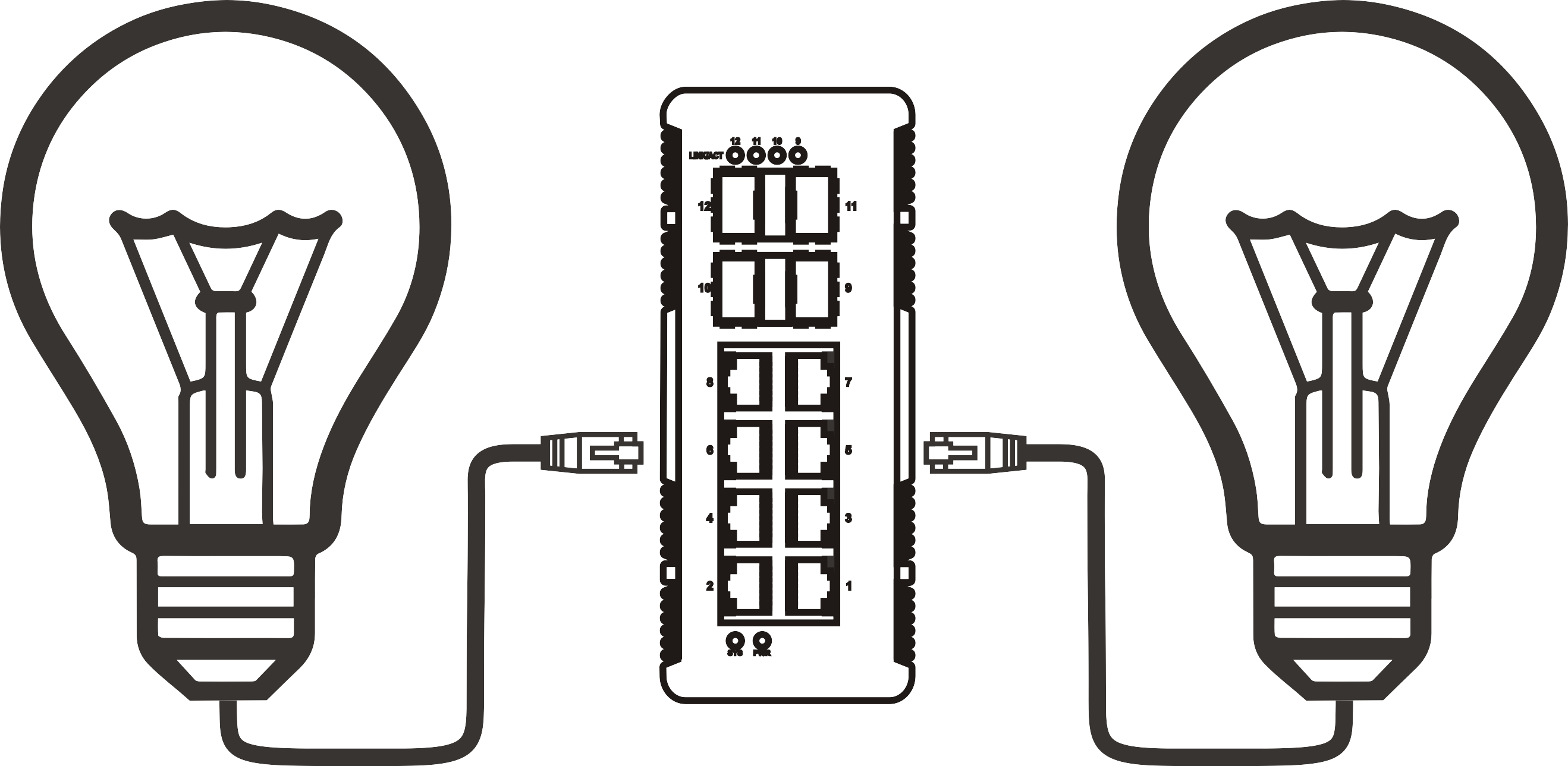


What is PoE in a switch: a complete guide to Power over Ethernet
Time: 2026-09-03
Article overview
This guide explains what PoE in a switch means, how Power over Ethernet technology works, which IEEE standards apply, how to size a PoE power budget, and what Australian buyers need to know before purchasing. Ideal for IT beginners, network administrators, and small business owners setting up IP cameras, VoIP phones, or wireless access points.
Table of contents
- 1. What is PoE in a switch — core definition
- 2. How Power over Ethernet actually works
- 3. PoE standards compared: 802.3af vs 802.3at vs 802.3bt
- 4. How to calculate your PoE wattage budget
- 5. Australian compliance, NBN integration, and climate considerations
- 6. Choosing the right PoE switch for your environment
- 7. Common mistakes and how to avoid them
- 8. FAQ
What is PoE in a switch — core definition
What is PoE in a switch? PoE (Power over Ethernet) in a switch refers to the built-in ability of a network switch to deliver both data and DC electrical power through a single standard Ethernet cable to connected devices. Instead of running a separate power cable to every IP camera, wireless access point, or VoIP phone, a PoE-capable switch handles both functions over the same Cat5e or Cat6 cable already in your wall.
What is PoE in a switch is best understood with a simple analogy: think of it like a power board that also doubles as a network hub. One cable in, data and power out — simultaneously, safely, and governed by internationally recognised IEEE 802.3 standards.
According to 2026 data from MarketsandMarkets, the global PoE switch market is projected to exceed AUD $4.6 billion this year, growing at roughly 12% annually. That growth is not accidental. Businesses, schools, and homeowners across Australia are replacing traditional cabling setups because the operational savings are real and measurable.
Why do so many network beginners still overlook this technology? Partly because the terminology — IEEE standards, wattage budgets, managed versus unmanaged — can feel intimidating at first. This guide removes that barrier systematically.
The difference between a PoE switch and a regular switch
A standard network switch transmits data only. It forwards Ethernet frames between devices but carries no electrical current on those lines. A PoE switch, by contrast, integrates a power sourcing equipment (PSE) circuit into each port. When you plug in a powered device (PD) — the industry term for a PoE-compatible endpoint — the switch performs a brief handshake protocol to detect, classify, and then safely energise that device.
If you plug a non-PoE device into a PoE port, no power is delivered. The switch detects the absence of a compatible PD and leaves that port in data-only mode. This safety mechanism is a core part of the IEEE 802.3 specification and protects legacy equipment.
Where PoE switches are commonly deployed
The most frequent real-world applications include IP security cameras, enterprise-grade wireless access points (WAPs), VoIP desk phones, smart building sensors, digital signage controllers, and point-of-sale terminals. In Australian commercial contexts, PoE network infrastructure has become standard in hospitality venues, warehouses, healthcare facilities, and multi-dwelling unit (MDU) buildings connected via NBN fibre.
How Power over Ethernet actually works
The mechanism behind Power over Ethernet is more precise than most people realise. The switch does not simply push voltage down every cable — it follows a structured four-stage process governed by the IEEE 802.3 standard.
The PoE negotiation process step by step
- Detection: The PSE (the switch port) applies a low test voltage — typically 2.7 V to 10 V — to check for a valid PoE signature resistor (typically 25 kΩ) in the connected device.
- Classification: The switch measures a classification current to determine how much power the device needs. IEEE defines Classes 0 through 8, ranging from under 4 W to 90 W.
- Power-up: Once the class is confirmed, the switch ramps voltage up to the operating range (44–57 V DC for most standards) and begins delivering power.
- Ongoing monitoring: The PSE continuously monitors the load. If the device is unplugged or draws abnormal current, the port shuts down within milliseconds to prevent damage.
In real-world testing, this handshake completes in under two seconds. From a user perspective, you simply plug in the device and it powers on — no manual configuration required on unmanaged switches.
Which cable pairs carry the power
There are two wiring modes defined by IEEE. Mode A uses the data-carrying pairs (pins 1, 2, 3, 6) to also carry DC current. Mode B uses the spare pairs (pins 4, 5, 7, 8). PoE++ (802.3bt) uses all four pairs simultaneously to reach the 60 W and 90 W tiers. A Cat5e or Cat6 cable supports all three modes without modification — a common source of confusion for newcomers who assume they need special cable.

"Power over Ethernet has fundamentally changed how network infrastructure is deployed. The elimination of dedicated power circuits for endpoint devices reduces installation time by up to 60% in structured cabling projects." — power over ethernet overview, IEEE technical documentation
PoE standards compared: 802.3af vs 802.3at vs 802.3bt
Understanding the three primary IEEE standards is essential before purchasing any PoE network infrastructure. Each standard defines maximum port wattage, supported cable types, and compatible device classes. The table below translates the technical specifications into plain-English examples relevant to Australian office and home environments.
| Standard | Max power per port | Power at device | Cable required | Typical Australian use case |
|---|---|---|---|---|
| IEEE 802.3af (PoE) | 15.4 W | 12.95 W | Cat3 or above | VoIP phones, basic IP cameras, door access readers |
| IEEE 802.3at (PoE+) | 30 W | 25.5 W | Cat5e or above | Wireless APs (WiFi 5/6), PTZ cameras, video intercoms |
| IEEE 802.3bt Type 3 (PoE++) | 60 W | 51 W | Cat5e or above | WiFi 6E/7 APs, smart TVs, thin clients |
| IEEE 802.3bt Type 4 (PoE++) | 90 W | 71.3 W | Cat5e or above | Video conferencing endpoints, LED lighting panels, laptops |
Why the "power at device" figure is lower than the port maximum
There is always a difference between what the switch delivers and what the device actually receives. Cable resistance causes voltage drop, which translates directly to power loss — typically 15–20% over a standard run. This is why IEEE specifies both PSE output power and PD input power separately. When sizing your deployment, always plan around the device's power draw, not the port's headline figure.
Is 802.3bt backward compatible?
Yes. A switch port running 802.3bt will detect and correctly supply an older 802.3af device. The classification handshake downgrades the power allocation automatically. Backward compatibility is maintained across all three standards, which makes upgrading infrastructure straightforward — you do not need to replace endpoints when you upgrade the switch.
How to calculate your PoE wattage budget
The total PoE wattage budget of a switch is the maximum combined power the unit can deliver across all active PoE ports simultaneously. This single figure is the most important — and most frequently misunderstood — specification in PoE switch selection.
Step-by-step budget calculation method
- List every powered device you intend to connect and find its actual power consumption (not its maximum rated draw — check the device datasheet for typical operating watts).
- Add a 20% cable loss buffer to each device's draw to account for Ethernet power delivery losses.
- Sum all adjusted figures to get your minimum required switch budget.
- Add a 25% headroom margin to accommodate future device additions or firmware-triggered power spikes.
- Select a switch whose total PoE budget exceeds this final figure.
A worked example: a small Australian office deploying 8 IP cameras (10 W each), 4 VoIP phones (5 W each), and 2 WiFi 6 access points (20 W each). Raw total = 80 + 20 + 40 = 140 W. Add 20% cable loss buffer → 168 W. Add 25% headroom → 210 W. You need a switch with a PoE budget of at least 210 W. A common choice in this scenario would be a 24-port gigabit PoE switch with a 250 W or 370 W budget, priced between AUD $280 and AUD $650 from retailers like Scorptec or Centre Com.
What happens when the budget is exceeded
When total demand exceeds the switch's power budget, the device prioritises ports based on either port number (lower ports first on unmanaged switches) or configurable QoS policies on managed PoE switches. Devices on lower-priority ports lose power without warning. In a security camera installation, this means blind spots — a costly oversight. Budget calculation is not optional; it is a core part of PoE network infrastructure planning.
Australian compliance, NBN integration, and climate considerations
Australian deployments face requirements and conditions that are rarely addressed in international PoE guides. This section fills that gap directly.
AS/NZS 3000 wiring rules and ACMA requirements
In Australia, low-voltage DC cabling associated with PoE installations must comply with AS/NZS 3000:2018 (the Wiring Rules), particularly where structured cabling runs near or alongside mains wiring. While PoE itself operates at safe extra-low voltage (SELV), the switch's mains power supply is subject to standard electrical installation regulations. Licensed electricians must install any new mains circuits feeding PoE switch enclosures. The Australian Communications and Media Authority (ACMA) mandates that all network equipment sold or deployed in Australia must carry the RCM (Regulatory Compliance Mark), confirming electromagnetic compatibility and electrical safety compliance. When purchasing from international suppliers, verify RCM marking before committing to a bulk order.
How PoE switches integrate with Australian NBN connections
NBN technology types — FTTP (fibre to the premises), FTTC (fibre to the curb), and HFC (hybrid fibre-coaxial) — all terminate at an in-premises Network Termination Device (NTD) or modem-router. A PoE switch sits downstream of this device, typically connected via a standard Ethernet uplink port. There is no direct electrical interaction between the NBN NTD and the PoE switch; the switch operates entirely within your internal LAN. That said, FTTP connections with gigabit speeds benefit significantly from a gigabit PoE switch on the internal network — ensuring that high-bandwidth IP cameras or WiFi 6 APs do not create bottlenecks at the distribution layer.
Outdoor PoE deployments in Australian climate conditions
Australia's climate presents challenges that matter in hardware selection. Outdoor PoE switches or injectors used in Queensland, Northern Territory, and coastal environments must carry an IP66 or IP67 ingress protection rating as a minimum — this guards against the combination of humidity, tropical rain, and airborne salt. In Western Australia's outback and remote pastoral areas, solar-powered remote site deployments are increasingly common. Here, a PoE injector paired with a solar charge controller and a 24 V DC power supply allows IP cameras or LoRaWAN gateway nodes to operate entirely off-grid. Operating temperature ranges also matter: standard commercial switches are rated to 40°C, but roof-space or external cabinet installations in Darwin or Broken Hill can exceed this. Industrial-grade PoE switches rated to 70°C are the appropriate choice for these environments.
Choosing the right PoE switch for your environment
With the technical foundations clear, the buying decision becomes a structured matching exercise. The key variables are port count, PoE standard, power budget, managed versus unmanaged, and price tier relative to your use case.
Managed vs unmanaged PoE switch: which do you need?
An unmanaged PoE switch requires zero configuration. Plug in the uplink, plug in your devices, and the switch allocates power automatically. These are ideal for small offices, home CCTV setups, or pop-up retail environments. Prices start at around AUD $80 for an 8-port 802.3af unit from retailers including Officeworks Business and Mwave.
A managed PoE switch adds VLAN segmentation, SNMP monitoring, per-port power scheduling, remote reboot of frozen devices, and QoS prioritisation for VoIP traffic. These features matter in enterprise environments, multi-tenant buildings, and any installation where uptime is revenue-critical. Entry-level managed PoE switches from brands like Netgear, TP-Link, and Ubiquiti are available from Scorptec and Centre Com from approximately AUD $220 upward for an 8-port gigabit model.
PoE injector as an alternative
A PoE injector is a single-port inline device that adds PoE capability to one port of a non-PoE switch. It is the lowest-cost entry point — typically AUD $25–$60 — and suits situations where you need to power a single IP camera or AP without replacing an existing switch. The trade-off is that each injector adds a point of failure and lacks the centralised management of a true PoE switch. For deployments beyond two or three devices, a dedicated PoE switch delivers better value and reliability.
2026 buying tiers in the Australian market
Based on 2026 data from major Australian IT retailers, the current market segments broadly as follows. Entry-level unmanaged 8-port PoE (802.3af/at): AUD $80–$160. Mid-range managed 16-port gigabit PoE+ with 150–250 W budget: AUD $250–$480. Enterprise managed 24-port PoE++ (802.3bt) with 370–740 W budget: AUD $600–$1,400. Industrial IP-rated outdoor PoE switches: AUD $350–$900. Of course, pricing varies between retailers and promotional periods — comparing Scorptec, Mwave, and Centre Com before purchasing is always worthwhile.
Common mistakes and how to avoid them
Understanding what is PoE in a switch is only half the battle. In practice, installation errors follow predictable patterns. Addressing them before deployment saves significant time and cost.
Assuming all switches support PoE
This is the single most common error. A standard network switch provides no power delivery capability whatsoever. There is no firmware update, no adapter, no workaround — a non-PoE switch simply cannot supply power to powered devices network endpoints. Always confirm "PoE" or "PoE+" or "PoE++" is explicitly listed in the product specification, not just in the marketing copy. The presence of an RJ45 port tells you nothing about power delivery capability.
Ignoring the total power budget under real load
Manufacturers list a maximum PoE budget, but that figure assumes ideal conditions. In real-world deployments, switches running near thermal limits may throttle power delivery. Actual testing in humid or warm environments has shown budget-available power drop by 10–15% at sustained loads. Build your calculations using 85% of the rated budget as a conservative ceiling, particularly in Australian summer conditions.
Mixing PoE standards without checking compatibility
Plugging an 802.3bt device into an 802.3af port will not damage the device — it simply will not receive enough power to operate correctly. The device may boot partially, reboot continuously, or refuse to power on. Always match the port standard to the device requirement, or select a switch that supports the highest standard you anticipate needing. Naturally, there are situations where a legacy 802.3af camera works fine on a PoE+ port — the switch simply delivers less power than it is capable of providing, which is perfectly safe.
Frequently asked questions
Q: What is PoE in a switch, in simple terms?
A: PoE in a switch means the switch can send both data and electrical power through a single Ethernet cable to connected devices such as IP cameras, VoIP phones, and wireless access points — eliminating the need for separate power adapters or electrical outlets at each device location.
Q: Do I need special cables for a PoE switch?
A: No. Standard Cat5e or Cat6 Ethernet cable supports all PoE standards including 802.3bt at 90 W. If you are using 802.3bt (PoE++) at maximum power over runs longer than 50 metres, Cat6 is preferred to minimise resistive power loss.
Q: What is the difference between a PoE switch and a PoE injector?
A: A PoE switch has power sourcing built into multiple ports and manages a shared power budget across all of them. A PoE injector is a single-port inline device that adds power to one cable run from a non-PoE switch. Injectors suit single-device additions; a PoE switch is more efficient for three or more powered devices.
Q: Will a PoE switch damage my non-PoE devices?
A: No. IEEE 802.3 specifies a detection handshake that verifies a device is PoE-compatible before delivering power. Non-PoE devices lack the signature resistor, so the port remains in data-only mode. Standard laptops, printers, and NAS devices connected to PoE ports are completely safe.
Q: How do I know what PoE budget I need for my setup?
A: Sum the typical power draw of all devices you plan to connect, add a 20% cable loss buffer, then add 25% headroom for future growth. For example, 10 devices averaging 15 W each = 150 W base. With buffers applied, target a switch with at least 225 W total PoE budget. Managed PoE switches with real-time per-port power monitoring make ongoing budget management straightforward.
Final thoughts
Understanding what is PoE in a switch is foundational knowledge for anyone building or expanding a network in 2026. The technology is mature, standardised, and cost-effective — but only when selected and deployed correctly. The IEEE 802.3 standards provide a clear framework; your job is to match the right standard to your device requirements, calculate an honest power budget, and account for Australian-specific factors including RCM compliance, AS/NZS 3000 obligations, and climate-appropriate hardware ratings.
For most small-to-medium Australian businesses, a managed gigabit PoE+ switch with a 250 W budget covers the majority of mixed deployments combining IP cameras, VoIP phones, and WiFi access points. As WiFi 6E and 6 GHz APs become standard — a clear 2026 trend — budgeting for at least 802.3at ports, ideally with some 802.3bt capacity, future-proofs the infrastructure without overspending today.
The network you build around a quality PoE switch is quieter, cleaner, and far easier to maintain than one tangled in power adapters and extension leads. That simplicity, ultimately, is what the technology was designed to deliver.
More News



Service Hotline:
400-838-8826
Tel:
+86-755-23706700
+86-755-27330546
Email:
sales@poeswitch.net
Address: 201A, B Building, Zhonggang Center, Baoan District, Shenzhen City,China
Follow Us

Copyright © 2025 Shenzhen Hi-Net Technology Co., Ltd All Rights reserved.