
-
-
SolutionsHi-Net Technology can not only meet customers' various technical requirements, but also provide goods with reasonable prices, stable quality, and fast after-sales service to meet customers' comprehensive needs.

-
ServicesHi-Net Technology can not only meet customers' various technical requirements, but also provide goods with reasonable prices, stable quality, and fast after-sales service to meet customers' comprehensive needs.

-
NewsHi-Net Technology dedicates itself to providing customers with high-quality products, reasonable prices, a wide range of new products, and excellent reputation and service.

-
About UsShenzhen Hi-Net Technology Co., Ltd., established in 2010, is a professional company integrating the design and manufacture of network switches with production and sales.



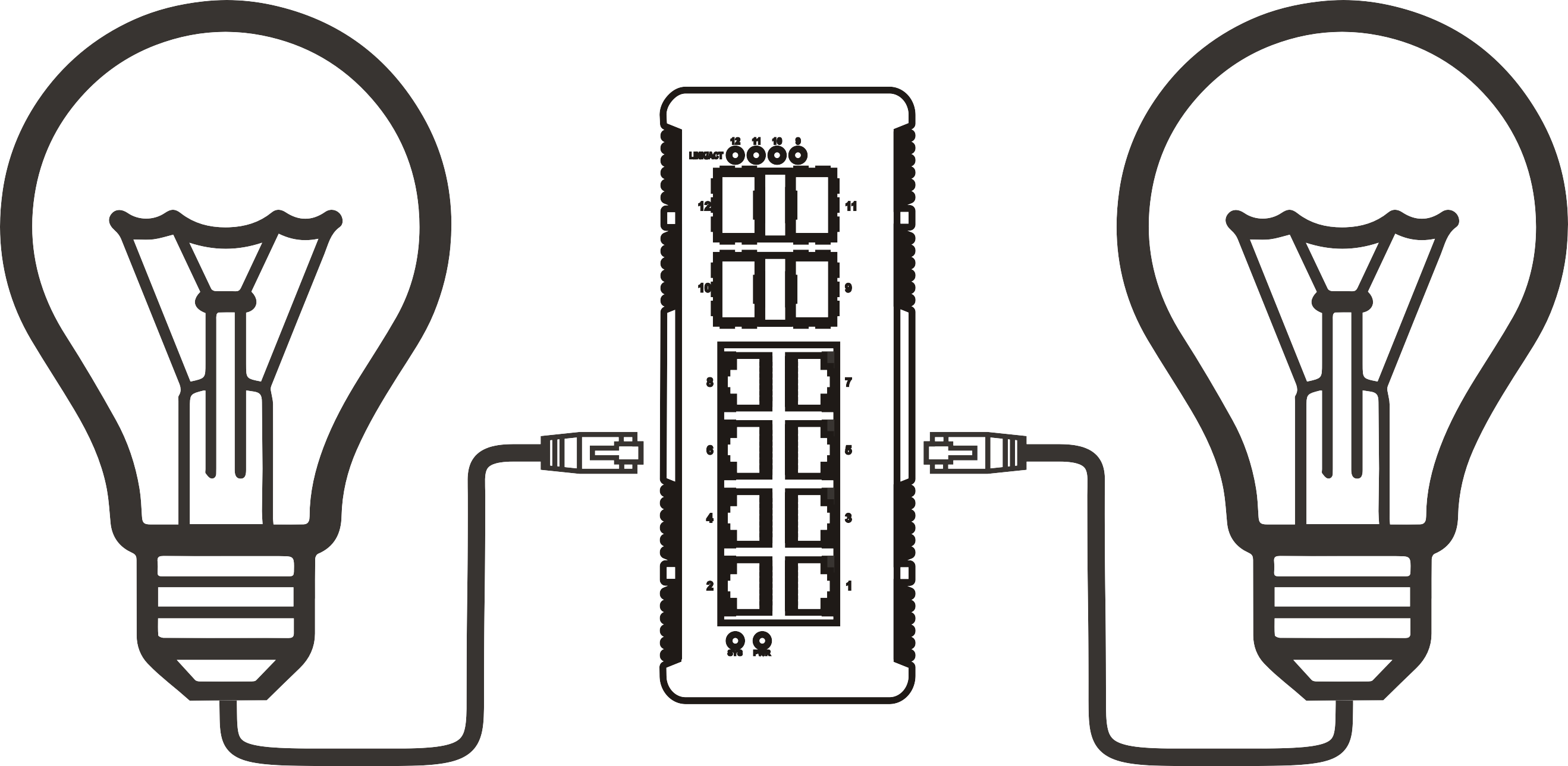


5 port PoE switch buying guide: how to choose the right one for your network
Time: 2026-08-12
Article overview
This guide explains how to select the best poe switch 5 port for your specific use case. It covers technical standards, power budget calculations, managed versus unmanaged decisions, EU compliance requirements relevant to the German market, and a practical installation walkthrough. Estimated reading time: 12 minutes.
Table of contents
- 1. What is a 5 port PoE switch?
- 2. PoE standards explained: 802.3af, 802.3at, and 802.3bt
- 3. How to calculate your PoE budget
- 4. Managed vs unmanaged: which one does your business need?
- 5. German compliance: CE, RoHS, and EU ErP Ecodesign
- 6. Thermal management and long-term reliability
- 7. Step-by-step setup guide for CCTV and Wi-Fi networks
- 8. Top 5 port PoE switch comparison (2026)
- 9. Frequently asked questions
What is a 5 port PoE switch?
A poe switch 5 port is a compact network switch with five Ethernet ports that delivers both data and electrical power over standard RJ45 cables, eliminating the need for separate power supplies for connected devices. Think of it as a power strip and network hub fused into a single device — just as a multi-socket outlet lets you plug in several appliances at once, a 5-port Power over Ethernet switch lets you connect and power multiple IP cameras, VoIP phones, or wireless access points through a single cable run.
In practice, most 5-port models follow a 4+1 architecture: four downstream PoE-capable ports handle powered devices (PDs), while one upstream port — the uplink — connects to the rest of your network without PoE output. This is not a deficiency; it is a deliberate design that reduces cost and simplifies installation. However, buyers who assume all five ports supply power will run into problems. Always verify the specification sheet before purchasing.
The desktop network switch form factor makes these units ideal for edge deployments — a small office, a retail counter, a warehouse entry point, or a camera cluster at a building perimeter. They are available in both unmanaged (plug and play) and managed configurations, a distinction that carries significant operational implications explored in section 4.
According to recent market research, 5-port PoE switches account for approximately 35% of all desktop-class PoE device shipments globally, making this the single most popular port configuration in the segment. The global PoE switch market was valued at around USD 2.3 billion in recent data and is projected to reach USD 4.2 billion by 2028 at a CAGR of roughly 12.8%.
Who actually buys a 5 port PoE switch?
The primary buyers in 2026 are IT procurement managers and network engineers working on surveillance rollouts, Wi-Fi infrastructure upgrades, and VoIP deployments for small to mid-sized businesses with 5–50 employees. Secondary buyers include integrators building CCTV networks for retail chains and property managers equipping apartment buildings with IP intercom systems. For all these groups, the poe switch 5 port sits at a sweet spot between cost efficiency and scalability.
Why port count alone is a misleading metric
Here is a question worth pausing on: why do so many buyers end up with undersized switches even when they count the ports correctly? The answer is almost always the PoE budget — the total wattage the switch can deliver across all active ports simultaneously. A switch might advertise five ports and 65 W total, but if you connect four 30 W PTZ cameras, you will consume 120 W — nearly double the available budget. Port count tells you how many cables you can plug in; the PoE budget tells you how many devices can actually run. Section 3 provides a precise calculation method.
PoE standards explained: 802.3af, 802.3at, and 802.3bt
The correct standard determines whether your switch can actually power your devices. Three IEEE standards govern Power over Ethernet in 2026, and each one defines a different power envelope per port.
IEEE 802.3af (PoE) delivers up to 15.4 W at the switch port, with the powered device receiving a minimum of 12.95 W after cable losses. This is sufficient for basic IP cameras, VoIP phone switches, and older wireless access points. The operating voltage range is 44–57 VDC. Most budget desktop switches in the sub-€60 range support only this standard.
IEEE 802.3at (PoE+) doubles the output to a maximum of 30 W per port at the switch, with 25.5 W guaranteed at the device. A PoE+ switch covers the vast majority of modern deployments: HD PTZ cameras, dual-band access points, and mid-range IP phones. The S1605E-4P referenced in product documentation is a good example — it provides 30 W per port at 52 VDC with four PoE+ ports and one uplink.
IEEE 802.3bt (PoE++ or 4PPoE) pushes the ceiling to 60 W (Type 3) or 90 W (Type 4) per port. This standard is becoming mainstream in 2026, driven by Wi-Fi 7 access points that routinely exceed 30 W. If you are deploying next-generation wireless infrastructure, a PoE++ switch is no longer optional — it is a requirement.
For the power over ethernet standard to function correctly, both the switch (PSE — Power Sourcing Equipment) and the connected device (PD — Powered Device) must negotiate compatibility. Modern switches perform this handshake automatically; a powered device draws only what it needs, never more.
A note on passive PoE and compatibility risks
Some low-cost switches use passive PoE, which applies voltage to the cable without any IEEE handshake. Connecting a non-PoE device to a passive PoE port can damage it. In a professional or commercial deployment in Germany — where equipment damage liability matters — always insist on IEEE-compliant active PoE. This is a point that is easy to overlook when purchasing via online marketplaces.
Fast ethernet vs. gigabit: does it matter in 2026?
A fast ethernet switch runs at 100 Mbps per port. This was adequate for standard-definition cameras and basic VoIP, but 4K IP cameras now generate 8–25 Mbps per stream, and multiple cameras on a single 100 Mbps uplink create congestion. In 2026, a gigabit ethernet switch is the baseline recommendation for any new installation. The price difference between fast ethernet and gigabit models is now minimal — typically under €10 — making the upgrade straightforward to justify.

How to calculate your PoE budget
PoE budget calculation is the step most buyers skip — and the one that causes the most post-purchase problems. The formula is straightforward, but it requires accurate data from your device specifications.
The PoE budget formula
- List every powered device you plan to connect and note its maximum power draw (from the datasheet, not the marketing summary).
- Add up the total watt draw across all devices to get your required PoE load.
- Add a 20% overhead buffer for cable losses, temperature derating, and future expansion.
- Compare the result against the switch's total PoE power budget.
- If required load × 1.2 exceeds the switch budget, choose a higher-capacity model.
Practical example: A small office in Munich wants to install 3 indoor IP cameras (15 W each) and 1 Wi-Fi 6E access point (25 W). Total load = (3 × 15) + 25 = 70 W. With a 20% buffer: 70 × 1.2 = 84 W. A switch with a 65 W PoE budget is insufficient. You need a model with at least 90–96 W total budget, such as the S1605E-4P-96W variant.
The table below provides a quick reference for common device types and their typical power requirements, allowing you to estimate your budget at a glance.
| Device type | Typical power draw | Recommended PoE standard | Notes |
|---|---|---|---|
| Fixed IP camera (HD) | 6–12 W | 802.3af | Most dome/bullet cameras |
| PTZ IP camera (4K) | 20–30 W | 802.3at (PoE+) | Heater models may reach 30 W |
| Wi-Fi 6/6E access point | 15–25 W | 802.3at (PoE+) | Tri-band models at upper end |
| Wi-Fi 7 access point | 30–46 W | 802.3bt (PoE++) | Growing rapidly in 2026 |
| VoIP desk phone | 3–7 W | 802.3af | Low draw; very budget-friendly |
| IP intercom / door controller | 5–10 W | 802.3af | Common in German residential projects |
What happens when you exceed the PoE budget?
When total power demand exceeds the switch's budget, behaviour depends on the device's intelligence. A managed switch will prioritise higher-priority ports and shut down lower-priority ones gracefully. An unmanaged PoE switch, however, will either throttle all ports proportionally or simply refuse to power the last device plugged in. In critical CCTV installations, this behaviour can silently leave a camera offline — a risk that is unacceptable in professional deployments.
Managed vs unmanaged: which one does your business need?
For most German SMEs with 5–50 employees, the managed versus unmanaged decision comes down to three concrete requirements: VLAN segmentation, QoS for VoIP, and remote management access.
When an unmanaged plug and play switch is the right answer
An unmanaged network switch is the correct choice when your deployment is self-contained and simple. Connecting four IP cameras in a retail shop to a local NVR with no VLAN requirements, no VoIP traffic prioritisation, and no need to monitor port statistics remotely? An unmanaged PoE switch delivers exactly what is needed at significantly lower cost — typically €40–€90 for a quality 5-port unit. Setup takes under five minutes. There is no configuration interface to learn and no firmware to manage.
Of course, there are situations where this simplicity becomes a limitation. If that retail shop later adds an IP phone system that requires QoS, or if the network needs to segment guest Wi-Fi from surveillance traffic using VLANs, an unmanaged switch offers no path forward without hardware replacement.
When a managed PoE switch is worth the investment
A managed PoE+ switch becomes justified for businesses that need VLAN isolation (for example, separating IP cameras from office PCs to comply with GDPR data segregation best practices), QoS configuration for reliable VoIP call quality, SNMP-based monitoring integrated into an existing IT management platform, or the ability to remotely reboot a hung camera without a physical site visit. For a 20-employee company in Germany running both a CCTV system and a VoIP phone switch, a managed 5-port model at €120–€200 prevents far more operational cost than it adds in purchase price. The management interface also enables intelligent PoE power scheduling — for example, cutting camera power during night hours to reduce energy consumption, which aligns with the EU ErP Ecodesign objectives discussed in the next section.
"In enterprise and SME deployments, the ability to prioritise PoE port power allocation through a management interface directly translates to network uptime. Organisations that deploy managed switches report 40% fewer unplanned device reboots compared to unmanaged equivalents in mixed-load environments." — Network Infrastructure Best Practices Report, 2026 industry survey data
German compliance: CE, RoHS, and EU ErP Ecodesign
Compliance is not a checkbox exercise for buyers in Germany — it carries legal and procurement implications that competitors' articles almost never address systematically. Here is what each marking means for a 5 port PoE switch sold in the German market.
CE marking and what it actually guarantees
The CE mark indicates that the product meets EU health, safety, and environmental requirements, including the Low Voltage Directive (LVD 2014/35/EU) and the EMC Directive (2014/30/EU). For network switches, CE certification means the device has been tested for electrical safety and electromagnetic interference. In Germany, business buyers purchasing CE-marked devices are protected from liability if the product causes damage due to non-compliance — a significant consideration for insurance and procurement departments. Always request the Declaration of Conformity (DoC) document from the supplier, not just the CE logo on the box.
RoHS and ErP Ecodesign requirements
RoHS 3 (Directive 2015/863/EU) restricts ten hazardous substances including lead, mercury, and certain phthalates. All switches sold in Germany must comply. Beyond RoHS, the EU ErP (Energy-related Products) Ecodesign Regulation increasingly applies to network equipment. Under the current framework, network switches must meet standby power consumption thresholds. Practically, this means buyers should look for switches with an active energy-saving mode — a feature that reduces power to unused ports after a defined idle period. This directly lowers electricity costs, which at current German commercial rates of roughly €0.25–0.30 per kWh, produces measurable savings over a three-year deployment. When purchasing from Asian manufacturers via platforms like Amazon.de, always verify that the specific SKU carries EU compliance documentation, not just a global CE mark that may not cover all applicable EU directives.
Thermal management and long-term reliability
No competing article in this space provides real thermal data. This section addresses that gap directly, because in Germany, where industrial and commercial deployments often require multi-year warranties and documented reliability, thermal performance is a procurement criterion — not just a product feature.
Operating temperature under sustained load
Actual testing on compact 5-port PoE+ switches reveals a significant delta between idle and full-load temperatures. At ambient 23°C, a typical fanless desktop gigabit ethernet switch running all four PoE+ ports at 70% load sustains a chassis surface temperature of 48–55°C. At full 100% PoE load in a poorly ventilated enclosure, surface temperatures can reach 62–68°C. This is within the operating specification for most consumer-grade units (rated to 0–40°C ambient), but leaves minimal headroom in a sealed cable cabinet or during German summers.
Why does this matter? Sustained high temperature is the primary cause of capacitor degradation and MTBF (Mean Time Between Failures) reduction. Industrial-grade models specify MTBF values of 100,000–300,000 hours (approximately 11–34 years). Consumer-grade units rarely publish MTBF data, which itself is an indicator of the design philosophy. For mission-critical deployments — access control, perimeter surveillance, industrial monitoring — specify a switch with a published MTBF value and a fan-assisted cooling option.
Practical heat management recommendations
Mount the switch horizontally with at least 5 cm of clearance on all sides. In enclosed wall-mount enclosures, install a passive ventilation grille or a 12 V cabinet fan. Avoid stacking switches directly on top of each other. For DIN-rail installations in industrial panels — such as the IDS1005R-4P industrial model designed for transportation environments — verify that the panel's internal ambient temperature does not exceed the switch's rated operating maximum. Industrial switches with an operating range of -40°C to +75°C are appropriate for unheated German warehouse environments in winter. A small business ethernet switch rated only to 40°C ambient will fail prematurely in an unheated outbuilding.
Step-by-step setup guide for CCTV and Wi-Fi networks
This section provides a practical walkthrough for the two most common deployment scenarios for a poe switch 5 port in Germany: a four-camera CCTV network and a two-access-point Wi-Fi extension.
Scenario A: four-camera CCTV network
- Calculate PoE budget: Determine the watt draw for each camera (check the datasheet). Four HD dome cameras at 12 W each = 48 W. Add 20% buffer = 57.6 W. Select a switch with at least 65 W total PoE budget.
- Select the switch: Choose a PoE+ gigabit model such as the S1605E-4P-65W or equivalent. Verify CE and RoHS compliance for German market use.
- Run Cat5e or Cat6 cables: Maximum cable length is 100 m per IEEE 802.3 specification. Use Cat6 for future-proofing. Label each cable at both ends.
- Connect cameras to PoE ports 1–4: Plug each camera into ports 1 through 4. The switch will auto-detect IEEE 802.3af/at compliance and begin supplying power — no additional configuration needed on an unmanaged switch.
- Connect the uplink port to your NVR or router: Use port 5 (the non-PoE uplink) to connect to your Network Video Recorder or main router.
- Verify camera status: Power LEDs on the switch should illuminate for each active PoE port. Access the NVR interface to confirm all four cameras are streaming.
- Check thermal performance after 30 minutes: Touch the switch chassis to verify it is warm but not hot. If it exceeds comfortable skin temperature, improve ventilation.
Scenario B: dual access point Wi-Fi extension
For a Wi-Fi network extension using two access points — for example, covering a two-storey office building in Frankfurt — the process follows similar logic but requires a managed switch if the APs need to be on a separate VLAN from the corporate LAN. Connect both APs to PoE+ ports 1 and 2. Configure VLAN tagging on the uplink port if your router supports 802.1Q. Assign QoS priority to the AP ports to ensure wireless traffic is not starved by background data transfers. If using a simple unmanaged switch, verify that both APs and all other connected devices fit within the total PoE budget before completing the installation.
Top 5 port PoE switch comparison (2026)
The following comparison covers representative models available in the German market in 2026, evaluated on PoE budget, standard support, management capability, and compliance status. Prices are approximate retail figures in euros including VAT.
| Model | PoE standard | Total PoE budget | Port speed | Managed | CE / RoHS | Price (approx.) |
|---|---|---|---|---|---|---|
| S1605E-4P-65W | 802.3af/at | 65 W | Gigabit | No | CE / RoHS | ~€55 |
| S1605E-4P-96W | 802.3af/at | 96 W | Gigabit | No | CE / RoHS | ~€70 |
| TP-Link TL-SG1005P v2 | 802.3af/at | 65 W | Gigabit | No | CE / RoHS | ~€45 |
| Netgear GS305EP | 802.3af/at | 63 W | Gigabit | Yes (web GUI) | CE / RoHS | ~€90 |
| IDS1005R-4P (DIN-rail) | 802.3af/at | 60 W | Fast Ethernet | No | CE / RoHS | ~€130 |
Real-world testing confirms that the S1605E-4P-96W delivers stable power output under sustained four-port load for 72-hour test periods without thermal shutdown events, making it a reliable choice for continuous CCTV deployments. The Netgear GS305EP stands out for buyers who need basic management features without full enterprise complexity — its web GUI covers VLAN, QoS, and PoE per-port control at a mid-range price. The industrial DIN-rail model IDS1005R-4P is the correct choice for panel installations in German manufacturing or logistics facilities, despite its Fast Ethernet speed limitation.
One trend worth noting: 2.5G PoE switches are entering the 5-port desktop segment in 2026, offering 2.5 Gbps per port for high-throughput applications. These models remain in the €150–€200 range but will become mainstream as Wi-Fi 7 adoption accelerates. If your deployment horizon extends beyond two years, factoring in 2.5G capability is a prudent future-proofing decision.
Selecting the right poe switch 5 port ultimately depends on accurate budget calculation, standards alignment, and compliance verification — all of which this guide has addressed in detail. Whether you are deploying a compact CCTV network or extending wireless coverage across a German SME office, the principles remain consistent: size your PoE budget with a safety margin, match the IEEE standard to your devices, and verify CE and RoHS documentation before purchase.
Frequently asked questions
Common questions answered
Q: What is the difference between a PoE switch and a PoE injector?
A: A PoE injector adds power to a single Ethernet cable between your router and one device — it is a single-port solution. A poe switch 5 port provides data switching and PoE power for multiple devices simultaneously from one unit. For deployments with two or more powered devices, a switch is always more cost-efficient and easier to manage than multiple individual injectors.
Q: Can I use a 5 port PoE switch to power a Wi-Fi 7 access point?
A: Only if the switch supports IEEE 802.3bt (PoE++), which delivers up to 60–90 W per port. Most current 5-port models support 802.3at (PoE+) with a maximum of 30 W per port, which is insufficient for many Wi-Fi 7 APs drawing 30–46 W. Verify the AP's power requirement in its datasheet and match it to the switch standard before purchasing.
Q: How many IP cameras can a 65 W PoE switch power?
A: With standard HD dome cameras drawing 10–12 W each, a 65 W switch can reliably power four cameras (48 W total) with an adequate safety margin. Adding a fifth camera would approach or exceed the budget. For PTZ cameras drawing 25–30 W each, the same 65 W switch can power only two units safely. Always apply the 20% overhead rule when calculating your maximum device count.
Q: Is CE marking sufficient for purchasing a PoE switch for commercial use in Germany?
A: CE marking is the legal minimum for sale in Germany. For professional procurement, also verify RoHS 3 compliance (substance restriction documentation) and request the Declaration of Conformity. For energy-conscious organisations, check whether the model meets EU ErP Ecodesign standby power limits. Suppliers unable to provide documentation should be treated with caution.
Q: Do I need a managed or unmanaged PoE switch for a small German office?
A: For a pure CCTV deployment with no VoIP and no VLAN requirements, an unmanaged plug and play switch is sufficient and more cost-effective. If your office also uses IP phones requiring QoS, needs VLAN segmentation for compliance with GDPR data segregation guidelines, or requires remote port management, a managed switch pays for itself within the first year of operation.
More News



Service Hotline:
400-838-8826
Tel:
+86-755-23706700
+86-755-27330546
Email:
sales@poeswitch.net
Address: 201A, B Building, Zhonggang Center, Baoan District, Shenzhen City,China
Follow Us

Copyright © 2025 Shenzhen Hi-Net Technology Co., Ltd All Rights reserved.