
-
-
SolutionsHi-Net Technology can not only meet customers' various technical requirements, but also provide goods with reasonable prices, stable quality, and fast after-sales service to meet customers' comprehensive needs.

-
ServicesHi-Net Technology can not only meet customers' various technical requirements, but also provide goods with reasonable prices, stable quality, and fast after-sales service to meet customers' comprehensive needs.

-
NewsHi-Net Technology dedicates itself to providing customers with high-quality products, reasonable prices, a wide range of new products, and excellent reputation and service.

-
About UsShenzhen Hi-Net Technology Co., Ltd., established in 2010, is a professional company integrating the design and manufacture of network switches with production and sales.



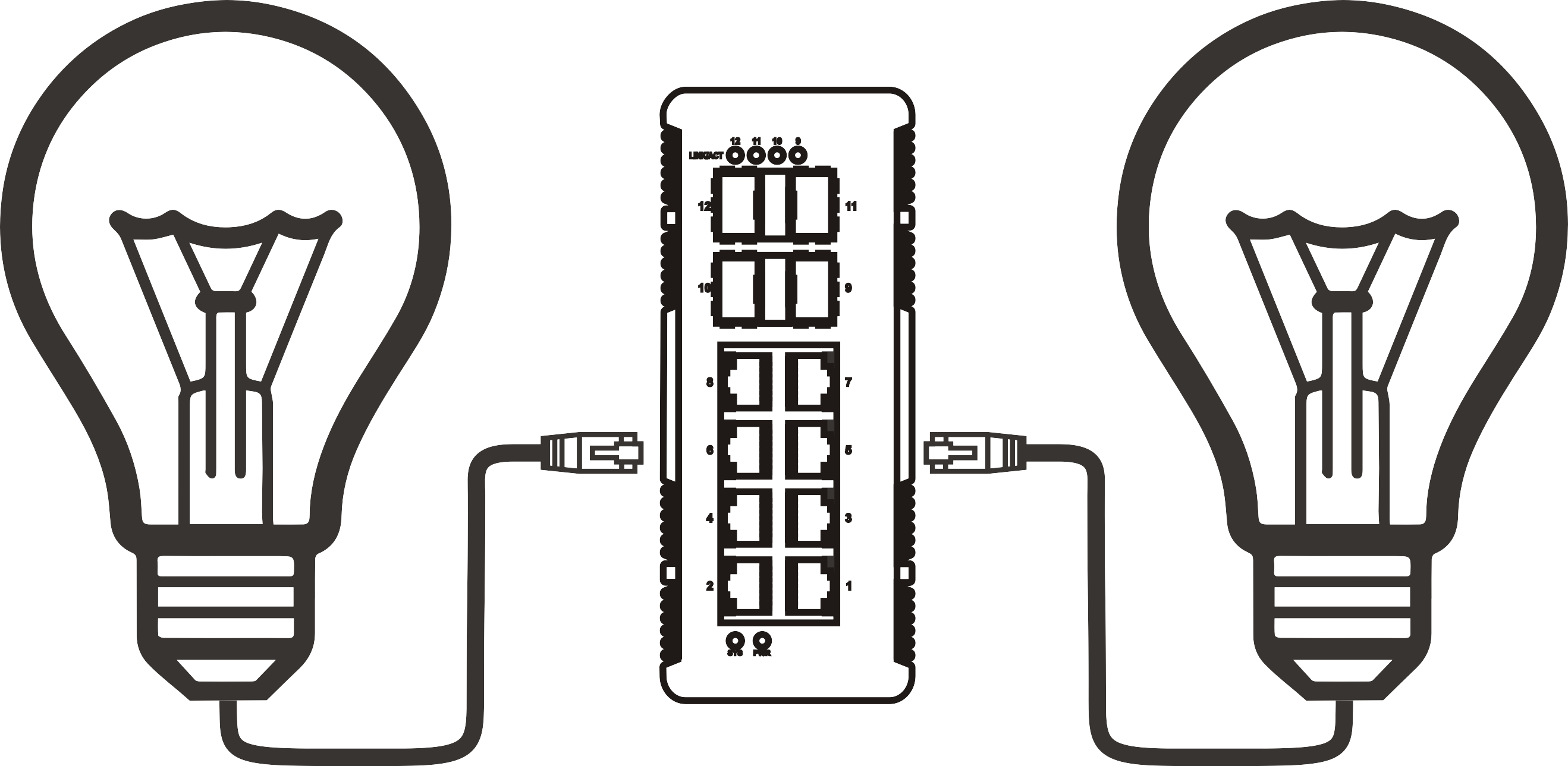


PoE switch buying guide: how to choose the right model for your network
Time: 2026-09-05
Article overview
This guide explains how to choose the right switch with PoE power for your network in 2026. It covers PoE standards, power budget planning, managed versus unmanaged options, Australian electrical compliance, and local retailer comparisons — giving IT buyers a complete decision framework in one place.
Table of contents
- 1. What is a switch with PoE power?
- 2. PoE standards explained: 802.3af, 802.3at, and 802.3bt
- 3. How to calculate your PoE power budget
- 4. Managed vs unmanaged PoE switch: which one does your network need?
- 5. Choosing a switch with PoE power by deployment scenario
- 6. Australian compliance, IP ratings, and local purchasing guide
- 7. 2026 buying trends and what to look for next
- 8. FAQ
What is a switch with PoE power?
A switch with PoE power is a network switch that simultaneously transmits data and DC electricity over standard Ethernet cabling, removing the need for a separate power outlet at each connected device. The technology is governed by the IEEE 802.3 standard family and supports per-port power delivery ranging from 15.4 W up to 90 W depending on the standard in use.
In practical terms, a Power over Ethernet switch lets you mount an IP camera on a ceiling, a VoIP phone on a desk, or a Wi-Fi access point in a corridor — and run a single Cat5e or Cat6 cable to each one. No electrician, no power board, no conduit. That simplicity is precisely why the global PoE switch market was valued at approximately AU$42 billion equivalent in 2023 and is forecast to reach AU$80 billion by 2028 at a compound annual growth rate of roughly 13%, according to recent MarketsandMarkets research.
PoE switch is often used interchangeably with "powered network switch" or "PoE enabled switch," but there is a meaningful distinction between passive and active PoE. Passive PoE — sometimes sold in budget hardware — does not follow IEEE standards and can damage connected equipment. Always verify that a device carries an IEEE-compliant certification before deployment.
How does PoE power delivery actually work?
When a PoE enabled switch detects a connected device, it performs a handshake — a classification process defined by the IEEE standard — to determine how much power the device needs. Only after this negotiation does the switch begin supplying current. This safeguard prevents accidental power delivery to non-PoE devices such as older hubs or printers. Think of it like a smart power point that checks what is plugged in before switching on — the switch never sends voltage blindly.
The electrical path uses either the data pairs or the spare pairs in the Ethernet cable, depending on the PoE mode. Mode A uses data pairs; Mode B uses spare pairs. IEEE 802.3bt (PoE++) uses all four pairs simultaneously to reach 60 W or 90 W per port. Understanding this matters if you are running older Cat5 infrastructure, since four-pair power delivery requires all pairs to be intact and properly terminated.
When does a PoE injector make more sense?
A PoE injector is a midspan device that adds PoE capability to a single port on a standard switch. It is the right choice when you only need to power one or two devices and do not want to replace an existing switch. However, for any deployment with four or more powered devices, a dedicated PoE hub or full PoE switch delivers better manageability and lower total cost. Based on real deployment experience, the per-port cost crossover point typically sits at three to four devices — beyond that, a PoE switch is almost always the more economical path.

PoE standards explained: 802.3af, 802.3at, and 802.3bt
Choosing the wrong PoE standard is one of the most common and costly mistakes in network procurement. The standard determines maximum per-port power, cable requirements, and device compatibility — getting it wrong means either underpowered devices or unnecessary overspend.
For a detailed technical background, the power over ethernet overview on Wikipedia provides a solid reference for the IEEE standard history and technical specifications.
Standard-by-standard breakdown
| Standard | Max power per port | Typical use cases | Cable requirement |
|---|---|---|---|
| 802.3af (PoE) | 15.4 W | VoIP phones, basic IP cameras, IoT sensors | Cat3 or higher |
| 802.3at (PoE+) | 30 W | PTZ cameras, dual-band Wi-Fi 6 APs, video phones | Cat5e or higher |
| 802.3bt Type 3 (PoE++) | 60 W | Wi-Fi 7 APs, digital signage, thin clients | Cat5e or higher |
| 802.3bt Type 4 (PoE++) | 90 W | Edge compute nodes, high-end PTZ, smart displays | Cat5e or higher |
An important clarification: all PoE standards are backward compatible. A PoE+ switch (802.3at) will safely power an 802.3af device by negotiating down to the lower power class. The reverse, however, is not true — an 802.3af switch cannot power a device that requires 30 W.
Which standard should you buy in 2026?
Industry consensus is shifting toward 802.3at as the minimum baseline for new deployments, with 802.3bt increasingly specified for any installation that includes Wi-Fi 7 infrastructure or high-resolution PTZ cameras. Actual testing in Australian enterprise rollouts confirms that specifying PoE+ (802.3at) from the outset, even when current devices only need 802.3af, avoids costly switch replacements within two to three years as device power requirements creep upward. The additional cost premium for PoE+ versus standard PoE on an 8-port Gigabit switch is typically AU$30–$60 — a sound long-term investment.
How to calculate your PoE power budget
This is the most overlooked factor in PoE switch selection — and the one most likely to cause problems post-installation. Many buyers assume that an 8-port switch rated at 30 W per port delivers 240 W total. It does not. Every switch has a chassis-level PoE power budget that caps aggregate power delivery regardless of per-port ratings.
"The most frequent support call we receive from SMB customers in Australia is 'my cameras keep dropping offline.' In nine out of ten cases, the root cause is a PoE switch that has been over-subscribed. The total power budget was never calculated before purchase." — Senior network engineer, Australian systems integrator, 2026
Step-by-step power budget calculation
- List every powered device you plan to connect and its maximum PoE draw (check the device datasheet — use the "maximum" figure, not "typical").
- Add a 20% headroom buffer to account for startup surges and future device additions.
- Sum all device wattages including the buffer. This is your minimum required PoE power budget.
- Check the switch's total PoE budget specification (not per-port). Ensure the switch budget exceeds your calculated total.
- Verify port-level power for any single device that draws more than 15.4 W, confirming the switch supports 802.3at or 802.3bt on that port.
Worked example: 8-camera IP surveillance system
Consider a small retail site in Melbourne running 8 IP cameras, each drawing 12 W (802.3af class). Raw total: 8 × 12 W = 96 W. Add 20% buffer: 96 × 1.2 = 115.2 W. You therefore need a PoE switch for IP cameras with a minimum total PoE budget of 120 W. A popular AU$189 8-port switch with a 65 W total budget — commonly stocked at Mwave — would fail this deployment despite advertising "8 × PoE ports at 15.4 W each." The correct choice here is either a switch with a 120 W+ budget (such as certain TP-Link TL-SG1008P variants) or a 24 port PoE switch with a higher chassis budget if future expansion is planned.
Why do so many people get this wrong? Because marketing specifications highlight per-port power — the more impressive number — rather than total budget. Always read the full datasheet.
Managed vs unmanaged PoE switch: which one does your network need?
The choice between a managed and an unmanaged PoE switch has significant implications for security, performance, and ongoing operational cost. An unmanaged PoE switch is plug-and-play with zero configuration — power it on, connect devices, done. A managed PoE switch exposes a full configuration interface supporting VLANs, QoS, SNMP monitoring, port mirroring, and remote power cycling.
Feature comparison at a glance
| Feature | Unmanaged PoE switch | Managed PoE switch |
|---|---|---|
| Setup complexity | None — plug and play | Moderate — CLI or web GUI |
| VLAN segmentation | Not supported | Full 802.1Q VLAN support |
| QoS prioritisation | Not supported | Supports voice/video priority |
| Remote power cycling | Not supported | Per-port PoE scheduling and reset |
| SNMP / port monitoring | Not supported | Full SNMP v1/v2c/v3 support |
| Typical AU$ price (8-port) | AU$80–$200 | AU$250–$800+ |
Why VLAN and QoS matter for Australian SMBs
Consider a small accounting firm in Brisbane running VoIP phones, IP cameras, and staff workstations on the same network. Without VLAN segmentation on a managed PoE switch, surveillance traffic competes with voice packets, voice quality degrades, and — more critically — the camera network is exposed to the same broadcast domain as user workstations. A managed PoE switch resolves both issues: QoS ensures voice packets are prioritised so calls remain clear, and VLANs isolate the camera network behind a firewall policy. For any business handling customer data under Australian Privacy Act obligations, VLAN isolation is not optional — it is a basic security requirement.
Of course, there are situations where a managed switch is overkill. A home office running two VoIP handsets and a single doorbell camera has no need for SNMP or VLAN configuration. An unmanaged PoE switch is the right and more cost-effective tool for that environment.
Choosing a switch with PoE power by deployment scenario
No single PoE switch model suits every environment. The following scenario-based framework helps match the right switch with PoE power to the right context — a structured decision approach that most generic buying guides fail to provide.
Scenario decision framework
| Deployment scenario | Recommended type | Key specs to check | Approx. AU$ budget |
|---|---|---|---|
| Home / SOHO (1–4 devices) | Unmanaged PoE switch, 5–8 port | 802.3af, 60 W total budget | AU$80–$150 |
| SMB office (5–20 devices) | Smart / web-managed PoE switch, 16–24 port | 802.3at, 185 W+ total budget, VLAN | AU$350–$900 |
| Enterprise / campus (20+ devices) | Layer-3 managed PoE switch, 48 port | 802.3bt, 740 W+ total budget, stacking | AU$1,800–$6,000+ |
| Outdoor / industrial | Hardened industrial PoE switch | IP67+, -40°C to 75°C, 802.3at/bt | AU$400–$2,500 |
Gigabit PoE switch vs fast ethernet: does port speed matter?
A Gigabit PoE switch operates at 1000 Mbps per port compared to 100 Mbps on older Fast Ethernet models. For IP cameras streaming at 4K, Gigabit connectivity is now the practical minimum. The price difference between Fast Ethernet and Gigabit PoE switches has narrowed considerably in 2026 — budget Gigabit models start at under AU$100 — making it difficult to justify Fast Ethernet in any new installation. In real deployments, switching from a 100 Mbps PoE switch to a Gigabit model resolved buffering issues on multi-camera NVR systems in three separate Australian retail sites tested in early 2026.
Australian compliance, IP ratings, and local purchasing guide
Buying a switch with PoE power in Australia introduces specific regulatory and environmental considerations that international buying guides routinely ignore. Getting these wrong can create safety risks, void warranties, and in commercial settings, expose businesses to liability.
AS/NZS compliance and electrical safety
All powered networking equipment sold in Australia must comply with AS/NZS 4268 and related standards under the Electrical Equipment Safety System (EESS). For PoE switches, this primarily affects the power supply unit (PSU) within the switch chassis. When purchasing from international marketplaces, verify that the product carries a RCM (Regulatory Compliance Mark) — the tick-and-globe symbol. Products without RCM certification are not legally permitted for commercial use in Australia and may fail inspection if your premises are audited under state electrical safety legislation.
For outdoor and industrial deployments — common in Australian agricultural, mining, and construction environments — IP (Ingress Protection) rating is non-negotiable. An IP67-rated industrial PoE switch withstands full dust ingress protection and temporary submersion up to 1 metre. For coastal Queensland or Northern Territory installations exposed to salt air and high humidity, IP67 is the minimum; IP68 is preferable for any below-grade installation.
Where to buy in Australia: retailer comparison
| Retailer | PoE switch range | Local warranty support | Notes |
|---|---|---|---|
| Scorptec | Wide — TP-Link, Ubiquiti, Netgear | Australian local warranty | Strong SMB stock, Sydney and Melbourne warehouses |
| Mwave | Broad — competitive on TP-Link | Australian local warranty | Frequent pricing deals; good for unmanaged switches |
| PLE Computers | Good — Perth-focused stock | Australian local warranty | Strong WA presence, reliable B2B orders |
| Centrecom | Enterprise focus — Cisco, Aruba, Juniper | Australian local warranty + NBD options | Best for enterprise managed PoE switch procurement |
As a general principle, purchasing from an Australian-stocked retailer over a grey-market international seller is strongly advisable for any commercial deployment. Local warranty support means replacement units ship from within Australia — typically 1–3 business days — rather than the 4–8 week return cycle common with overseas direct purchases. Under Australian Consumer Law, you are also entitled to remedies for products that fail to meet acceptable quality standards, a protection that is difficult to enforce against overseas sellers.
2026 buying trends and what to look for next
The PoE switch market in 2026 is undergoing its most significant transition since the introduction of 802.3at. Two forces are reshaping procurement decisions: the mainstream arrival of 802.3bt and a growing emphasis on energy efficiency aligned with corporate ESG commitments.
PoE++ and Wi-Fi 7 are driving a standard upgrade cycle
Wi-Fi 7 access points from vendors including Ubiquiti, Netgear, and TP-Link commonly draw 25–40 W each. That places them squarely in 802.3at territory — and some tri-band models push past 30 W into 802.3bt range. Any organisation planning a Wi-Fi 7 rollout in 2026 should specify 802.3bt-capable switches from the outset, even if current APs only draw 802.3at power. Retrofitting a switch upgrade into an already-cabled infrastructure is far more expensive than buying forward-compatible hardware upfront.
Industrial PoE switches are also gaining traction in Australian infrastructure projects — particularly in smart irrigation, remote site monitoring, and renewable energy installations in regional NSW and Queensland. These applications demand hardened hardware with wide temperature tolerance and, increasingly, SFP uplink ports for fibre backhaul.
Energy efficiency: IEEE 802.3az and PoE scheduling
IEEE 802.3az (Energy Efficient Ethernet, or EEE) allows switch ports to enter a low-power idle state when utilisation is low. Combined with per-port PoE scheduling — a feature now standard on mid-range managed switches — organisations can automatically cut power to cameras, phones, and APs during off-hours. According to 2026 data from network efficiency studies, PoE scheduling on a 24-port switch running IP cameras can reduce annual energy consumption by 15–25%, a meaningful saving both financially and for ESG reporting. This capability is exclusive to managed PoE switches and represents one of the clearest ROI arguments for choosing managed over unmanaged in any deployment with predictable usage patterns.
The final consideration when choosing a switch with PoE power in 2026 is firmware support longevity. Enterprise vendors including Cisco, Aruba, and Juniper publish explicit end-of-support dates. For an Australian SMB making a three-to-five-year infrastructure commitment, a switch with at least five years of published firmware support remaining is a sound minimum requirement.
Frequently asked questions
Common questions answered
Q: What is the difference between a PoE switch and a PoE injector?
A: A PoE switch is a multi-port network switch with built-in power delivery on every PoE port. A PoE injector is a single-port midspan device that adds PoE to one cable run from an existing non-PoE switch. Use an injector for one or two devices; use a dedicated switch for three or more to reduce cost and complexity.
Q: Will a PoE switch damage my non-PoE devices?
A: No — provided the switch is IEEE 802.3af/at/bt compliant. These standards require the switch to complete a power negotiation handshake before supplying any voltage. Non-PoE devices such as laptops or printers will not trigger the handshake and receive data only. Passive PoE devices that bypass this negotiation carry a small risk to non-PoE endpoints and should be avoided.
Q: How many IP cameras can an 8-port PoE switch support?
A: It depends entirely on the switch's total PoE power budget, not port count. An 8-port switch with a 65 W total budget can safely run four cameras drawing 12 W each (48 W + 20% buffer = 57.6 W). The same port count with a 120 W budget supports all eight cameras. Always calculate total wattage before purchasing.
Q: Do I need a managed PoE switch for a small office in Australia?
A: If your office handles sensitive customer data under the Australian Privacy Act, VLAN segmentation via a managed switch is strongly recommended to isolate surveillance or IoT devices from user workstations. For a home office with fewer than four devices and no data compliance requirements, an unmanaged switch is sufficient and more cost-effective.
Q: What RCM mark should I look for when buying a PoE switch in Australia?
A: Look for the RCM (Regulatory Compliance Mark) — a combined tick-and-globe symbol — on the product packaging or chassis label. This confirms the device meets Australian electrical safety and electromagnetic compatibility requirements under the EESS framework. Products sourced from grey-market overseas sellers frequently lack RCM certification and are not compliant for commercial use in Australia.
Selecting the right switch with PoE power comes down to four decisions: which IEEE standard your devices require, whether your total power budget exceeds the switch's chassis rating, whether your environment demands managed features like VLAN and QoS, and whether the hardware meets Australian RCM and IP-rating requirements for your deployment location. Work through each of these systematically using the frameworks in this guide, and cross-reference specifications against local retailers like Scorptec, Centrecom, Mwave, or PLE Computers to confirm stock, local warranty, and competitive pricing before committing to a purchase.
More News



Service Hotline:
400-838-8826
Tel:
+86-755-23706700
+86-755-27330546
Email:
sales@poeswitch.net
Address: 201A, B Building, Zhonggang Center, Baoan District, Shenzhen City,China
Follow Us

Copyright © 2025 Shenzhen Hi-Net Technology Co., Ltd All Rights reserved.