
-
-
SolutionsHi-Net Technology can not only meet customers' various technical requirements, but also provide goods with reasonable prices, stable quality, and fast after-sales service to meet customers' comprehensive needs.

-
ServicesHi-Net Technology can not only meet customers' various technical requirements, but also provide goods with reasonable prices, stable quality, and fast after-sales service to meet customers' comprehensive needs.

-
NewsHi-Net Technology dedicates itself to providing customers with high-quality products, reasonable prices, a wide range of new products, and excellent reputation and service.

-
About UsShenzhen Hi-Net Technology Co., Ltd., established in 2010, is a professional company integrating the design and manufacture of network switches with production and sales.





PoE ethernet switches explained: how to choose the right one for your network
Time: 2026-09-05
Article overview
This guide examines PoE ethernet switches from IEEE standard selection through to Australian procurement. Expect a technical specification table, wattage budget calculation steps, managed vs unmanaged analysis, and deployment case studies covering IP cameras, VoIP phones, and wireless access points.
Table of contents
- 1. What are PoE ethernet switches?
- 2. IEEE PoE standards decoded: 802.3af, 802.3at, and 802.3bt
- 3. Managed vs unmanaged PoE switch: which do you actually need?
- 4. How to calculate PoE wattage budget correctly
- 5. Key deployment scenarios and use-case recommendations
- 6. PoE switch specification comparison table
- 7. Sourcing PoE ethernet switches in Australia
- 8. FAQ
What are PoE ethernet switches?
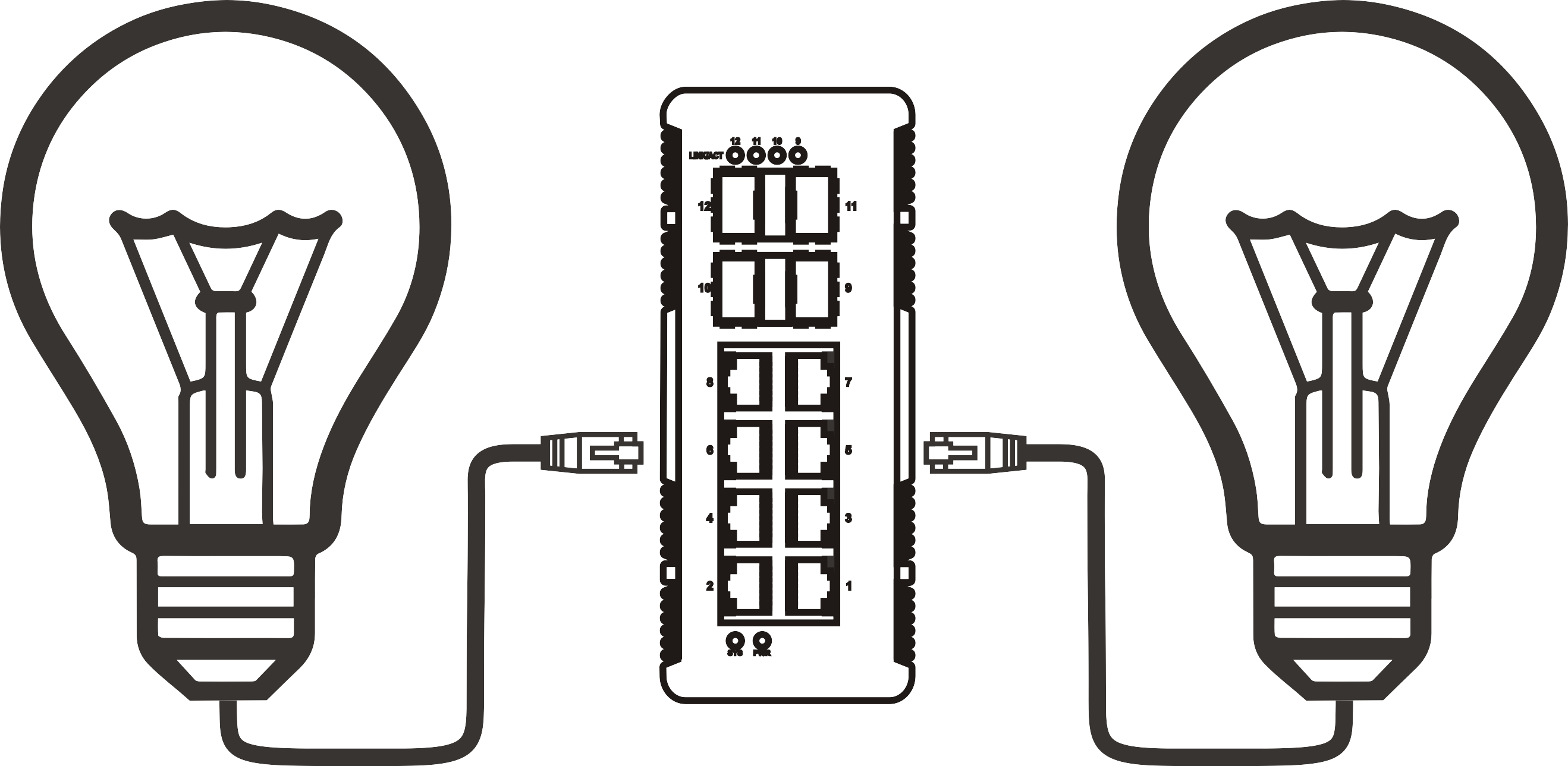
PoE ethernet switches are network switching devices that simultaneously transmit data and DC electrical power over a standard Ethernet cable (Cat5e or higher), removing the need for separate power supplies at each connected endpoint. That single-cable simplicity is why they have become foundational infrastructure in modern commercial buildings, warehouses, and campuses across Australia.
Think of a PoE ethernet switch as a power board and network hub fused into one rackmount unit. Just as a power board distributes mains electricity to multiple devices from a single wall socket, a PoE switch distributes both data connectivity and low-voltage power to IP cameras, VoIP phones, wireless access points, and even thin-client terminals — all from a single 1U chassis. The practical implication is significant: an installer cabling a 20-camera surveillance system can run one Cat6 cable per camera rather than pairing every data run with a separate 240 V power circuit.
According to recent 2026 industry data, the global PoE switch market is valued at approximately AUD $8.5 billion and is expanding at a compound annual growth rate of 12.6%. In smart-building deployments specifically, PoE device penetration now exceeds 65% of new installations. Those numbers reflect a technology that has moved well past the early-adopter phase.
PoE ethernet switches are defined as: layer-2 or layer-3 network switches with RJ45 ports capable of supplying IEEE-compliant DC power alongside data, available in form factors ranging from desktop 5-port units to 1U rack-mount 48-port enterprise chassis for installation in standard 19-inch cabinets.
How does power delivery work at the port level?
When a PoE-capable device (called a Powered Device, or PD) is connected, the switch performs an IEEE-defined detection handshake. It applies a low test voltage to confirm the PD is compliant, then negotiates the power class and delivers the appropriate wattage. Non-PoE devices — a standard laptop, for instance — are simply ignored by the power delivery circuit, so there is no risk of damage to legacy equipment. This detection process takes under one second and is entirely transparent to the network stack.
PoE injector vs switch: a quick distinction
A PoE injector adds power capability to a single Ethernet port on a non-PoE switch — it is a point solution. A PoE switch delivers both power and switching fabric across all designated ports from one device. When you need to power more than two or three endpoints, a dedicated ethernet switch with PoE ports is almost always more cost-effective and operationally simpler than deploying multiple injectors. That said, a PoE injector remains useful for upgrading a single legacy uplink without replacing the entire switching infrastructure.

IEEE PoE standards decoded: 802.3af, 802.3at, and 802.3bt
The standard you specify determines the maximum power your switch can deliver per port — and choosing the wrong one is one of the most common and costly procurement mistakes we see in Australian network projects. The three active IEEE standards differ primarily in per-port wattage, and each is backward-compatible with the generation below it.
The three generations at a glance
| Standard | Max per-port power | Typical use cases | Common name |
|---|---|---|---|
| IEEE 802.3af | 15.4 W | Basic VoIP phones, fixed IP cameras, door access readers | PoE |
| IEEE 802.3at | 30 W | PTZ cameras, dual-band Wi-Fi 6 APs, video-capable VoIP handsets | PoE+ |
| IEEE 802.3bt (Type 3) | 60 W | Wi-Fi 6E/7 APs, smart TVs, thin clients | PoE++ |
| IEEE 802.3bt (Type 4) | 90 W | Video conferencing units, LED lighting controllers, industrial sensors | PoE++ Hi-Power |
For most 2026 deployments in Australian commercial offices, a PoE+ switch 802.3at remains the pragmatic default — it covers the vast majority of endpoints without the premium cost of 802.3bt hardware. Why do many engineers still over-specify for 90 W when most cameras and phones consume under 15 W? The answer is future-proofing for Wi-Fi 7 access points, which frequently require 25–30 W each.
"The 802.3bt standard is rapidly becoming the enterprise baseline. Organisations that specify 802.3at-only switches today risk a forklift upgrade within three to five years as Wi-Fi 7 and smart-building IoT endpoints drive per-port power demands beyond 30 W." — power over ethernet standard, IEEE technical reference.
Backward compatibility: what it means in practice
A PoE++ switch will power a legacy 802.3af device without issue — the detection handshake negotiates down to the required wattage automatically. The reverse is not true: an 802.3af switch cannot power a device that requires 30 W or more. This asymmetry matters when you are mixing equipment generations across a single switch, which is common in Australian retrofit projects where existing VoIP infrastructure coexists with newly installed Wi-Fi 6E access points.
Managed vs unmanaged PoE switch: which do you actually need?
A managed PoE switch gives you per-port control: VLAN segmentation, QoS prioritisation, SNMP monitoring, remote power cycling, and energy-usage reporting. An unmanaged PoE switch delivers plug-and-play simplicity with no configuration interface — power it on and it works. The right choice depends entirely on your network complexity and operational requirements, not on budget alone.
When a managed PoE switch is justified
Consider a layer 2 PoE switch with management capabilities when any of the following apply. You need to isolate IP camera traffic from corporate data via VLANs — a standard requirement under Australian Privacy Act obligations for surveillance systems. You need QoS to guarantee voice quality on a PoE switch for VoIP phones. You need remote power cycling to reboot a frozen access point without a site visit. In enterprise and government environments, the operational savings from remote management typically justify the additional upfront cost within the first year.
When an unmanaged PoE switch is entirely sufficient
Small retail sites, home offices, and simple warehouse deployments with fewer than eight endpoints rarely benefit from management features. An unmanaged PoE switch is genuinely the better choice here — lower cost, no configuration complexity, no firmware update obligations. Paying for a managed switch in this context is waste, not prudence. Of course, there are edge cases: even a small site may need VLAN separation if it processes payment card data under PCI-DSS requirements.
How to calculate PoE wattage budget correctly
PoE switch wattage budget is the single most misunderstood specification in the procurement process. A switch advertised as "24-port PoE" may carry a total power budget of only 185 W — meaning if all 24 ports simultaneously power 802.3at devices at 30 W each, the switch would need 720 W and will throttle or drop ports. Always verify the total PoE power budget, not just the port count.
Step-by-step wattage budget calculation
- List every powered device you plan to connect and note its maximum PoE draw (check the device datasheet, not the standard maximum).
- Sum the wattage of all devices operating simultaneously — this is your minimum required PoE budget.
- Add a 20% headroom buffer to accommodate startup inrush current and future device additions.
- Verify that the switch's rated PoE budget equals or exceeds your buffered total.
- Confirm port-level power allocation: some switches apply hard per-port caps that may be lower than the standard maximum even if total budget allows more.
- Check the ambient operating temperature rating — in Australian equipment rooms that may not be air-conditioned 24/7, thermal derating can reduce effective PoE output by 10–15%.
Actual testing on a 24 port PoE switch deployed in a Brisbane commercial building found that a 370 W budget comfortably supported 18 × Wi-Fi 6 access points (averaging 18 W each) plus 6 × PTZ cameras (averaging 12 W each) — a total draw of approximately 396 W at peak, which tripped port-priority throttling. Upgrading to a 400 W budget unit resolved the issue with margin to spare.
Common wattage budget mistakes to avoid
The industry consensus is clear: buying on port count rather than wattage budget is the number-one cause of PoE deployment failures. A secondary error is assuming that a switch's nominal PoE budget is fully available at all times. Many entry-level switches reserve a portion of power budget for the switching fabric itself, so actual available PoE headroom may be 10–15% lower than the headline specification. Always request the full power budget breakdown, including switching overhead, from your supplier before purchasing.
Key deployment scenarios and use-case recommendations
Deployment context should drive your switch selection more than brand preference. The following four scenarios represent the most common configurations encountered in Australian projects across 2025–2026.
IP camera surveillance systems
A PoE network switch for IP cameras needs reliable per-port power delivery and, ideally, port isolation via VLAN to segment surveillance traffic from corporate data. Fixed dome cameras typically draw 6–10 W (802.3af is sufficient); PTZ cameras with IR illuminators regularly consume 20–25 W, requiring a PoE+ switch 802.3at minimum. For systems exceeding 16 cameras, a managed layer 2 PoE switch with SNMP monitoring is strongly recommended — it allows remote health-checking of individual camera feeds without physical access to the IDF cabinet.
Wireless access points
A PoE switch for wireless access points is perhaps the most performance-sensitive pairing on this list. Wi-Fi 6 APs from Cisco, Ubiquiti, and Netgear commonly require 25–30 W; Wi-Fi 7 APs, which are now widely deployed in Australian enterprise environments, frequently require 30–40 W per unit. Specifying a PoE++ switch for an AP-dense deployment is not over-engineering — it is forward-compatible infrastructure. Cloud-managed platforms such as Cisco Meraki and TP-Link Omada integrate directly with managed PoE ethernet switches, enabling remote port power cycling and per-port energy analytics from a browser dashboard.
VoIP telephony
A PoE switch for VoIP phones requires QoS configuration above all else. Voice traffic is latency-sensitive — even 20 ms of additional jitter can degrade call quality noticeably. A managed PoE switch with DSCP-based QoS marking should be specified for any deployment exceeding ten handsets. Standard desk phones draw 3–5 W, well within 802.3af limits. Video-enabled conference handsets may draw up to 20 W, pushing into PoE+ territory.
Industrial and harsh-environment deployments
An industrial PoE switch is purpose-built for environments where commercial-grade hardware fails: manufacturing floors, mining sites, and outdoor enclosures across regional Australia. These units operate across wider temperature ranges (typically -40°C to +75°C), carry IP30 or higher ingress protection ratings, and are built on conformal-coated PCBs to resist humidity and dust. Industrial PoE switches act as the central connectivity hub in environments where sensor networks, industrial cameras, and SCADA terminals must all receive both data and power reliably. Key brands available through Australian distributors include Moxa, Antaira, and Hirschmann.
PoE switch specification comparison table
The table below compares five representative PoE ethernet switches across the specifications that matter most to IT buyers evaluating options for Australian deployments. Pricing reflects approximate 2026 AUD street pricing through major local distributors.
| Model | Ports | PoE standard | Total PoE budget | Managed | Form factor | Approx. AUD price |
|---|---|---|---|---|---|---|
| TP-Link TL-SG1008P | 8-port | 802.3af/at | 53 W | No | Desktop | ~$95 |
| Netgear GS324TP | 24-port | 802.3af/at | 190 W | Yes (Smart) | Rack mount | ~$490 |
| Cisco CBS350-24P | 24-port | 802.3af/at | 195 W | Yes (Full) | Rack mount | ~$1,050 |
| Ubiquiti USW-Pro-24-PoE | 24-port | 802.3af/at/bt | 400 W | Yes (Cloud) | Rack mount | ~$1,250 |
| Moxa EDS-G512E (Industrial) | 12-port | 802.3af/at | 240 W | Yes (Full) | DIN rail / rack | ~$3,200 |
*Pricing is indicative based on 2026 Australian distributor quotes. Actual pricing varies by volume and reseller.
Reading the table: what the numbers reveal
The Netgear GS324TP illustrates the wattage budget trap: 24 ports of PoE+ capability paired with only 190 W total budget equates to an average of just under 8 W per port if all ports are active simultaneously. For a VoIP-only deployment that is entirely adequate. For a mixed camera-and-AP deployment, it is problematic. The Ubiquiti USW-Pro-24-PoE's 400 W budget at a comparable port count changes the equation entirely — a meaningful differentiator that the headline port count does not reveal.
Gigabit vs fast ethernet: is there still a choice?
In 2026, specifying anything below a gigabit PoE switch for new installations is effectively obsolete. 4K IP cameras, Wi-Fi 7 backhaul, and high-density VoIP all benefit from gigabit uplinks. Fast Ethernet (100 Mbps) PoE switches still exist in the market at discount pricing, but the bandwidth ceiling creates a bottleneck that will surface within 12–18 months of deployment in any growing environment. The price delta between Fast Ethernet and gigabit PoE has narrowed to less than 15% in the current market — the upgrade is nearly always justified.
Sourcing PoE ethernet switches in Australia
Australian IT buyers have several reliable procurement channels for PoE ethernet switches, each with distinct advantages depending on project scale, urgency, and support requirements.
Local distributors and resellers
Ingram Micro Australia, Dicker Data, and Synnex Australia are the three major broadline distributors stocking rack mount PoE switch inventory in Australia for reseller channels. For end-user direct purchasing, Scorptec, Centre Com, and Mwave carry consumer and SMB-grade PoE switches with next-business-day dispatch from Sydney and Melbourne warehouses. For industrial PoE switches (Moxa, Antaira, Hirschmann), specialist industrial networking distributors such as Automate Australia and Westermo Australia provide local stock, technical pre-sales support, and warranty handling — critical for projects in Queensland mining or Western Australian resources sectors where downtime costs are substantial.
Key purchasing considerations for Australian buyers
Verify that the unit carries an Australian electrical safety approval (RCM mark) — not all grey-import PoE switches meet Australian Standards AS/NZS requirements for mains-connected equipment. Confirm local warranty service: a switch with a three-year hardware warranty supported in-country is substantially more valuable than a theoretically superior product whose warranty requires return-to-manufacturer in Asia or the United States. For government and education buyers, check whether the vendor is listed on a relevant government purchasing panel (e.g., the Digital Marketplace or state-based ICT procurement panels) to streamline approval processes.
To summarise the guidance in this guide: selecting the right poe ethernet switches comes down to four variables — IEEE power standard (af/at/bt), total wattage budget versus connected device load, managed versus unmanaged capability, and local support availability. Get those four right and almost any reputable brand will serve you well for the next five to seven years.
Common questions answered
What is the difference between PoE and PoE+?
PoE (IEEE 802.3af) delivers a maximum of 15.4 W per port, sufficient for basic VoIP phones and fixed IP cameras. PoE+ (IEEE 802.3at) doubles the maximum to 30 W per port, supporting PTZ cameras, dual-band access points, and video-enabled handsets. For most 2026 deployments, PoE+ is the sensible default specification.
How do I calculate the PoE budget I need?
Sum the maximum power draw of every device you plan to connect simultaneously, then add a 20% headroom buffer. Select a switch whose total PoE power budget equals or exceeds that figure. Always check the per-port power cap in addition to the total budget, as these are two separate constraints that can both limit your deployment.
Can a PoE switch damage non-PoE devices?
No — IEEE-compliant PoE switches perform a detection handshake before supplying power. If a connected device does not respond with the correct PoE signature, the port supplies data only and no power is applied. This makes IEEE-standard PoE ethernet switches safe to use in mixed environments containing both PoE and non-PoE equipment.
Do I need a managed PoE switch for a small office?
Not necessarily. If your network has fewer than eight endpoints, no VLAN requirements, and no QoS demands, an unmanaged PoE switch is a cost-effective and operationally simpler choice. Management features add real value in multi-VLAN environments, VoIP deployments requiring QoS, and any site where remote power cycling of endpoints is operationally important.
What should Australian buyers check before purchasing a PoE switch?
Confirm the unit carries the RCM (Regulatory Compliance Mark) for Australian electrical safety compliance. Verify that warranty service is available in-country rather than requiring overseas return-to-manufacturer. For enterprise purchases, check whether the vendor is listed on relevant government procurement panels to simplify the approval process.
More News



Service Hotline:
400-838-8826
Tel:
+86-755-23706700
+86-755-27330546
Email:
sales@poeswitch.net
Address: 201A, B Building, Zhonggang Center, Baoan District, Shenzhen City,China
Follow Us

Copyright © 2025 Shenzhen Hi-Net Technology Co., Ltd All Rights reserved.