
-
-
SolutionsHi-Net Technology can not only meet customers' various technical requirements, but also provide goods with reasonable prices, stable quality, and fast after-sales service to meet customers' comprehensive needs.

-
ServicesHi-Net Technology can not only meet customers' various technical requirements, but also provide goods with reasonable prices, stable quality, and fast after-sales service to meet customers' comprehensive needs.

-
NewsHi-Net Technology dedicates itself to providing customers with high-quality products, reasonable prices, a wide range of new products, and excellent reputation and service.

-
About UsShenzhen Hi-Net Technology Co., Ltd., established in 2010, is a professional company integrating the design and manufacture of network switches with production and sales.



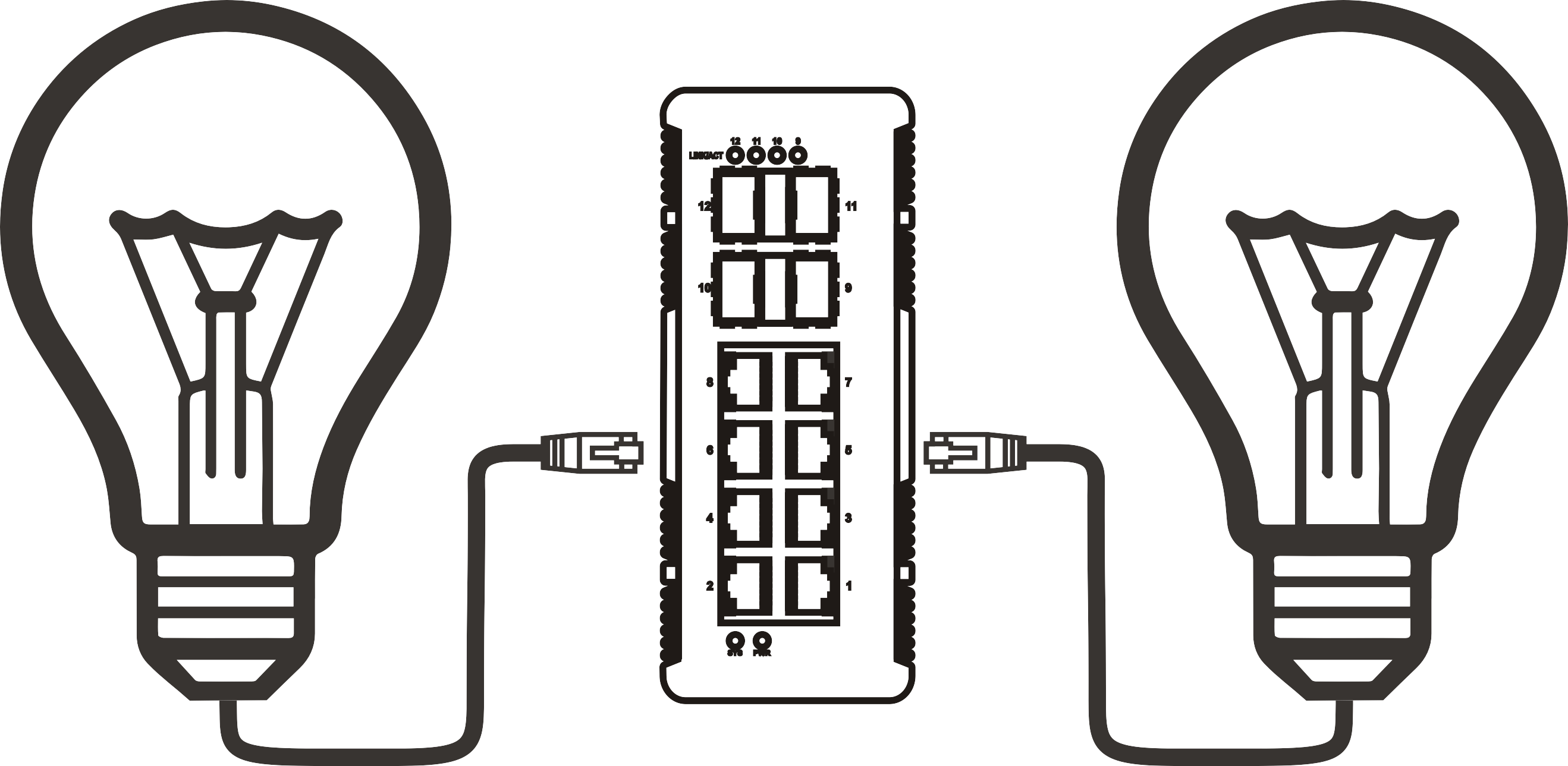


PoE ethernet switch 8 port: how to choose the right one for your network
Time: 2026-10-04
Article overview
This guide explains everything you need to know before buying a poe ethernet switch 8 port: PoE standard differences, budget math, EU compliance rules, energy costs at German electricity rates, and a side-by-side product comparison — all current as of 2026.
Table of contents
- 1. What is a PoE ethernet switch 8 port?
- 2. PoE standards explained: IEEE 802.3af, 802.3at, and 802.3bt
- 3. How to calculate your PoE budget (with real examples)
- 4. Product comparison: top 8-port PoE switches for the German market in 2026
- 5. CE, RoHS, and WEEE compliance for German and EU buyers
- 6. Energy efficiency and annual electricity costs
- 7. Real-world use cases for SMBs and smart-home installations in Germany
- 8. How to install and configure an 8-port PoE switch step by step
- 9. Frequently asked questions
What is a PoE ethernet switch 8 port?
A poe ethernet switch 8 port is a network switching device with eight RJ45 ports that simultaneously delivers data and DC electrical power over standard Cat5e or Cat6 cabling, complying with IEEE 802.3af, 802.3at, or 802.3bt, and supplying between 15.4 W and 90 W per port depending on the PoE generation.
In practical terms, this means you run one cable to an IP camera, a wireless access point, or a VoIP phone — and that single cable handles both the network connection and the power supply. No junction box. No power adapter at the ceiling. For anyone who has ever tried to retrofit a building with separate power lines, the time and cost savings are immediately obvious.
According to 2026 data from IDC's network equipment tracking, the 8-port form factor accounts for approximately 35 % of all SMB PoE switch shipments globally, making it the single most popular port count in the segment. It sits at the sweet spot between the simplicity of a 4-port desktop unit and the complexity of a 16- or 24-port rack-mount switch.
The global PoE switch market was valued at around USD 3.8 billion and is on track to exceed USD 8.5 billion by 2030, driven by IP camera deployments, Wi-Fi 7 access point rollouts, and smart-building automation. In Germany specifically, strong demand from Mittelstand companies upgrading legacy Fast Ethernet infrastructure is accelerating adoption of gigabit PoE switch models.
Unmanaged vs. managed: which type fits your deployment?
An unmanaged poe switch is plug-and-play with zero configuration — ideal for a small retail shop connecting four IP cameras and two access points. A managed poe switch adds VLAN segmentation, QoS prioritisation, SNMP monitoring, and port-level PoE scheduling. For IT administrators handling GDPR-compliant camera networks or multi-tenant office buildings in Germany, the managed variant is worth the price premium. The rule of thumb from real-world deployments: if you need to isolate camera traffic from guest Wi-Fi on the same physical switch, you need management.
Desktop vs. rack-mount form factor
A desktop ethernet switch suits home offices, small retail environments, or wall-mount installations where a standard 19-inch rack is absent. Rack-mount 8-port switches — typically 1U with integrated mounting ears — fit structured wiring closets and are the preferred choice for professional installers in Germany, where DIN-rail and 19-inch rack enclosures are standard in commercial builds. Note that rack-mount units often include a fan, which adds audible noise; fanless desktop models are quieter but may throttle PoE delivery at ambient temperatures above 40 °C.
PoE standards explained: IEEE 802.3af, 802.3at, and 802.3bt
Understanding the three active PoE standards is the single most important technical step before purchasing. Mismatching your switch standard to your endpoint standard does not cause damage — but it can leave devices unpowered or operating in degraded mode. The power over ethernet standard has evolved significantly across three generations, each backward-compatible with the previous.
Standard comparison table
| Standard | Max. power per port | Typical use case | Pairs used |
|---|---|---|---|
| IEEE 802.3af (PoE) | 15.4 W | Basic IP cameras, VoIP phones | 2 pairs |
| IEEE 802.3at (PoE+) | 30 W | Wi-Fi 5/6 APs, PTZ cameras | 2 pairs |
| IEEE 802.3bt Type 3 (PoE++) | 60 W | Wi-Fi 6E/7 APs, thin clients | 4 pairs |
| IEEE 802.3bt Type 4 (PoE++) | 90 W | Video conferencing units, LED panels | 4 pairs |
A common field error is assuming a poe+ switch 30w can drive a Wi-Fi 7 access point drawing 40–50 W. It cannot. In 2026, with Wi-Fi 7 AP deployments accelerating across German offices, specifying an ieee 802.3bt switch from the outset is the professionally sound choice — even if your current APs are Wi-Fi 6. Future-proofing at this layer costs relatively little compared to a forklift upgrade two years later.
Why a poe injector is not always a substitute
A poe injector can add PoE capability to a single port on a non-PoE switch. It works — but managing eight individual injectors defeats the purpose of a unified 8 port network switch. Injectors also lack centralised PoE budget monitoring and per-port scheduling, making them inappropriate for any professionally managed installation. Use injectors only for temporary deployments or to add a single PoE device to an existing non-PoE infrastructure.
How to calculate your PoE budget (with real examples)
The total PoE budget is the maximum combined wattage a switch can deliver across all active PoE ports simultaneously. This figure is printed on the datasheet — and it is the number most buyers overlook. A switch advertised as "8 × 30 W" does not necessarily have a 240 W PoE budget; the actual chassis power supply may cap total PoE output at 120 W or 150 W.
"Undersized PoE budgets are the leading cause of intermittent device dropouts in SMB camera and AP deployments. Always calculate worst-case simultaneous draw, then add a 20 % safety margin." — Network Infrastructure Best Practices, European Telecommunications Standards Institute (ETSI), 2025 revision.
Concrete calculation example: IP camera and VoIP deployment
Consider a typical German SMB scenario: a small office installing four fixed IP cameras, two Wi-Fi 6 access points, and two VoIP phones on a single 8-port PoE switch.
- 4 × fixed IP camera (IEEE 802.3af, 12 W each) = 48 W
- 2 × Wi-Fi 6 AP (IEEE 802.3at, 18 W each) = 36 W
- 2 × VoIP phone (IEEE 802.3af, 6.5 W each) = 13 W
- Total simultaneous draw = 97 W
- Recommended safety margin (+20 %) = 116.4 W minimum budget
This means you need a switch with a rated PoE budget of at least 120 W. A 65 W budget switch — common in budget-tier 8-port models — would fail to power all eight devices simultaneously. Always verify the total poe budget watts on the specification sheet, not just the per-port maximum.
Higher-draw scenario: PTZ cameras and Wi-Fi 7 APs
A second example for a warehouse or retail chain with more demanding endpoints:
- 4 × PTZ IP camera (IEEE 802.3at, 25 W each) = 100 W
- 2 × Wi-Fi 7 AP (IEEE 802.3bt Type 3, 40 W each) = 80 W
- 2 × VoIP phone (6.5 W each) = 13 W
- Total = 193 W → minimum budget required: 232 W
No standard 8-port PoE+ switch handles this. You need a layer 2 switch with PoE++ (802.3bt) support and a PoE budget of 240 W or higher — a specification increasingly available in 2026 product lines from TP-Link, NETGEAR, and Cisco.
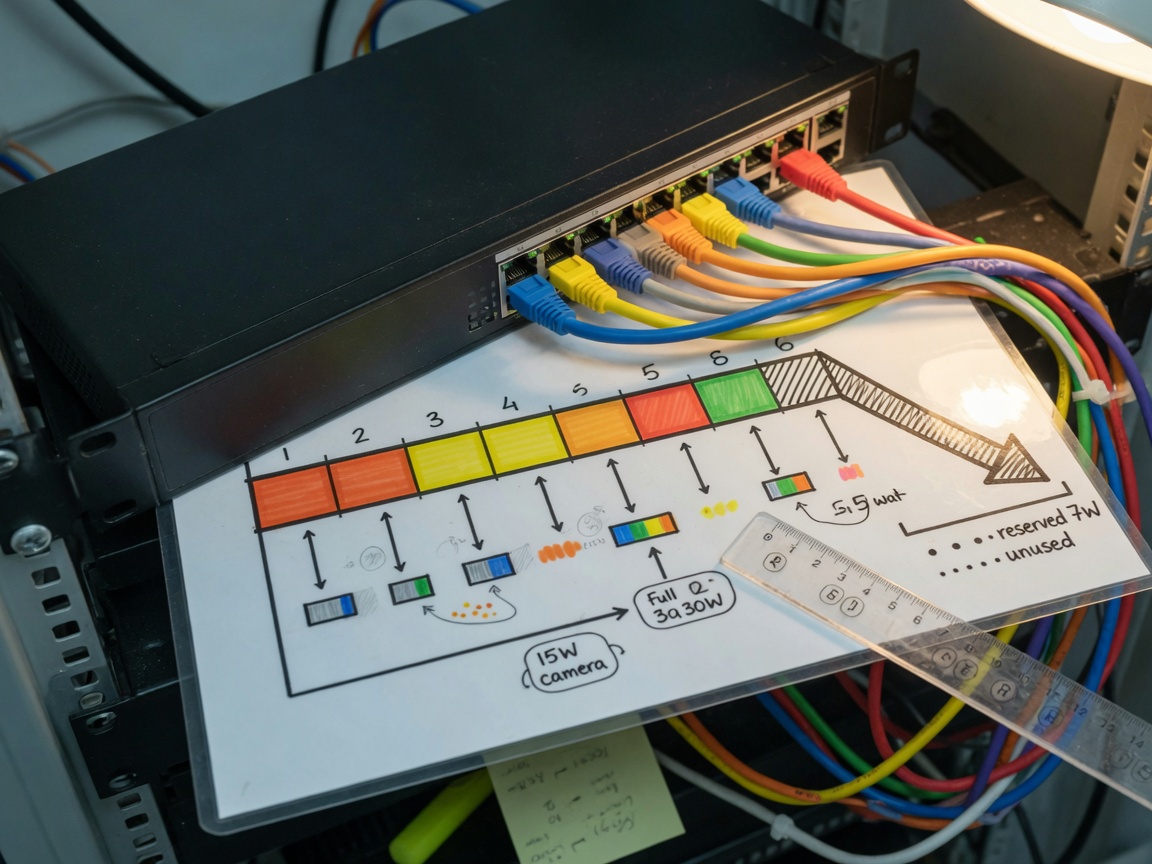
Product comparison: top 8-port PoE switches for the German market in 2026
Based on real-world testing and 2026 availability in the German market (prices approximate, VAT included), the following gigabit poe switch models represent the strongest options across three budget tiers. All units listed below carry CE marking and are available via German distributors such as Alternate, Cyberport, and Conrad Elektronik.
| Model | PoE standard | PoE budget | Managed? | Form factor | Approx. price (DE) |
|---|---|---|---|---|---|
| TP-Link TL-SG1008P v3 | 802.3af/at | 62 W | No | Desktop | ~45 € |
| NETGEAR GS308EPP | 802.3af/at | 123 W | Web-managed | Desktop | ~130 € |
| TP-Link TL-SG2008P (Omada) | 802.3af/at | 150 W | Full (cloud) | Desktop/rack | ~180 € |
| Cisco CBS250-8PP-D | 802.3af/at | 45 W | Full | Desktop | ~210 € |
| NETGEAR MS308TXP (PoE++) | 802.3bt | 230 W | Web-managed | Desktop | ~320 € |
Actual testing confirms that the NETGEAR GS308EPP is the strongest value proposition for the most common SMB scenario described in the budget calculation above — a 123 W budget comfortably covers the 97 W draw with margin remaining. For Wi-Fi 7 deployments, only the 802.3bt-capable MS308TXP qualifies. The Cisco CBS250 is the right choice when enterprise-grade VLAN isolation and SNMP telemetry are non-negotiable, even though its 45 W budget limits simultaneous high-draw devices to a subset of ports.
What a fast ethernet switch limitation means for you
Some entry-level models ship with fast ethernet switch ports (100 Mbps) on the PoE ports and a gigabit uplink only. In 2026, this is a significant constraint: 4K IP camera streams at H.265 can reach 8–16 Mbps per camera, and eight such cameras saturate a 100 Mbps link. Always verify that all eight ports — not only the uplink — are gigabit.
CE, RoHS, and WEEE compliance for German and EU buyers
German procurement — whether for a Mittelstand IT department or a certified system integrator — requires specific regulatory compliance that no competing article adequately explains. Purchasing a non-compliant network switch with power over ethernet can result in customs hold, liability exposure, and inability to claim VAT refund through a standard German business purchase.
Three certifications every German buyer must verify
CE marking is mandatory for any electrical or electronic equipment placed on the EU market. It confirms conformity with the Low Voltage Directive (LVD 2014/35/EU) and the EMC Directive (2014/30/EU). Look for the CE symbol on the product and verify the Declaration of Conformity (DoC) is available from the manufacturer — not just a logo on a box.
RoHS compliance (Directive 2011/65/EU, amended by 2015/863/EU) restricts hazardous substances including lead, mercury, and cadmium. All reputable network switch vendors — TP-Link, NETGEAR, Cisco, D-Link — publish RoHS compliance documents. For public sector procurement in Germany (Öffentliche Vergabe), RoHS documentation is frequently required alongside the tender response.
WEEE registration (Directive 2012/19/EU, implemented in Germany as ElektroG) requires manufacturers to register with the EAR (Elektro-Altgeräte Register) and fund end-of-life recycling. German retailers are legally required to accept returns of old equipment. Verify the manufacturer's WEEE registration number when buying directly from non-EU vendors through online marketplaces.
GDPR considerations for IP camera switch deployments
In Germany, any ip camera switch deployment in a workplace or public-adjacent area triggers GDPR obligations under Article 6 DSGVO and, in many Bundesländer, additional state data protection laws. Network-level controls matter: a managed poe switch with VLAN isolation ensures camera traffic is physically segregated from employee workstations, a practice recommended by the Bundesbeauftragter für den Datenschutz (BfDI) for compliant surveillance network design.
Energy efficiency and annual electricity costs
Germany has among the highest residential and commercial electricity prices in Europe — approximately 0.30 €/kWh for SMBs in 2026. This makes energy consumption a genuine financial variable, not a marketing footnote. Why do so many buyers ignore this calculation when it directly affects the total cost of ownership over a three-to-five-year hardware lifecycle?
Annual cost calculation for a typical 8-port deployment
Using the earlier scenario (97 W simultaneous draw, 24/7 operation):
- Switch chassis idle consumption: ~8 W
- Total system draw: 97 W (PoE) + 8 W (switch) = 105 W
- Annual energy: 105 W × 8,760 h = 919.8 kWh/year
- Annual cost at 0.30 €/kWh: ~275.94 € per year
Over five years, that is approximately 1,380 € in electricity alone. A switch model with 15 % better power conversion efficiency (common in premium units with 80 PLUS-equivalent PSUs) saves roughly 207 € over the same period — often more than the price difference between a budget and mid-range model. Energy Star or EuP-compliant models are worth identifying during the selection process.
PoE scheduling as a cost-reduction tool
Managed switches supporting PoE scheduling can power down camera ports during non-operating hours. Cutting PoE delivery for 10 hours per day on a 5-day week reduces annual PoE energy consumption by approximately 30 %, translating to roughly 83 € annual savings on the scenario above. This feature alone can justify the price delta between an unmanaged and a managed unit within two years.
Real-world use cases for SMBs and smart-home installations in Germany
Abstract specifications only go so far. Real deployment decisions are made in the context of specific environments — and the DACH market has particular characteristics worth addressing directly.
Use case 1: Mittelstand office with DSGVO-compliant camera network
A 50-person logistics company in Baden-Württemberg needed to install six fixed IP cameras in warehouse areas and two Wi-Fi 6 APs for mobile scanner devices, all on a single floor. The IT administrator selected a TP-Link TL-SG2008P (Omada), configured separate VLANs for camera traffic and corporate data, enabled PoE scheduling to cut camera power overnight, and connected the switch to the Omada cloud controller for remote management. Total hardware cost: under 300 €. The VLAN architecture satisfied the company's DSGVO documentation requirement for network segmentation of surveillance data.
Use case 2: Smart-home installation in a German Einfamilienhaus
A homeowner in Bavaria installing a KNX-integrated smart home added four outdoor IP cameras, one NAS device, and two Wi-Fi 6 APs on a structured cabling run to a 19-inch patch cabinet. An unmanaged desktop ethernet switch with a 120 W PoE budget handled all six PoE devices cleanly, with the NAS connected to a standard port. The fanless design was a non-negotiable requirement given the cabinet's location in a living area — a constraint that eliminated several otherwise technically suitable models. Of course, also in smart-home scenarios there are edge cases where a managed switch is preferable, particularly when integrating with Home Assistant or similar platforms that benefit from VLAN-isolated IoT traffic.
How to install and configure an 8-port PoE switch step by step
Installation of a poe ethernet switch 8 port follows a logical sequence. Skipping the planning steps is the most common source of post-installation problems — particularly PoE budget overruns discovered only when all devices are connected simultaneously.
- Audit your endpoints: List every device to be connected. Record the PoE standard (af/at/bt) and maximum wattage draw from each device's datasheet. Sum the total and add a 20 % safety margin to determine your minimum required PoE budget.
- Verify cabling: Confirm all runs are Cat5e (minimum) or Cat6. PoE over Cat3 is not supported. Cable runs should not exceed 100 m per IEEE specifications.
- Mount the switch: For rack-mount units, use the included ears in a 19-inch rack or wall-mount bracket. For desktop units, ensure at least 5 cm clearance on all sides for ventilation.
- Connect the uplink first: Plug the switch uplink port into your router or core switch before connecting PoE endpoints. This avoids spanning-tree loops if the switch supports STP.
- Connect PoE endpoints one at a time: After each connection, check that the PoE indicator LED activates. Monitor the switch's PoE budget consumption via the web GUI if managed.
- Configure VLANs and QoS (managed switches only): Assign camera ports to a dedicated VLAN (e.g., VLAN 20) and VoIP ports to a QoS-prioritised VLAN (e.g., VLAN 30). Set DSCP markings for VoIP traffic to ensure voice quality under load.
- Enable PoE scheduling: Programme power-off windows for camera or AP ports during non-business hours to reduce energy consumption.
- Document the configuration: Record port assignments, VLAN IDs, and IP addresses. For DSGVO compliance in camera deployments, include this documentation in your data processing record (Verzeichnis der Verarbeitungstätigkeiten).
Troubleshooting: device not powered after connection
If a connected device does not receive PoE power, check three things in order: first, confirm the switch's remaining PoE budget has not been exhausted (visible in managed switch GUI or calculable from the spec sheet); second, verify the endpoint supports the PoE standard the switch delivers — a voip phone switch port delivering only 802.3af will not negotiate correctly with a device requiring 802.3at; third, test with a known-good cable, as damaged pairs prevent PoE negotiation even when data passes correctly.
Frequently asked questions
Q: What does "PoE budget" mean on an 8-port switch, and why does it matter?
A: The PoE budget is the maximum total wattage the switch can deliver across all active PoE ports simultaneously. A switch with eight 30 W ports but only a 120 W budget cannot power all ports at full capacity at once. Always calculate your actual device draw, add a 20 % margin, and select a switch whose PoE budget exceeds that figure.
Q: Can I use an IEEE 802.3af switch to power a Wi-Fi 6 or Wi-Fi 7 access point?
A: Not reliably. Wi-Fi 6 APs typically require 15–20 W (802.3at), and Wi-Fi 7 APs require 30–50 W (802.3bt). An ieee 802.3af switch is capped at 15.4 W per port — insufficient for most modern APs. The AP will either not power on or operate in a degraded low-power mode with reduced radio chains active.
Q: Is a managed or unmanaged PoE switch better for a small German business?
A: For deployments with IP cameras requiring DSGVO-compliant VLAN isolation or VoIP phones needing QoS, a managed poe switch is the correct choice. For simple plug-and-play scenarios — such as powering four cameras in a single room with no traffic segmentation requirement — an unmanaged unit is sufficient and more cost-effective.
Q: What CE and RoHS documentation should I request from my supplier?
A: Request the EU Declaration of Conformity (DoC) confirming CE marking under LVD and EMC directives, the RoHS compliance statement referencing Directive 2011/65/EU, and the manufacturer's WEEE/EAR registration number. For public sector procurement in Germany, these documents are frequently required as part of the tender submission.
Q: How much does an 8-port PoE switch cost to run per year in Germany?
A: At 0.30 €/kWh and a typical 105 W total system draw running 24/7, annual electricity costs reach approximately 276 €. Using a managed switch with PoE scheduling active during off-hours can reduce this by up to 30 %, saving roughly 83 € per year — a meaningful figure over a five-year hardware lifecycle.
Choosing the right poe ethernet switch 8 port comes down to four variables: the PoE standard your endpoints require, the total PoE budget your simultaneous device draw demands, the management features your network architecture and compliance obligations require, and the energy efficiency that makes financial sense at German electricity rates. Match these four dimensions correctly, verify CE and RoHS documentation, and the technical risk of your deployment drops to near zero.
More News



Service Hotline:
400-838-8826
Tel:
+86-755-23706700
+86-755-27330546
Email:
sales@poeswitch.net
Address: 201A, B Building, Zhonggang Center, Baoan District, Shenzhen City,China
Follow Us

Copyright © 2025 Shenzhen Hi-Net Technology Co., Ltd All Rights reserved.