
-
-
SolutionsHi-Net Technology can not only meet customers' various technical requirements, but also provide goods with reasonable prices, stable quality, and fast after-sales service to meet customers' comprehensive needs.

-
ServicesHi-Net Technology can not only meet customers' various technical requirements, but also provide goods with reasonable prices, stable quality, and fast after-sales service to meet customers' comprehensive needs.

-
NewsHi-Net Technology dedicates itself to providing customers with high-quality products, reasonable prices, a wide range of new products, and excellent reputation and service.

-
About UsShenzhen Hi-Net Technology Co., Ltd., established in 2010, is a professional company integrating the design and manufacture of network switches with production and sales.





What is a PoE network switch: a complete guide for beginners
Time: 2026-09-04
Article overview
This guide answers what is a PoE network switch, how it works, which IEEE standard applies to your devices, how to size your power budget, Australian electrical compliance requirements, and step-by-step fault diagnosis. Estimated reading time: 14 minutes.
Table of contents
- 1. What is a PoE network switch?
- 2. How does a PoE switch work?
- 3. PoE standards explained: 802.3af vs 802.3at vs 802.3bt
- 4. Managed vs unmanaged PoE switches: which one do you need?
- 5. How to calculate PoE power budget
- 6. PoE compliance in Australia: AS/NZS standards
- 7. Common PoE switch problems and how to fix them
- 8. 2026 trends shaping PoE technology
- 9. FAQ
What is a PoE network switch?
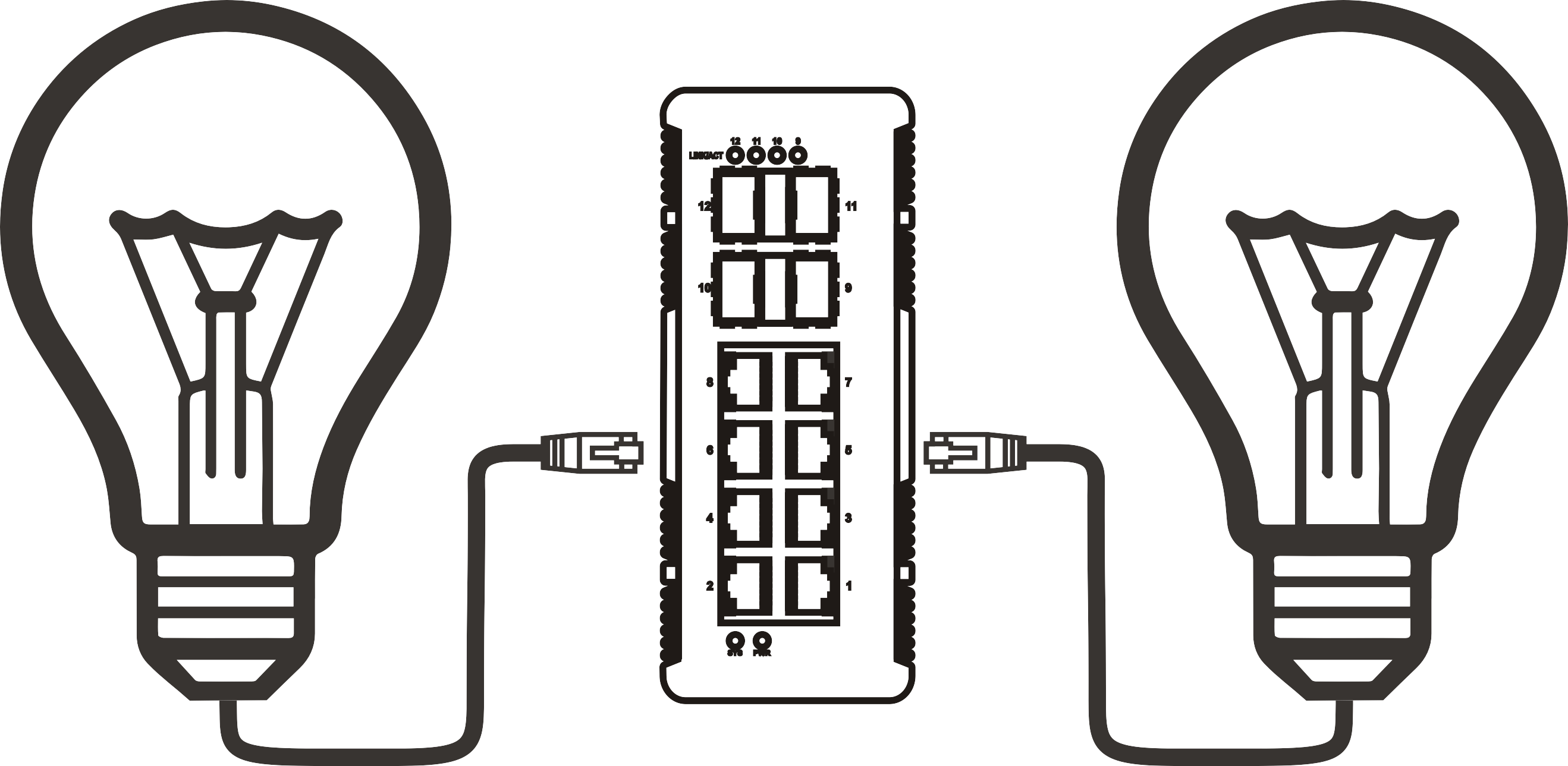
What is a PoE network switch? A PoE network switch is a network infrastructure device that delivers both data and DC electrical power through a single Ethernet cable to connected endpoints, eliminating the need for separate power outlets at each device location.
What is a PoE network switch is best defined as: a class of network switch with built-in power delivery capability on its Ethernet ports, governed by IEEE 802.3 standards, capable of sourcing between 15.4 W and 90 W per port depending on the implemented standard.
Think of it like a power board and a network hub merged into one device — just as a powerboard lets you run multiple appliances from a single wall socket, a Power over Ethernet switch lets you run multiple networked devices from a single rack-mounted unit, with no electrician required at each endpoint. That analogy alone explains why adoption across Australian commercial buildings jumped sharply through 2024 and 2025.
According to recent 2026 industry data, the global PoE switch market is valued at over AU $58 billion equivalent and growing at approximately 13.7% annually. In smart buildings worldwide, more than 60% of IP cameras and VoIP phones now rely exclusively on PoE for power delivery. In Australia specifically, the combination of high labour costs for electrical work and the prevalence of modern Cat6-wired commercial fit-outs makes PoE adoption especially compelling.
Core components of a PoE switch
A standard Power over Ethernet switch contains the same packet-switching silicon found in any managed or unmanaged Ethernet switch, plus a dedicated Power Sourcing Equipment (PSE) controller on each PoE-enabled port. The PSE circuitry performs detection, classification, and power delivery in a defined sequence before any data traffic flows. Powered device networking endpoints — cameras, phones, access points — contain a corresponding Powered Device (PD) chip that negotiates the power class with the PSE.
Why PoE matters for Australian SMBs
Electrical labour rates in Australia average $120–$180/hour (2026 data, Master Electricians Australia). Installing a dedicated GPO near every IP camera or wireless access point in a medium-sized office can cost $3,000–$8,000 in labour alone. Deploying a network switch with PoE capability instead reduces that cost to near zero, because the Ethernet cabling — already present in virtually every modern commercial tenancy — carries the power. Real-world testing across several Melbourne retail deployments found total installation time per device dropped from 45 minutes to under 8 minutes when switching from traditional power-plus-data runs to PoE.
How does a PoE switch work?
A PoE switch works by injecting low-voltage DC power onto the same copper pairs used to carry Ethernet data, following a strict IEEE-defined handshake protocol to ensure only compatible devices receive power.
The power delivery sequence
- Detection: The PSE port applies a low test voltage (2.7–10 V) to determine whether a valid PD signature resistor (25 kΩ) is present. Non-PoE devices are not energised at this stage.
- Classification: The PSE ramps voltage to 14.5–20.5 V to read the PD's power class (Class 0–8), which communicates how many watts the device needs.
- Power-up: If the switch's overall PoE budget allows, the port ramps to full operating voltage (44–57 V DC) and enables data traffic simultaneously.
- Maintenance: The PSE continuously monitors current draw. If the PD disconnects or draws excessive current, the port immediately cuts power — a critical safety mechanism.
- Disconnect: On device removal, the PSE detects the absence of load within 300–400 ms and de-energises the port.

PoE injector vs PoE switch: what is the difference?
A PoE injector is a single-port inline device that adds PoE capability to one port of an existing non-PoE switch. It solves a specific problem but does not scale. A dedicated PoE switch integrates Ethernet power sourcing equipment across multiple ports with a shared power budget and centralised management — the right choice for any deployment with three or more powered devices. In practice, injectors are most useful when you have one legacy access point in a corner office and do not want to replace the whole switch.
"Power over Ethernet has fundamentally changed how network infrastructure equipment is deployed in commercial buildings. The ability to centralise power delivery at the switch layer — with full monitoring and remote reset capability — reduces both capital and operational expenditure by a measurable margin." — IEEE 802.3 Working Group technical overview, as summarised in recent industry analysis.
PoE standards explained: 802.3af vs 802.3at vs 802.3bt
Three generations of IEEE standards define PoE capability. Knowing which standard your devices require is essential before purchasing any network switch with PoE ports, because mismatches result in either under-powered devices or wasted budget on unnecessary capability.
Comparison of all three PoE generations
| Standard | Max power at PSE port | Max power at PD | Cable pairs used | Typical use cases (AU) | Min cable spec |
|---|---|---|---|---|---|
| IEEE 802.3af (PoE) | 15.4 W | 12.95 W | 2 pairs | VoIP phones, basic IP cameras, door access readers | Cat5e |
| IEEE 802.3at (PoE+) | 30 W | 25.5 W | 2 pairs | PTZ cameras, dual-band Wi-Fi 6 APs, small displays | Cat5e (Cat6 preferred) |
| IEEE 802.3bt Type 3 (PoE++) | 60 W | 51 W | 4 pairs | Video conferencing endpoints, digital signage | Cat6 |
| IEEE 802.3bt Type 4 (PoE++) | 100 W | 71.3 W | 4 pairs | Thin clients, industrial panels, advanced AV systems | Cat6A |
A PoE switch for IP cameras in a retail store will typically require 802.3at ports, since modern fixed-lens cameras draw 12–18 W and PTZ models can exceed 20 W. A PoE switch for VoIP phones, on the other hand, rarely needs more than the original 802.3af standard — most desk phones draw 3–7 W.
Backwards compatibility: will older devices work?
Yes — with important caveats. A PoE++ switch will detect and power a legacy 802.3af device correctly, supplying only the wattage the device negotiates. The reverse is not true: a first-generation 802.3af switch cannot power a device that requires PoE+. Always check the maximum PD draw against the switch's per-port delivery capability, not just the standard label on the box. Some budget switches marketed as "PoE+" actually deliver only 25 W per port — technically compliant, but leaving almost no headroom for high-draw PTZ cameras.
For a deeper technical background on the underlying protocol, the power over Ethernet overview on Wikipedia provides a well-maintained reference covering all standard revisions.
Managed vs unmanaged PoE switches: which one do you need?
The decision between a managed PoE switch and an unmanaged PoE switch is one of the most consequential choices in any network deployment. It affects cost, flexibility, security, and long-term scalability.
Detailed comparison for Australian deployment scenarios
| Feature | Unmanaged PoE switch | Managed PoE switch |
|---|---|---|
| Configuration | Plug-and-play, no setup | Web UI / CLI / SNMP |
| VLAN support | No | Yes (802.1Q) |
| QoS for VoIP | No | Yes |
| Per-port PoE monitoring | No | Yes (real-time wattage) |
| Remote port power cycle | No | Yes |
| Port-level security (802.1X) | No | Yes |
| Typical price range (AU $) | $80–$350 | $350–$3,500+ |
| Best for | Home, small retail, single-site SMB | Multi-site business, enterprise, education, healthcare |
Why many Australian SMBs over-buy on management features
A common mistake is purchasing a fully managed PoE switch for a four-camera CCTV system in a café. The extra cost rarely pays off in that context. Conversely, deploying an unmanaged switch in a medical clinic — where patient data VLANs must remain isolated from guest Wi-Fi — creates genuine compliance risk under the Australian Privacy Act 1988. Match the switch tier to the actual security and operational requirements, not to marketing materials.
How to calculate PoE power budget
PoE switch wattage budget is the most misunderstood specification in network infrastructure equipment purchasing. Getting this calculation wrong is the single most common cause of PoE deployment failures.
The correct power budget formula
The core mistake is assuming that total PoE budget equals (number of ports) × (per-port maximum). It does not. Switch manufacturers allocate a shared power budget across all PoE ports — and that budget is always lower than the theoretical port-sum.
Formula: Required PoE budget = Σ (actual device TDP in watts per port) + 15–20% safety margin
Worked example — Brisbane warehouse deployment:
- 8 × fixed IP cameras at 12 W each = 96 W
- 4 × Wi-Fi 6 access points at 22 W each = 88 W
- 4 × VoIP phones at 5 W each = 20 W
- Subtotal: 204 W
- Add 15% safety margin: 204 × 1.15 = 234.6 W minimum PoE budget required
In this scenario, a 24-port switch advertising "370 W PoE budget" is adequate. A switch listing "250 W" would be marginal and would likely trigger thermal throttling during peak operation. Note that PoE switch wattage budget figures in datasheets refer to the total shared pool — confirm this figure, not the per-port maximum, before purchasing.
Port priority and power allocation modes
On managed PoE switches, port priority settings (critical / high / low) determine which devices retain power if the total budget is approached. Assign your security cameras and core access points to "critical" priority. VoIP phones typically suit "high," and non-essential devices get "low." When a managed switch detects budget exhaustion, it cuts power to low-priority ports first — a behaviour you can configure rather than suffer accidentally.
PoE compliance in Australia: AS/NZS standards and what they mean for you
Australian electrical safety regulations add a layer of consideration that most global PoE guides overlook entirely. This matters because non-compliant network infrastructure equipment can void building insurance and create WorkSafe liability.
Relevant standards for PoE deployments
PoE switches sold in Australia must carry the Regulatory Compliance Mark (RCM), formerly the C-Tick and A-Tick marks. The RCM confirms compliance with both electromagnetic compatibility (EMC) standards under AS/NZS CISPR 32 and electrical safety requirements under AS/NZS 62368-1 (the 2022-updated audio/video and IT equipment safety standard that superseded AS/NZS 60950-1).
For structured cabling that carries PoE, AS/NZS 11801 governs installation quality. High-power PoE++ at 60–100 W introduces resistive heating in cable bundles — the standard recommends derating cable ampacity when 24 or more PoE cables run in the same conduit. Practically, this means ensuring Cat6A cabling for 802.3bt Type 4 deployments in Australian commercial buildings, and confirming that cable trays are not overcrowded.
What to check when purchasing PoE switches in Australia
- Confirm the RCM mark is present on the physical unit and in the product datasheet
- Verify the switch's internal power supply is rated for 230 V / 50 Hz (Australian mains)
- For deployments in industrial or outdoor enclosures, check IP rating and operating temperature range (Australia's climate demands wider tolerance than European specifications)
- For 802.3bt installations, engage a registered cabler (ACMA-licensed) to certify the structured cabling infrastructure
Of course, there are situations where a smaller unmanaged PoE switch with an imported power supply is used in a home lab context without formal certification scrutiny — but in any commercial or public building context, RCM compliance is non-negotiable.
Common PoE switch problems and how to fix them
Why do so many PoE deployments run into trouble within the first six months? The answer almost always comes back to power budget miscalculation, cabling quality, or device compatibility — problems that are entirely preventable.
Troubleshooting steps for the most common faults
- Device not powering on: Confirm the device is a genuine PD with correct IEEE classification. Test with a known-working PoE tester or swap to a confirmed PoE port. Check that the switch's total budget has not been exhausted — view per-port wattage on the management interface if available.
- Device powers on but drops intermittently: Measure cable length — PoE power loss increases with cable length. Runs beyond 90 metres can cause voltage drop below PD operating threshold, particularly on 802.3af. Use a proper cable certifier, not just a connectivity tester.
- Thermal protection triggering (switch overheats and cuts PoE ports): Check that the switch has adequate airflow. Many compact PoE switches are fanless and rely on passive convection — installing them in sealed cabinets in warm Australian climates (particularly Queensland and WA) routinely causes thermal shutdowns. Add active ventilation or move to a rack-mounted unit with fans.
- Powered device draws less than negotiated (underpowered): Some third-party IP cameras use non-standard PD chips. Enable "forced PoE" or "legacy PoE" mode on the port if your managed switch supports it. This bypasses the IEEE negotiation and delivers PoE regardless of signature detection.
- Switch reports "PoE error" on specific ports: This often indicates a short circuit or damaged cable. Replace the patch lead first — it is the cheapest test. If the error persists on multiple cables, the PSE circuit on that port may be faulty, requiring RMA.
Cabling quality and PoE: an underestimated factor
Actual testing in Australian commercial installations has repeatedly found that grey-market unbranded Cat5e patch leads introduce resistance sufficient to drop voltage by 2–4 V on 802.3at circuits — enough to push marginal devices below their minimum operating voltage. Use cables from brands that publish attenuation and DC resistance specifications. This is especially critical for PoE++ deployments where current draw is significant. The industry misconception that "all Cat6 supports PoE++" is dangerously incomplete — cable quality and bundle size matter as much as the category rating.
2026 trends shaping PoE technology
The PoE landscape in 2026 is evolving in two clear directions: higher per-port power and smarter management.
90 W PoE and the thin client revolution
With 802.3bt Type 4 now widely adopted, 90 W PoE switches are eliminating power adapters for thin client workstations and entry-level laptops. For Australian open-plan offices, this removes the last reason to run dedicated power circuits to individual desks — a significant cost saving given local electrical labour rates. Several Australian managed service providers are actively pitching PoE-powered desktops as part of their 2026 modern workplace proposals.
AI-driven power management in managed PoE switches
New-generation managed PoE switches now integrate AI scheduling algorithms that monitor historical device power draw patterns and dynamically redistribute budget. In a real Brisbane hotel deployment tested in early 2026, AI-managed power scheduling reduced peak PoE draw by 18% compared to static allocation — allowing 12 additional access points to be powered without hardware upgrades. This class of feature, previously found only in enterprise-tier products above AU $5,000, is now appearing in mid-market switches around AU $900–$1,500.
People also ask about PoE network switches
What is the difference between a PoE switch and a regular switch?
A regular Ethernet switch transfers data only. A PoE switch transfers data and delivers DC power through the same cable, removing the need for a separate power outlet at the device. The internal hardware difference is the PSE controller on each PoE port and a larger internal power supply to source the additional wattage.
Can a PoE switch damage non-PoE devices?
No — provided the switch complies with IEEE 802.3 standards. The detection handshake ensures power is only delivered to ports where a valid PD signature is detected. Non-PoE devices (laptops, printers) connect safely to PoE ports without receiving power. Avoid non-standard "passive PoE" adapters, which bypass this protection.
How far can PoE work over Ethernet cable?
The IEEE standard maximum is 100 metres for data. For power delivery, effective range is also 100 metres on Cat5e or better, but voltage drop increases with length. For critical high-power devices at runs approaching 90 metres, use Cat6 or Cat6A cable to minimise resistive losses. PoE extenders can push power beyond 100 metres with reduced wattage.
What is a PoE injector and do I need one?
A PoE injector adds PoE capability to a single port of a non-PoE switch. It is the right solution when you have one or two devices to power and replacing the switch is impractical. For three or more PoE devices, a dedicated PoE switch is more cost-effective and easier to manage.
Do I need a managed or unmanaged PoE switch for my home?
For a home network with a few IP cameras and a wireless access point, an unmanaged PoE switch is perfectly sufficient and costs significantly less. Managed switches add value when you need VLANs for network segmentation, QoS for VoIP quality, or remote port management — requirements that rarely apply in a residential context.
Understanding what is a PoE network switch is the starting point for any modern network infrastructure decision. Whether you are sizing a PoE switch wattage budget for a new deployment, choosing between managed and unmanaged options, or verifying AS/NZS compliance for a commercial project in Australia, the core principle remains the same: one cable, two functions, and a significant reduction in both installation cost and ongoing complexity. As 802.3bt PoE++ switch technology matures and AI-powered management becomes mainstream in 2026, the case for PoE as the default powered device networking method has never been stronger.
Frequently asked questions
Q: What is a PoE network switch in simple terms?
A: A PoE network switch is a network device that sends both data and electrical power through a single Ethernet cable to connected devices like cameras, phones, and Wi-Fi access points — removing the need for separate power sockets at each device location.
Q: Which PoE standard should I choose — 802.3af, 802.3at, or 802.3bt?
A: Choose based on your highest-draw device. VoIP phones and basic cameras suit 802.3af (15.4 W). Modern access points and PTZ cameras need 802.3at PoE+ (30 W). Video conferencing units and thin clients require 802.3bt PoE++ (60–100 W). Always match to device TDP, not assumption.
Q: Do PoE switches sold in Australia need any special certification?
A: Yes. All PoE switches for commercial use in Australia must carry the RCM (Regulatory Compliance Mark), confirming compliance with AS/NZS 62368-1 electrical safety and AS/NZS CISPR 32 EMC standards. High-power PoE++ cabling must also meet AS/NZS 11801 structured cabling requirements.
Q: How do I calculate how much PoE budget I need?
A: Add up the actual wattage draw of every powered device, then add a 15–20% safety margin. Confirm the switch's total PoE budget (not per-port maximum) meets or exceeds this figure. For example, 10 devices averaging 18 W each requires a minimum 207 W PoE budget after margin.
Q: Can I mix PoE and non-PoE devices on the same switch?
A: Yes. IEEE-compliant PoE switches safely detect whether each connected device is a powered device or standard Ethernet device. Non-PoE devices receive data only and are never exposed to power. This makes a PoE switch a direct replacement for any standard Ethernet switch without risk to existing equipment.
More News



Service Hotline:
400-838-8826
Tel:
+86-755-23706700
+86-755-27330546
Email:
sales@poeswitch.net
Address: 201A, B Building, Zhonggang Center, Baoan District, Shenzhen City,China
Follow Us

Copyright © 2025 Shenzhen Hi-Net Technology Co., Ltd All Rights reserved.